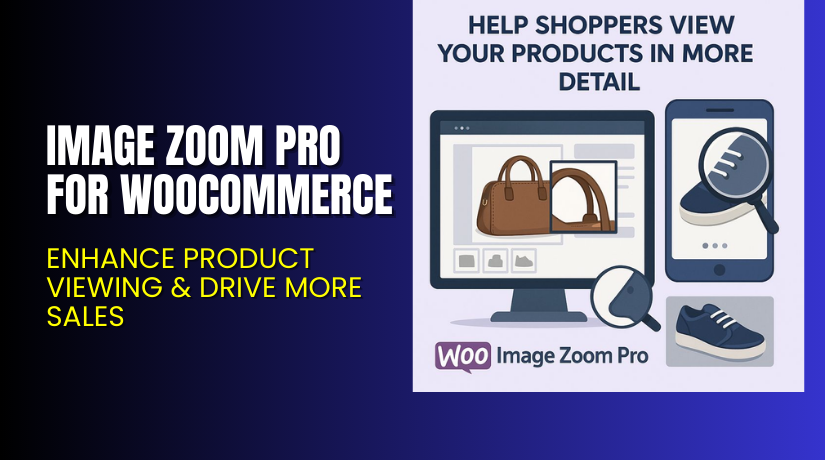
Image Zoom Pro for WooCommerce – Enhance Product Viewing & Drive More Sales
Table of Contents
- Introduction
- What is Image Zoom Pro for WooCommerce?
- Features of Image Zoom Pro for WooCommerce
- How to Install and Configure Image Zoom Pro for WooCommerce?
- Image Zoom Pro for WooCommerce – Pricing & Plans
- My Experience with Image Zoom Pro for WooCommerce
- Who Should Use This Plugin?
- Final Verdict
- FAQ
Introduction
Running a WooCommerce store involves managing multiple plugins every day. Each plugin promises to improve sales, speed, or user experience. But not every plugin truly makes a difference. Many store owners face one common issue — product images that fail to attract users. Shoppers want to see every product detail before purchasing. If your images are small, unclear, or lack zoom features, you lose potential buyers.
This is where Image Zoom Pro for WooCommerce becomes a game-changer. It helps you offer a detailed viewing experience for every product image. Customers can zoom in, check textures, and make confident buying decisions. The plugin adds professional functionality similar to large eCommerce platforms.
This is where Image Zoom Pro for WooCommerce becomes a game-changer. It helps you offer a detailed viewing experience for every product image. Customers can zoom in, check textures, and make confident buying decisions. The plugin adds professional functionality similar to large eCommerce platforms.
👉 If you ever need help installing or troubleshooting any plugin or extension, please try our Installation & Troubleshooting Services.
What is Image Zoom Pro for WooCommerce?
Image Zoom Pro for WooCommerce is a premium plugin that enhances your store’s product images. It allows customers to zoom in and view product details clearly. This simple feature can increase trust and conversion rates.
The plugin is developed by Flintop, a company known for high-quality WooCommerce tools. It’s available in both free and premium versions. The free version offers basic zoom functionality, while the premium version provides advanced customization, smooth animations, and support options.
This plugin ensures compatibility with most WooCommerce themes and page builders. It also works seamlessly with mobile devices, allowing touch-based zooming. Whether you sell fashion, gadgets, or furniture, this plugin ensures your products look professional and detailed.
Features of Image Zoom Pro for WooCommerce
| Feature | Description | Why It Matters |
| Responsive Zoom Function | Automatically adjusts the zoom based on screen size. | Helps mobile and desktop users experience consistent zoom quality. |
| Inner, Outer, and Lens Zoom Styles | Choose between multiple zoom styles to match your design. | Gives store owners control over user experience. |
| Custom Cursor Options | Lets you change the cursor icon when hovering over images. | Adds a professional and engaging look to your product pages. |
| Gallery Image Support | Works for gallery thumbnails and product variation images. | Ensures customers can zoom in on every image they view. |
| Smooth Animation Effects | Adds fade and transition effects to zoom motion. | Improves the overall feel and makes browsing enjoyable. |
| Easy Backend Control | Offers a clean settings panel inside the WooCommerce admin. | Saves time by reducing complex setup or code editing. |
| Compatible with Major Themes | Works with Astra, Flatsome, OceanWP, and Storefront. | Ensures your site design remains stable and professional. |
| Lightweight and Fast | Built with optimized code for quick loading. | Keeps site speed high and avoids performance issues. |
How to Install and Configure Image Zoom Pro for WooCommerce?
- Download the plugin from the link.
- Go to your WordPress Dashboard → Plugins → Add New → Upload Plugin.
- Upload the ZIP file you downloaded and click Install Now.
- Once installed, click Activate Plugin.
- Go to WooCommerce → Image Zoom Pro Settings.
- Configure basic options such as zoom type, cursor style, and animation effect.
- Save your settings and preview your store’s product pages.
Your image zoom feature should now be active. Test it on multiple devices to ensure smooth performance and compatibility with your theme.
💡 If you face any configuration or compatibility issues, you can try our Installation & Troubleshooting Services.
Image Zoom Pro for WooCommerce – Pricing & Plans
| 1 Year Plan | 2 Year Plan |
| $49 | $78.40 |
Subscription includes
|
Subscription includes
|
Buy Image Zoom Pro for WooCommerce Now
Purchase Here → Buy Image Zoom Pro for WooCommerce Premium Now
💡 Your purchase supports the developer and helps create better WooCommerce tools. It also allows me to write more helpful guides and tutorials for your store.


My Experience with Image Zoom Pro for WooCommerce
After testing Image Zoom Pro for WooCommerce on a live store, here’s what I found.
Pros
- Easy setup with a simple user interface.
- Lightweight and does not slow down the site.
- Compatible with most modern WooCommerce themes.
- Clean and modern zoom animations.
- Supports variation images and product galleries.
- Excellent support from the Flintop team.
Cons
- Limited styling options in the free version.
- Premium version pricing could be lower for small stores.
- Lacks built-in lazy load compatibility.
Overall, the plugin delivers what it promises — a clean, reliable zoom effect that helps customers engage better with your products.
Who Should Use This Plugin?
- WooCommerce store owners want to improve product image clarity.
- Online retailers selling fashion, jewelry, or furniture where detail matters.
- Agencies managing multiple WooCommerce stores for different clients.
- Beginners seeking a quick and effective image zoom solution.
- Developers who prefer plugins with clean code and great documentation.
This plugin is ideal for anyone who values presentation and customer experience.
Useful Resources
- Official Plugin Page:
- Official Plugin Support Page:
- Developer Documentation:
- WooHelpDesk Installation & Troubleshooting Services
Final Verdict
If you’re looking for a reliable plugin to enhance your WooCommerce product images, Image Zoom Pro for WooCommerce is a strong choice. It offers smooth zooming, simple setup, and professional-level polish. Your customers will enjoy a better shopping experience, and you’ll likely see improved conversions.
Use the link below to get started and unlock all premium features today.
👉 Buy Image Zoom Pro for WooCommerce Premium Now
💡 Need help installing or fixing it? Try our Installation & Troubleshooting Services.
FAQ
Q1. Is Image Zoom Pro compatible with all WooCommerce themes?
Yes, it works with most standard WooCommerce themes. Always test before going live.
Q2. Can I use both free and premium versions together?
No, you’ll need to deactivate the free version before installing the premium version.
Q3. How do I get support for the plugin?
You can contact the official team through the Flintop Support Page.



