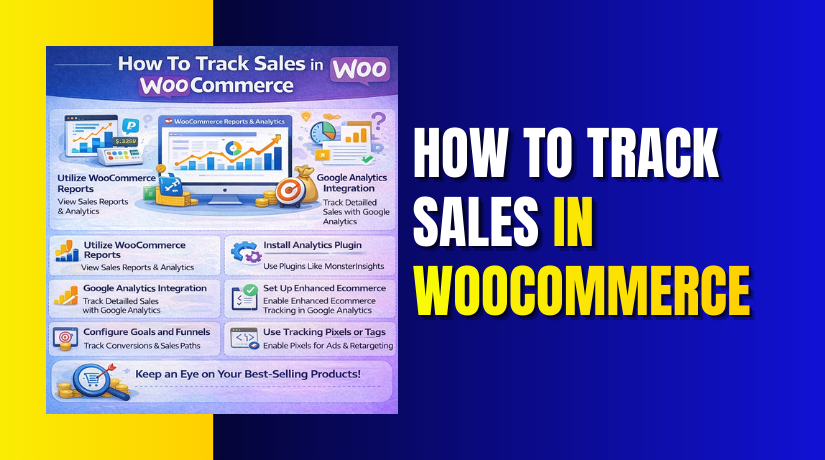
How To Track Sales in WooCommerce Step by Step?
Table of Contents
- Introduction
- What is Sales Tracking in WooCommerce?
- What are the Key Features of Tracking Sales in WooCommerce?
- What are the Benefits of Tracking Sales in WooCommerce?
- What are the Reasons to Track Sales in WooCommerce?
- How To Track Sales in WooCommerce Step by Step?
- What are the Top 3 Best Plugins to Track Sales in WooCommerce?
- Final Verdict
Introduction
Tracking sales in WooCommerce is crucial for understanding how your business is performing. It helps you optimize marketing efforts and make informed decisions about your store. When you track sales in WooCommerce, you can monitor important metrics such as orders, revenue, and other data points that influence your bottom line.
By leveraging the WooCommerce sales report and using third-party tools or plugins, you gain deep insights into your store’s performance. This process enables you to improve sales strategies, assess your store’s growth, and make data-driven decisions to scale your business.
In this guide, we will walk you through the process of tracking sales and generating useful sales reports for your WooCommerce store.
What is Sales Tracking in WooCommerce?
Sales tracking in WooCommerce refers to the process of monitoring and analyzing sales activity within your online store. It includes tracking key metrics like order counts, total revenue, and other data that provides insights into your store’s performance. By using WooCommerce’s built-in tools and integrating third-party plugins, you can easily track your sales progress and identify areas that need improvement.
Here’s what sales tracking typically involves:
- Tracking the total number of orders: This helps you know how many products have been sold over a specific period.
- Revenue tracking: You can track how much total revenue your store is generating over time.
- Product performance: You can identify which products are performing the best in terms of sales volume.
- Customer behavior: Understand the purchasing trends and customer preferences to refine marketing strategies.
Sales tracking helps store owners maintain a clear view of their store’s health. It provides the necessary data for making informed decisions about marketing, inventory management, and adjusting product offerings to maximize sales.
What are the Key Features of Tracking Sales in WooCommerce?
To effectively track sales in WooCommerce, you need access to key features that provide essential data in a convenient and accurate way. Below are the critical features that allow you to track sales performance and gain valuable insights.
1. Sales Reporting
- Built-in Sales Reports: WooCommerce provides automated sales reports, showing data like total sales, net revenue, and number of orders within a defined time frame.
- Detailed Reporting: You can see a breakdown of sales, making it easy to identify trends and issues with your store.
- Reports by Product: Easily filter by individual products to see which items are driving the most sales, helping you identify your best sellers.
2. Customizable Reporting Periods
- Adjustable Time Frames: WooCommerce allows you to customize your sales report periods, such as daily, weekly, monthly, or yearly.
- Granular Analysis: This flexibility allows you to analyze sales data at the level you prefer, helping you spot trends and compare sales over time.
- Comparison of Time Periods: You can compare sales over different time frames, helping to identify periods of growth or decline.
3. Filter by Product, Category, and Date
- Product Filtering: WooCommerce allows you to filter your sales reports by product, so you can see which specific products are generating the most revenue.
- Category Filtering: You can also filter by product category, which helps you analyze the performance of different categories in your store.
- Date-Based Filtering: Sales data can be filtered by specific dates, helping you track seasonal trends and sales patterns.
4. Order and Customer Tracking
- Order Tracking: Track order details such as total value, order status, and shipping method.
- Customer Insights: Gain insights into repeat customers, new customer sales, and order frequency, allowing you to analyze customer purchasing behavior.
- Customer Segment Performance: Track how different customer segments are performing, which helps you tailor marketing strategies.
5. Integration with Third-Party Plugins
- Third-Party Integration: WooCommerce integrates with several powerful third-party plugins like Google Analytics, Metorik, and Klaviyo for more advanced sales tracking.
- Conversion Rate Tracking: Track how many visitors convert into customers by using plugins that help monitor conversion rates and sales funnels.
- Abandoned Cart Tracking: Some plugins can track abandoned carts, helping you recover lost sales by reminding customers to complete their purchases.
- Customer Lifetime Value (CLV): You can track customer lifetime value (CLV) using CRM integrations, which helps you understand long-term customer profitability.
What are the Benefits of Tracking Sales in WooCommerce?
Tracking sales in WooCommerce provides several advantages that directly impact business performance, inventory management, and customer relationships. Here are the key benefits of effectively tracking sales in WooCommerce:
1. Informed Business Decisions
- Data-driven decisions: Tracking sales data allows you to make informed decisions about product inventory, pricing, and marketing strategies.
- Optimize stock levels: By knowing which products are performing well, you can optimize your stock and ensure you have enough of the high-demand items.
- Improve customer satisfaction: Understanding sales trends helps improve product availability, which enhances customer satisfaction and leads to repeat purchases.
2. Improved Inventory Management
- Efficient stock management: Tracking sales gives you a clear view of which products are selling quickly and which ones are underperforming.
- Avoid stockouts: You can manage inventory levels more effectively by knowing which products need to be restocked.
- Prevent overstocking: Sales tracking helps you prevent overstocking on low-demand products, reducing the risk of holding excess inventory.
3. Boosted Marketing Efforts
- Target best-sellers: By analyzing sales trends, you can identify your best-selling products and focus your marketing efforts on these products.
- Refine promotions: Understanding customer segments and product performance helps you tailor promotions and marketing campaigns to drive more sales.
- Increase conversions: Focusing on products with the best sales history increases the chances of driving higher conversion rates.
4. Simplified Financial Planning
- Revenue forecasting: Sales tracking helps provide a clear overview of your revenue, helping you forecast future sales.
- Better financial planning: You can use the data to plan for important financial obligations, like tax filing and profit margin adjustments.
- Track net revenue: By monitoring net revenue from sales, you can plan better for taxes, operational costs, and future investments.
5. Customer Retention
- Track repeat purchases: Monitoring repeat purchases helps you understand customer loyalty and their buying behavior.
- Target loyal customers: Use sales data to develop targeted strategies that improve customer retention and keep loyal customers coming back.
- Personalized marketing: Tailor personalized offers to customers who make frequent purchases, helping to build long-term customer relationships.
What are the Reasons to Track Sales in WooCommerce?
Tracking sales is essential for the smooth functioning of your WooCommerce store. Here are the top reasons why tracking sales is crucial for your business:
1. Monitor Business Performance
- Measure business growth: Regularly tracking sales data lets you monitor the growth of your business over time.
- Assess profitability: You can easily measure profitability by comparing your sales and expenses, helping you understand your financial health.
- Performance comparison: Tracking sales across different periods allows you to compare performance and identify areas of improvement.
2. Identify Sales Trends
- Recognize peak sales periods: By tracking sales, you can identify seasonal trends and peak sales periods for your products.
- Analyze promotions: You can see which promotions and sales strategies worked well, allowing you to refine your marketing efforts.
- Plan future sales: Understanding sales trends helps you plan future discounts, sales events, and promotions more effectively.
3. Measure Marketing Effectiveness
- Evaluate marketing efforts: Sales tracking allows you to measure the success of your marketing campaigns and determine which channels are driving the most sales.
- Optimize marketing budget: With insights into which marketing strategies are most effective, you can allocate your budget more efficiently and focus on high-performing channels.
- Increase conversion rates: By analyzing sales and marketing data together, you can adjust strategies to boost conversions and improve customer engagement.
4. Plan for Growth
- Set growth targets: Sales data helps you set realistic growth goals for your WooCommerce store.
- Track strategy success: Monitoring your sales allows you to track whether your growth strategies are working.
- Make adjustments: Based on sales performance, you can adjust your business strategies to continue growing and reaching your targets.
How To Track Sales in WooCommerce Step by Step?
Tracking sales in WooCommerce is an essential process to keep your store running smoothly and efficiently. By using WooCommerce’s built-in reporting tools or integrating third-party plugins, you can track orders, revenue, and customer behaviors easily. Below is a detailed step-by-step guide to help you track sales effectively in WooCommerce.
Step 1: Access WooCommerce Reports
- Login to your WordPress dashboard and go to WooCommerce → Reports.
- This section displays sales reports and other key data like revenue, products sold, and order status.
WordPress Dashboard → WooCommerce → Reports.
Step 2: Choose the Report Type
- Once in the Reports section, you can choose between various types of reports, such as Sales, Orders, Customers, and Stock.
- For tracking sales, select Sales to view total sales data, revenue, and number of orders.
- You can also filter the report by date range (monthly, weekly, yearly) for granular insights.
WooCommerce Reports → Sales → Select Date Range.
Step 3: Filter by Product, Category, or Date
- In the Sales Report, you can further filter the data by product, category, or date range.
- This helps you view which products or categories are performing well.
- You can also check daily, monthly, or yearly performance, allowing you to identify trends over time.
Sales Report → Select Filters (Product, Category, Date).
Step 4: View Sales Breakdown and Graphs
- After selecting the filters, WooCommerce will display a detailed sales report with graphs and bar charts to visualize the data.
- You can view the total revenue, number of orders, average order value, and more.
- This breakdown allows you to assess performance at a glance and identify periods of high or low sales.
Sales Report → View Graphs → Sales Breakdown.
Step 5: Track Customer Insights
- In addition to sales, you can view customer reports to track metrics like new customers, repeat customers, and order history.
- This helps you understand customer behavior, allowing you to fine-tune your marketing strategies and build customer loyalty.
WooCommerce Reports → Customers → View Customer Insights.
Step 6: Download and Export Sales Reports
- If you want to keep track of your sales data externally, you can download the sales report as a CSV or Excel file.
- This allows for easy sharing and detailed analysis outside the WooCommerce dashboard.
Sales Report → Download as CSV → Export Report.
Step 7: Review Order Status and Sales Summary
- To further track sales, monitor the order status (processing, completed, pending) under the Orders section in WooCommerce.
- This helps you track how many orders have been fulfilled, are still in progress, or need attention.
WooCommerce Orders → Track Order Status.
Step 8: Utilize Third-Party Plugins for Advanced Sales Tracking
- For more detailed and advanced sales tracking, consider integrating third-party plugins like Metorik or WooCommerce Google Analytics Integration.
- These plugins provide deeper insights into your store performance, including conversion rates, customer behavior, and sales funnels.
WordPress Dashboard → Plugins → Install New Plugin → Search for Sales Tracking Plugin.
What are the Top 3 Best Plugins to Track Sales in WooCommerce?
Tracking sales in WooCommerce is crucial to understanding your store’s performance and making data-driven decisions. While WooCommerce provides basic sales reporting, third-party plugins offer advanced features like real-time tracking, conversion insights, and customer segmentation. Below are the top 3 plugins that can help you track sales in WooCommerce effectively.
1. Metorik
Metorik is a comprehensive sales tracking and analytics plugin designed specifically for WooCommerce. It offers a complete solution for tracking sales, analyzing customer behavior, and effectively managing your store.
Metorik integrates seamlessly with WooCommerce to provide detailed reports, real-time data, and customer insights. Its ability to visualize sales funnels and provide abandoned cart tracking makes it a powerful tool for improving conversions and optimizing store performance. By using Metorik, you can better understand your store’s sales performance and implement strategies to boost growth.
Key Features:
- Real-time Sales Reporting: Get real-time data on your store’s sales, revenue, orders, and profits, allowing you to track your store’s performance instantly.
- Customizable Reports: Generate customized reports based on specific time periods, product categories, or individual products, giving you control over the data you want to analyze.
- Customer Insights: Track customer lifetime value (CLV), repeat purchases, and customer behavior, helping you understand the value of your customers and optimize your marketing efforts.
- Sales Funnels: Visualize your sales journey, track abandoned carts, and analyze conversion rates, making it easier to identify bottlenecks in your sales process.
- Exportable Reports: Export sales reports into CSV or Excel formats for easy sharing and offline analysis.
Pros:


- Comprehensive Sales Tracking: Offers detailed insights into sales, customer behavior, and product performance, making it ideal for store owners who want a complete view of their store.
- Easy-to-Use Interface: Metorik has a user-friendly dashboard with clear, actionable data that allows store owners to make informed decisions.
- Real-Time Tracking: Provides live updates on sales and customer activity, ensuring that store owners are always up-to-date with their performance.
Cons:
- Premium Plugin: While Metorik offers great value, it requires a paid subscription for full access to its advanced features.
- May Require Time to Set Up: Setting up Metorik and configuring all the reporting features may take time, especially for larger stores with more complex sales data.
Download Link: Metorik
2. WooCommerce Google Analytics Integration
The WooCommerce Google Analytics Integration plugin allows store owners to track their WooCommerce store’s sales data by seamlessly integrating with Google Analytics. This plugin helps you track eCommerce metrics like product performance, sales trends, and conversion rates.
Google Analytics provides in-depth insights into your store’s traffic, purchasing behavior, and marketing effectiveness, allowing you to optimize your WooCommerce sales strategy and improve customer targeting. It’s especially useful for tracking the ROI of your marketing campaigns and measuring the effectiveness of various sales channels.
Key Features:
- Ecommerce Tracking: The plugin enables detailed eCommerce tracking, automatically sending WooCommerce product data to Google Analytics to measure product performance and sales.
- Enhanced Conversion Tracking: Tracks conversion events, such as completed transactions and cart abandonment, helping you measure the effectiveness of your sales funnel.
- Sales and Revenue Reporting: View detailed reports on store revenue, transactions, and average order value, allowing you to track your financial performance.
- Customer Segmentation: Understand customer behavior by using advanced segmentation features, enabling you to tailor your marketing strategies more effectively.
- Integration with Google Analytics Goals: Track and analyze specific goals, such as sign-ups or purchases, to understand customer interactions and conversion patterns.
Pros:
- Free Integration: The plugin is free to use and integrates easily with Google Analytics, providing deep insights into your WooCommerce store’s performance.
- Advanced Insights: Google Analytics offers detailed analytics on sales, traffic, and conversions, making it a powerful tool for store owners who need in-depth reporting.
- Wide Range of Metrics: The integration provides a comprehensive overview of sales performance, customer behavior, and overall site effectiveness.
Cons:
- Requires Google Analytics Knowledge: To fully leverage the plugin’s features, you may need some familiarity with Google Analytics, as some aspects can be complex.
- Limited WooCommerce-Specific Features: Some WooCommerce-specific features might require additional customization for full integration.
Download Link: Google Analytics for WooCommerce
3. WooCommerce Sales Report Email
The WooCommerce Sales Report Email plugin automatically sends sales reports to your email inbox on a daily, weekly, or monthly basis. This plugin is perfect for store owners who want to receive regular sales insights without constantly logging into their WooCommerce dashboard.
By receiving automated reports, you can stay on top of your store’s sales performance while saving time on manual tracking.
Key Features:
- Automated Sales Reports: The plugin sends automated sales reports to your email on your preferred schedule (daily, weekly, or monthly).
- Summary of Sales: The reports include key data such as total sales, orders, and product performance, giving you a quick snapshot of your store’s performance.
- Customizable Report Frequency: Choose how often you want to receive the sales report based on your preferences, ensuring you get updates when needed.
- Revenue Insights: Get an overview of your total revenue and profits over time to monitor your store’s financial health.
- Product Performance: The report includes insights into top-selling products, categories, and order breakdowns, allowing you to track your best performers.
Pros:
- Simplicity: This plugin provides an easy and automated way to track sales without requiring complex reports.
- Time-Saving: It delivers sales insights directly to your inbox, eliminating the need for constant checking in the WooCommerce dashboard.
- Customizable Reporting Frequency: You can choose the frequency of the reports (daily, weekly, or monthly), providing flexibility in how often you receive updates.
Cons:
- Basic Reporting: The plugin offers basic sales data compared to more advanced plugins with in-depth reporting features.
- Limited Customization: The reports cannot be heavily customized, and there are limitations in modifying report depth or structure.
Download Link: Sales Report Email for WooCommerce
Final Verdict
Tracking sales in WooCommerce is a critical component for any successful eCommerce store. By consistently monitoring sales data, revenue, and customer behavior, store owners can make data-driven decisions that improve their business performance.
Whether you are just starting or have been running your store for a while, sales tracking offers a comprehensive understanding of what’s working and what needs improvement. By having clear visibility into your store’s performance, you can strategically adjust marketing tactics, inventory management, and overall sales strategies to meet your business goals.
The top sales tracking plugins for WooCommerce, such as Metorik, WooCommerce Google Analytics Integration, and WooCommerce Sales Report Email, provide essential tools for business owners.
Metorik stands out for offering real-time tracking and advanced analytics, making it perfect for store owners seeking deep insights into their sales data. WooCommerce Google Analytics Integration seamlessly integrates Google Analytics with your store, enabling you to track conversion rates, customer actions, and sales trends.
Meanwhile, the WooCommerce Sales Report Email plugin offers a simple, automated solution for regularly receiving sales data directly to your inbox, making it ideal for those who need quick updates without diving into the dashboard.
Ultimately, the best choice of plugin will depend on your store’s specific needs and the level of detail you require in your sales reports. If you’re looking for advanced features and detailed insights, Metorik or Google Analytics Integration might be the right fit.
However, for store owners who prefer simplicity and regular automated updates, the WooCommerce Sales Report Email plugin offers an excellent solution. No matter which plugin you choose, tracking sales in WooCommerce is crucial for making informed decisions, optimizing your store, and achieving long-term business growth.
Have questions before starting with WooCommerce & WordPress? Get support here at WooHelpDesk.