How To Recover Deleted Files And Databases On Hostinger
Introduction
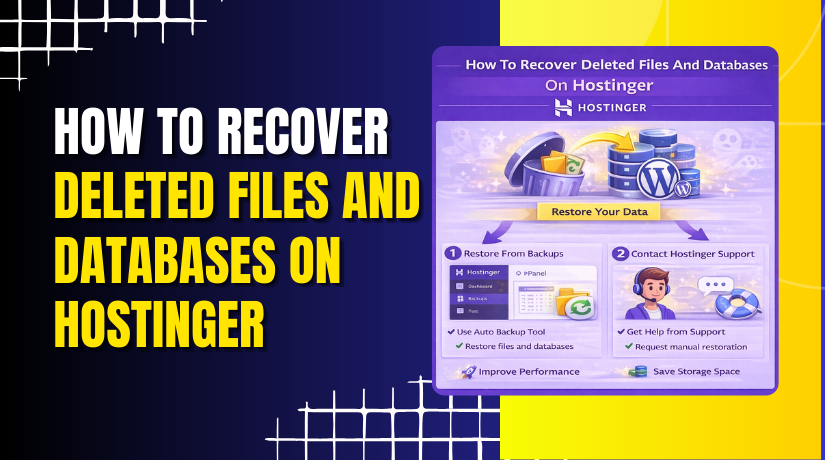
A 403 error on your website often indicates missing or deleted files, incorrect permissions, or server-level issues that prevent your site from loading properly. On Hostinger, accidental file or database deletion can cause your website to become inaccessible, but the built-in backup system makes recovery straightforward. Hostinger provides weekly backups that allow you to restore both website files and databases directly from the dashboard without manual uploads or complex configurations. In this guide, you’ll learn how to identify missing website files using the File Manager, restore deleted files and databases from Hostinger backups, and verify that your website is functioning correctly after recovery. Understanding this process ensures quick recovery from critical errors and minimizes website downtime.
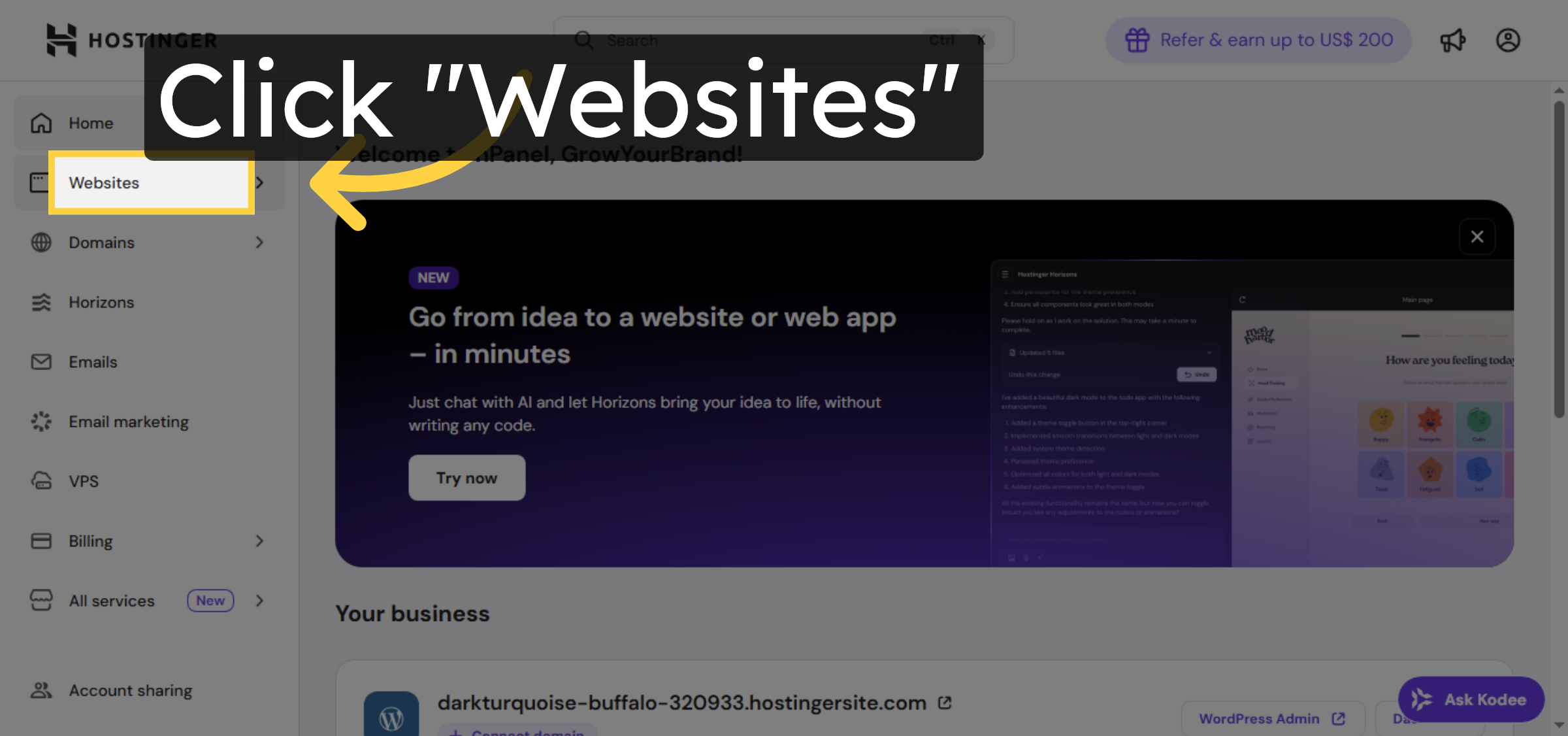
1. Navigate To Websites Section
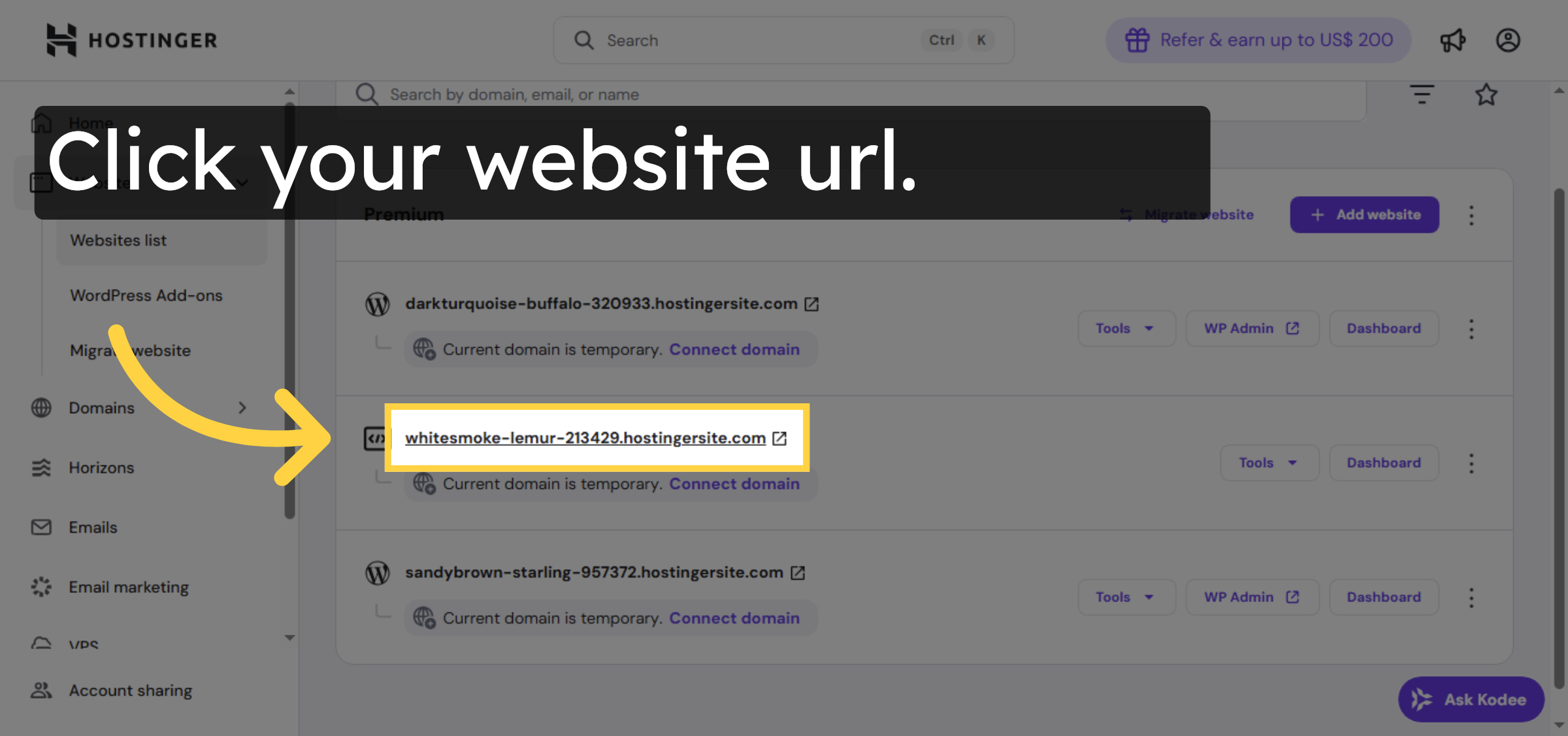
2. Select Your Website
3. Switch To Website Tab
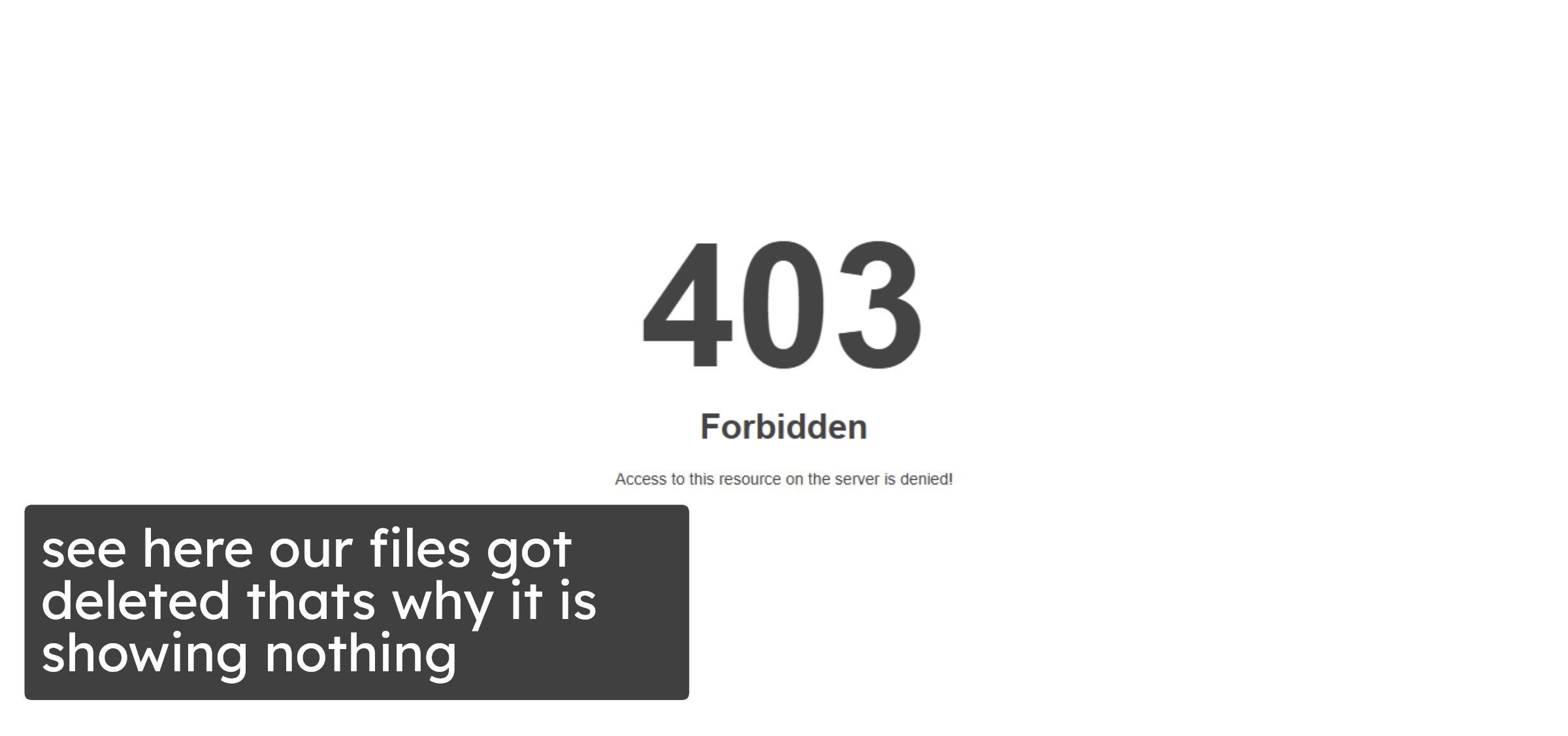
4. Open Dashboard
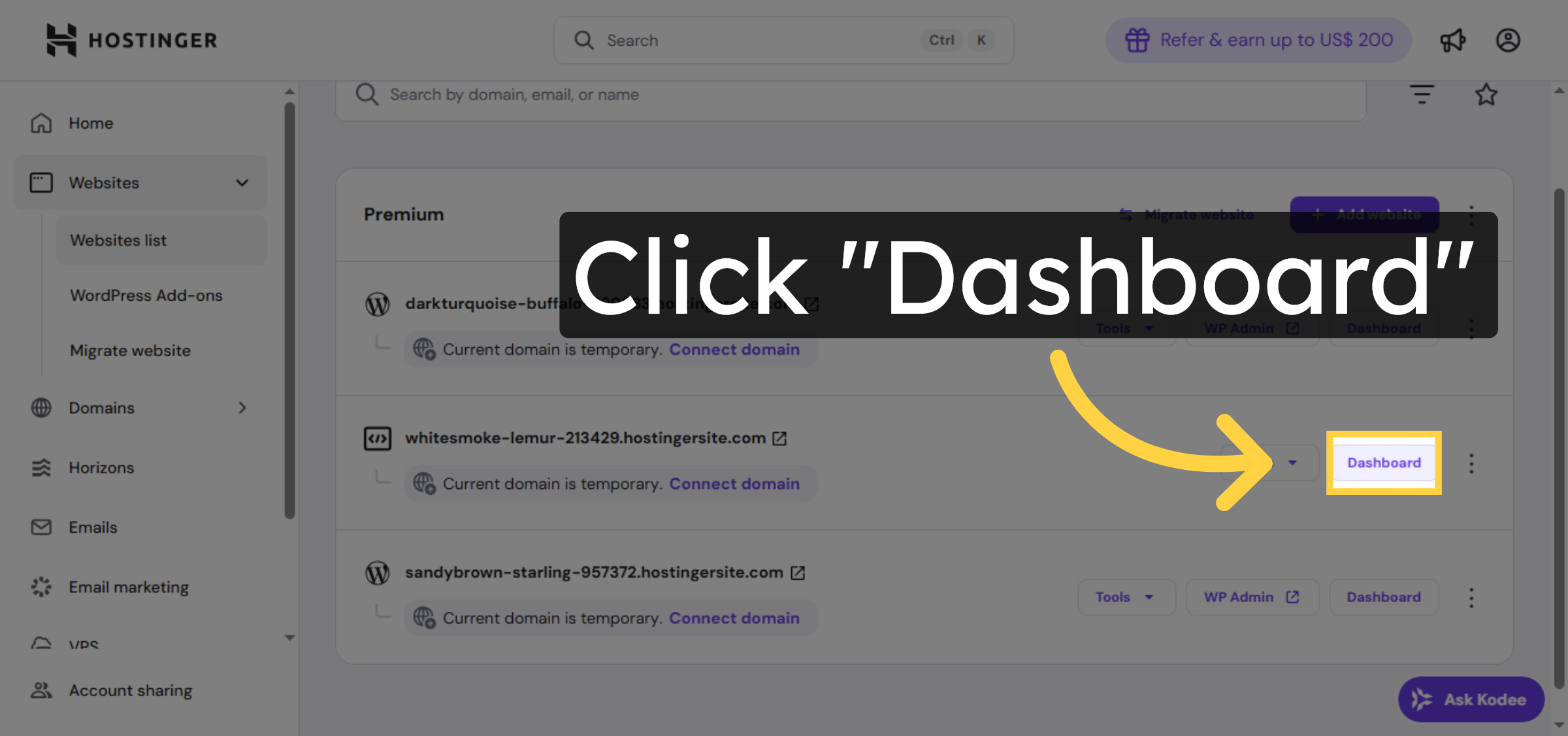
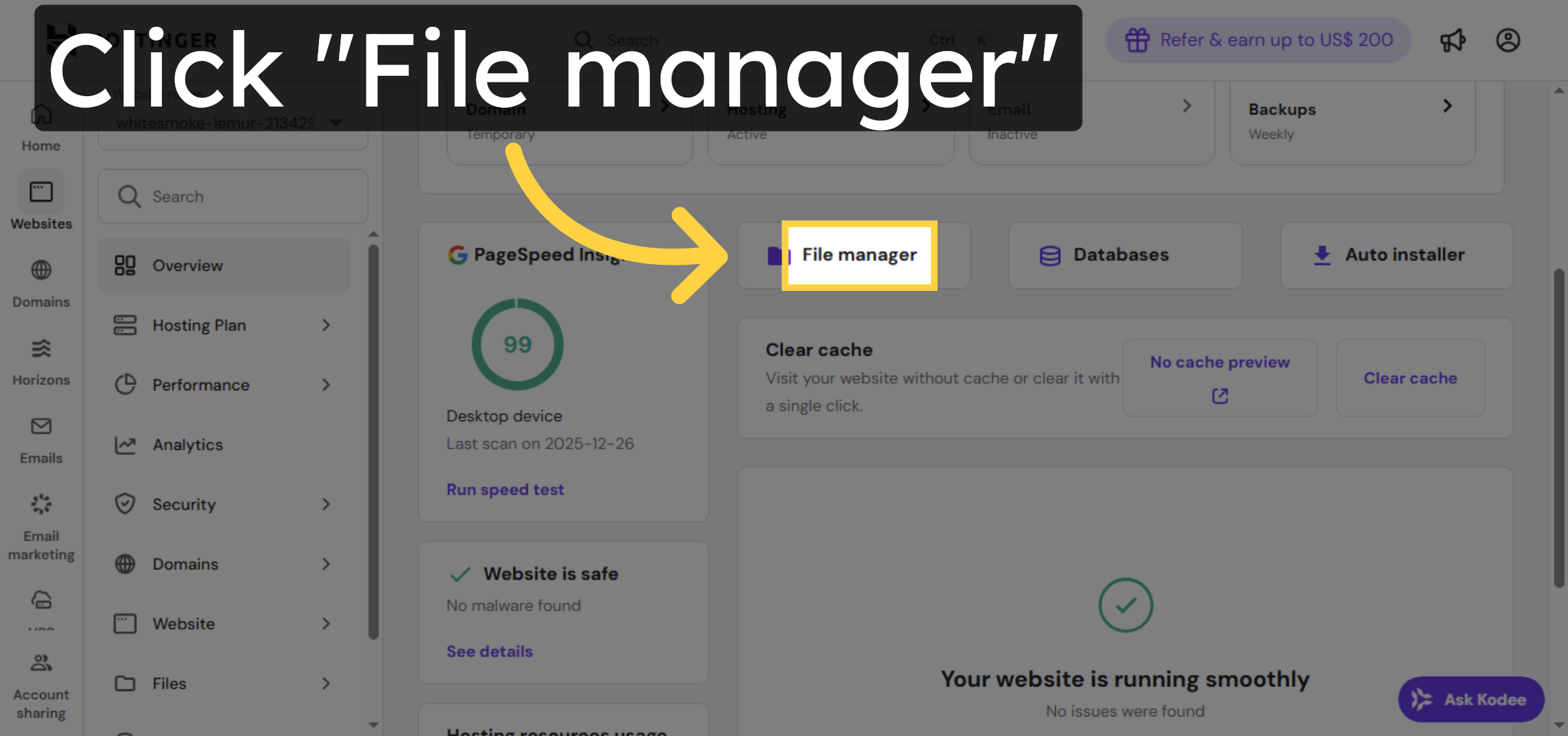
5. Open File Manager
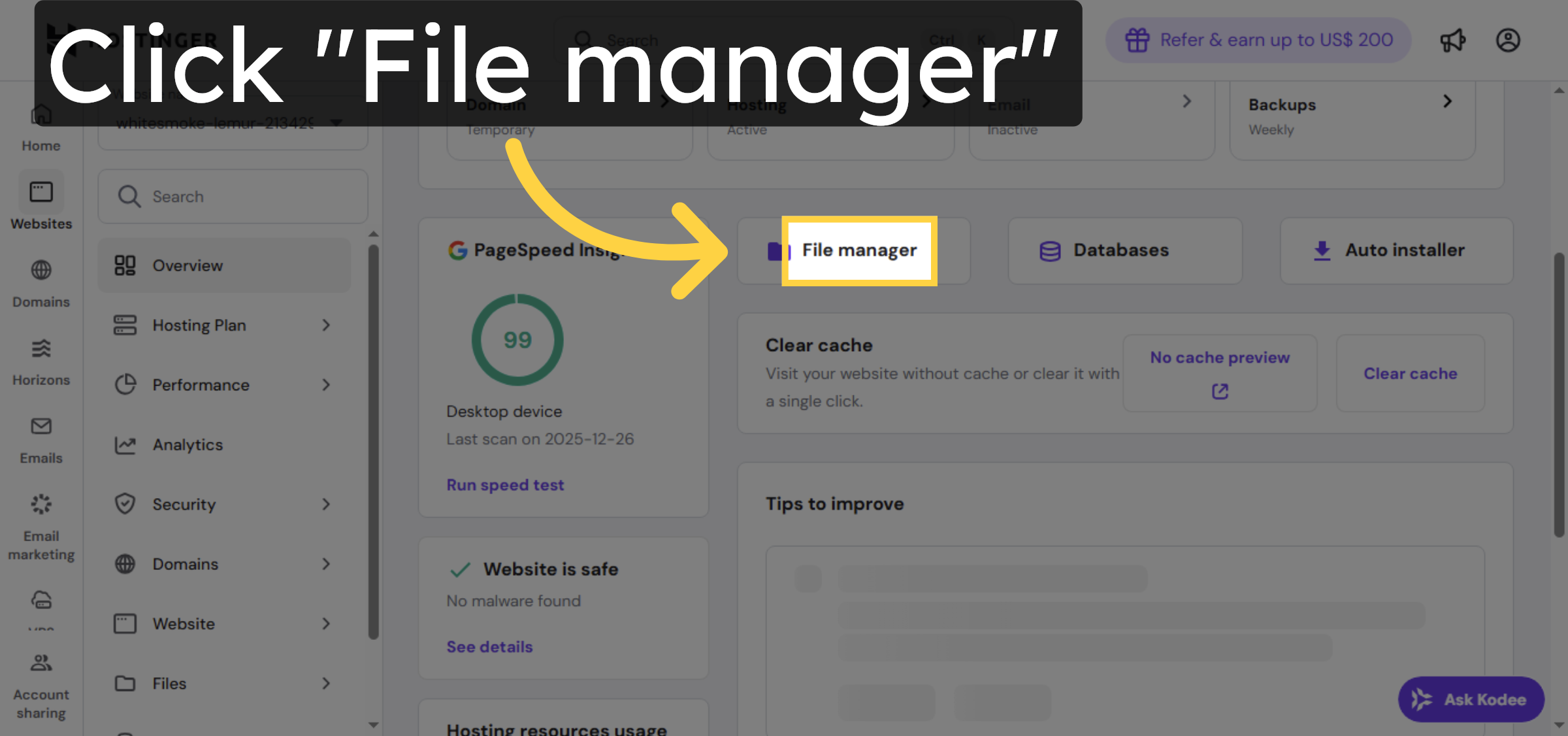
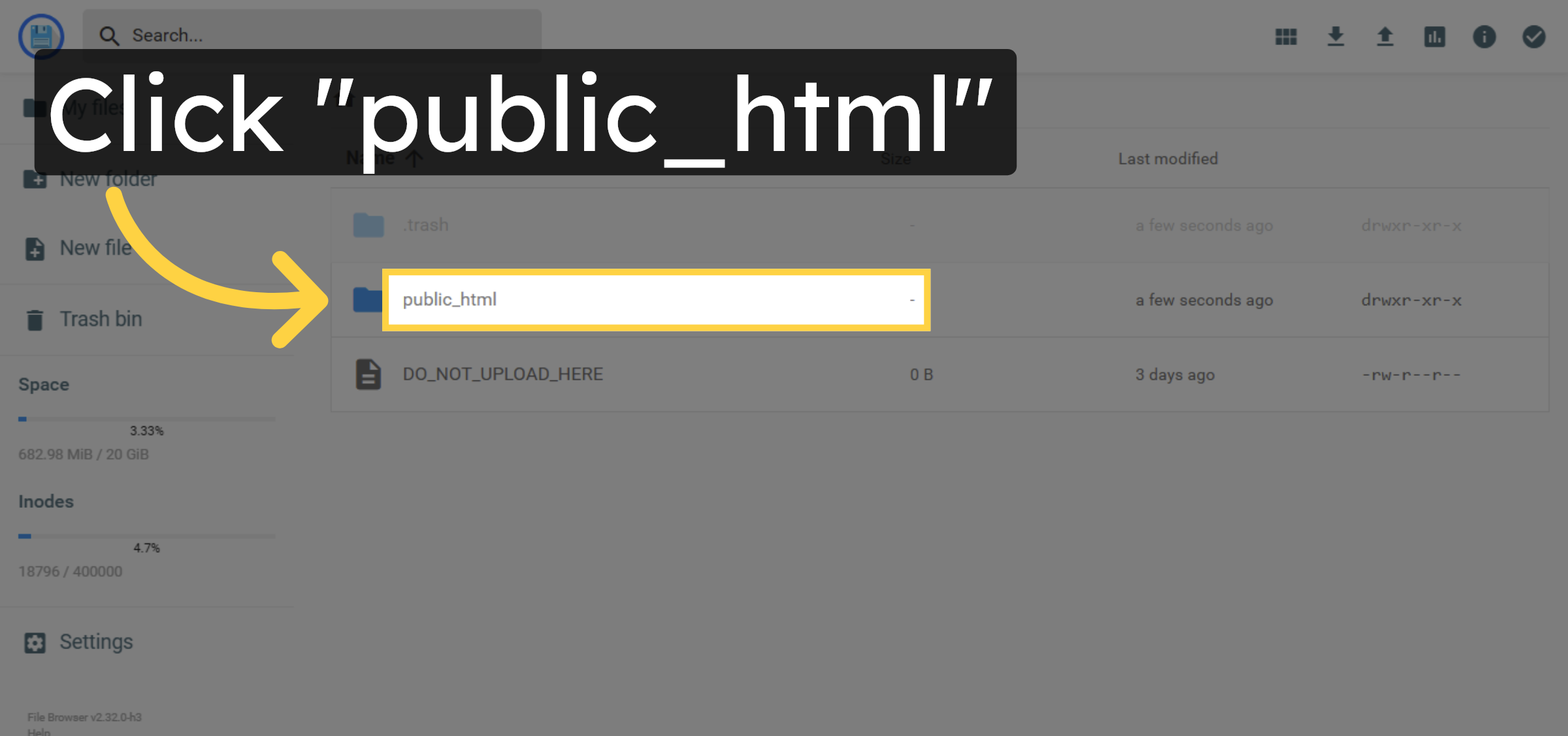
6. Open Public HTML Folder
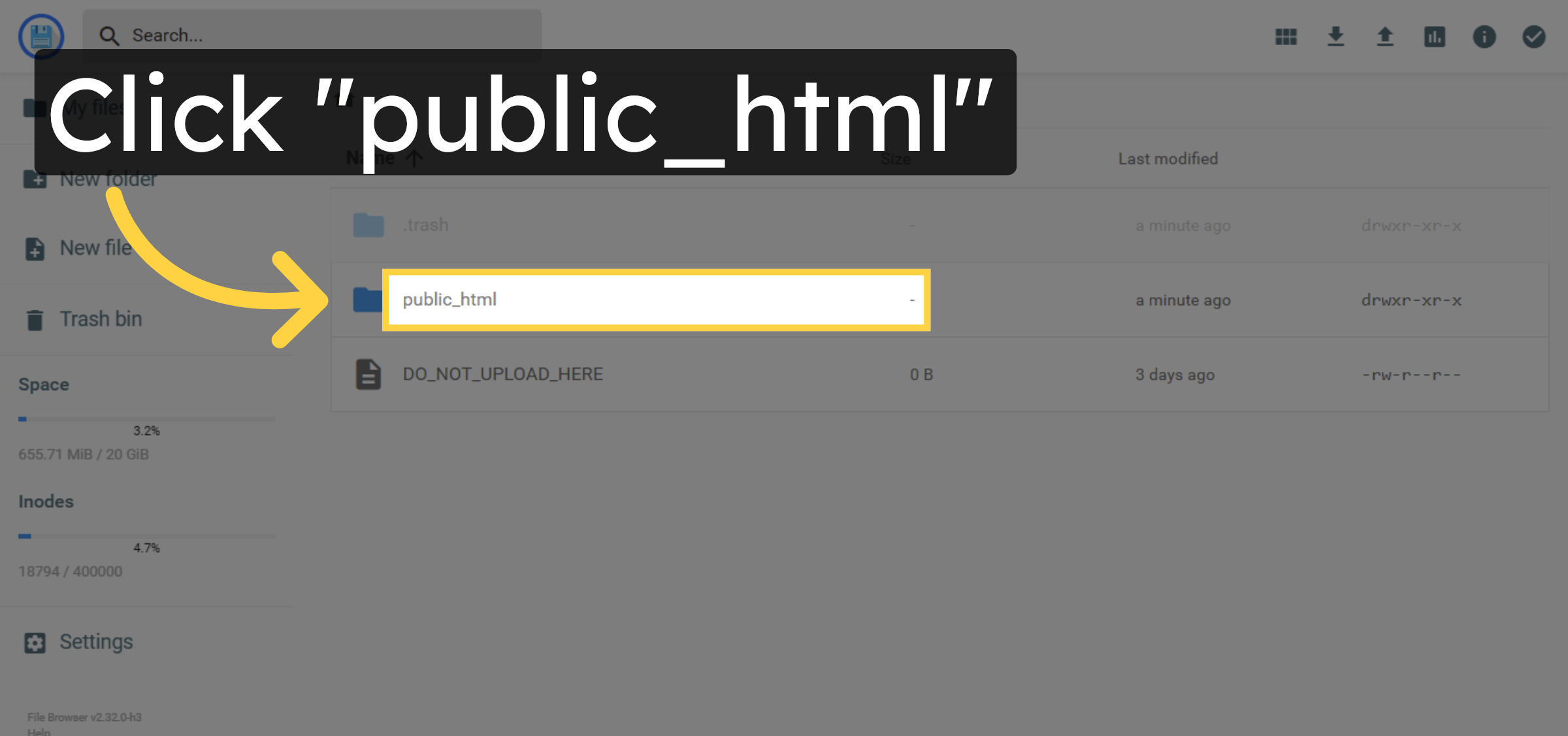
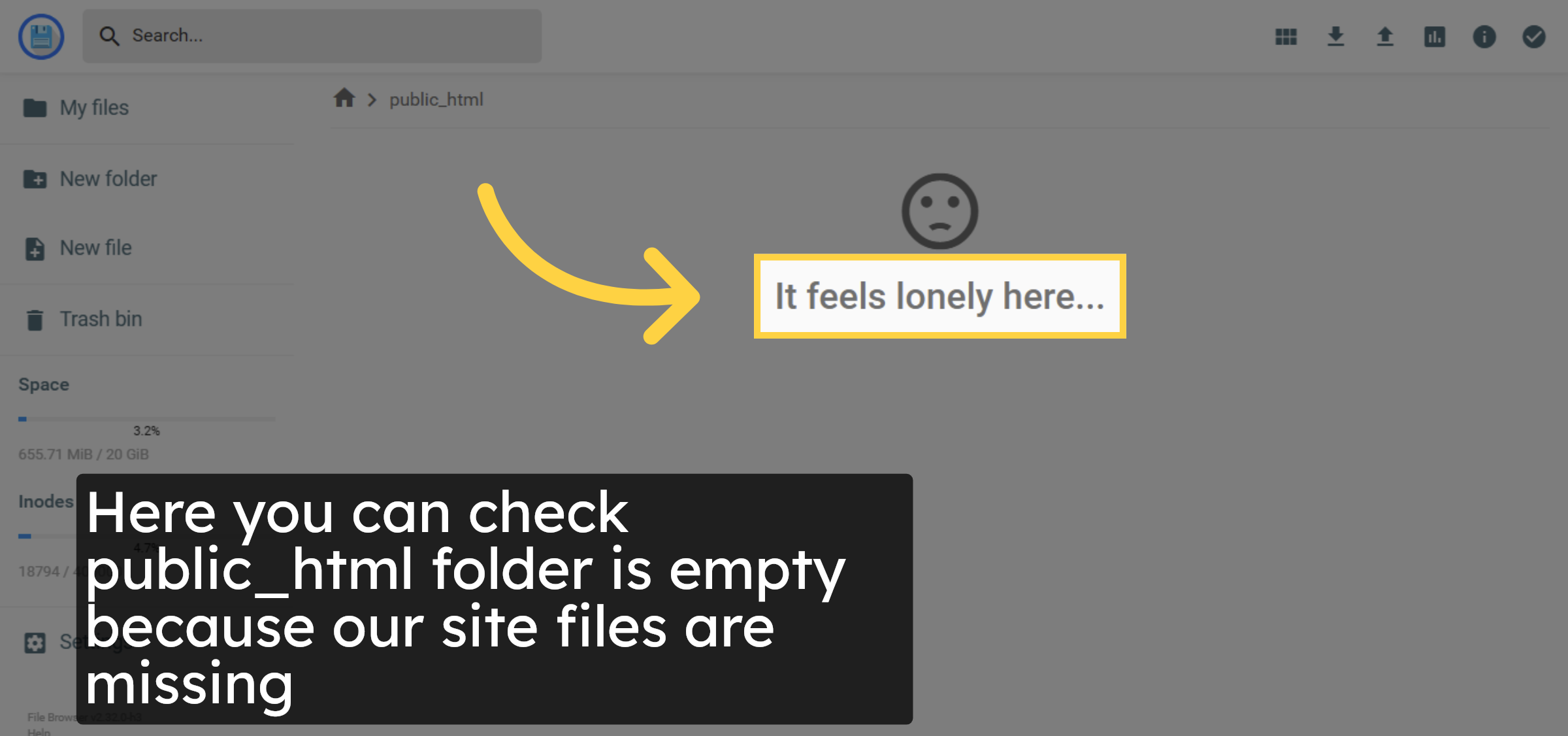
7. Check For Empty Directory
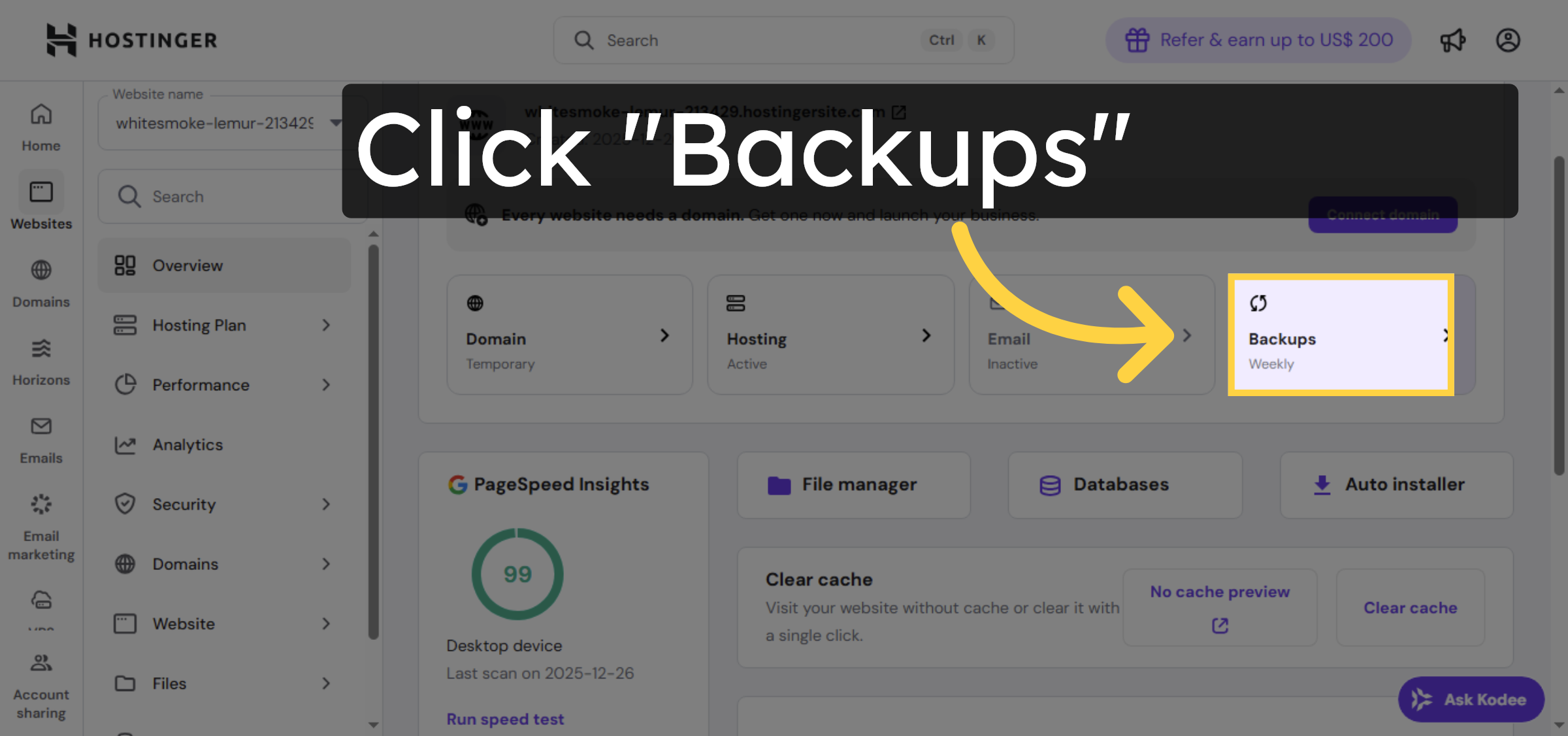
8. Open Weekly Backups
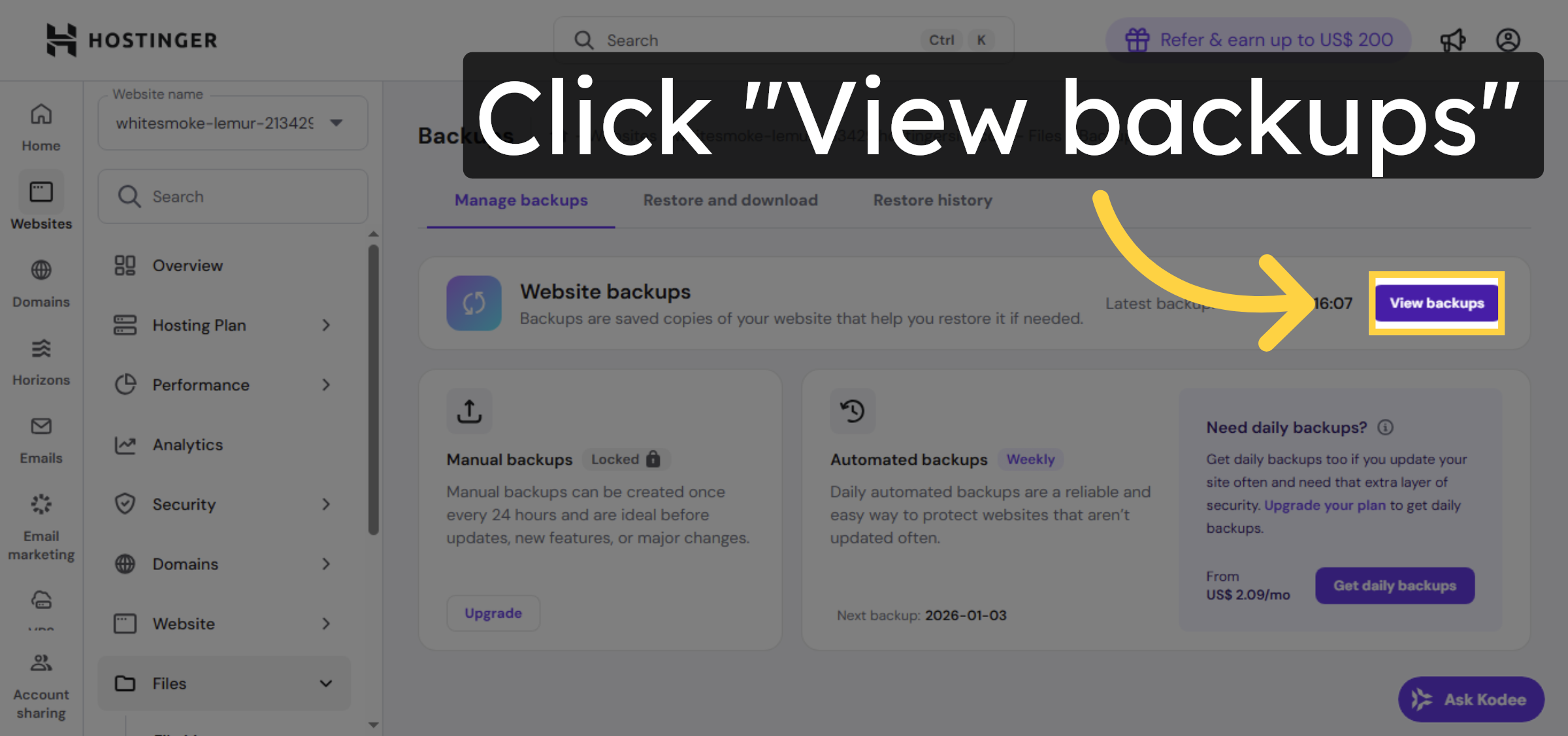
9. View Available Backups
10. Initiate File Restore
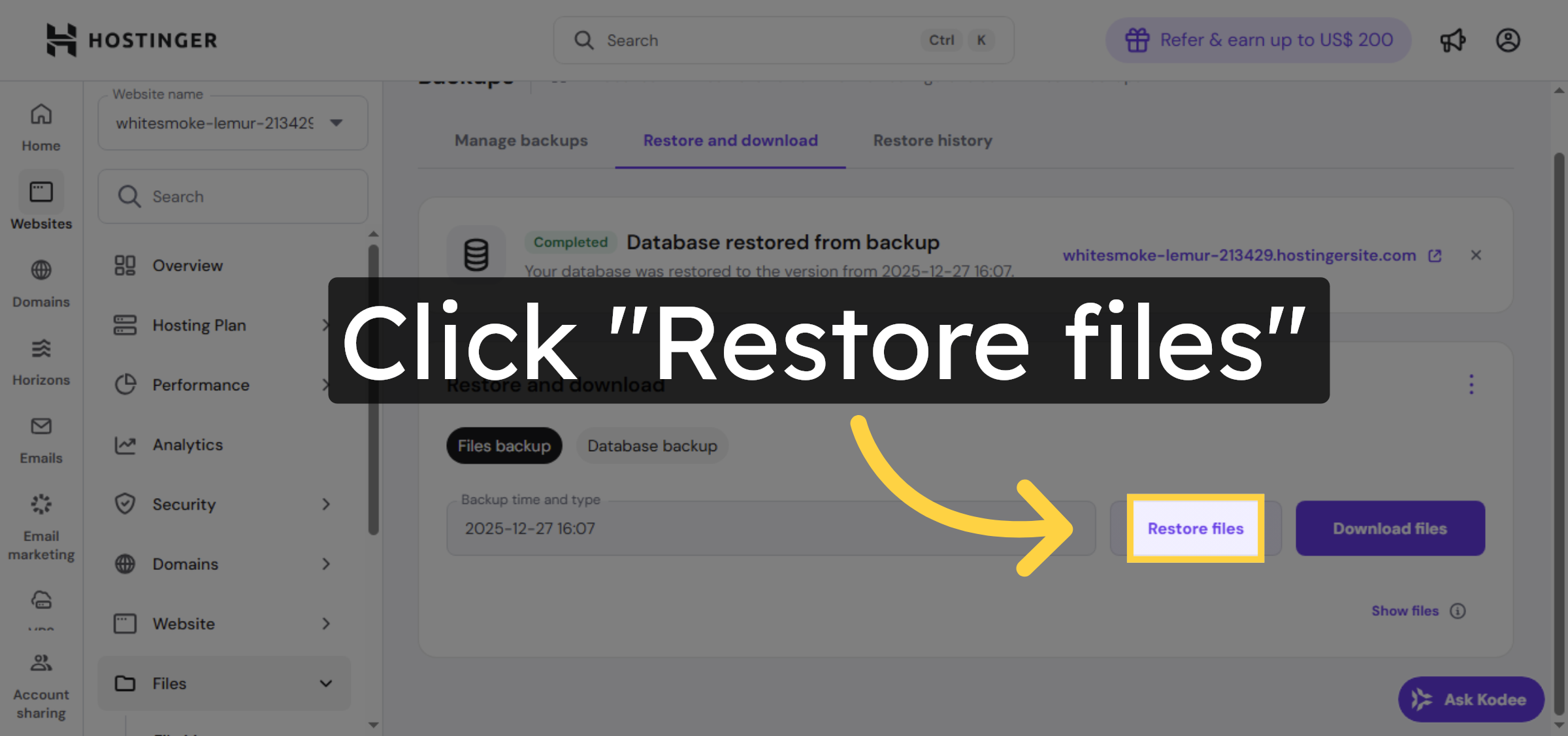
11. Select Files To Restore
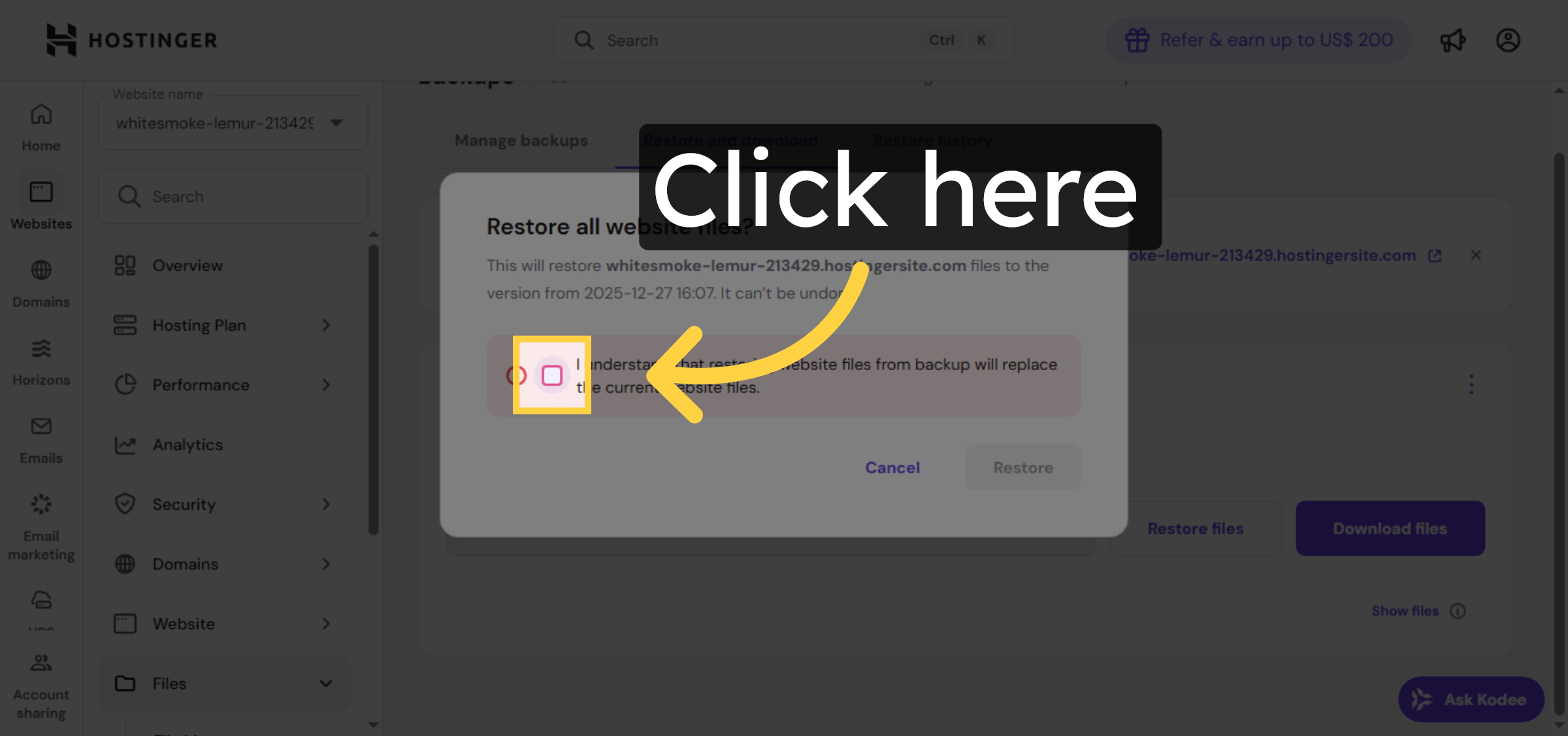
12. Confirm File Restoration
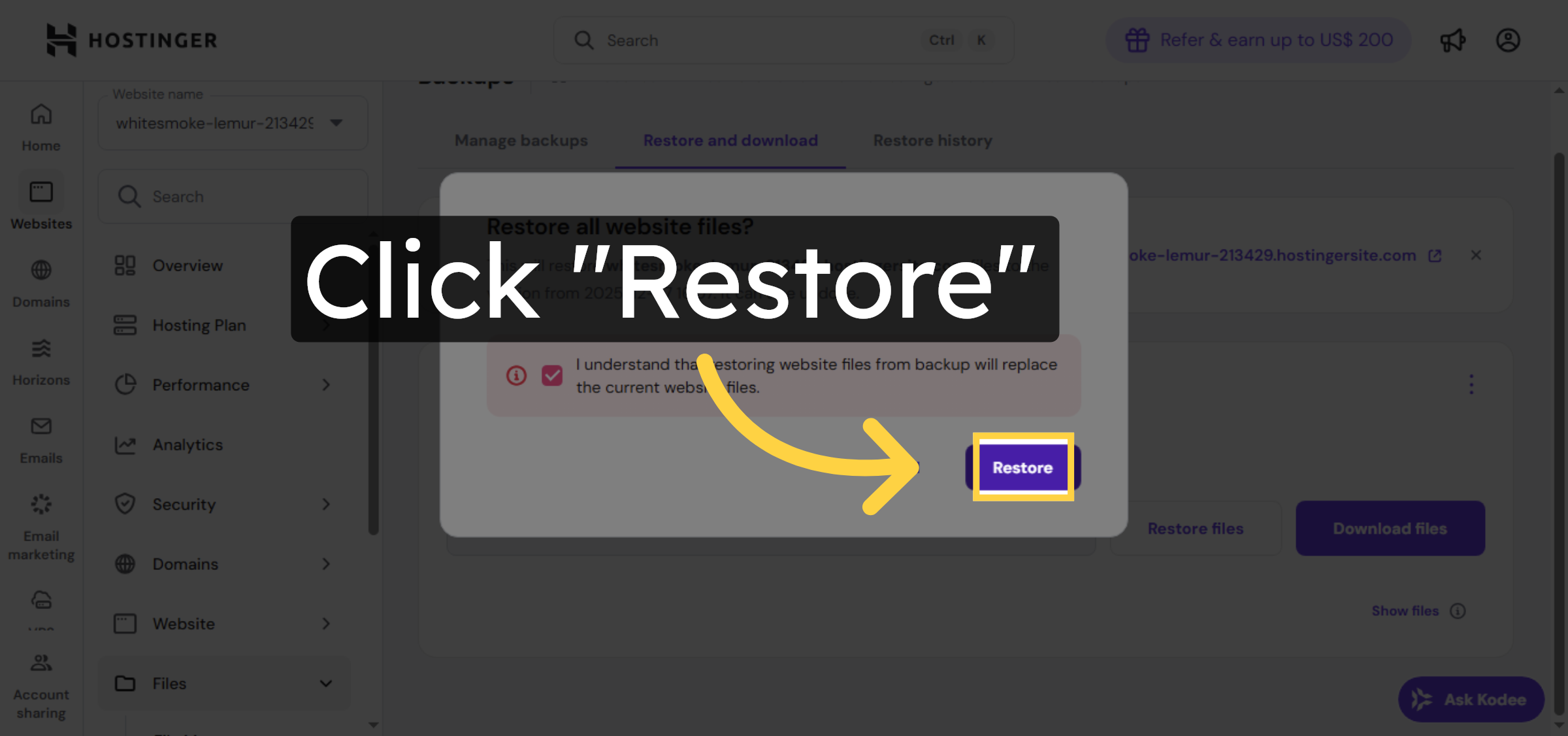
13. Monitor Restoration Progress
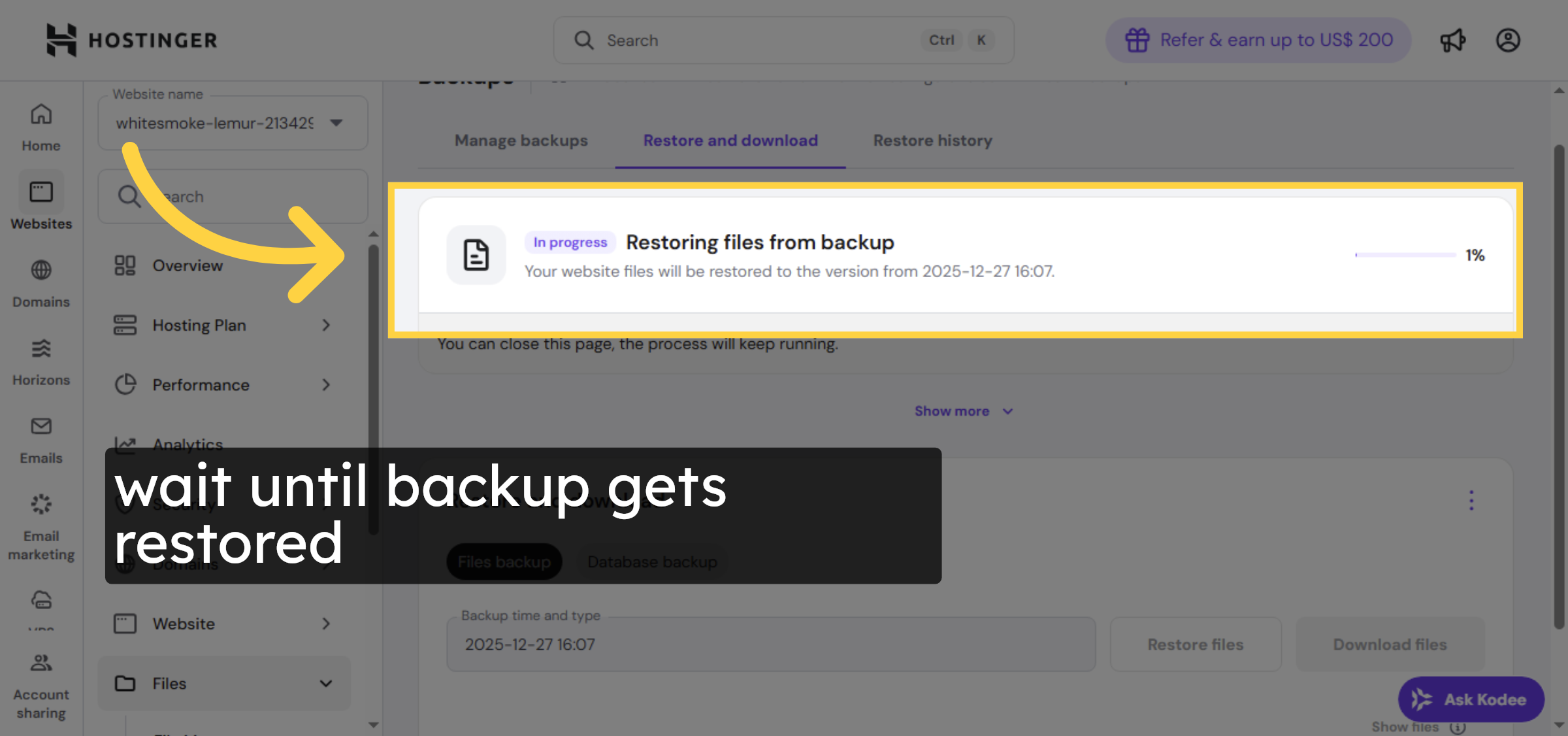
14. Access Database Backup
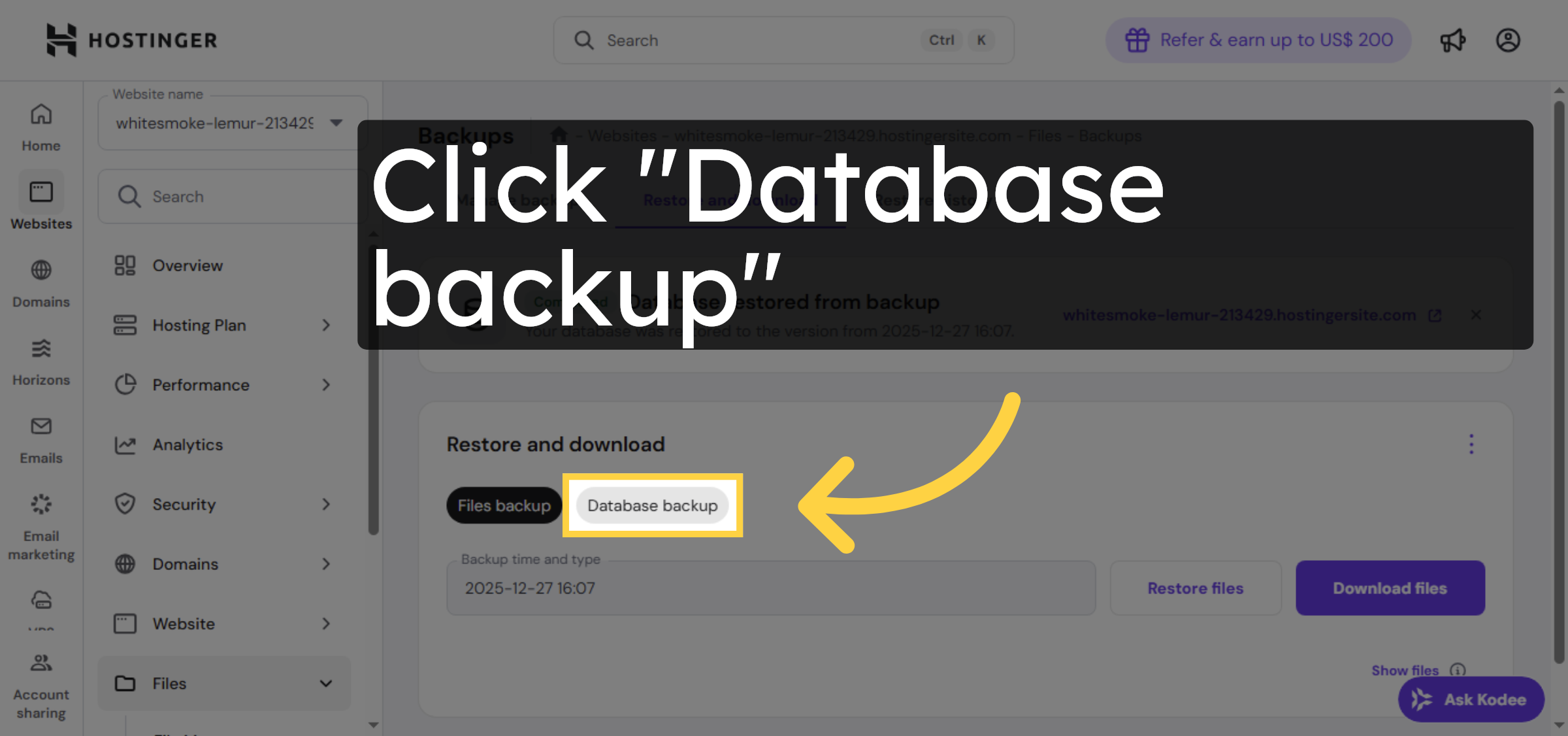


15. Start Database Restore
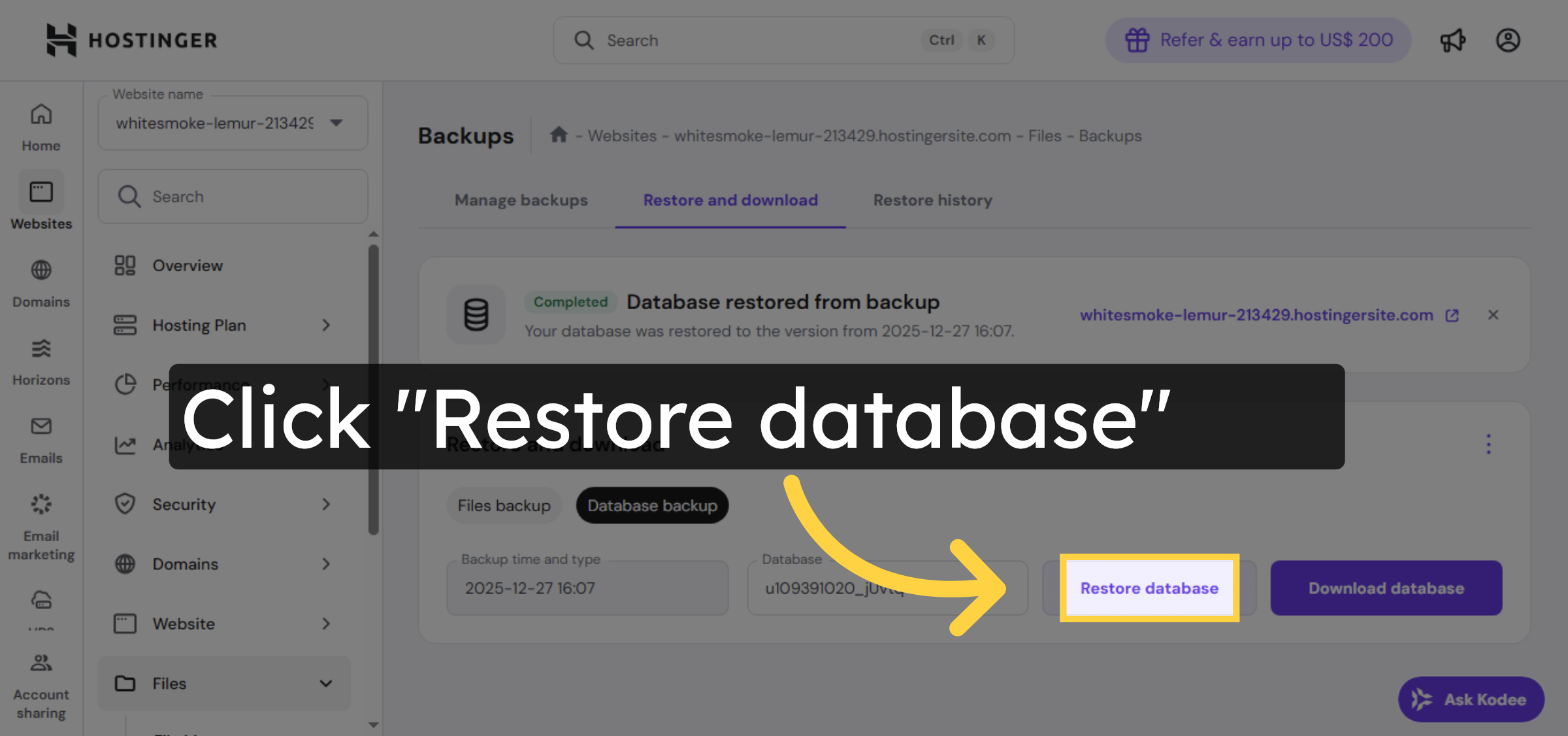
16. Select Database Backup
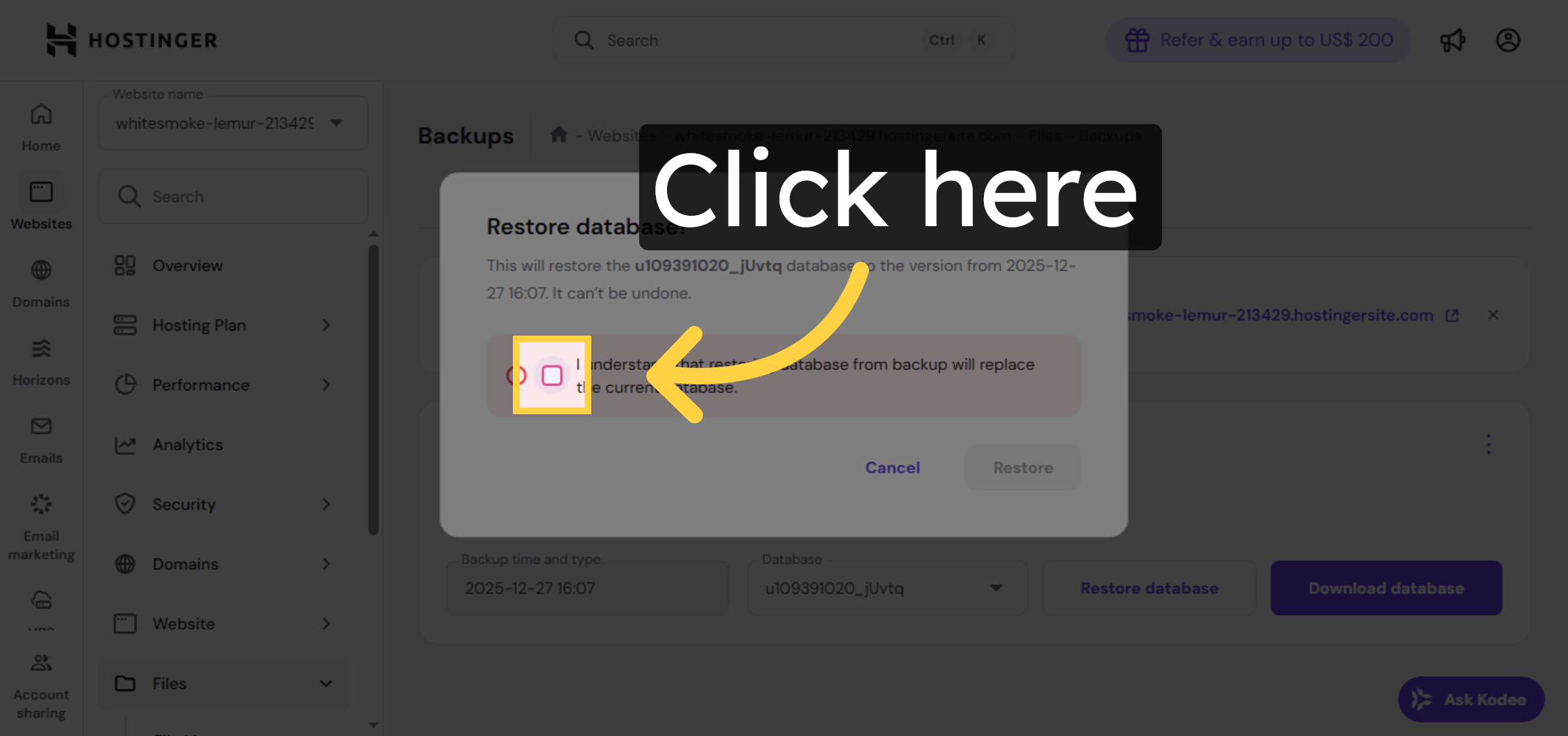
17. Confirm Database Restoration
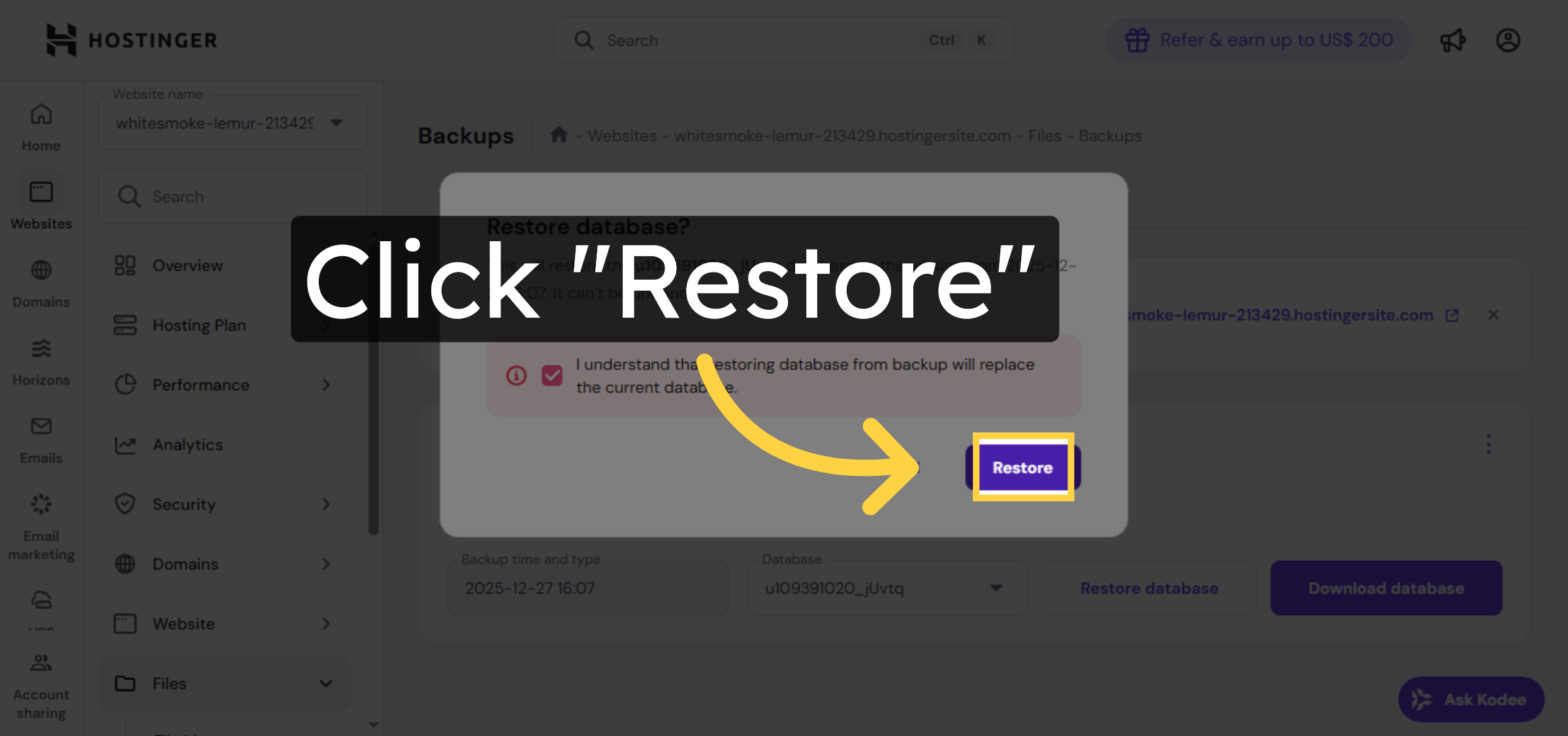
18. View Restore History
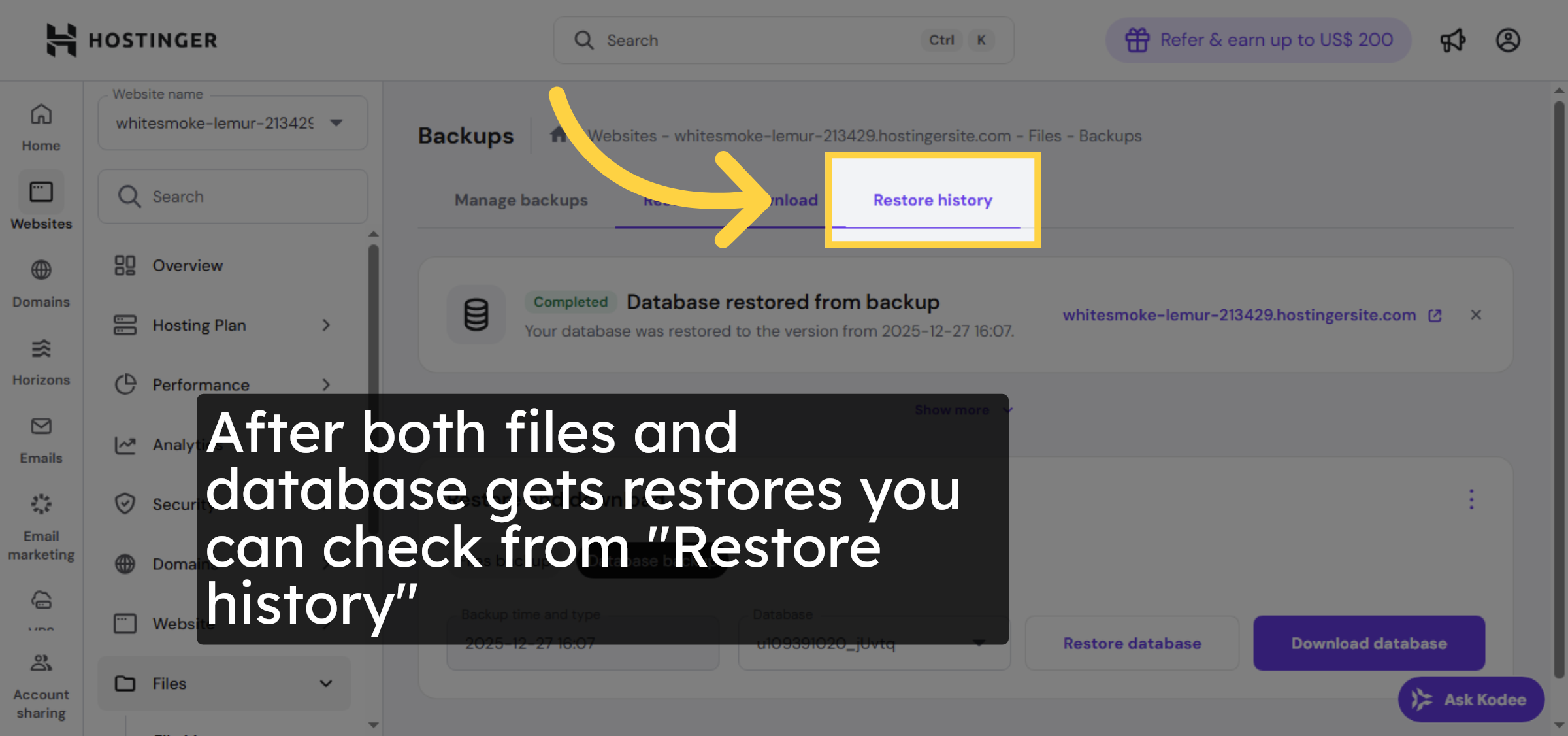
19. Select Website In History
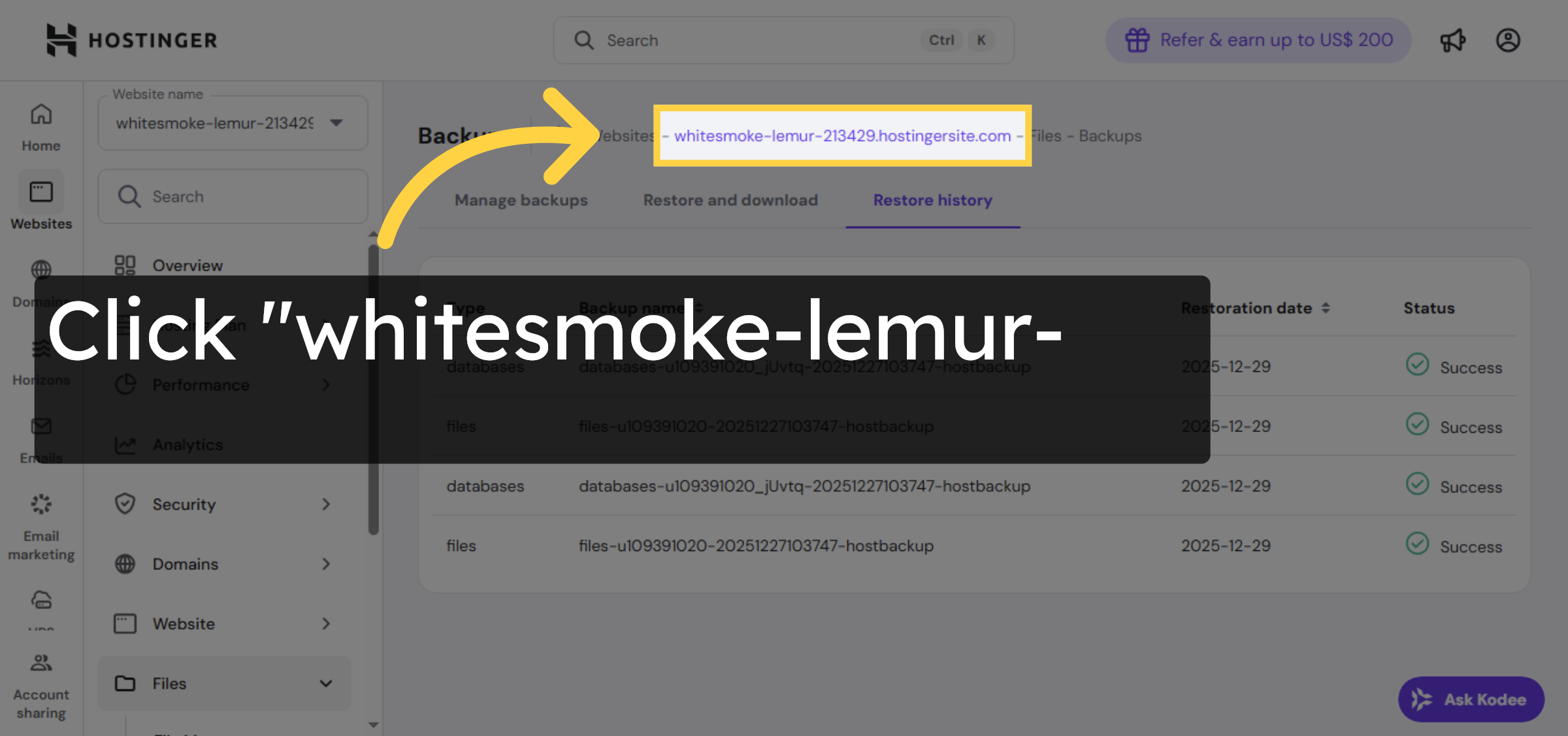
20. Open File Manager Again
21. Open Public HTML Folder
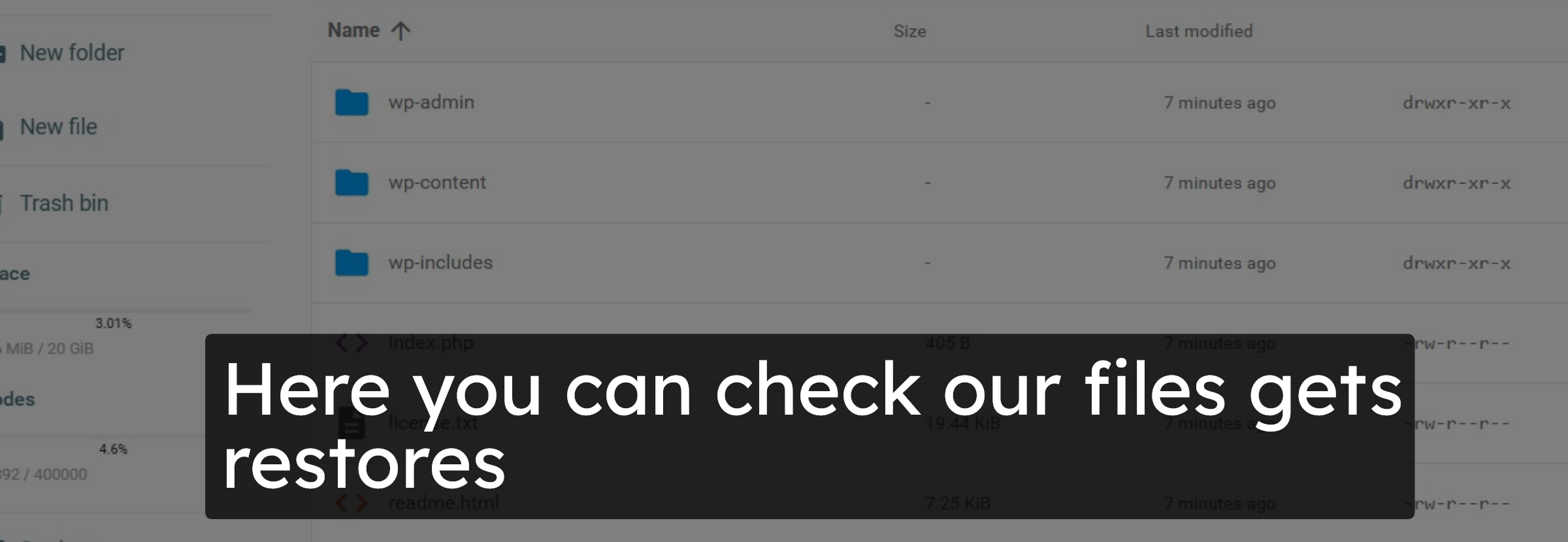
22. check file recovery
23. Return To Hostinger Panel
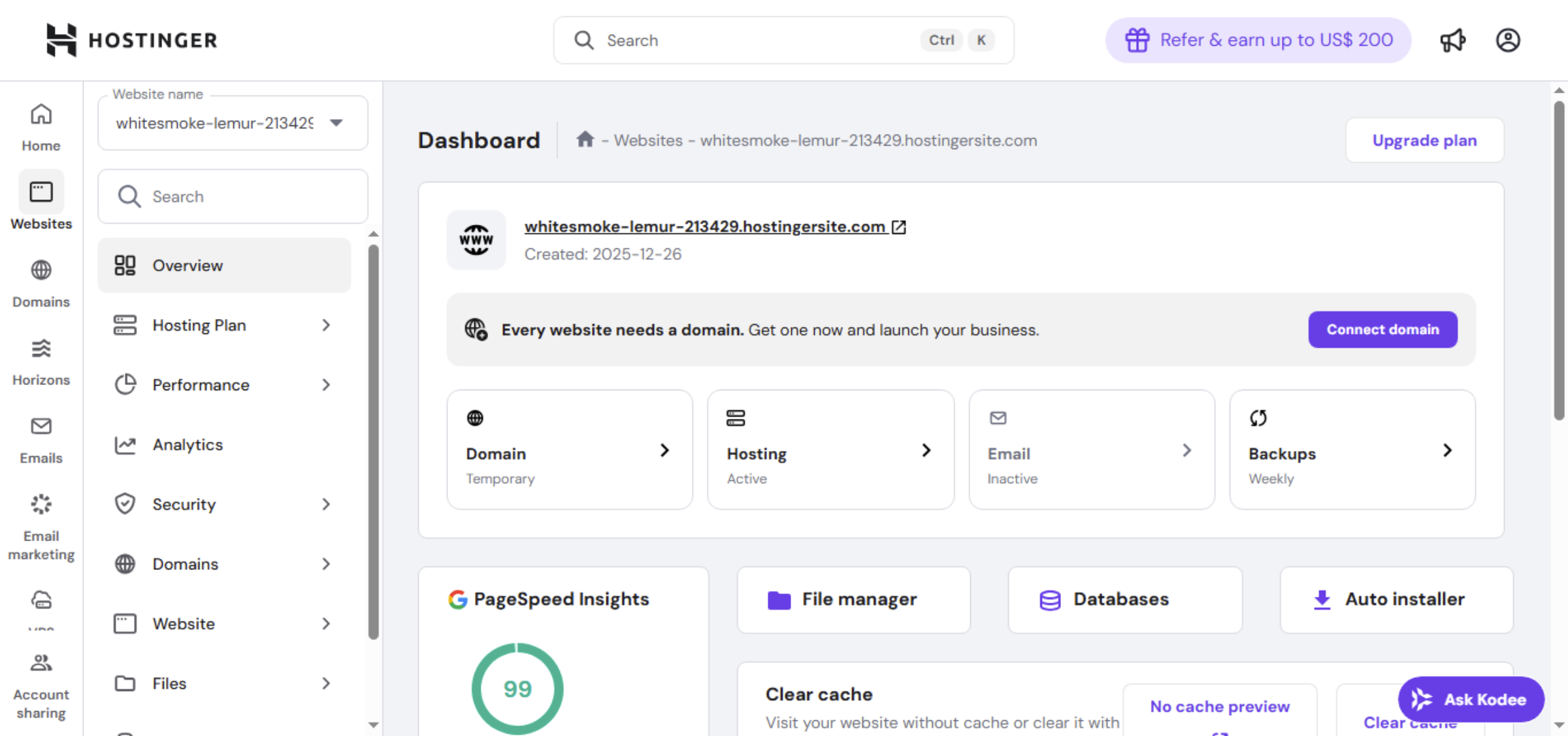
24. Select Your Website Again
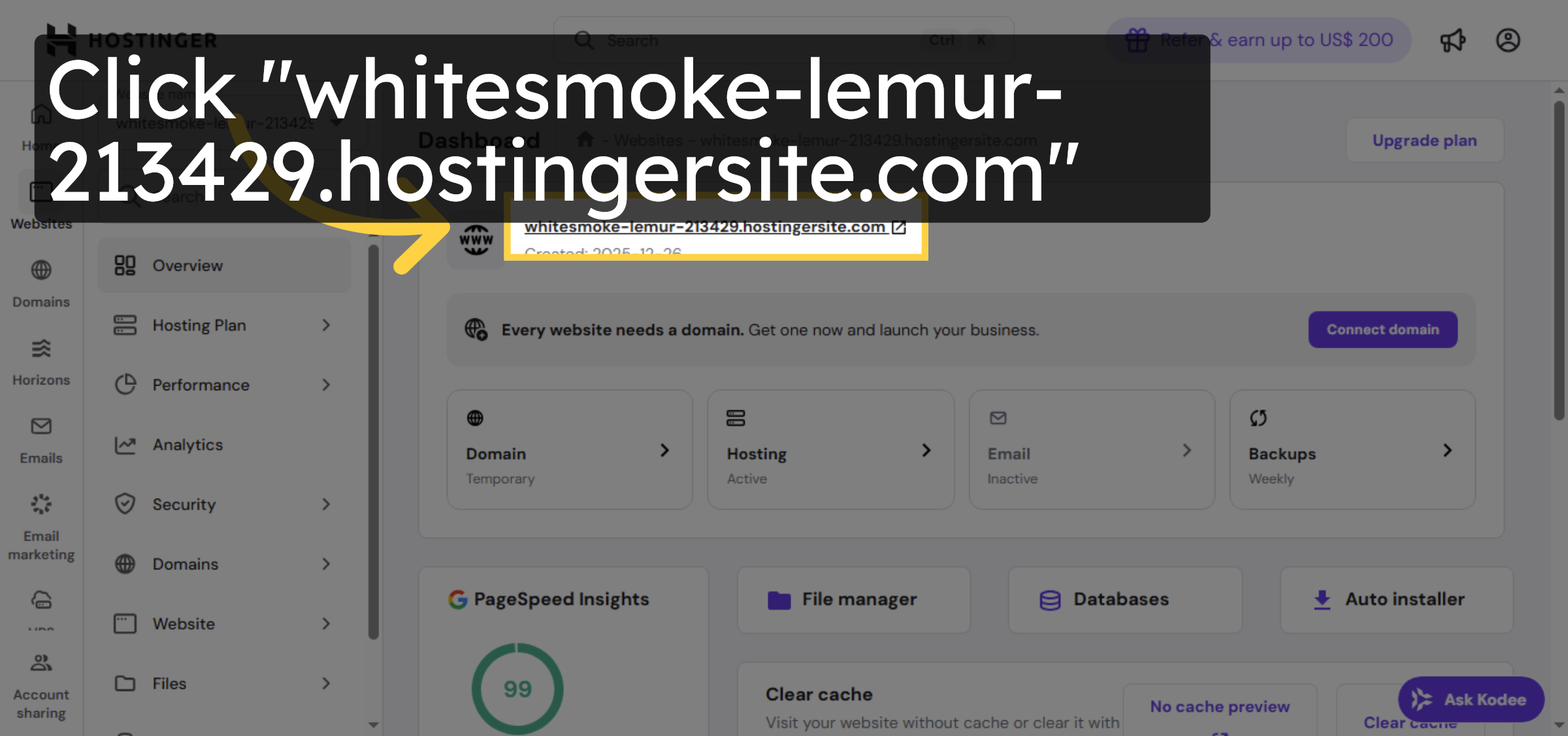
25. Switch To Website View
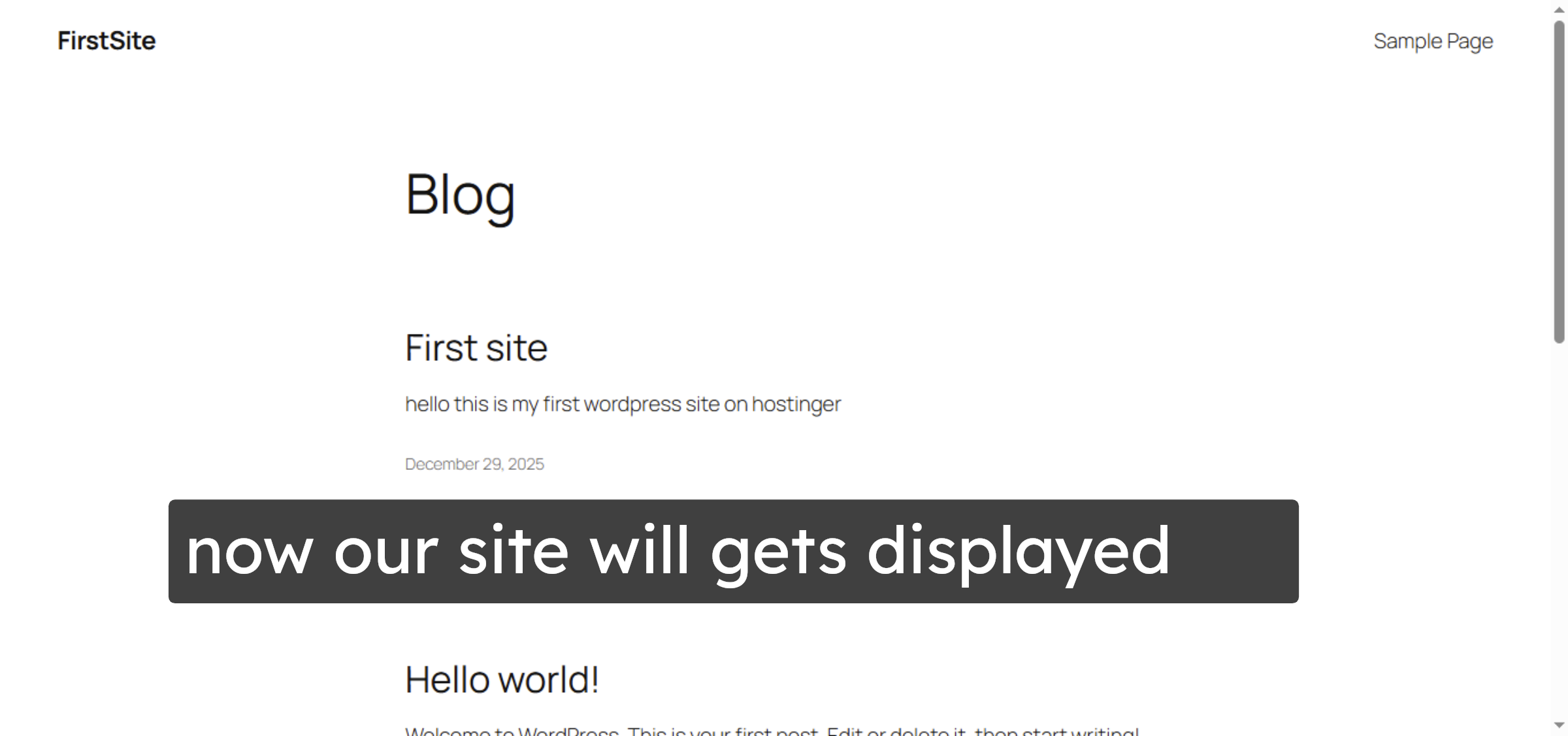
Conclusion
By following the steps outlined in this guide, you can successfully recover a WordPress website showing a 403 error by restoring files and databases from Hostinger’s backup system. Restoring missing files and databases helps resolve access issues and brings your website back online quickly. Regularly monitoring backups and knowing how to restore them is a best practice for maintaining website availability and reliability.
Visit: https://www.woohelpdesk.com
Call Us Toll-Free: +1 888 602 0119 (US & Canada)
Get professional support for WordPress configuration, hosting management, performance optimization, and troubleshooting.