How to Fix the 429 Error in WordPress (Step-by-Step Guide)
Table of Contents
- What is the HTTP 429 Too Many Requests Error?
- Different Variations of HTTP 429 Error
- What Causes the HTTP 429 Too Many Requests Error?
- Impact of the HTTP 429 Error on Your Website
- How to Fix the 429 Error in WordPress (Step-by-Step Guide)
- Top Preventive Measures to Avoid the 429 Too Many Requests Error
- Conclusion
What is the HTTP 429 Too Many Requests Error?
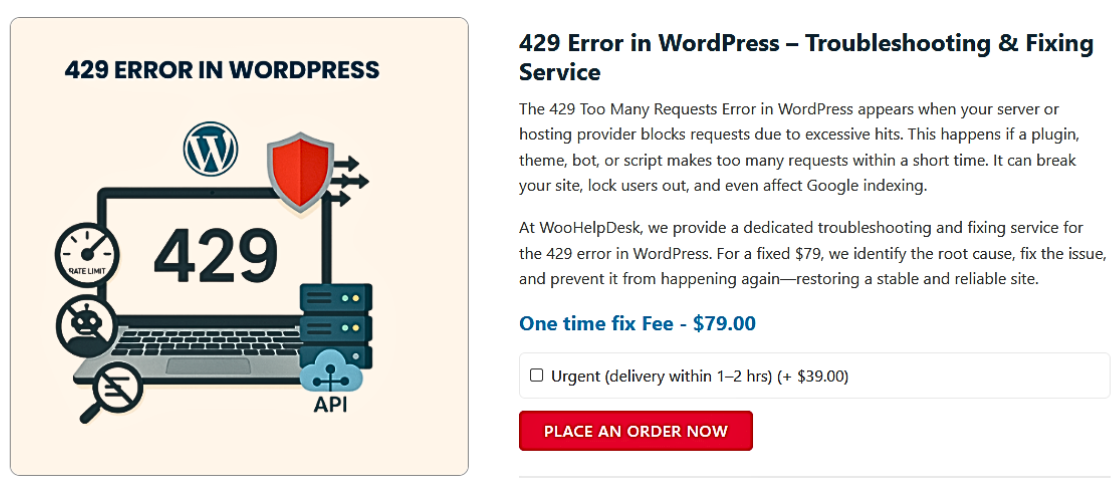
The HTTP 429 Too Many Requests Error is a client-side status code defined within the 4xx series of HTTP responses. These codes signify errors where the request sent by the client cannot be fulfilled due to conditions set by the server. Specifically, the 429 response is returned when a user, script, or process sends an excessive number of HTTP requests in a short duration, violating the server’s configured rate limits. This behavior is commonly seen in high-traffic environments or systems using rate-limiting to mitigate abusive patterns such as denial-of-service (DoS) attacks, brute-force login attempts, or excessive API polling.
In technical terms, the 429 status code serves as a built-in mechanism to enforce rate-limiting policies on a web application or API. When triggered, the server stops processing additional requests from the client and responds with a 429 code, sometimes including a Retry-After HTTP header. This optional header instructs the client on how long to wait before sending new requests, allowing for automated back-off behavior. The intention is to preserve server stability, ensure resource availability, and fairly distribute access across users or systems.
This error is particularly relevant in modern WordPress environments where numerous automated tasks, such as background processes, scheduled cron jobs, REST API calls, or plugin-driven HTTP requests, can generate high volumes of outbound or inbound traffic. When these requests exceed the server’s defined thresholds, the system issues a 429 response to throttle activity. Although this response is technically not an error in the traditional sense, it represents a control measure to protect the application layer.
The 429 error can appear in different textual forms depending on the system or browser, including “HTTP 429”, “429 Too Many Requests”, or “Error 429 (Too Many Requests)”, but the underlying cause remains the same: the request volume exceeded acceptable limits. The server may identify this behavior through IP-based tracking, user-agent patterns, or session identifiers. In some cases, a misconfigured server or overaggressive security setting may inadvertently rate-limit legitimate users, creating accessibility issues. Alternatively, persistent 429 errors may indicate suspicious behavior, such as an external system flooding the site with automated requests.
Different Variations of HTTP 429 Error
- 429 Too Many Requests
This is the standard HTTP 429 status message. It indicates that the server is actively rate limiting the client. The request has been denied due to too many attempts in a short time. This version is typically returned by WordPress, APIs, or firewall systems protecting resources from overload.
- HTTP 429
This simplified format only includes the status code. It is usually seen in server logs, monitoring tools, or minimal error pages. Though less descriptive, it still means that the client has sent too many requests within a configured rate window and must wait before retrying.
- Error 429 (Too Many Requests)
Commonly displayed on the front end or browser screen, this message is user-friendly. It confirms that access has been temporarily restricted. WordPress sites, plugin UIs, and API endpoints may show this to help both developers and users understand that server limits have been exceeded.
- 429 Error – Rate Limit Exceeded
This variation clearly explains the cause of the error—too many requests over the allowed threshold. It’s frequently seen in RESTful APIs and services like Stripe, OpenAI, or Mailchimp. It lets developers know that automated calls or loops are triggering a limit.
- 429: Too Many Requests – Request Throttled
This form is returned when the server is actively slowing down or throttling requests. It’s used by CDNs, cloud platforms, and hosting environments. The system is temporarily rejecting traffic from a specific source to maintain performance and availability.
- 429 Too Many Requests – Retry Later
This message is returned when the server includes a Retry-After header. It tells the client how long to wait before retrying the request. Used in APIs and scheduled tasks, this helps prevent continuous retry loops and ensures proper request spacing.
- HTTP Error 429: Quota Exceeded
This variation is used in quota-based environments like Google APIs. It tells the client that their allotted request quota has been exhausted. Unlike dynamic rate limiting, this is tied to a fixed daily or hourly usage limit set per user or application.
- 429 Too Many Requests from This IP
The message specifies that the rate limit is tied to the client’s IP address. Servers, firewalls, and WAFs often apply IP-based rate limits to mitigate abuse or brute-force attacks. It can also affect legitimate users behind shared IPs if limits are too strict.
- 429 Too Many Requests – Please Slow Down
This variation is more user-focused. It’s displayed on websites where user behavior—like frequent form submissions or rapid navigation—triggers server-side limits. It signals users to stop refreshing, clicking, or submitting actions too quickly to avoid getting temporarily blocked.
- HTTP response code 429
This is a formal, documentation-style variation. It’s used in API logs, developer consoles, or error documentation. It clearly refers to the standard HTTP status code used to define request rate limits across web and application servers.
- Response code 429
Often used in technical logs or automated monitoring tools. It denotes that the error code 429 was triggered, but without verbose details. This variation is helpful when integrating error handlers or analyzing API responses programmatically.
- HTTP error 429
This general phrase is seen in debugging messages, error reports, or UI logs. It is a catch-all version referring to the 429 response from the server. It signifies that further requests are temporarily blocked until the rate limit resets.
- HTTP code 429
Used in CLI tools, REST clients, and code-level exception handlers. This version appears when developers catch or log HTTP errors during request execution. It serves the same purpose as “HTTP 429” but is typically machine-logged for handling or retrying requests.
- HTTP error code 429
A verbose variation often found in stack traces or automated testing frameworks. It includes both “error” and “code” to clarify context. It’s commonly used in API documentation, SDKs, and developer logs for debugging excessive request issues.
- HTTP status code 429
This is the full technical name for the error, as defined in the HTTP specification (RFC 6585). It’s often used in backend configuration files, documentation, or error-handling libraries where precise status naming is necessary for implementation.
- There was a problem with the server 429
This variation blends user-facing language with the actual error code. It may appear in browser-based error messages, WordPress admin interfaces, or plugin dashboards. It tells users the server is rejecting traffic due to rate limitations or suspicious behavior.
- Problem with the server 429. That’s an error.
This is a common message format used by Google services. It combines casual wording with the technical error code. It’s typically seen in API dashboards or frontend messages to help developers understand that the client is being throttled for overuse.
- 429 server error
This format simplifies the message and labels it as a server-side issue, although the cause is often triggered by client behavior. It may appear in API clients, mobile app logs, or debugging tools. It signifies a request denial based on volume limits.
What Causes the HTTP 429 Too Many Requests Error?
- Exceeded Request Limits
When the number of client requests surpasses the server’s threshold in a short time, the server returns a 429 too many requests WordPress fix status. Rate-limiting rules may apply per IP, user, or token. This error helps prevent abuse, API overuse, or looping requests from themes or plugins. The response may include a Retry-After header to specify when to retry.
- Brute-Force Login Attempts
Unauthorized login attempts made rapidly can activate server-level rate limits. When firewalls or plugins detect this pattern, they may block the IP, triggering a 429 error on WordPress login. This is a protective response to brute-force activity, where the attacker floods the server with login requests, exhausting resources and potentially compromising account security.
- Sudden Spike in Website Traffic
High volumes of concurrent users may cause a server to reject further traffic with a WordPress 429 too many requests error. This happens when the infrastructure lacks autoscaling or CDN support. Spikes can be triggered by promotions, bots, or viral content. Hosting limits are reached quickly on shared or under-resourced environments, causing downtime or limited access.
- Bot and Crawler Overload
Bots that disregard crawl delays or robots.txt rules may generate excessive load. Web servers respond with WordPress 429 error due to bot traffic when these bots make continuous GET or POST requests. Common sources include scrapers, SEO tools, or uptime monitors. This activity may impact performance, throttle APIs, or block access entirely for legitimate users.
- Faulty or Misconfigured Plugins
Some plugins execute repeated HTTP or AJAX requests in short intervals. This may result in a 429 error WordPress due to plugin conflict. The plugin might be misconfigured or outdated, leading to loops or duplicated executions. Server logs will reflect high request counts from a single process, triggering rate-limiting filters at the application or firewall level.
- Unoptimized WordPress Themes
Themes can overload the server if they make excessive API calls, use real-time filters, or send constant AJAX requests. When this happens, it can lead to a 429 error WordPress due to theme script overload. This is common in themes with dynamic content builders or loading animations that refresh sections without caching or limiting network activity.
- Contact Form Spam or Abuse
Automated spam bots submitting contact forms can quickly consume server resources. This generates a WordPress 429 error due to contact form spam bots. If anti-spam systems like CAPTCHA aren’t used, bots can bypass restrictions and repeatedly hit submission endpoints. Firewalls or plugins then enforce a temporary block by returning a 429 response.
- Uncontrolled Cron Job Executions
WordPress uses wp-cron.php to schedule tasks like backups, email sends, and database operations. If misconfigured, these can run too frequently, causing a WordPress 429 error due to cron job overload. Overlapping executions can flood the server with internal requests, resulting in rate limits and server strain. Offloading cron jobs externally helps manage this better.
- REST API Misuse
The WordPress REST API allows third-party tools and plugins to exchange data. When calls are not rate-limited or are triggered in rapid succession, it leads to a WordPress 429 too many requests due to REST API abuse. This often happens in integrations, where scripts call the same endpoint repeatedly without caching or queuing.
- Unoptimized or Bloated Database
Large or unclean databases increase the time to complete each request. If too many requests hit the server while it’s processing slow queries, it may return a HTTP 429 Too Many Requests Error. Common database issues include transients, post revisions, or leftover plugin tables. Query overload compounds with traffic surges to trigger protection.
- DDoS or Malicious Activity
A denial-of-service attack floods the server with traffic, exhausting its request handling capacity. As a defense, the server enforces rate limits and returns a 429 error WordPress response. This not only blocks malicious IPs but may also affect legitimate traffic temporarily. Rate limits must balance between protection and accessibility.
- Misconfigured Third-Party Services
APIs from platforms like Google Maps, Stripe, or Mailchimp enforce strict usage policies. If a plugin or script sends too many external requests, it triggers a HTTP 429 Error. This often results from improper authentication, looping callbacks, or missed pagination. Developers must monitor API limits and implement retry logic where needed.
- Same IP or User Agent Reuse
Repeated requests from a single IP or browser fingerprint can activate server-level thresholds. This causes a HTTP error 429 status to be returned. Rate-limiting middleware may block users temporarily or challenge them with a CAPTCHA. This helps prevent scraping, brute-force login attempts, and session hijacking.
- Resource Exhaustion on Shared Hosting
Shared hosting limits CPU, memory, and process usage for each account. Exceeding these limits can cause the server to return a HTTP error code 429. It’s a safeguard to prevent one user from degrading performance for others. These errors are more common during traffic surges, backups, or high-cron frequency.
- Automation Scripts or Crawlers
Custom scripts or bots may unintentionally flood the server with background requests. Without rate limiting, servers respond with a 429 too many requests error. These scripts might be monitoring uptime, scanning content, or testing APIs. If left unchecked, they can cause service degradation or block users from accessing the site.
Impact of the HTTP 429 Error on Your Website
- Visitors Temporarily Blocked from Accessing the Site
When users send too many requests quickly, the server responds with a rate-limit warning. This prevents access for a short time. Visitors may be unable to browse, submit forms, or complete purchases. It creates frustration and can drive users away from the site unexpectedly.
- Search Engine Crawlers Get Delayed or Blocked
Search engines may reduce crawl frequency if they encounter repeated errors. When crawlers see request limits, they slow down indexing. This can result in outdated content in search results. Over time, it affects how often your pages appear in search engine updates.
- Loss of Revenue During High-Traffic Periods
If users are blocked during checkout or lead generation, sales drop. Rate-limiting can affect key conversion paths. This becomes more critical during promotions or product launches. Visitors may abandon the session altogether if the page fails to load after multiple attempts.
- APIs and Integrations May Fail to Respond
APIs that exceed request limits stop responding temporarily. This can break maps, payment services, or user dashboards. Sites relying on third-party tools become unstable. Without retry logic or alerts, these failures go unnoticed and affect both functionality and the user experience.
- Frequent Errors Damage Brand Reputation
Regular appearance of request limit errors may signal instability. Users start to question site reliability. Over time, trust is reduced and return visits drop. This can impact overall brand value, especially if the site handles sensitive data or business transactions.
- Shared Network Users May Be Unintentionally Blocked
When many users share the same IP, one user’s behavior can affect others. If the rate limit is reached, everyone on that network is blocked. This happens frequently in schools, libraries, or offices using shared internet. It results in unnecessary access restrictions.
- Frontend Features May Load Inconsistently
Features like live search, comment updates, or auto-refresh may rely on frequent background requests. If these requests hit a rate limit, the page may only load partially. Users are left with broken elements or blank sections without understanding what went wrong.
- Developer Applications May Crash Unexpectedly
Apps or services consuming data through your API may receive too many errors. Without proper error handling, these systems can crash or behave unpredictably. Developers may pause or abandon their integration efforts if they face rate-limiting without clear documentation or retry guidelines.
- Support Requests and Complaints May Increase
Users who don’t understand the error assume the website is broken. They contact support to report problems that resolve automatically after time. This increases your support load unnecessarily and diverts attention from real technical issues that need resolution.
- Security Tools May Block Real Users by Mistake
Rate-limiting systems sometimes mistake legitimate activity for abuse. If thresholds are too low, real users can be blocked during active sessions. This is common when submitting forms, logging in repeatedly, or refreshing dashboards. Overly strict rules reduce accessibility and frustrate users.
How to Fix the 429 Error in WordPress (Step-by-Step Guide)
The 429 Too Many Requests Error occurs when your website or a service exceeds the allowed number of requests within a specific time frame. This issue is common in WordPress, especially when themes, plugins, or external services misbehave. Below is a comprehensive, step-by-step guide that explains how to technically and effectively resolve this error.
Step 1: Change Your WordPress Default Login URL
Problem: Brute-force login attempts flood your login URL with requests. This causes the server to trigger rate limiting.
Fix:
- Install and activate the WPS Hide Login
- Go to Settings > WPS Hide Login in your dashboard.
- Set a unique login URL (avoid using words like “login” or “admin”).
- Set a redirect URL for blocked access attempts.
This method blocks bots from locating your login page and prevents login-related 429 error on WordPress login.
Step 2: Temporarily Deactivate All Plugins
Problem: A plugin may send too many requests to the server or external APIs.
Fix via WordPress Dashboard:
- Navigate to Plugins > Installed Plugins.
- Select all plugins and choose ‘Deactivate’ from bulk actions.
Fix via FTP if dashboard is inaccessible:
- Connect via FTP client (e.g., FileZilla).
- Navigate to public_html/wp-content/plugins/.
- Rename the plugins folder to plugins-deactivated.
- Create a new empty plugins
Test: Visit the site. If the error is gone, the issue lies in one of the plugins.


Find the culprit:
- Restore original plugin folder.
- Rename and activate plugins one by one.
- Identify which plugin triggers the 429 error WordPress.
Step 3: Switch to a Default Theme
Problem: Some themes may generate excessive AJAX requests or API calls.
Fix via Dashboard:
- Go to Appearance > Themes.
- Activate a default theme like Twenty Twenty-One.
Fix via FTP:
- Connect via FTP and go to wp-content/themes/.
- Rename your current theme folder.
Check: If the WordPress too many requests error disappears, your theme is the cause.
Step 4: Check and Limit External API Requests
Problem: Plugins that connect to services like Google Maps, Mailchimp, or payment gateways may exceed their API limits.
Fix:
- Check plugin settings for API frequency.
- Enable caching where possible.
- Install Query Monitor to track API requests.
Avoid triggering errors like 429 too many requests WordPress due to API overuse.
Step 5: Scan and Block Malicious Bot Traffic
Problem: Bots can spam your site with thousands of automated requests.
Fix:
- Install a firewall plugin (e.g., Wordfence or Sucuri).
- Block known malicious IPs.
- Use bot protection tools and CAPTCHA.
Prevents issues like WordPress 429 error due to bot traffic
Step 6: Disable Problematic Security or SSL Plugins
Problem: Plugins like “Really Simple SSL” may create unnecessary redirects.
Fix:
- Disable the plugin via dashboard or FTP.
- Install “Search and Replace” to fix HTTP to HTTPS internal links.
- Use .htaccess for manual HTTPS enforcement.
This resolves errors related to mixed content and redirection loops
Step 7: Check and Optimize Cron Jobs
Problem: WordPress scheduled tasks (wp-cron.php) might run too often.
Fix:
- Disable built-in cron in wp-config.php: define(‘DISABLE_WP_CRON’, true);
- Set a proper interval using server cron.
Helps avoid WordPress 429 error due to cron job overload
Step 8: Clean and Configure Caching
Problem: Improper caching can lead to repeated unnecessary requests.
Fix:
- Install caching plugins like WP Rocket or W3 Total Cache.
- Enable page, browser, and object caching.
- Minimize cache purging frequency.
Reduces load and fixes WordPress 429 too many requests due to caching issues.
Step 9: Restrict REST API Access
Problem: Abuse of REST API endpoints increases request volume.
Fix:
- Use REST API restrictor plugins.
- Require authentication for sensitive endpoints.
- Monitor REST activity in server logs.
Prevents WordPress 429 too many requests due to REST API abuse.
Step 10: Check for Mixed Content Errors
Problem: Pages loading both HTTP and HTTPS content create repeated redirects.
Fix:
- Use “Really Simple SSL” to identify mixed content.
- Fix links and use HTTPS consistently.
- Monitor browser console for warnings.
Mixed content triggers repeated requests and rate limits.
Step 11: Contact Your Hosting Provider
Problem: Host-level rate limits or security rules can cause 429 errors.
Fix:
- Ask host to whitelist search engines or trusted services.
- Review logs or firewall settings.
- Upgrade to a plan that handles more requests.
This helps resolve server-side HTTP 429 Too Many Requests Error issues.
Step 12: Enable Debug Mode and Review Logs
Fix:
- Add the following to wp-config.php:
define(‘WP_DEBUG_LOG’, true);“` - Check wp-content/debug.log for request spikes.
Logs help identify exactly which process or plugin causes the issue.
Top Preventive Measures to Avoid the 429 Too Many Requests Error
- Limit Login Attempts to Prevent Flooding
Set a limit on failed login attempts to block bots. This stops repeated access that causes overload. It prevents brute-force attacks and avoids messages like 429 error on WordPress login. Use plugins that block or delay further attempts from the same IP after several failures.
- Install a Firewall to Control Bot Access
Web application firewalls block unwanted bots and reduce repeated requests. These bots can trigger 429 Too Many Requests from this IP errors. A firewall identifies suspicious patterns, blocks abusive IPs, and reduces server load. It’s essential to filter harmful traffic before it reaches WordPress.
- Use Caching to Reduce Server Requests
Caching saves a static version of your site to show users. This avoids repeated dynamic requests and speeds up delivery. Without caching, repeated loading causes overload, triggering errors like HTTP status code 429. Use page and browser caching with trusted plugins or hosting tools.
- Optimize Plugins to Reduce External Requests
Plugins calling third-party services too often create excess load. These requests can trigger HTTP error 429: Quota Exceeded. Use plugins that allow request limits or batching. Monitor API usage in plugin settings or server logs to stay below the provider’s request limit.
- Clean Mixed Content to Prevent Redirect Loops
If your site loads HTTP and HTTPS content together, it creates redirects. This loop can overload the server and show errors like 429 Too Many Requests – Retry Later. Use SSL scan tools or plugins to correct all internal links and enforce full HTTPS usage.
- Switch to a CDN to Distribute Traffic
A Content Delivery Network balances incoming traffic across servers. This helps avoid overload on one origin server, especially during spikes. Without a CDN, increased requests may return 429 server error. CDNs also offer rate limiting, bot protection, and performance optimization.
- Schedule Cron Jobs with Proper Intervals
Too many background tasks running close together stress your server. This may return variations like 429 Too Many Requests during peak times. Space cron jobs using server-side crontab or plugins. Monitor job execution times to prevent overlaps and reduce CPU usage.
- Use Lazy Loading for Media Files
Loading all images or videos at once increases request volume. Lazy loading loads media only when users scroll. This reduces concurrent server requests and helps avoid triggering HTTP 429 Error during page load. It also improves performance on slow or mobile networks.
- Control REST API Access for Public Endpoints
Public REST API endpoints are common targets for abuse. Repeated calls can trigger 429 Too Many Requests – Request Throttled. Limit access to these endpoints with authentication, permissions, or request headers. Disable unused routes or restrict them to admin users only.
- Avoid Infinite Scroll Without Rate Control
Sites using infinite scroll can request new content repeatedly. If not controlled, this behavior causes overload and triggers 429 Too Many Requests – Please Slow Down. Add scroll delays or pagination to limit requests. Use JavaScript throttling to manage front-end loading intervals.
Conclusion
If you’re encountering the HTTP 429 Too Many Requests Error on your WordPress site, it’s a clear indication that your server is rejecting incoming requests due to rate-limiting thresholds being exceeded. This is not a random failure—it’s a deliberate server response designed to protect system resources from abuse, excessive API usage, brute-force login attempts, or poorly configured plugins. For site owners, this means your site or a third-party integration is generating more requests than your hosting environment is configured to accept within a given time frame.
Resolving this error involves more than just temporary fixes. It requires identifying the exact source of the overload—whether it’s a plugin creating repeated external calls, a spike in bot traffic, or an automated task misfiring. Implementing technical solutions like changing your login URL, rate-limiting REST API endpoints, disabling problematic plugins or themes, and adjusting cron job frequencies are essential. Server-side logging, retry headers, and error monitoring should also be used to pinpoint where request volumes are breaching the limit. In high-traffic environments, adding caching layers, enabling lazy loading, and deploying a CDN can significantly reduce server strain and prevent recurrence.
Ultimately, the 429 error is a warning that your current configuration isn’t scaling properly under load. Whether caused by bots, users, or systems, exceeding the server’s acceptable request rate creates performance bottlenecks that hurt user experience and SEO. By following a methodical troubleshooting process and implementing preventive measures, you can ensure that your WordPress site is better optimized, more secure, and resilient against future request-based overloads. This proactive approach not only fixes the issue but also builds a stable foundation for long-term growth and reliability.