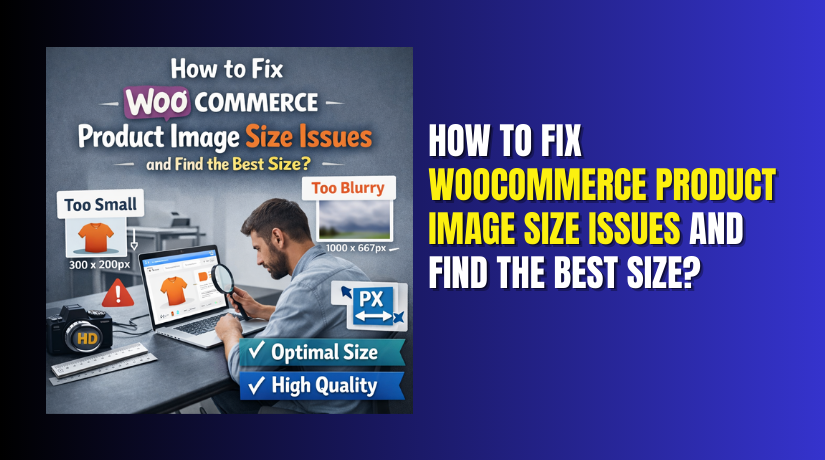
How to Fix WooCommerce Product Image Size Issues and Find the Best Size?
Table of Contents
- Introduction
- What is The Importance of WooCommerce Product Images?
- What Are The Types of Images in WooCommerce?
- SEO Impact of WooCommerce Product Image Size
- What Are The Common WooCommerce Image Issues?
- How to Fix WooCommerce Product Image Size Issue?
- What is The Importance of Product Image Size in WooCommerce?
- What is The Best Size for a Product Image?
- What Are The Factors that Affect Product Image Size in WooCommerce?
- What Are the Best 3 Plugins to Fix Image Issues in WooCommerce?
- Final Verdict
Introduction
Product images play a vital role in every WooCommerce store. They directly affect user experience, engagement, and purchase decisions. Customers rely on product images before trusting your store. If images look blurry or stretched, trust drops immediately. This is where WooCommerce product image size becomes important.
Incorrect image dimensions create layout issues across product pages. Many store owners face WooCommerce image size settings confusion. This leads to poor display on mobile and desktop screens. Image size problems also slow down page loading speed. Slow pages reduce conversions and increase bounce rates. WooCommerce product image optimization solves these problems effectively.
Fixing WooCommerce product image size issues is not difficult. However, it requires correct understanding and proper steps. WooCommerce uses multiple image types for product display. Each image serves a different purpose across layouts. Using wrong sizes breaks visual consistency. Using oversized images hurts performance and SEO.
The best WooCommerce product image size balances clarity and speed. This guide explains everything step by step. You will learn why images matter and how WooCommerce handles them. Advanced fixes and plugins will be covered later.
What is The Importance of WooCommerce Product Images?
- First Impression and Customer Trust
Product images create the first impression for online shoppers. They replace physical product inspection in online shopping. Clear and sharp images build confidence and increase purchase intent. Poor or blurry images create doubt and hesitation instantly. WooCommerce product image size directly affects how professional products appear. - Better Product Understanding
High-quality images help customers understand product details clearly. Zoomed images allow closer inspection of texture and finish. Proper image clarity reduces confusion and product-related questions. Consistent visuals improve the overall shopping experience. - Visual Consistency Across the Store
Consistent image sizing improves store appearance and professionalism. Uniform product grids look clean and organized on shop pages. WooCommerce image size settings help maintain this consistency. Well-aligned images improve browsing comfort for users. - SEO and Page Speed Benefits
Search engines prefer optimized product images for faster loading. Optimized images improve page load speed significantly. Faster pages perform better in search rankings. WooCommerce product image optimization supports SEO and visibility. Mobile users also benefit from faster image loading. - Higher Conversion Rates
Images influence buying decisions more than text descriptions. Customers trust visuals more than long explanations. Slow-loading images cause visitors to leave quickly. This increases bounce rate and reduces sales. Fix WooCommerce product image size issue improves engagement and conversions. - Improved Server Performance
Well-optimized images reduce server load and bandwidth usage. This helps stores manage traffic spikes smoothly. Proper image sizing improves caching effectiveness. Overall, optimized product images enhance usability, performance, and sales together.
What Are The Types of Images in WooCommerce?
WooCommerce uses different image types for various sections. Each image type serves a specific display purpose. Understanding these types is crucial before fixing issues. Incorrect handling causes WooCommerce product image size problems.
- Product Main Image
The product main image appears on the product detail page. It represents the primary visual of the product. This image is the most important visually. Customers focus on it first before scrolling.
WooCommerce product image size for main images must be sharp. It should support zoom functionality without pixelation. Using low resolution causes blurry zoom effects. Using oversized images affects performance negatively.
The best WooCommerce product image size ensures clarity and speed balance. Main images also appear in social sharing previews. Proper sizing improves brand presentation across platforms.
- Product Gallery Images
Gallery images show additional product angles or details. They appear below or beside the main image. These images support buying decisions strongly. Customers rely on gallery images for product inspection.
Gallery images should maintain consistent aspect ratios. Inconsistent sizes break layout alignment. WooCommerce image size settings control gallery appearance.
Fixing WooCommerce product image size issues for galleries improves layout flow. Proper sizing ensures smooth slider and thumbnail behavior. Optimized gallery images load faster and reduce bounce rates.
- Product Thumbnail Images
Thumbnail images appear on shop pages and category pages. They also appear in related products sections. Thumbnails create first impressions across listings.
WooCommerce product image size issues often affect thumbnails. Wrong sizes cause stretched or cropped images. Inconsistent thumbnails reduce visual appeal.
Best WooCommerce product image size for thumbnails ensures uniform grids. Optimized thumbnails improve scrolling experience and page speed.
- Cart and Checkout Images
Small product images appear in cart and checkout pages. These images help customers confirm selected items. Poor image clarity causes confusion during checkout.
WooCommerce product image optimization ensures clarity even in small sizes. Optimized images prevent unnecessary page weight during checkout. This improves conversion completion rates significantly.
SEO Impact of WooCommerce Product Image Size
- Page Speed and Search Rankings
Image size affects SEO both directly and indirectly. Large product images slow down page loading speed. Page speed is a confirmed Google ranking factor. Slow-loading pages lose visibility in search results. - Core Web Vitals Improvement
WooCommerce product image size optimization improves Core Web Vitals scores. Faster images reduce Largest Contentful Paint time. Better LCP improves overall page experience signals. This helps pages rank higher in search results. - Better Crawl Efficiency
Optimized images load faster for search engine crawlers. Faster loading pages allow more efficient crawling. Search engines can index WooCommerce product pages more quickly. This improves overall site index coverage. - Image Search Visibility
Properly optimized images perform better in image search results. Correct image sizing improves load time and rendering. This increases chances of appearing in Google Image Search. Additional traffic can be gained from visual searches. - Improved User Engagement Signals
Fixing WooCommerce product image size issues improves user experience. Faster pages reduce bounce rates and increase engagement time. Positive engagement metrics support long-term SEO performance.
What Are The Common WooCommerce Image Issues?
WooCommerce image problems are very common across online stores. Most issues appear after theme changes or image uploads. These problems affect layout, speed, and product appearance. Understanding the issues helps fix them correctly.
- Blurry Product Images
Blurry images appear when image resolution is too low. This usually happens when small images are stretched. WooCommerce product image size must match display requirements. Low-quality uploads cannot scale properly.
Blurry images reduce trust and product appeal. Customers doubt quality when images look unclear. This impacts conversion rate directly.
- Stretched or Squished Images
Stretched images appear when aspect ratios mismatch. Square images forced into rectangular layouts get distorted. This breaks visual consistency across product grids.
WooCommerce image size settings must match theme layout. Incorrect ratios cause stretching issues frequently.
- Inconsistent Image Sizes Across Products
Different image sizes create uneven product grids. Some products appear larger or smaller than others. This makes the store look unprofessional.
WooCommerce product image optimization ensures uniform appearance. Consistent sizes improve browsing experience and brand trust.
- Images Not Updating After Size Changes
Many users change image settings but see no difference. This happens because old images are not regenerated. WooCommerce does not resize existing images automatically.
Fix WooCommerce product image size issues requires image regeneration. Without regeneration, changes apply only to new uploads.
- Slow Loading Product Images
Large image files increase page loading time significantly. Slow images affect mobile users the most. Page speed issues reduce rankings and conversions.
The best WooCommerce product image size balances quality and performance. Optimization is necessary for speed improvements.
- Thumbnail Cropping Issues
Product thumbnails may appear cropped incorrectly. Important product parts may be cut off. This happens due to forced cropping settings.
WooCommerce image size settings control cropping behavior. Incorrect cropping reduces image clarity.
How to Fix WooCommerce Product Image Size Issue?
Fixing WooCommerce product image size issues requires correct configuration and a step-by-step approach. Each step below includes arrow-based navigation so you clearly know where to go and what to do.
Step 1: Check WooCommerce Image Size Settings
Start by reviewing the default image size settings in WooCommerce. These settings control how product images display across your store.
Dashboard → WooCommerce → Settings → Products
- Open the Display or General section based on your WooCommerce version.
- Locate the image dimension settings for thumbnails and main product images. These settings define how wide images appear on shop and product pages.
- Review width values carefully and avoid guessing random sizes.
- Incorrect values often cause stretched or blurry images.
- Save changes only after confirming the dimensions match your layout needs.
Step 2: Match Image Sizes With Theme Requirements
WooCommerce image settings must align with your active theme’s design structure.
Dashboard → Appearance → Theme Documentation or Theme Settings
- Check your theme documentation for recommended image sizes. Many themes apply their own image dimensions or override WooCommerce defaults silently.
- If WooCommerce settings conflict with theme settings, image issues appear.
- The best WooCommerce product image size always depends on the theme layout.
- Align WooCommerce image size settings exactly with theme recommendations to maintain consistent design.
Step 3: Disable Hard Cropping If Needed
Hard cropping can cut important parts of product images if aspect ratios vary.
Dashboard → WooCommerce → Settings → Products → Image Cropping Options
- Locate cropping options within image settings.
- Disable hard cropping if your products have different shapes or orientations. This allows WooCommerce to resize images proportionally instead of forcing fixed dimensions.
- Adjust cropping based on product type and layout preference. Proper cropping control prevents distorted or cut images.
Step 4: Regenerate Product Images
Changing image settings does not update existing images automatically.
Dashboard → Plugins → Add New → Install Image Regeneration Tool
- Install a reliable image regeneration plugin.
- After installation, go to the plugin’s tool section and start regeneration. This process rebuilds all image sizes using the new settings.
- Regeneration ensures old product images adopt updated dimensions.
- Always perform regeneration during low traffic hours to avoid server load issues.
Step 5: Upload High-Quality Source Images
Image resizing works only when original images are high quality.
Dashboard → Media → Add New → Upload Images
- Upload product images with sufficient resolution from the beginning.
- Avoid using blurry or low-resolution images. High-quality source images resize cleanly and maintain sharpness.
- WooCommerce product image optimization always starts with good originals.
- Never rely on scaling small images to look better.
Step 6: Optimize Image File Size
Large image files slow down page loading speed significantly.


Dashboard → Plugins → Install Image Optimization Plugin
- Use an image optimization or compression plugin to reduce file size.
- Compression removes unnecessary data without visible quality loss.
- Proper optimization improves loading speed and Core Web Vitals scores.
- WooCommerce product image size optimization balances clarity and performance effectively.
Step 7: Clear Cache After Changes
Caching can prevent updated images from appearing immediately.
Dashboard → Caching Plugin → Clear Cache
Browser → Clear Browser Cache
- Clear your site cache using your caching plugin.
- Also clear your browser cache or test using an incognito window. This ensures newly resized and optimized images load correctly.
- Fix WooCommerce product image size issue fully only after cache clearing.
What is The Importance of Product Image Size in WooCommerce?
- Overall Store Performance
Product image size plays a critical role in WooCommerce store performance. It affects appearance, speed, usability, and conversions together. Incorrect image size creates both visual and technical problems. Correct sizing improves the overall shopping experience significantly. - Visual Quality and Customer Trust
WooCommerce product image size controls how products appear on screens. Images that are too small look blurry and unprofessional. Images that are too large slow down page loading speed. Both situations reduce customer trust and confidence. - Layout Consistency and Branding
Correct image sizing ensures images fit layouts properly. It prevents stretching, cropping, and alignment issues. WooCommerce image size settings help maintain consistent presentation. Consistent visuals strengthen store branding and professionalism. - Mobile Shopping Experience
Product image size strongly impacts mobile user experience. Mobile shoppers rely on fast-loading product pages. Large images increase data usage and loading time. WooCommerce product image optimization improves mobile usability greatly. - SEO and Search Visibility
Search engines evaluate image performance as part of page quality. Faster images improve page speed signals. Better speed increases search visibility. Fix WooCommerce product image size issue supports both SEO and usability together.
What is The Best Size for a Product Image?
- No Universal Image Size
There is no one-size-fits-all answer for image dimensions. Best WooCommerce product image size depends on layout and theme. Different themes display images differently across shop and product pages. Always test image sizes on your active theme before finalizing settings. - Main Product Image Size
Main product images should be large enough for zoom clarity. They must remain sharp when customers inspect details closely. Images should not be excessively large in file size.
Recommended size: 800 × 800 px or 1000 × 1000 px
These sizes provide good zoom quality without affecting performance. - Thumbnail Image Size
Thumbnail images should be smaller but visually clear. They must load quickly without losing important details. Uniform thumbnail sizes improve shop page layout and browsing experience.
Recommended size: 300 × 300 px or 400 × 400 px
Square thumbnails work best for consistent product grids. - Gallery Image Size Consistency
Gallery images should match main image proportions. Consistent proportions prevent layout shifts during image switching. This keeps the product page visually stable.
Recommended size: Same as main image, 800 × 800 px or 1000 × 1000 px
Using the same ratio avoids cropping and stretching issues. - Balance Between Quality and Performance
The best WooCommerce product image size balances quality and performance. It avoids pixelation while maintaining fast load times. Proper sizing ensures smooth user experience and better store performance.
Always compress images after resizing to reduce file weight.
What Are The Factors that Affect Product Image Size in WooCommerce?
Several factors influence ideal image size selection. Ignoring these leads to repeated issues.
- Theme Layout and Design
Themes define image containers and spacing. Some themes use grid layouts. Others use sliders or masonry layouts. WooCommerce product image size must match theme structure. Incorrect sizing breaks layout alignment.
Always review theme image recommendations. Theme overrides can affect WooCommerce image size settings.
- Product Type and Category
Different products require different image presentations. Clothing needs detailed zoom views. Electronics need sharp edge clarity. WooCommerce product image size should suit product nature. Small items need less resolution. Detailed items need higher clarity.
Gallery usage also affects size requirements. More gallery images reduce reliance on one large image.
- Device Responsiveness
Customers browse using different devices. Desktop screens show larger images. Mobile screens require optimized images. WooCommerce product image optimization ensures responsive behavior. Responsive images adapt to screen size automatically.
Large desktop images should scale down for mobile. This prevents unnecessary data loading.
- Image File Format
File format affects image size and quality. JPEG works well for photographs. PNG suits transparent images. WebP offers better compression. Choosing the right format reduces file size. Smaller files load faster without losing clarity.
WooCommerce product image size optimization includes format selection. Proper format improves performance significantly.
- Server Performance and Hosting
Server speed affects image delivery. Heavy images strain weak servers. Optimized image size reduces server load. This improves response time during traffic spikes.
Good hosting complements proper image optimization. Together they improve site stability.
- Zoom and Lightbox Features
Zoom features require higher resolution images. Low-resolution images look blurry when zoomed. WooCommerce product image size must support zoom needs. This improves inspection experience.
Lightbox displays images in a larger view. Images must remain sharp in expanded mode.
What Are the Best 3 Plugins to Fix Image Issues in WooCommerce?
WooCommerce provides basic image handling features by default. However, large stores often need advanced control. Plugins help manage image resizing, optimization, and regeneration efficiently. These plugins fix WooCommerce product image size issue more effectively. They also improve performance and visual consistency.
Below are the best three plugins commonly used for WooCommerce product images optimization.
1. Regenerate Thumbnails
What This Plugin Does
Regenerate Thumbnails rebuilds image sizes for existing uploads. WooCommerce does not resize old images automatically. This plugin solves that limitation effectively. It regenerates thumbnails using current WooCommerce image size settings.
This plugin is essential after changing WooCommerce image size settings. Without regeneration, old images remain unchanged. This causes mixed image sizes across products.
Key Features of Regenerate Thumbnails
- Bulk Image Regeneration
Allows regenerating all WooCommerce product images at once. This ensures every product follows updated image size rules consistently. - Applies Updated Image Size Settings
Uses the latest WooCommerce image size settings during regeneration. This fixes issues caused by previous incorrect dimensions. - Supports All Product Image Types
Works with main product images, gallery images, and thumbnails. This ensures complete coverage across shop and product pages. - Selective Image Regeneration
Allows regenerating images for selected files only. This is helpful when fixing specific products without affecting the entire library. - Handles Large Media Libraries
Designed to work efficiently even with large image collections. It processes images systematically to avoid failures. - Lightweight and Easy to Use
The plugin is lightweight and does not add unnecessary overhead. Its simple interface makes it beginner friendly.
Pros of Regenerate Thumbnails
- Instantly Fixes Image Size Issues
Corrects stretched or blurry images after size setting changes. Results appear immediately after regeneration completes. - Beginner-Friendly Interface
Simple controls make it easy for non-technical users. No advanced configuration knowledge is required. - Preserves Original Image Quality
The plugin does not alter original uploaded images. It only regenerates resized versions safely. - High Theme Compatibility
Works well with most WooCommerce themes. It helps fix image issues caused by theme changes. - Saves Significant Time
Eliminates the need to reupload product images manually. Bulk regeneration completes the task efficiently. - Ideal for WooCommerce Image Size Adjustments
Works perfectly when correcting WooCommerce product image size problems. Especially useful after layout updates.
Cons of Regenerate Thumbnails
- No Image Compression Features
The plugin does not reduce image file size. Large images remain large after regeneration. - Server Resource Usage
Regenerating many images requires sufficient server memory and processing power. Weak hosting may slow the process. - Temporary Performance Impact
The site may slow down briefly during regeneration. This is why low traffic hours are recommended. - No Advanced Optimization Tools
The plugin focuses only on resizing. It must be combined with optimization plugins for best performance.
Download Link: Regenerate Thumbnails- WordPress Plugin
2. Smush – Image Optimization
What This Plugin Does
Smush is a popular image optimization plugin. It compresses images without visible quality loss. This improves page speed and performance significantly.
WooCommerce product image optimization relies heavily on compression. Smush reduces file size while keeping images sharp. It supports automatic and bulk optimization.
Key Features of Smush
- Automatic Image Compression on Upload
Smush compresses product images automatically during upload. This ensures new images are optimized instantly without manual effort. - Bulk Optimization for Existing Images
Allows bulk compression of existing WooCommerce product images. This is useful for stores with large product catalogs. - Metadata Removal
Removes unnecessary image metadata that increases file size. This reduces image weight without affecting appearance. - Lazy Loading Support
Supports lazy loading to improve page speed. Images load only when users scroll to them. - Works With All WooCommerce Image Types
Optimizes thumbnails, main product images, and gallery images. This ensures consistent performance improvements across pages. - Improves Core Web Vitals
Faster image loading helps improve Core Web Vitals scores. Better scores support SEO and user experience.
Pros of Smush
- Improves Page Speed Without Quality Loss
Compression reduces file size while maintaining visual clarity. Customers do not notice quality differences. - Beginner-Friendly Setup
Easy configuration makes it suitable for non-technical users. Most optimization runs automatically. - WooCommerce Compatibility
Supports WooCommerce product images by default. No additional configuration is usually required. - Strong Mobile Performance Benefits
Optimized images load faster on mobile devices. This improves mobile user experience significantly. - SEO Performance Enhancement
Faster loading pages improve search visibility. Smush supports SEO through performance optimization. - Effective for Image-Heavy Stores
Works well for stores with many product images. It helps fix WooCommerce product image size issues indirectly.
Cons of Smush
- Compression Limits in Free Version
The free version has restrictions on bulk optimization. Large stores may need paid plans. - Advanced Features Require Paid Version
Features like higher compression and CDN access need upgrades. Free version offers basic optimization only. - Does Not Resize Images
Smush does not change image dimensions. Image size issues must be handled separately. - Requires Combination With Resizing Plugins
Works best alongside plugins that manage WooCommerce image size settings. It focuses only on optimization.
Download Link: Smush Image Optimization
3. Optimole or ShortPixel Image Optimizer
What This Plugin Does
Optimole and ShortPixel are advanced image optimization solutions. They optimize images dynamically and serve them efficiently. These plugins resize and compress images intelligently.
They adjust image delivery based on device and screen size. This improves mobile and desktop performance.
Key Features of Optimole and ShortPixel
- Automatic Device-Based Image Resizing
Images are resized automatically based on screen size. Mobile users receive smaller images. Desktop users receive higher resolution images. - Smart Image Compression Algorithms
Uses advanced compression techniques without visible quality loss. Images remain sharp while file size is reduced significantly. - Next-Gen Image Format Conversion
Converts images into modern formats like WebP automatically. These formats load faster and use less bandwidth. - Built-In CDN Image Delivery
Uses a global CDN to deliver images faster. Images load quickly regardless of user location. - Dynamic WooCommerce Image Optimization
Optimizes WooCommerce product images dynamically. No need to regenerate images after changing layouts or themes. - Reduced Manual Image Management
Eliminates repeated resizing and optimization tasks. Image handling becomes automated and scalable.
Pros of Optimole and ShortPixel
- Optimized Images for Every Device
Each visitor receives the best image version automatically. This improves clarity and speed on all devices. - Significant Page Speed Improvement
Faster image delivery improves overall page load time. This benefits performance metrics strongly. - Support for Next-Generation Formats
WebP and similar formats improve compression efficiency. This reduces image weight without quality loss. - Lower Server Load
CDN delivery reduces hosting server strain. This helps during traffic spikes and high usage. - SEO and User Experience Benefits
Faster images improve Core Web Vitals scores. Better performance supports SEO and engagement. - Dynamic Fix for Image Size Issues
Helps fix WooCommerce product image size issues dynamically. Especially useful for responsive and mobile-focused stores.
Cons of Optimole and ShortPixel
- Account Registration Required
Users must create an external account to use the service. This adds an extra setup step. - Monthly Usage Limits on Free Plans
Free plans include bandwidth or image limits. High-traffic stores may need paid upgrades. - CDN Dependency
Image delivery relies on external CDN servers. This may not suit stores preferring local hosting. - Learning Curve for Beginners
Advanced features require understanding and testing. Beginners may need time to configure correctly.
Download Link: ShortPixel Image Optimizer & Optimole Image Optimizer
Final Verdict
WooCommerce product image size plays a crucial role in store success. It affects appearance, performance, SEO, and conversions together. Incorrect image sizing creates visual issues and slows down pages. Correct sizing improves usability, trust, and scalability.
By following all five parts of this guide, you now understand image importance, common issues, fixing methods, best sizes, influencing factors, and plugin support. When WooCommerce image size settings are configured correctly and combined with proper optimization, your store becomes faster, more professional, and conversion-focused.
The best WooCommerce product image size is not about one number. It is about balance, consistency, and optimization. When done correctly, product images become a powerful sales tool instead of a performance problem.
Have questions before starting with WooCommerce & WordPress? Get support here at WooHelpDesk.