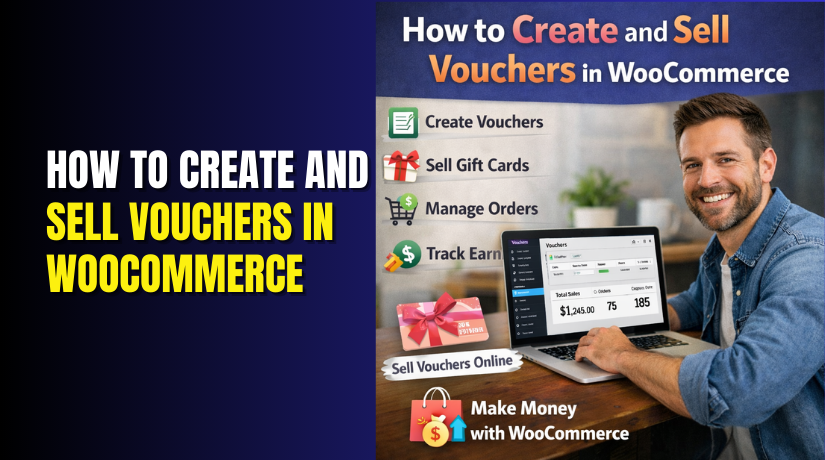
How to Create and Sell Vouchers in WooCommerce
Table of Contents
- What Are Vouchers in WooCommerce?
- Why Selling Vouchers Is a Smart Business Decision
- Types of Vouchers You Can Offer in WooCommerce
- WooCommerce Built-In Coupons vs Voucher Plugins
- How Customers Buy and Redeem Vouchers
- Best Practices for Selling Vouchers Successfully
- Common Voucher Problems and How to Avoid Them
- Final Thoughts: Should You Sell Vouchers in WooCommerce?
What Are Vouchers in WooCommerce?
Vouchers in WooCommerce are prepaid digital credits that customers can purchase and use later. They are commonly used as gift cards, store credits, or prepaid service access. A voucher always contains a unique code and a defined value. Customers enter this code during checkout to reduce the order total.
Unlike coupons, vouchers are sold as products, not applied automatically. This means the store receives payment before the voucher is redeemed. This makes vouchers different from normal discounts.
Key characteristics of WooCommerce vouchers:
- Vouchers are purchased first, then redeemed later
- Each voucher has a unique generated code
- Vouchers hold a fixed or custom balance
- Balance can be used partially or fully
- Redemption happens during checkout
Vouchers are useful for both physical and digital stores. Service-based businesses also use vouchers for advance payments. This makes vouchers flexible and widely applicable.
Why Selling Vouchers Is a Smart Business Decision
Selling vouchers offers financial and operational advantages. The most important benefit is advance revenue. The store receives money even before any product or service is delivered.
Major advantages of selling vouchers:
- Immediate payment without product shipment
- Improved cash flow stability
- Reduced dependency on inventory
- Increased average order value
- Strong gifting option for customers
Vouchers also help attract new customers. Many buyers purchase vouchers as gifts. When recipients redeem vouchers, they often explore the store and place additional orders. This increases repeat purchases without extra marketing cost.
Vouchers are especially effective during seasonal events, promotions, or business launches. They help maintain sales momentum even during slow periods.
Types of Vouchers You Can Offer in WooCommerce
WooCommerce vouchers can be designed in multiple formats. Each type serves a specific purpose.
Common voucher types explained clearly:
- Fixed value vouchers
- Predefined amounts like $20, $50, or $100
- Easy to manage and popular for gifting
- Suitable for most store types
- Custom value vouchers
- Customers choose their preferred amount
- Increases flexibility and user satisfaction
- Ideal for premium or service-based stores
- Product-specific vouchers
- Redeemable only for selected products
- Useful for limited services or packages
- Helps control voucher usage
- Store-wide vouchers
- Acts like store credit
- Can be used across multiple categories
- Encourages repeat shopping
- Digital and printable vouchers
- Digital vouchers are sent by email instantly
- Printable vouchers can be downloaded
- Useful for offline gifting
Choosing the right voucher type depends on your store goals and customer behavior.
WooCommerce Built-In Coupons vs Voucher Plugins
WooCommerce includes a coupon system, but it is not designed for vouchers. Coupons apply discounts but do not store prepaid value.
Limitations of default WooCommerce coupons:
- Coupons cannot be sold as products
- No balance tracking system
- No partial redemption support
- No voucher delivery via email
- Limited reporting features
Because of these limitations, voucher plugins are required.
What voucher plugins add to WooCommerce:
- Voucher products with pricing
- Unique voucher code generation
- Balance and redemption tracking
- Automated email delivery
- Expiration and usage control
Voucher plugins transform WooCommerce into a prepaid credit system.
Step 1: Choosing the Right Voucher Plugin
Selecting the right plugin ensures smooth operation and customer satisfaction.
Important factors to check before choosing a plugin:
- Compatibility with your WooCommerce version
- Support for fixed and custom voucher values
- Automatic voucher code generation
- Email delivery and notification system
- Balance tracking and usage history
- Active updates and technical support
Avoid plugins with limited updates. Stable plugins prevent checkout and redemption issues.
Step 2: Installing and Configuring the Voucher Plugin
Once the plugin is selected, installation is straightforward.
Plugin installation steps:
- Log in to WordPress dashboard
- Go to Plugins → Add New
- Upload or search the voucher plugin
- Click Install Now
- Activate the plugin
After activation, configure basic settings.
Initial configuration checklist:
- Set currency format
- Configure email sender name and address
- Enable automatic voucher code generation
- Define voucher expiration rules
- Save settings
Proper configuration ensures smooth voucher creation and delivery.
Step 3: Creating a Voucher Product in WooCommerce
Voucher plugins usually add a new product type.


Step-by-step process to create a voucher product:
- Go to Products → Add New
- Enter a clear product title
- Add a simple product description
- Select voucher or gift card product type
- Set voucher value
- Choose fixed or custom amount
- Define minimum and maximum limits
- Set usage rules
- Configure expiration date
- Publish the product
Once published, the voucher appears like a normal product in the store.
Step 4: Designing Voucher Templates
Voucher appearance affects trust and branding.
Common template customization options:
- Add store logo
- Use brand colors
- Choose layout style
- Display voucher code clearly
- Show value and expiration date
Vouchers can be delivered as email codes or downloadable files. Email delivery is faster and more secure. Printable vouchers work well for physical gifting.
Always preview templates before publishing.
How Customers Buy and Redeem Vouchers
The voucher purchase process is simple and familiar.
Customer buying process:
- Customer selects voucher product
- Adds voucher to cart
- Completes checkout
- Voucher code is generated automatically
Voucher redemption steps:
- Customer adds products to cart
- Goes to checkout page
- Enters voucher code
- Voucher balance is applied
- Remaining balance is saved
Partial usage is supported by most plugins. Customers can reuse the voucher until the balance reaches zero or expires.
Managing and Tracking Voucher Sales
Voucher plugins provide dashboards for store owners.
What store owners can manage easily:
- List of issued vouchers
- Remaining voucher balances
- Redeemed and unused vouchers
- Expired voucher records
Advanced management options may include:
- Manual balance adjustments
- Voucher deactivation
- Reissuing lost vouchers
- Viewing redemption history
This helps with customer support and order clarity.
Best Practices for Selling Vouchers Successfully
Following best practices improves trust and reduces confusion.
Recommended best practices:
- Clearly mention voucher terms
- Display expiration dates on product pages
- Test vouchers before launching
- Promote vouchers during peak seasons
- Use unique voucher codes only
Clear communication prevents customer disputes and improves satisfaction.
Common Voucher Problems and How to Avoid Them
Voucher-related issues usually come from setup mistakes.
Common problems and solutions:
- Voucher not applying → Check product restrictions
- Email not delivered → Configure SMTP properly
- Customer confusion → Display clear voucher rules
- Code misuse → Limit sharing and usage
Testing vouchers before publishing avoids most issues.
Final Thoughts: Should You Sell Vouchers in WooCommerce?
Selling vouchers in WooCommerce is a flexible and low-risk sales strategy. It helps generate advance revenue, attract new customers, and improve store engagement. With the right plugin and clear setup, vouchers work smoothly for both customers and store owners.
If you want to grow sales without increasing inventory pressure, vouchers are worth implementing.
💡 Ready to Start Selling Vouchers in WooCommerce?
Need help setting up your voucher system or choosing the right plugin? Our WooExperts are here for you!
👉 Chat with us live or give us a call — let’s get your store ready to sell digital gift cards the smart way!