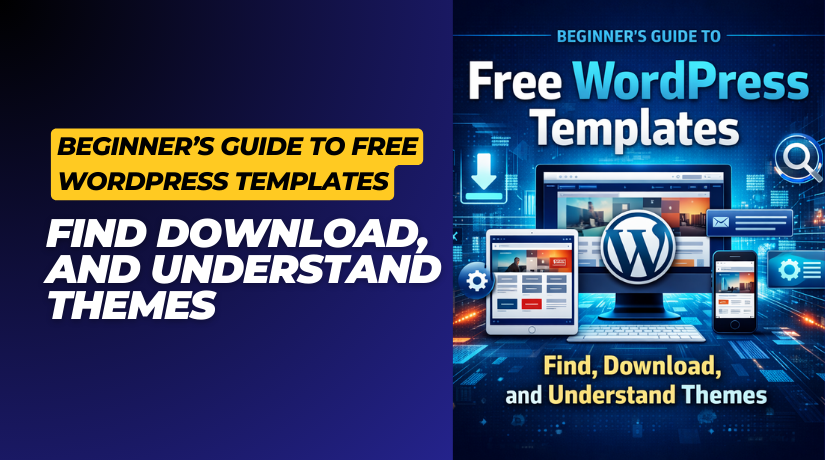
Beginner’s Guide to Free WordPress Templates: Find, Download, and Understand Themes
Table of Contents
- Introduction
- What Are WordPress Templates and Themes?
- Finding Free WordPress Templates
- Why Free Templates Are Great for Beginners
- Responsive Design in Free Themes
- Where to Find and Download Free WordPress Templates
- Understanding and Using the WordPress Templating System
- How to Use and Customize WordPress Templates
- Tips for Choosing the Right Free Theme for Your Site
- Common Mistakes to Avoid When Using Free Templates
- Conclusion
Introduction
Building a website can feel hard when you start with WordPress. Templates and themes make that task much easier. They help you design a full website without writing any code. With only a few clicks, your pages can look neat and professional.
Many new users look for free WordPress templates to start their journey. If you want to test designs or save money, free options are perfect. You can install a theme, customize colors, and launch your site in minutes. It is the simplest method for beginners to understand how WordPress design functions.
Free themes come in many styles. Some are simple blogs, while others fit business sites or online stores. The fact that you can alter them at any time is the best feature. If one design doesn’t suit your needs, try another without extra cost.
What Are WordPress Templates and Themes?
It’s critical to comprehend the distinction between themes and templates. Your website’s general appearance and design are managed by a theme. It decides your colors, fonts, and structure. A template is one specific layout inside that theme. For example, a “single post” page may use a different template than a “contact” page.
In simple words:
- Theme → the full outfit for your website.
- Template → one piece of that outfit.
Every WordPress theme includes several templates. These templates tell WordPress how to show each type of content. WordPress examines a list known as the template hierarchy when a user accesses a page. This system helps WordPress decide which file to display.
For example:
- A blog post uses single.php.
- A page uses page.php.
- If those are missing, WordPress uses a default file like index.php.
This process happens automatically, so beginners don’t need to worry about code. Still, knowing the basics helps when you start customizing your site later.
WordPress templates and themes work together to give your website structure and style. By learning these basics, you can choose better designs and fix small layout issues on your own.
Finding Free WordPress Templates
Are There Free WordPress Templates and Themes Available?
Yes, there are thousands of free WordPress templates available online. WordPress boasts a vast community of developers and designers that produce and distribute free themes for all users. These themes are frequently updated, safe to use, and simple to install. You don’t need to pay anything to begin developing your website.
For those who are just beginning, free themes are ideal. They help beginners learn how websites work without risk or cost. You can change colors, add your logo, and see the results live. It is a simple way to explore web design.
The majority of free WordPress themes have integrated functionality such as:
- Ready-made page templates.
- Basic SEO settings.
- Custom color and font options.
- Mobile-friendly layout.
These capabilities are sufficient for small business websites, portfolios, and personal blogs. To make your website appear good, you don’t have to be a designer.
Why Free Templates Are Great for Beginners
Free templates help you focus on learning, not spending. You can test ideas, practice customizing pages, and switch designs easily. This freedom makes it easier to find your style and brand.
Other benefits include:
- No coding skills needed: Just choose and apply a theme.
- Instant setup: Install directly from your dashboard in seconds.
- Community support: Many users share tips and fixes online.
- Regular updates: Developers often fix bugs and improve performance.
Free themes are often light and simple, so your website loads faster. For both visitors and search rankings, speed is crucial.
Responsive Design in Free Themes
Many free themes are now fully responsive. This implies that your website appears fantastic on laptops, tablets, and phones. Responsive design adjusts text, images, and menus to fit every screen size. A separate mobile version of your website is not necessary.
A responsive theme helps you:
- Reach more users on mobile devices.
- Improve your SEO score.
- Keep visitors on your site longer.
Always check how a free WordPress theme appears on various devices before selecting one. A clean, responsive design gives your website a modern and professional look.
Free WordPress templates are more than simple designs. They are the best tools for beginners to start building real websites quickly.
Where to Find and Download Free WordPress Templates
When you build a website, both themes and templates are important. A theme gives your website its full design, while templates handle how specific pages look. You can easily find and download free WordPress templates from trusted sources online.
Many free themes already include ready-made templates for pages like “Home,” “About,” or “Blog.” These templates save time and make your site look consistent. You can also find individual templates made for special layouts. For example, a landing page template or a product showcase template.
Let’s explore where to safely find both free themes and templates.
- WordPress.org Theme Directory
The WordPress Theme Directory is the main place to get free themes and templates. It’s run by the official WordPress team, so every theme is tested for security and quality.
You can visit wordpress.org/themes and browse thousands of free options. Each theme listing often includes multiple templates for different page types. These templates are built inside the theme folder and ready to use once you install it.
You can search for templates that support:
- Blog layouts (single.php)
- Page layouts (page.php)
- Custom landing pages (front-page.php)
To install, go to your WordPress dashboard → Appearance → Themes → Add New. You can install and preview templates directly from there.
- Trusted Third-Party Marketplaces
Many trusted sites also share free WordPress templates and themes. These sources provide both full themes and standalone templates you can import.
Popular marketplaces include:
- ThemeForest (Free Files section) – offers templates for blogs, shops, and portfolios.
- TemplateMonster – includes page and landing page templates.
- Colorlib – simple templates for blogs and business websites.
- Astra and Neve – come with free starter templates for one-click import.
Before downloading, always:
- Check last update and compatibility with your WordPress version.
- Read reviews and preview templates on demo pages.
- Download only from verified developer websites.
Avoid random sites that claim to offer “premium templates for free.” These can be unsafe and may harm your website.
- Free Templates for Business Websites
If you run a company or store, choose free WordPress themes for business websites that include ready business templates.


Examples:
- Astra – comes with business and WooCommerce templates.
- Neve – includes landing page and service templates.
- OceanWP – features full business website layouts.
These are easy to customize and mobile-friendly. You can import the whole layout and edit it within minutes.
Both themes and templates are key to your site’s design. Free options from official and trusted sources make setup simple and safe.
Understanding and Using the WordPress Templating System
Understanding the WordPress Templating System
Every WordPress website is built on a smart system that controls how each page looks. The WordPress templating system is the name of this system It decides which layout file to use for every page, post, or category.
When someone opens a page on your website, WordPress checks a list of template files in a specific order. This process is known as the template hierarchy. It helps WordPress display the correct design for each type of content.
Here’s a basic illustration of how it functions:
- A single post uses single.php.
- A page uses page.php.
- A category page uses category.php.
- If none of these exist, WordPress uses a default file like index.php.
This order helps WordPress stay flexible. You can create new templates for any page you want. For example, if you make a file named single-product.php, it will show your product posts in a different layout.
Knowing how the template hierarchy works helps you understand which files control each part of your website. Additionally, it facilitates modification when you wish to alter a particular page’s appearance.
WordPress Template Parts Explained
Inside each theme, there are smaller pieces called template parts. These parts help you reuse design sections across your site. For example, your site’s header, footer, and sidebar are template parts. They stay the same across multiple pages.
Common template parts include:
- php – controls the top section, including the logo and menu.
- php – manages the bottom section with copyright or links.
- php – displays widgets or categories.
Every page that makes use of a template portion is affected when you make changes to it. This maintains consistency in your design while saving time.
Modern WordPress block themes now include block template parts. These can be edited visually using the Site Editor. You can open the editor, click on the header or footer, and make live changes without touching code.
How to Use and Customize WordPress Templates
WordPress layouts are easy to use. To begin, you don’t need to know how to code.
Here’s how to use them:
- Go to your WordPress dashboard → Pages → Add New.
- Look for the Template choice in the panel on the right.
- Select a built-in page template, like “Full Width” or “No Sidebar.”
- Publish or preview to see the layout in action.
By duplicating an existing template and renaming it, you can easily make your own. For example, you can duplicate page.php as page-services.php and adjust it for your services page.
If you’re using the block-based editor, you can design templates visually. You can:
- Add or remove blocks.
- Change columns or background colors.
- Save the layout as a new custom template.
Always use a child theme for safe editing. This keeps your changes secure during theme updates.
You have control over the appearance and functionality of your website thanks to the WordPress templating mechanism. Once you understand how templates and template parts fit together, customizing your design becomes easier and faster.
Tips for Choosing the Right Free Theme for Your Site
One of the most crucial phases is selecting the appropriate design. It’s simple to get confused with the number of free WordPress themes and templates available. A theme that looks fantastic and functions flawlessly across all devices is the best.
The following important advice will help you make an informed decision:
- Check updates and support: A good theme is updated often. Frequent upgrades improve security and plugin compatibility.
- Look for responsiveness: Choose responsive free WordPress themes that adjust to mobile screens. Most visitors today browse from phones or tablets.
- Test loading speed: A lightweight theme improves site speed. Websites that load quickly rank higher and retain visitors longer.
- Check plugin compatibility: Verify that the theme is compatible with WooCommerce, SEO tools, and contact forms.
- Preview the demo: Most free themes allow a live demo. This allows you to see the appearance of your website before installing it.
If you plan to grow your website later, pick a theme with a premium upgrade option. This lets you add more features in the future without changing your design.
Common Mistakes to Avoid When Using Free Templates
Free templates are safe when you use trusted sources. But beginners often make mistakes that can cause design or security issues. Avoid these simple but common errors:
- Downloading from unknown websites: Always use official directories or verified marketplaces.
- Editing theme files directly: Use a child theme to protect your custom changes.
- Ignoring mobile testing: Check every page on different devices.
- Skipping updates: Themes that are out of date can damage your website or pose security problems.
- Installing too many themes: Keep your site clean by removing unused themes.
Time can be saved and future frustration can be avoided by avoiding these errors.
Conclusion
Now you know how to find, install, and use free WordPress templates. These tools make it simple to create a stunning, flexible website without knowing any code.
Start by selecting a theme that complements your goals and aesthetic. Explore templates inside it and customize them using the block editor. Little changes can have a significant impact on the feel of your website.
Your website is your online space—make it reflect your brand. You may create something incredible right now with a little imagination and the appropriate free template.
Need help managing or optimizing your WordPress site?
Visit WooHelpDesk for expert WordPress support, guides, and plugins designed to make your website faster, safer, and easier to manage. Get professional help whenever you need it — and focus on growing your site with confidence.