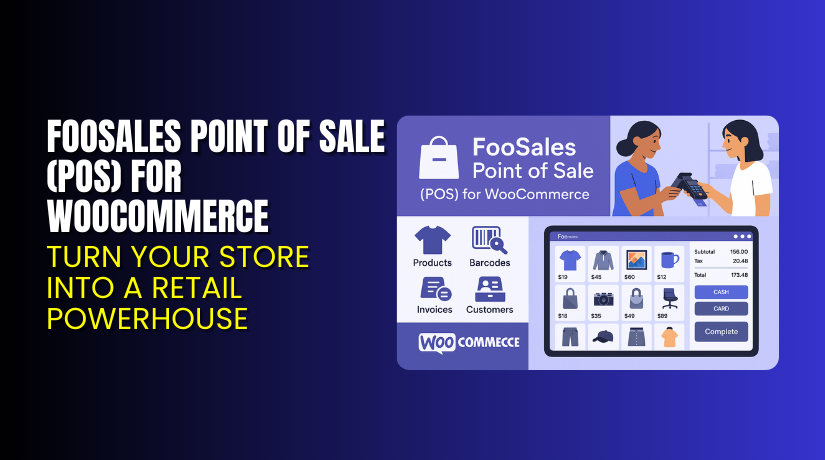
FooSales Point of Sale (POS) for WooCommerce – Turn Your Store into a Retail Powerhouse
Table of Contents
- Introduction
- What is FooSales Point of Sale (POS) for WooCommerce?
- Key Features of FooSales POS
- How to Install and Configure FooSales
- Pricing & Plans
- My Experience with FooSales POS
- Who Should Use This Plugin?
- Final Verdict
- FAQ
Introduction
Managing a WooCommerce store is not just about online sales. Many businesses also sell in person, at retail locations, pop-up shops, or events. But syncing online and offline sales can be a real challenge. Inventory mismatch, manual order entry, and data sync issues are common problems.
That’s where a Point of Sale (POS) system comes in. A good POS plugin should sync perfectly with WooCommerce, work across devices, and support real-time inventory tracking.
FooSales Point of Sale for WooCommerce is built exactly for this. It turns your WooCommerce store into a fully functional POS system that works on iPad, Android, and web browsers.
In this article, we’ll explore FooSales’ key features, how to set it up, pricing details, pros and cons, and why it could be the right choice for your store.
Need help setting it up or fixing an issue? Try our Installation & Troubleshooting Services.
What is FooSales Point of Sale (POS) for WooCommerce?
FooSales is a premium POS plugin built specifically for WooCommerce. It allows you to sell products in person and automatically sync them with your online store.
You can use FooSales on a web browser, Android tablet, or iPad. The system supports live syncing of orders, customers, products, and stock. It is ideal for physical retail stores, market stalls, pop-up shops, and on-the-go sales.
It’s developed by FooSales, and works directly with WooCommerce — no third-party POS system needed. You can manage your entire store from one dashboard.
FooSales supports:
- Product barcodes and SKU scanning
- Customer profiles and order history
- Tax and shipping rules
- Multiple payment methods
- Official Plugin Page: Download FooSales POS
- Support Page: FooSales Help Center
- Documentation: Installation Guide
Key Features of FooSales POS
| Feature | Description | Why It Matters |
| Multi-Platform Access | Works on iPad, Android tablets, and any browser | Gives you flexibility on where and how to sell |
| Real-Time Syncing | Updates products, orders, and inventory instantly | Avoids data conflicts and out-of-stock issues |
| Barcode Scanning | Supports barcode and SKU-based search | Speeds up checkout and reduces errors |
Other important features include:
- Full integration with WooCommerce and WordPress
- Secure login and user role controls
- Offline mode for limited connectivity situations
- Support for cash, card, and third-party payments
- Custom sales tax settings
How to Install and Configure FooSales
Setting up FooSales POS is simple. Here’s how to do it:
- Go to FooSales Download Page and sign up.
- Choose your plan and download the plugin.
- Log in to your WordPress admin panel.
- Navigate to Plugins → Add New → Upload Plugin.
- Install and activate the plugin.
- Go to WooCommerce → FooSales → Settings.
- Enter your license key and configure user access.
- Install the FooSales app on your device or use the web app.
Test orders and make sure everything syncs with WooCommerce. Enable barcode scanning and check payment methods.
Need help? Use our Installation & Troubleshooting Services.
Pricing & Plans
FooSales is a premium plugin with flexible pricing plans. All plans are billed annually per store, and each includes full access to the POS apps and updates.
| Plan | Price | Includes |
| Free Trial | $0 for 7 Days | Full access to apps, no card needed |
| Core | $19/month (billed annually) | Access for 3 users, product sync, full POS tools |
| Plus | $38/month (billed annually) | All Core features + Square, Stripe, Add-ons, and event sales |
Plan Highlights
- Free Trial: 7 days, no payment info required.
- Core Plan: Ideal for small stores or pop-ups.
- Plus Plan: Great for growing stores needing more integrations.
Official pricing details are available here: FooSales Pricing Page
Buy FooSales Now
Want to upgrade your WooCommerce store with a real POS system?


Buy Now → Get FooSales POS for WooCommerce
Your subscription supports FooSales and helps us continue writing helpful guides.
My Experience with FooSales POS
We tested FooSales on a real WooCommerce store with over 300 products. Here’s what we discovered:
Pros:
- Smooth and easy setup
- No syncing issues or delays
- Works across iPad, Android, and browsers
- Barcode scanning is fast and accurate
- Great for pop-up stores and event sales
Cons:
- Requires annual billing (no monthly option)
- Stripe and Square only in the Plus plan
- Limited offline functionality
Overall, FooSales delivers a strong retail POS experience without needing a separate system.
Who Should Use This Plugin?
- Retailers with physical stores needing WooCommerce sync
- Store owners who attend trade shows or pop-up markets
- Agencies setting up multi-location WooCommerce stores
- Beginners who want a no-code POS solution
- Sellers looking for Stripe and Square integrations
Useful Resources
- FooSales Official Download Page
- Support & Contact
- Installation Documentation
- WooHelpDesk Installation & Troubleshooting Services
Final Verdict
If you need a robust and easy-to-use POS solution for WooCommerce, FooSales is a top pick. It works across multiple devices, syncs in real time, and handles retail sales like a pro.
With no need for third-party services, it’s a great choice for both new and growing stores. Plus, the pricing is simple and affordable.
Try it free for 7 days or buy a plan and start selling offline today.
→ Get FooSales POS for WooCommerce
Need help installing or fixing it? Use our Setup & Troubleshooting Services
FAQ
Q1. Is FooSales compatible with all WooCommerce themes?
Yes, it works with most themes. Always test before going live.
Q2. Can I use the plugin on mobile devices?
Yes, it supports iPad, Android tablets, and also works in browsers.
Q3. Do I need to install separate POS hardware?
No. FooSales works on your existing devices and supports barcode scanners.



