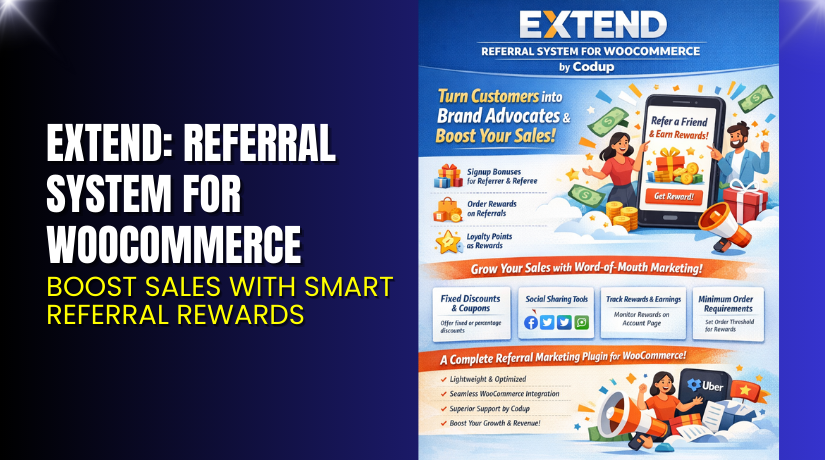
Extend: Referral System for WooCommerce – Boost Sales with Smart Referral Rewards
Table of Contents
- Introduction
- What is the Extend – Referral System for WooCommerce?
- Features of Extend – Referral System for WooCommerce
- How to Install and Configure Extend – Referral System for WooCommerce
- Extend – Referral System for WooCommerce – Pricing & Plans
- My Experience with Extend – Referral System for WooCommerce
- Who Should Use This Plugin?
- Final Verdict
- FAQ
Introduction
Running a WooCommerce store is not easy today. Store owners deal with slow traffic, low sales, and poor engagement. Many stores fail because they cannot bring in repeat buyers. Most customers visit once and never return. This creates a gap in revenue and long-term growth.
WooCommerce store owners try ads, emails, and social posts. But these methods cost money and bring limited results. They need a system that encourages customers to share products and bring new buyers. Referral marketing is the most powerful solution for this. It works because people trust recommendations from friends more than ads.
A referral system helps store owners reward customers for sharing links and inviting others. This increases sales, improves conversions, and builds trust. But finding the right referral tool is often confusing. There are many plugins, but not all offer a simple setup or stable features.
In this article, we explore the Extend – Referral System for WooCommerce plugin. You will learn how it works, its features, pricing, installation steps, pros, cons, and comparisons. This guide will help you decide if it is right for your store.
👉If you ever need help installing or troubleshooting any plugin or extension, please try our Installation & Troubleshooting Services.
What is the Extend – Referral System for WooCommerce?
Extend – Referral System for WooCommerce is a simple referral marketing plugin for WooCommerce stores. It helps store owners create referral links, reward customers, and grow sales. The plugin allows customers to share referral URLs with friends through email, WhatsApp, social media, or direct messages. When someone buys through that link, the original customer earns rewards or discounts. This builds long-term loyalty and increases repeat sales.
The plugin is developed by the official WooCommerce team. It is available as a premium plugin with stable updates. It integrates smoothly with WooCommerce and works with most themes. Store owners do not need coding knowledge. The setup is quick, clean, and easy to manage from the dashboard.
The plugin offers both customer and admin dashboards. Customers can track referral clicks, conversions, and rewards. Admins can manage user rewards, adjust rules, and control payout methods. This makes the system transparent and simple for both sides.
It also supports fixed rewards, percentage rewards, and discount types. You can choose the best method for your business.
Official Plugin Page:
Features of the Extend – Referral System for WooCommerce
| Feature | Description | Why It Matters |
| Referral Links | Creates unique referral links for each customer | Helps store owners bring new users easily |
| Reward Rules | Choose fixed, percentage, or store credit rewards | Gives full control over the reward structure |
| Customer Dashboard | Let’s customers track referrals and rewards | Builds trust and improves transparency |
| Admin Controls | Admins can review, approve, or reject rewards | Helps maintain accurate reward payouts |
| Sharing Options | Customers can share links on multiple platforms | Increases reach and encourages engagement |
| Automated Tracking | Tracks clicks, conversions, and rewards automatically | Saves time and improves accuracy |
How to Install and Configure Extend – Referral System for WooCommerce
Download the plugin from the official WooCommerce page.
- Go to your WordPress Dashboard → Plugins → Add New → Upload Plugin.
- Activate the plugin after installation.
- Open Settings → Referral System → Configure basic options.
- Choose reward type, sharing options, and referral rules.
- Test the plugin to ensure compatibility with your theme and other extensions.
👉If you face any configuration or compatibility issues, you can try our Installation & Troubleshooting Services.
Extend – Referral System for WooCommerce – Pricing & Plans
| Monthly | Annualy |
| $4.09 | $49 |
Subscription includes
|
Subscription includes
|
Buy Extend – Referral System for WooCommerce Now


Purchase Here → Buy Extend – Referral System for WooCommerce Premium Now
👉Your purchase supports the development team and helps me create more tutorials like this.
My Experience with Extend – Referral System for WooCommerce
After testing the plugin on a live WooCommerce site, here’s what I found:
Pros
- Easy setup with a clean and simple interface
- Works smoothly with most themes
- Stable performance even on high-traffic stores
- Good tracking accuracy for clicks and conversions
- Strong documentation with clear steps
- Secure reward system with admin control
Cons
- No free version
- Limited advanced styling options
- Needs manual setup for reward rules
- Missing advanced referral tiers
Who Should Use This Plugin?
- WooCommerce store owners want more repeat buyers
- Stores are looking for a low-cost marketing system
- Agencies helping clients with conversions
- Beginners needing a simple referral tool
- Businesses wanting to reduce ad expenses
Useful Resources
- Official Plugin Page
- Official Plugin Support Page
- Developer Documentation
- WooHelpDesk Installation & Troubleshooting Services
Final Verdict
If you want a reliable referral system for WooCommerce, this plugin is a strong choice. It keeps things simple and helps you bring new customers at a low cost. The plugin is stable, updated often, and easy to configure.
Use the link below to get started and unlock premium features today.
👉 Buy Extend – Referral System for WooCommerce Premium Now
👉Need help installing or fixing it? Try our Installation & Troubleshooting Services.
FAQ Section
Q1. Is the Extend – Referral System for WooCommerce compatible with all WooCommerce themes?
Yes, it works with most standard themes. Always test before going live.
Q2. Can I use a free version?
No, only a premium version is available.
Q2. How do I get support?
You can contact the official team through the Support Page.



