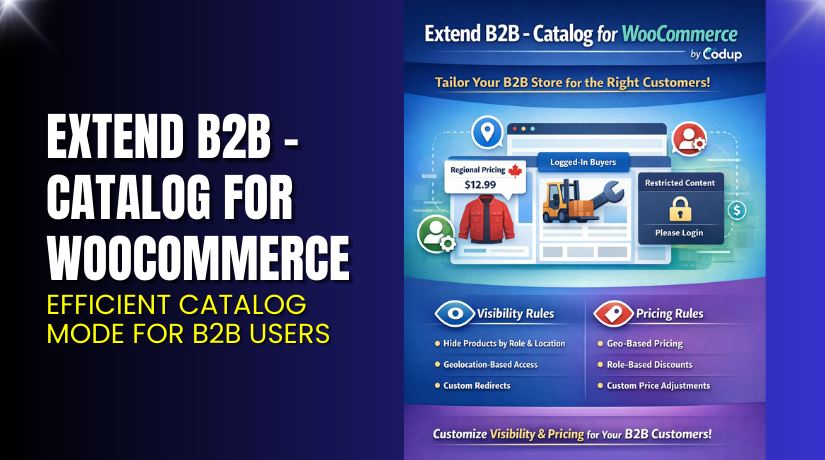
Extend B2B – Catalog for WooCommerce – Efficient Catalog Mode for B2B Users
Table of Contents
- Introduction
- What is Extend B2B – Catalog for WooCommerce?
- Features of Extend B2B – Catalog for WooCommerce
- How to Install and Configure Extend B2B – Catalog for WooCommerce?
- Extend B2B – Catalog for WooCommerce – Pricing & Plans
- My Experience with Extend B2B – Catalog for WooCommerce
- Who Should Use This Plugin?
- Final Verdict
- FAQ
Introduction
Running a WooCommerce store is not always simple. Many store owners struggle with large catalogs, complex pricing, and mixed customer groups. Some customers are retail buyers. Some are wholesale buyers. Some only want to browse products without seeing prices. These needs often create confusion inside a normal WooCommerce setup. Store owners then search for a smart way to show or hide products, prices, or categories for different users. A normal WooCommerce installation cannot manage these tasks smoothly.
This is where a tool like Extend B2B – Catalog for WooCommerce becomes useful. The plugin helps you control what users can see on your store. It hides prices from guests. It restricts catalog access for B2B users. It removes the “Add to Cart” button for selected roles. It offers store-wide catalog control that supports both retail and B2B workflows.
In this article, we will explore the plugin in detail. We will check its features, setup steps, benefits, pricing, pros and cons, and how it compares with common alternatives. You will learn how this plugin solves your catalog visibility issues and improves your store experience.
👉 If you ever need help installing or troubleshooting any plugin or extension, please try our Installation & Troubleshooting Services.
What is Extend B2B – Catalog for WooCommerce?
Extend B2B – Catalog for WooCommerce is a catalog visibility control plugin that manages what different users can see on your WooCommerce store. It helps store owners hide prices, hide the Add to Cart button, restrict product visibility, and control catalog access based on user roles. The plugin is designed for stores that handle both B2B and B2C customers. It works as a flexible catalog mode tool that adjusts product visibility to match your business model.
This plugin is developed by WooCommerce / Automattic, a trusted name in the WordPress ecosystem. It is available in both free and paid versions. The free version offers basic controls, while the premium version unlocks full catalog management features with deeper visibility rules.
It is ideal for wholesale stores, quotation-only stores, catalog-only stores, or multi-role websites. You can hide prices from visitors and show them only after login. You can also limit specific categories for selected roles.
Official Plugin Page:
Features of Extend B2B – Catalog for WooCommerce
| Feature | Description | Why It Matters |
| Hide Prices for Guests | Shows prices only to logged-in users or selected roles. | Helps store owners manage B2B pricing rules easily. |
| Hide Add to Cart Button | Turns the store into a view-only catalog mode. | Saves time by controlling ordering options without custom code. |
| User Role Visibility Rules | Shows different products to different roles. | Improves user experience with targeted catalog access. |
| Category-Level Control | Restricts whole categories for specific users. | Protects sensitive B2B items from public view. |
| Log in to View Pricing | Forces users to log in before seeing prices. | Improves conversions by collecting user registrations. |
How to Install and Configure Extend B2B – Catalog for WooCommerce?
- Download the plugin from the official WooCommerce marketplace.
- Go to WordPress Dashboard → Plugins → Add New → Upload Plugin.
- Install the file and activate the plugin.
- Go to WooCommerce → Settings → Catalog Visibility.
- Configure basic options like price visibility, add-to-cart control, and user-role rules.
- Save changes and test your store on all devices.
- Check compatibility with your theme and key extensions.
💡 If you face any configuration or compatibility issues, you can try our Installation & Troubleshooting Services.
Extend B2B – Catalog for WooCommerce – Pricing & Plans
| 1 Year Plan | 2 Year Plan |
| $79 | $126.40 |
Subscription includes
|
Subscription includes
|
Buy Extend B2B – Catalog for WooCommerce Now


Purchase Here → Buy Extend B2B – Catalog for WooCommerce Premium Now
💡 Your purchase supports the developers and helps me create more detailed guides.
My Experience with Extend B2B – Catalog for WooCommerce
After testing this plugin on a live WooCommerce B2B store, here is what I found:
Pros
- Very easy to install and configure
- Clean settings and clear options
- Works well with most themes
- Lightweight and fast
- Great for B2B stores
- Flexible visibility rules
- Strong support from WooCommerce
Cons
- No custom role builder included
- Limited design or UI styling
- Advanced rules require the premium version
- Not ideal for stores needing dynamic pricing
Who Should Use This Plugin?
- WooCommerce store owners wanting full catalog control
- Wholesale stores need price restrictions
- Agencies managing multiple B2B stores
- Beginners who want simple catalog visibility tools
- Stores needing “login to view price” features
- Shops that want catalog mode without code
Useful Resources
- Official Plugin Page
- Official Plugin Support Page
- Developer Documentation
- WooHelpDesk Installation & Troubleshooting Services
Final Verdict
If you want a stable and reliable tool to manage catalog visibility on your WooCommerce store, Extend B2B – Catalog for WooCommerce is a strong choice. It works well with most themes, offers simple controls, and supports both retail and B2B needs. The premium version gives full flexibility and saves you from custom development costs.
👉 Buy Extend B2B – Catalog for WooCommerce Premium Now
💡 Need help installing or fixing it? Try our Installation & Troubleshooting Services.
FAQ
Q1. Is Extend B2B – Catalog for WooCommerce compatible with all themes?
Yes, it works with most WooCommerce themes. Always test before going live.
Q2. Can I use both free and premium versions?
No, you must deactivate the free version before installing the premium version.
Q3. How do I get support?
You can contact the official team through the WooCommerce Support Page.



