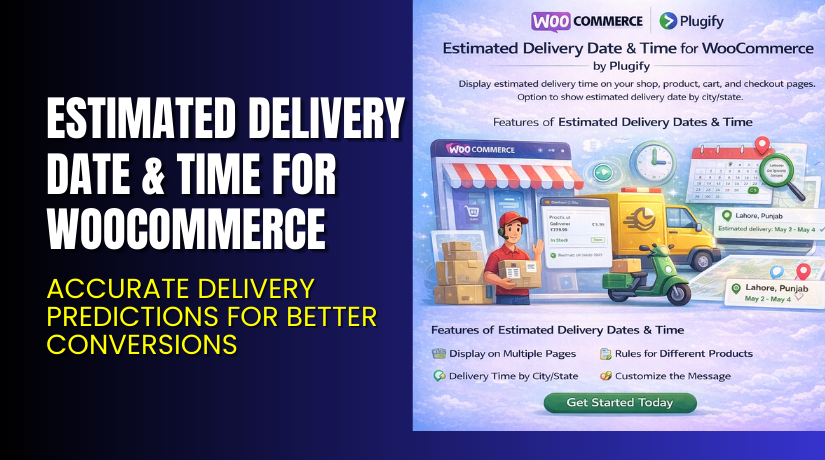
Estimated Delivery Date & Time for WooCommerce – Accurate Delivery Predictions for Better Conversions
Table of Contents
- Introduction
- What is the Estimated Delivery Date & Time for WooCommerce?
- Features of Estimated Delivery Date & Time for WooCommerce
- How to Install and Configure Estimated Delivery Date & Time for WooCommerce
- Estimated Delivery Date & Time for WooCommerce – Pricing & Plans
- My Experience with Estimated Delivery Date & Time for WooCommerce
- Who Should Use This Plugin?
- Final Verdict
- FAQ
Introduction
Running a WooCommerce store demands time, focus, and the right tools. Store owners handle orders, customers, shipping, and product updates every day. Many also use dozens of plugins to improve their store. But not every plugin solves a real problem or adds value to your business. One of the most common issues in online stores is related to delivery dates. Customers want to know when their order will arrive. They want clear delivery timelines before checkout. They leave the store if they cannot see a delivery date.
This uncertainty creates trust issues. It also increases support tickets. Many customers ask the same question again and again: “When will my order arrive?” Store owners waste hours replying to these messages. It also affects conversions. A clear delivery time helps customers feel safe. It reduces confusion and improves their buying decision.
The Estimated Delivery Date & Time for WooCommerce plugin solves this daily challenge. It shows delivery dates in product pages, cart pages, and checkout pages. It helps customers understand when the product will reach them. This improves trust and increases your sales.
In this article, you will learn about the plugin, its features, installation steps, pros, cons, pricing, and more. You will also see how it compares with alternatives. If you ever need help installing or troubleshooting any plugin, you can try our Installation & Troubleshooting Services.
What is the Estimated Delivery Date & Time for WooCommerce?
Estimated Delivery Date & Time for WooCommerce is a simple tool that displays clear delivery dates and time ranges on your store. It works on product, cart, and checkout pages. It helps customers understand exactly when they will receive their order. This plugin solves the common issue of delivery uncertainty. It helps stores that ship physical goods and need to set clear expectations.
The plugin is designed for WooCommerce sites. It improves the customer experience by offering real-time delivery estimates. It supports fixed dates, dynamic dates, and rule-based delivery options. Store owners can set minimum days, maximum days, and handling time. The plugin also supports time-based cutoffs and shipping method rules. This helps stores manage customer expectations more accurately.
It is developed by PlugifyStore and offered in Free and Premium versions. The plugin is reliable, light, and easy to use. Its settings are simple and suitable for beginners and advanced store owners.
Official Plugin Page: https://plugifystore.com/product/woocommerce-estimated-delivery-date-time-plugin/
Support Page: https://plugifystore.com/contact-us/
Features of Estimated Delivery Date & Time for WooCommerce
| Feature | Description | Why It Matters |
| Dynamic Delivery Dates | Calculates delivery dates based on custom settings. | Helps store owners show accurate timelines. |
| Cutoff Time Control | Let’s you set order cutoff times. | Avoids false expectations for late orders. |
| Shipping Method Rules | Different delivery dates for different shipping options. | Gives more control and better accuracy. |
| Product-Level Settings | Set unique dates for selected products. | Great for stores with mixed product types. |
| Holiday / Weekend Exclusion | Skip non-working days automatically. | Prevents wrong delivery dates and confusion. |
| Checkout Page Display | Shows the delivery date before the customer completes checkout. | Improves trust and reduces cart abandonment. |
How to Install and Configure Estimated Delivery Date & Time for WooCommerce
- Download the plugin from the link.
- Go to your WordPress Dashboard → Plugins → Add New → Upload Plugin.
- Upload the ZIP file and click Install Now.
- Activate the plugin after installation.
- Go to Settings → Estimated Delivery Date.
- Configure minimum days, maximum days, and cutoff time.
- Add special rules for weekends and holidays.
- Test the plugin on product, cart, and checkout pages.
- Ensure your theme supports WooCommerce hooks.
👉If you face any compatibility issues, you can try our Installation & Troubleshooting Services.
Estimated Delivery Date & Time for WooCommerce – Pricing & Plans
| 1 Year Plan | 2 Year Plan |
| $49 | $78.40 |
Subscription includes
|
Subscription includes
|
Buy Estimated Delivery Date & Time for WooCommerce Now
Purchase Here → Buy Estimated Delivery Plugin Premium Now


👉Your purchase supports the development team and helps us create more guides like this.
My Experience with Estimated Delivery Date & Time for WooCommerce
After testing the plugin on a live WooCommerce store, here is what I found.
Pros
- Easy setup with simple settings.
- Accurate delivery dates for all products.
- Works with most themes and plugins.
- Reduces customer support queries.
- Helps improve conversion rates.
- Lightweight and fast.
Cons
- Free version has limited features.
- No advanced styling options.
- Some themes may need manual tweaks.
- Custom delivery rules require testing.
Who Should Use This Plugin?
This plugin is ideal for:
- WooCommerce store owners want clear delivery estimates.
- Store owners shipping physical goods.
- Agencies managing client WooCommerce stores.
- Beginners who want simple delivery timelines.
- Businesses want to reduce support tickets.
- Stores need different rules for product groups.
Useful Resources
- Official Plugin Page
- Support Page
- Developer Documentation
- WooHelpDesk Installation & Troubleshooting Services
Final Verdict
If you want a reliable tool that shows accurate delivery dates, this plugin is a strong choice. It reduces confusion and builds trust with your customers. It also improves the shopping experience and increases conversions. If you want more control over delivery times, the premium version is worth using.
👉 Buy Estimated Delivery Date & Time Premium Now
👉 If you need help installing or fixing it, try our Installation & Troubleshooting Services.
FAQ
Q1. Is the Estimated Delivery Date & Time for WooCommerce compatible with all themes?
Yes, it works with most standard WooCommerce themes. Always test before going live.
Q2. Can I use both free and premium versions?
No, you must deactivate the free version before installing the premium one.
Q3. How do I get support?
You can contact the team through the official support page.



