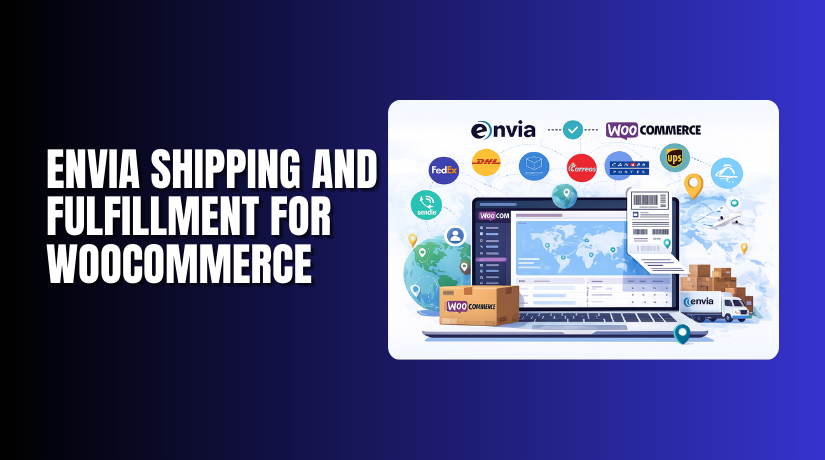
Envia Shipping and Fulfillment for WooCommerce
Table of Contents
- Introduction
- What is Envia Shipping and Fulfillment for WooCommerce?
- Key Features of Envia Shipping and Fulfillment Plugin
- How to Install and Set Up Envia Shipping for WooCommerce
- Pricing Details
- My Experience Using Envia Shipping for WooCommerce
- Who Should Use This Plugin?
- Final Verdict
- FAQ
Introduction
Shipping is a major part of any WooCommerce store. Getting it wrong can lead to bad reviews, lost sales, and higher costs.
Many store owners struggle with manual shipping label creation, rate calculation, and tracking. It’s time-consuming and often error-prone.
If you’re selling across regions or countries, managing carriers and pricing can be even more complex. That’s where Envia Shipping and Fulfillment for WooCommerce comes in.
Envia connects your WooCommerce store to dozens of shipping providers. It automates label generation, rate calculation, and order tracking.
In this article, you’ll learn what this plugin does, how to install it, what it costs, and how it can simplify your WooCommerce logistics.
Need help with setup? Use our Envia Installation & Troubleshooting Services.
What is Envia Shipping and Fulfillment for WooCommerce?
Envia Shipping and Fulfillment is a free plugin that integrates Envia’s powerful logistics platform with your WooCommerce store.
It allows you to:
- Connect with local and international carriers
- Compare shipping rates instantly
- Generate shipping labels from your dashboard
- Provide real-time tracking updates to customers
- Automate your fulfillment workflow
Envia supports shipping in North America, Latin America, and parts of Europe. It’s widely used by stores needing local and cross-border delivery support.
The plugin is free to install and use. You only pay for the shipping labels you generate.
Official Plugin Page: Envia WooCommerce Integration
Documentation: Envia WooCommerce Setup Guide
Developer: Envia.com
Key Features of Envia Shipping and Fulfillment Plugin
|
Feature |
Description |
Why It Matters |
|
Multi-Carrier Integration |
Access DHL, FedEx, UPS, USPS, Estafeta, and more |
Offers better rates and delivery options |
|
Real-Time Shipping Rates |
Show exact shipping costs at checkout |
Improves customer trust and transparency |
|
One-Click Label Generation |
Print labels directly from WooCommerce admin |
Speeds up fulfillment |
|
Address Validation |
Prevents errors with automatic address checks |
Reduces delivery failures |
|
Real-Time Tracking |
Customers receive updates automatically |
Improves post-purchase experience |
|
Pickup Requests |
Schedule pickups from selected carriers |
No need to visit courier centers |
|
Bulk Fulfillment |
Print multiple labels and fulfill orders in batches |
Saves time on large volumes |
|
International Shipping Support   |
Customs forms and paperwork included |
Expands your global reach |
|
Free Plugin |
No monthly fee or setup cost |
Pay only for labels generated |
How to Install and Set Up Envia Shipping for WooCommerce
Installation is easy, and the entire setup takes just a few steps.
Step-by-step Installation:
- Visit Envia’s WooCommerce Integration Page.
- Download the free plugin ZIP file.
- Log in to your WordPress dashboard.
- Go to Plugins → Add New → Upload Plugin.
- Upload the ZIP file and click Install Now.
- After installation, activate the plugin.
Configuration Steps:
- Go to WooCommerce → Settings → Envia Shipping.
- Create an account on Envia.com if you haven’t already.
- Enter your Envia API key into the plugin settings.
- Choose the carriers you want to enable (e.g., UPS, FedEx, DHL).
- Set up default package sizes and weights.
- Customize rate display at checkout.
- Enable automatic tracking emails for customers.
- Test the integration by placing a test order.
Need help with installation or setup? Use our Envia WooCommerce Installation Services.
Pricing Details
Envia Shipping for WooCommerce is completely free to install and use. There is no monthly fee, no setup cost, and no subscription required.
You only pay when you:
- Generate shipping labels
- Schedule pickups (optional in some cases)
Pricing depends on the carrier you choose, package dimensions, and shipping distance. Since Envia partners with major logistics companies, you can access discounted shipping rates directly from the dashboard.
There are no hidden costs from the plugin itself. It’s a pay-as-you-ship model.
Reviews: 4.5/5 (39 reviews)
Current Version: 4.4.2
Active Installs: 3,000+
My Experience Using Envia Shipping for WooCommerce
We used Envia on a WooCommerce store shipping within the US and Mexico. The store handled both local and international orders.
Here’s what we observed:
Pros
- Quick and easy to install
- Live shipping rates worked well at checkout
- Label printing was instant and saved a lot of time
- Multi-carrier comparison gave the best rate every time
- API connection to Envia was stable and responsive
- Good documentation and helpful support team
Cons
- Requires an Envia account with API access
- Interface can be slightly complex for first-time users
- Some carrier services are limited by region
- Pickup scheduling not available with all providers
Despite these minor issues, the plugin significantly improved our fulfillment process and reduced errors.
Who Should Use This Plugin?
Envia Shipping and Fulfillment is perfect for:
- Small to mid-sized WooCommerce stores
- Sellers shipping locally and internationally
- Store owners looking to reduce shipping errors
- Shops fulfilling high order volumes daily
- Businesses comparing rates across carriers
- WooCommerce users seeking label automation
If you’re tired of copy-pasting addresses or using third-party label apps, this plugin can streamline your shipping workflow.
Useful Resources
- Official Plugin Page
- Setup Documentation
- Create a Free Envia Account
- WooHelpDesk Installation & Troubleshooting Services
Final Verdict
If shipping is slowing down your WooCommerce workflow, it’s time to automate it. Envia Shipping and Fulfillment for WooCommerce offers a robust, free, and scalable solution.
You can connect with multiple carriers, generate labels, and offer real-time rates—all from your WooCommerce dashboard. With over 3,000 active installs and a 4.5-star rating, it’s a proven tool for efficient shipping.
And since it’s free to install with no recurring cost, there’s no reason not to try it.
Get started now → Download Envia Shipping Plugin
Need professional assistance? Visit WooHelpDesk Installation Service
FAQ
Q1. Is the Envia plugin really free?
Yes, the plugin is free. You only pay for shipping labels.
Q2. What carriers does Envia support?
It supports UPS, DHL, FedEx, USPS, Estafeta, and more depending on your location.
Q3. Can I schedule pickups through the plugin?
Yes, pickup requests are available for some carriers directly via Envia.
Q4. Does this plugin work globally?
Yes, but available services vary by region. Envia is strongest in North America and Latin America.
Q5. Do I need a developer to install it?
No. Setup is easy, but we offer Installation Services if needed.



