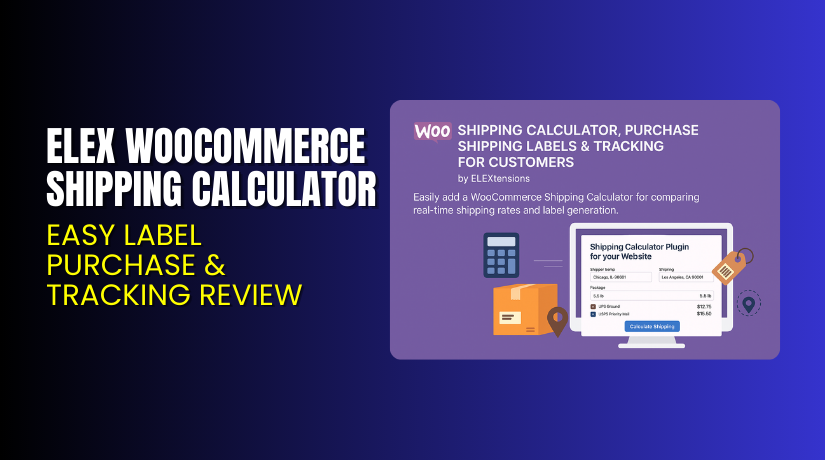
ELEX WooCommerce Shipping Calculator – Easy Label Purchase & Tracking Review
Table of Contents
- Introduction
- What is ELEX WooCommerce Shipping Calculator?
- Features of ELEX WooCommerce Shipping Calculator
- How to Install and Configure ELEX WooCommerce Shipping Calculator?
- ELEX WooCommerce Shipping Calculator – Pricing & Plans
- My Experience with ELEX WooCommerce Shipping Calculator
- Who Should Use This Plugin?
- Final Verdict
- FAQ
Introduction
Running a WooCommerce store means handling many shipping tasks every day. Store owners often struggle to calculate shipping costs accurately for customers. They also face challenges in generating labels and providing real-time tracking updates. These small issues can delay deliveries and hurt customer satisfaction.
ELEX WooCommerce Shipping Calculator, Purchase Shipping Label & Tracking for Customers helps solve these problems quickly. It lets customers calculate rates, buy labels, and track shipments right from your store. This reduces support requests and saves your time.
Managing shipping manually or through multiple plugins can be confusing. That’s why having one tool that handles everything — from cost calculation to tracking — is essential. This plugin does exactly that, offering simplicity and efficiency.
In this article, we’ll explore ELEX WooCommerce Shipping Calculator, its features, setup, pricing, pros, and who should use it.
👉 If you ever need help installing or troubleshooting any plugin or extension, try our Installation & Troubleshooting Services.
What is ELEX WooCommerce Shipping Calculator?
ELEX WooCommerce Shipping Calculator, Purchase Shipping Label & Tracking for Customers is a complete shipping solution for WooCommerce stores. It allows customers to calculate shipping charges before checkout. They can also purchase shipping labels and track their parcels easily.
This plugin is developed by ELEXtensions, a trusted WooCommerce solutions provider. It integrates seamlessly with popular carriers like USPS, UPS, FedEx, and DHL.
It’s designed to improve customer experience by offering real-time rate estimates and instant label generation. Whether you’re shipping domestically or internationally, this plugin simplifies the process.
- Official Plugin Page: ELEX WooCommerce Shipping Calculator Plugin
- Support Page: ELEX Support Center
Features of ELEX WooCommerce Shipping Calculator
| Feature | Description | Why It Matters |
| Real-Time Shipping Rates | Displays live shipping rates from multiple carriers. | Helps customers choose the best delivery option instantly. |
| Label Purchase Option | Enables users to buy and print shipping labels. | Saves time by reducing manual processing. |
| Shipment Tracking | Provides tracking details directly on the customer’s dashboard. | Improves customer trust and transparency. |
| Carrier Integration | Works with USPS, UPS, FedEx, and DHL. | Ensures flexibility with various delivery providers. |
| User-Friendly Interface | Simple dashboard for both admins and customers. | Makes order management quick and easy. |
How to Install and Configure ELEX WooCommerce Shipping Calculator?
- Download the plugin from ELEX Official Plugin Page.
- Go to your WordPress Dashboard → Plugins → Add New → Upload Plugin.
- Install and activate the plugin.
- Go to WooCommerce → Settings → Shipping Calculator to configure your carrier and rate options.
- Set API keys for each shipping provider.
- Save settings and test calculations to confirm accuracy.
👉 If you face any setup or compatibility issues, try our Installation & Troubleshooting Services.
ELEX WooCommerce Shipping Calculator – Pricing & Plans
| Single Site | Up to 5 Sites | Up to 25 Sites |
| $79.00 | $169.00 | $399.00 |
|
|
|
Buy ELEX WooCommerce Shipping Calculator Now
Purchase ELEX WooCommerce Shipping Calculator Premium
👉 Your purchase supports the developers and helps us create more tutorials like this.


My Experience with ELEX WooCommerce Shipping Calculator
Pros
- Easy to install and set up
- Supports multiple carriers
- Accurate shipping rate calculations
- Reliable label generation
- Great customer support from ELEXtensions
Cons
- Premium plan can be expensive for small stores
- Free version has limited features
- Requires API setup for some carriers
Who Should Use This Plugin?
- WooCommerce store owners who want to simplify shipping workflows
- Agencies managing multiple client stores needing reliable shipping tools
- Beginners looking for an all-in-one shipping and tracking plugin
Useful Resources
- Official Plugin Page
- ELEX Support Page
- Developer Documentation
- WooCommerce Shipping Calculator, Purchase Shipping Labels & Tracking for Customers – Installation & Troubleshooting Services
Final Verdict
If you’re looking for a reliable shipping tool for WooCommerce, ELEX WooCommerce Shipping Calculator, Purchase Shipping Label & Tracking for Customers is an excellent choice. It provides accurate rates, seamless label creation, and tracking — all in one place.
👉 Buy ELEX WooCommerce Shipping Calculator Premium Now
💡 Need help installing or fixing it? Try our Installation & Troubleshooting Services.
FAQ
Q1. Is ELEX WooCommerce Shipping Calculator compatible with all WooCommerce themes?
Yes, it works with most standard WooCommerce themes. Always test before going live.
Q2. Can I use both free and premium versions?
No. You must deactivate the free version before installing the premium one.
Q3. How do I get support?
Contact the official team via the ELEX Support Page.



