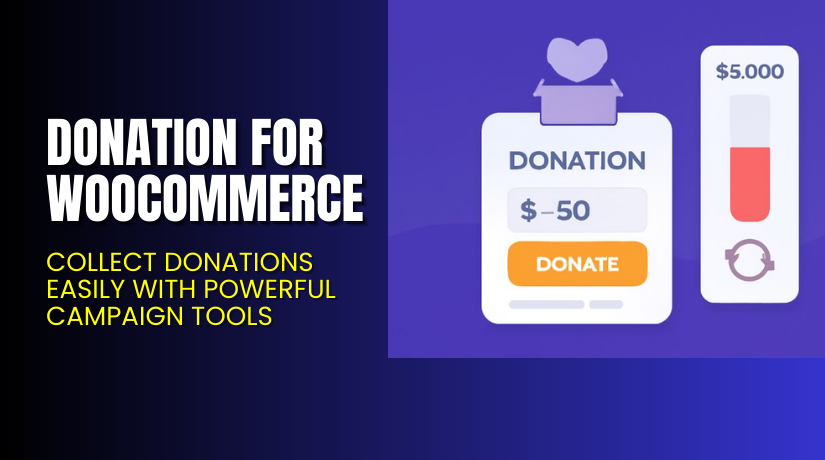
Donation for WooCommerce – Collect Donations Easily with Powerful Campaign Tools
Table of Contents
- Introduction
- What is Donation for WooCommerce?
- Key Features of Donation for WooCommerce
- How to Install and Configure Donation for WooCommerce
- Pricing & Plans
- My Experience with Donation for WooCommerce
- Who Should Use This Plugin?
- Final Verdict
- FAQ
Introduction
Running a WooCommerce store is not limited to selling products. Many store owners and nonprofits want to collect donations too. But WooCommerce doesn’t support donations by default. That’s a major hurdle for organizations looking to raise funds for social, personal, or nonprofit causes.
Handling donations manually or through external forms creates friction. Users expect an integrated donation experience—just like any product purchase.
Donation for WooCommerce solves this problem. It lets you collect one-time or recurring donations just like selling products. You can create donation campaigns, add them to any page, offer recurring options, and track everything from a central dashboard.
In this guide, we’ll walk through the plugin’s core features, setup process, pricing plans, and real-world use cases.
Need help setting it up? Use our Installation & Troubleshooting Services.
What is Donation for WooCommerce?
Donation for WooCommerce is a full-featured donation plugin developed by WPExperts. It turns your WooCommerce store into a fundraising platform.
You can create donation campaigns, collect money for different causes, and customize donation values. It supports one-time and recurring donations. You also get analytics, goal tracking, email alerts, and much more.
Whether you run a charity, nonprofit, school, religious group, or just want to raise money for a personal project, this plugin helps you do it in a user-friendly way.
The donation workflow is seamless. Users can donate while shopping or independently. You can place donation boxes across your site or attach donations to product sales.
Key Features of Donation for WooCommerce
| Feature | Description | Why It Matters |
| Campaign Dashboard | See donation stats, filter by date or cause | Helps track performance in real-time |
| Donation Goals | Set goals and show live progress | Builds trust with donors |
| Recurring Donations | Accept daily or monthly donations | Great for long-term causes |
| Custom Donation Values | Use fixed or user-defined amounts | Offers flexibility to donors |
| Thank You Emails & E-Cards | Send personalized messages and receipts | Strengthens donor relationships |
| Site-wide Donation Boxes | Add donations to product, cart, or checkout | Increase visibility and donations |
| PDF Receipts | Send downloadable official receipts | Adds professionalism and compliance |
| Multi-Cause Support | Let users pick the cause they support | Empowers donors with choice |
| Donation on Products | Add fixed donation to any product | Combines shopping with giving |
| Round-Up Donations | Round total up and donate the difference | Ideal for micro-donations |
| Processing Fee Option | Let users cover transaction costs | Keeps more funds in your pocket |
| Developer API | Use custom integrations or automations | Extend features as needed |
These features make the plugin highly versatile for stores of any size or donation goal.
How to Install and Configure Donation for WooCommerce
Follow these simple steps to set up the plugin:
- Purchase the plugin from WPExperts
- Download the plugin ZIP file from your account
- Log into your WordPress Dashboard
- Go to Plugins → Add New → Upload Plugin
- Upload the ZIP file and click Install Now
- Click Activate
- Navigate to WooCommerce → Settings → Donations
- Set your donation preferences including:
- Amount types (fixed or custom)
- Goal progress display
- Recurring donation options (with WooCommerce Subscriptions)
- Email template and receipt settings
- Add donation boxes via shortcodes, widgets, or product settings
If you run into issues or want expert assistance, try our Installation & Troubleshooting Services.
Pricing & Plans
Here is the official pricing (USD, billed annually):
| Plan | Price | Sites | Includes |
| Basic | $99.99/year | 1 Site | All core features, updates, and priority support |
| Pro | $149.99/year (50% Off) | 3 Sites | Full access for up to 3 sites |
| Agency | $199.99/year | 100 Sites | Designed for agencies or developers |
All plans include:
- Priority Support
- Regular Plugin Updates
- Auto-Renew Subscription
- 14-Day Money-Back Guarantee
No hidden fees. Just select the plan that suits your needs.
Buy Donation for WooCommerce Now
Ready to raise funds with ease from your WooCommerce store?
✅ Buy Donation for WooCommerce
Your license includes support, updates, and access to all features.
My Experience with Donation for WooCommerce
We tested this plugin on a WooCommerce store focused on community outreach and fundraising.
Pros


- Easy to set up, even without coding
- Flexible donation settings (custom, fixed, recurring)
- Donation receipts and e-cards feel professional
- Progress bars boost donor confidence
- Ability to attach donations to products is clever
- Works with WooCommerce Subscriptions for recurring giving
Cons
- Requires WooCommerce Subscriptions plugin for recurring features
- Styling donation forms may need CSS skills
- Limited native analytics beyond the dashboard
Overall, it’s a well-built plugin with the right mix of features.
Who Should Use This Plugin?
This plugin is ideal for:
- Nonprofits and NGOs wanting online donations
- Religious institutions collecting tithes or offerings
- Schools, events, or clubs needing fundraising support
- eCommerce stores that want to support social causes
- Developers building donor-based WordPress sites
- Crowdfunding sites using WooCommerce as a base
If your site accepts donations or plans to—this plugin will make your job easier.
Useful Resources
Final Verdict
If you’re looking to accept donations inside WooCommerce, Donation for WooCommerce is the right tool. It blends naturally into the WooCommerce checkout process. The setup is simple, and features are robust.
From donation forms to campaign dashboards, from recurring gifts to round-up options—it covers everything you need to run a successful online donation platform.
✅ Buy Donation for WooCommerce Now
Need expert help? Use our Installation Services.
FAQ
Q1. Can I collect both one-time and recurring donations?
Yes. You can collect both using this plugin. For recurring donations, you need WooCommerce Subscriptions.
Q2. Can I customize donation amounts for users?
Yes. Set predefined values or let users enter custom amounts. You can also set minimum and maximum limits.
Q3. Does the plugin send email confirmations?
Yes. It sends thank-you emails, and you can attach PDF receipts and custom e-cards.
Q4. Can I place donation forms across my site?
Yes. You can show donation boxes on product pages, cart, checkout, or via widgets.
Q5. Can users select which cause to support?
Yes. Multi-cause support allows users to choose from available campaigns.
Q6. Is developer customization supported?
Yes. The plugin offers a developer-friendly API for deeper integrations.
Q7. Can I track donation progress live?
Yes. Use visual bars and donor counts to track live progress and goals.
Q8. What happens if I need to cancel?
You can cancel anytime. The plugin includes a 14-day money-back guarantee.



