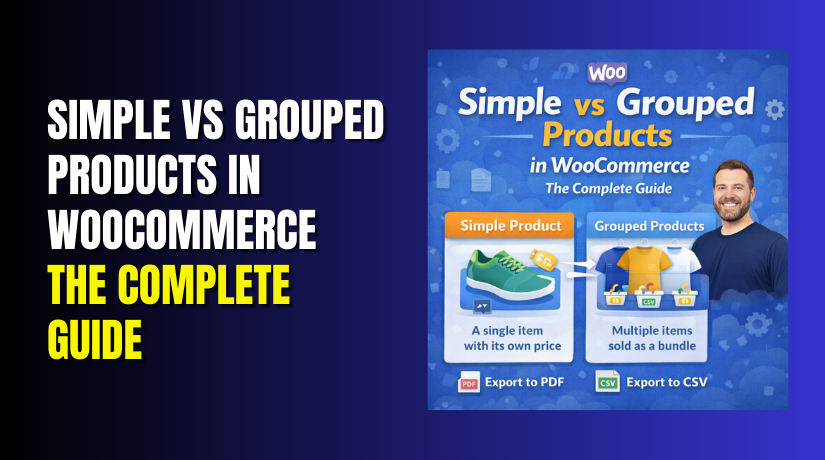
Simple vs Grouped Products in WooCommerce: The Complete Guide
Table of Contents
-
- Introduction
- What are the Simple Products in WooCommerce?
- What are the Key Features, Pros and Cons of Simple Products?
- What are the Grouped Products in WooCommerce?
- What are the Key Features, Pros and Cons of Grouped Products?
- What is the Difference Between Simple and Grouped Products in WooCommerce?
- Final Verdict
Introduction
Your WooCommerce store offers endless possibilities. But with possibility comes confusion. Every store owner faces the same question when adding products.
Which product type should I choose?
The answer determines how your items appear, how customers buy them, and how you manage inventory. Choose wrong, and you create unnecessary complexity. Choose right, and your store runs smoothly.
Two product types cause the most confusion. Simple products and grouped products. They sound similar. They function differently. Understanding the distinction saves hours of frustration.
Simple products are the foundation of every WooCommerce store. They are individual items sold alone. No variations. No options. Just one product, one price, one purchasing decision.
Grouped products take a different approach. They combine multiple simple products into a single page display. Customers see several related items together and choose which ones to buy.
This guide explains everything about simple versus grouped products. You will learn the exact definition of each type. You will understand their key features, pros, and cons. You will see real examples showing when to use each one.
By the end, you will never wonder which product type fits your needs again.
What are the Simple Products in WooCommerce?
Simple products are the most basic and straightforward product type in WooCommerce. They represent a single item sold on its own without any variations or customer choices.
Think of a simple product as one thing. One book. One t-shirt in one size. One consultation session. One gift certificate with a fixed amount. The customer sees the product, sees the price, and decides to buy it or not.
How do simple products work?
When you create a simple product, you set one regular price. You can optionally set a sale price. You assign one SKU number for inventory tracking. You decide whether to manage stock or simply mark it as in stock or out of stock.
The product page shows the item description, price, and an add to cart button. Customers enter a quantity and click buy. That is the entire interaction.
What simple products cannot do?
Simple products cannot offer choices that affect inventory. If you sell t-shirts in three sizes, a simple product will not work. Each size would need its own simple product page, forcing customers to navigate between them. This is where variable products become necessary .
Real-world examples of simple products:
- A specific book title like “The Great Gatsby”
- A 16-ounce bag of coffee beans
- One-hour consulting session
- $50 gift card
- Single yoga mat
- Individual candle in one scent
The famous water bottle company Nalgene uses simple products for their unique or specialty items like anniversary edition bottles. Customers have only one choice: how many to buy.
Simple products are the default: When you add a new product in WooCommerce, “Simple product” is automatically selected in the product type dropdown. This tells you how fundamental this product type is to the platform.
What are the Key Features, Pros and Cons of Simple Products?
Understanding simple products fully requires examining their features, advantages, and limitations.


Key Features of Simple Products
- Single SKU and inventory tracking: Each simple product has one unique SKU number. You track inventory for that one item. If you enable stock management, WooCommerce decreases the count by one every time someone buys.
- Regular and sale pricing: Simple products support two price fields. Regular price is the standard cost. Sale price lets you offer discounts temporarily or permanently. You can also schedule sales to start and end on specific dates.
- Shipping configuration: You set weight, dimensions, and shipping class for the product. This information helps calculate shipping costs accurately during checkout.
- Tax settings: Choose whether the product is taxable, which tax class applies, and whether shipping only or no tax applies.
- Product images and gallery: Upload a main product image and additional gallery images showing different angles or usage scenarios.
- Short and long descriptions: The short description appears next to product images on the listing page. The long description provides detailed information, often in a separate tab.
- Categories and tags: Organize products so customers can find them through navigation menus and search filters.
- Linked products for up-sells and cross-sells: Suggest other products customers might want. Up-sells appear on the product page. Cross-sells appear in the cart.
- Attributes for additional information: Add details like material, brand, or color without creating variations. These help customers understand the product but do not affect purchasing options.
- Catalog visibility control: Decide whether products appear in shop pages, search results, both, or neither. You can also mark products as featured to highlight them throughout your store.
- Customer reviews: Enable or disable reviews for each product individually.
Pros of Simple Products
- Fastest page loading speed: Simple products generate minimal database queries. There are no variations to calculate, no complex pricing logic, just clean, fast product pages that convert well.
- Simplest setup process: Add a title, description, price, and image. Click publish. Your product is live in minutes with no complicated configuration.
- Easiest inventory management: One SKU, one stock count. You always know exactly how many you have without calculating across variations.
- No customer confusion: Customers see one product, one price, one add to cart button. No dropdowns to navigate. No choices that might paralyze decision-making.
- Perfect for testing: When trying new products or marketing strategies, simple products let you move quickly without complex setup.
- Works with all shipping methods: Simple products integrate seamlessly with flat rate, free shipping, and real-time carrier calculations.
- Ideal for digital and service products: When combined with virtual or downloadable options, simple products handle consultations, memberships, and digital files beautifully.
Cons of Simple Products
- No variation support: If your product comes in multiple sizes, colors, or materials requiring different inventory tracking, simple products cannot handle this.
- Requires multiple pages for options: Selling the same shirt in three sizes means creating three separate product pages. Customers must navigate between them rather than choosing on one page.
- Less upselling opportunities within the product: Without variations, you cannot offer upgrade options on the same page. Customers must navigate to other products.
- Can create catalog clutter: Ten simple products for ten t-shirt variations fill your product list with near-identical entries, making management harder.
- No attribute-based filtering in layered navigation: While you can add attributes to simple products, they do not create the filterable options that variable products provide for customers.
- Manual cross-referencing required: To show customers all available sizes, you must manually link them using up-sells or related products sections.
What are the Grouped Products in WooCommerce?
Grouped products take a different approach to selling. They combine multiple existing products into a single page display. Customers see several related items together and choose which ones to buy .
How do grouped products work?
You first create individual simple products. Each has its own price, SKU, and inventory tracking. Then you create a grouped product that acts as a parent container. You link the simple products to this parent .
The grouped product page displays all linked items together. Customers see each product with its own price and quantity selector. They can add one, several, or all items to their cart in a single action .
Important distinction: Grouped products themselves have no price, no SKU, and no inventory. They are purely organizational containers. All pricing and stock information comes from the child products .
What grouped products can include?
Grouped products typically contain only simple products. While you can technically add variable products, they will appear with a “Read more” button linking to their own page rather than direct add to cart options. This creates a less smooth experience .
Real-world examples of grouped products:
- Furniture set with couch, chair, and table available separately
- Camera body with optional lenses and accessories
- Skincare routine with cleanser, toner, and moisturizer
- Gaming console with controller and game options
- Yoga mat with optional block and strap
- Coffee brewing starter kit with brewer, grinder, and beans
Grouped products encourage higher order values: By showing complementary items together, customers naturally consider purchasing more than they originally intended .
Grouped products offer flexibility: Unlike forced bundles where customers must buy everything, grouped products let people choose exactly what they want. This reduces purchase hesitation .
What are the Key Features, Pros and Cons of Grouped Products?
Key Features of Grouped Products
- Collection of simple products: Grouped products consist entirely of child products, typically simple products, that you have already created in your store.
- No own price or inventory: The grouped product itself has no price field, no SKU, and no stock management. All financial and inventory data comes from the child products.
- Linked Products section for grouping: Within the grouped product edit screen, you navigate to the Linked Products tab. A search box lets you find and add existing products to the group.
- Individual quantity selectors: On the frontend, each child product displays its own quantity field. Customers decide how many of each item they want.
- Separate add to cart buttons: Each product typically has its own add button, though some themes display a single button that adds all selected quantities.
- Child products remain individually purchasable: Items in a grouped product are still available through their own product pages, category listings, and search results. Grouping does not hide them elsewhere.
- Reorderable display: In the product edit screen, you can drag and drop child products to control their order on the frontend page.
- Stock status display: Each product shows its availability. Out of stock items can be hidden or displayed with clear messaging.
- Independent pricing: Each child product maintains its own price. Grouped products do not automatically offer bundle discounts, though plugins can add this functionality.
- Theme-dependent appearance: The exact layout of grouped products varies by theme, but typically appears as a grid or list with product names, images, prices, and quantity fields.
Pros of Grouped Products
- Encourage higher average order value: By displaying related products together, customers naturally add more items to their cart. The convenience of one-page shopping drives larger purchases.
- Customer choice and flexibility: Unlike forced bundles, grouped products let customers decide exactly what they want. This removes the friction of paying for items they do not need.
- Perfect for product families: When you sell items that naturally go together but also sell separately, grouped products create the ideal shopping experience.
- Improve product discovery: Customers browsing for one item discover complementary products they might not have found otherwise.
- No duplicate inventory management: Since child products maintain their own stock, you update inventory in one place. The grouped product automatically reflects current availability.
- Works with existing products: You can create grouped products from items already in your catalog without recreating anything. This makes testing bundles quick and risk-free.
- Clear pricing transparency: Customers see exactly what each item costs. There is no confusion about whether they are getting a deal or paying hidden fees.
- Easy to modify: Add or remove products from a group anytime. The frontend updates automatically without reconfiguring each child product.
- Supports cross-selling naturally: Grouped products function as built-in cross-sells without requiring separate plugin configuration.
- Performance efficient: Showing several simple products together loads faster than complex variable products with many variations.
Cons of Grouped Products
- No automatic bundle pricing: Grouped products do not offer discount functionality natively. If you want to offer “buy the set and save,” you need additional plugins or manual coupon creation.
- Limited to simple products primarily: Variable products in groups link to their own pages rather than offering direct add to cart. This creates friction for customers wanting variations.
- Can overwhelm customers: Too many products in one group creates decision paralysis. Customers may abandon the page rather than choose.
- No forced purchase: If your goal is to sell a complete kit where all items are required, grouped products will not work. Customers can skip items they do not want.
- Requires pre-existing products: You cannot create grouped products without first creating individual simple products. This adds an extra setup step.
- Theme compatibility variations: Some themes display grouped products poorly. Always test appearance before committing to this product type.
- No built-in upsell hierarchy: Grouped products treat all child items equally. You cannot designate a main product with accessories in a visually differentiated way without custom coding.
- Inventory complexity at scale: For stores with thousands of products, managing which items belong to which groups becomes administratively heavy.
- Limited mobile optimization: Some grouped product layouts compress poorly on mobile screens, making quantity selectors difficult to use.
- Customer confusion risk: If product relationships are unclear, customers may not understand why certain items appear together. Clear naming and descriptions are essential.
What is the Difference Between Simple and Grouped Products in WooCommerce?
Understanding the differences helps you choose correctly for every product you add. Here is the complete comparison.
| Comparison Factor | Simple Product | Grouped Product |
| Definition | A single item sold on its own with no variations or options. | A collection of simple products displayed together on one page. |
| Price Ownership | Has its own regular price and optional sale price. | No price of its own. Relies on child product prices. |
| SKU Assignment | Receives a unique SKU for tracking. | No SKU field. Not an inventory item. |
| Inventory Management | Tracks its own stock levels. Quantity decreases with each sale. | No inventory of its own. Stock status comes from child products. |
| Customer Experience | One add to cart button. The customer chooses quantity only. | Multiple products each with quantity selectors. The customer chooses which items and how many. |
| Setup Complexity | Minimal configuration. Add title, price, description, image, publish. | Requires creating child simple products first, then grouped parent, then linking them. |
| Best Use Case | Individual items with no variations like books, candles, single tools. | Related items sold together like furniture sets, camera kits, skincare routines. |
| Flexibility | No internal options. Fixed product offering. | Child products can be added or removed anytime without rebuilding. |
| Page Load Speed | Fastest. Minimal database queries. | Slightly slower due to querying multiple child products. |
| Discount Capability | Supports scheduled sales and coupons directly. | No native bundle pricing. Requires plugins or custom coupons for set discounts. |
| Child Product Relationship | Stands alone. No inherent connection to other products. | Creates explicit relationships between child products visible to customers. |
| Catalog Appearance | Appears individually in listings, categories, and search. | Appears as its own listing. Clicking reveals a grouped page with all child products. |
| Mobile Experience | Clean display on all devices with a standard button. | Risk of cluttered display with multiple quantity fields. Theme dependent. |
| Extension Compatibility | Works with virtually all WooCommerce extensions. | Variable support. Some plugins treat grouped parents differently. |
| Inventory Updates | Update stock in one place. | Update each child product individually. The grouped page reflects changes automatically. |
| Purchase Requirement | No minimum purchase needed. | Customers can buy any combination including zero items. |
| Typical Use Example | Nalgene anniversary edition water bottle. | Camera body with optional lens and accessory kit. |
Final Verdict
Choosing between simple and grouped products ultimately comes down to how your customers want to buy. Simple products are the workhorses of every WooCommerce store. They excel when you sell individual items that stand alone with no variations. A specific book, a single candle, or a one-hour consultation all belong as simple products. They load faster, require less setup, and eliminate customer confusion.
If you are just starting your store, master simple products first. They teach you the fundamentals without overwhelming complexity. Use them whenever customers come looking for one specific thing and do not need related choices presented alongside it.
Grouped products shine in a different scenario. They are your best choice when you sell items that naturally belong together but also sell separately. A furniture store where customers might buy just the couch or add the matching chair benefits from grouped products. A camera store where the body sells individually but accessories enhance it creates higher order values through grouping.
Grouped products increase average order value by showing customers what else they might want without forcing choices. They improve product discovery and create gentle upsell opportunities that feel helpful rather than pushy. The smartest stores use both product types strategically throughout their catalogs.
Simple products form the foundation as your atomic units of sale. Grouped products create relationships between these building blocks to encourage larger purchases. Master both and your customers will reward you with bigger carts and more satisfying shopping experiences.
Have questions before starting with WooCommerce & WordPress? Get support here at WooHelpDesk.
