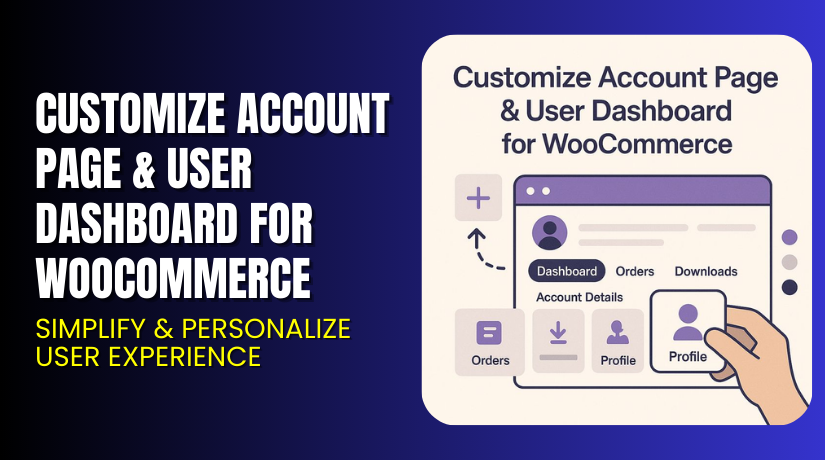
Customize Account Page & User Dashboard for WooCommerce – Simplify & Personalize User Experience
Table of Contents
- Introduction
- What is Customize Account Page & User Dashboard for WooCommerce?
- Key Features of Customize Account Page & User Dashboard
- How to Install and Configure the Plugin?
- Pricing & Plans
- My Experience with Customize Account Page & User Dashboard
- Who Should Use This Plugin?
- Final Verdict
- FAQ
Introduction
Managing a WooCommerce store means offering a smooth experience to users. Yet the default My Account page often lacks the customization store owners need.
Customers today expect a modern, easy-to-use dashboard. They want clear access to orders, downloads, rewards, and more. If your My Account page looks outdated or cluttered, users may get confused and leave.
That’s where the Customize Account Page & User Dashboard plugin by Extendons becomes essential. It turns the standard account page into a beautiful, user-friendly dashboard. You can customize it based on user roles, layout needs, and even branding.
In this article, we’ll explore everything about this plugin. You’ll learn how to install it, what features it includes, its pricing, and whether it’s the right fit for your store.
Need help setting it up? Try our Installation & Troubleshooting Services.
What is Customize Account Page & User Dashboard for WooCommerce?
Customize Account Page & User Dashboard is a WooCommerce plugin by Extendons. It lets you revamp your My Account page into a fully customized dashboard.
You can use different templates, add widgets, display banners, and personalize based on user roles. Customers can easily access their orders, downloads, store credits, and more.
Key customization areas include:
- Templates: Prebuilt or fully custom
- Endpoints: Add, edit, or reorder account tabs
- Widgets: Show customer info, wishlists, downloads
- Icons & Banners: Add visuals for clarity and branding
Plugin Developer: Extendons
Latest Version: 1.2.0 (Updated July 1, 2025)
Compatibility: WooCommerce 2.6.0+ | WordPress 4.6+
Official Plugin Page: View Plugin on Extendons
Support Page: Get Help from Extendons
Documentation: Plugin Documentation
Key Features of Customize Account Page & User Dashboard
| Feature | Description | Why It Matters |
| Prebuilt and custom dashboards | Choose from ready-made or personalized layouts | Saves setup time and allows deeper customization |
| Editable endpoints | Rename or reorder default tabs | Lets you simplify navigation |
| Custom endpoints | Add new tabs with custom content | Expand functionality of the account area |
| User role display rules | Show different tabs to different users | Personalizes the dashboard experience |
| WYSIWYG content editor | Edit endpoint content easily | No coding skills needed |
| Drag-and-drop banners | Add and reorder visual banners | Improve engagement and click-through |
| Icons and colors | Customize tab icons and colors | Strengthens your store’s branding |
| Display widgets | Add wishlist, orders, downloads, credit | Offers full control over customer experience |
| Profile picture upload | Let users upload account avatars | Increases trust and personalization |
| Item counts on banners | Show number of orders, downloads etc. | Adds context and clarity for users |
How to Install and Configure the Plugin?
Follow these simple steps to install and use the plugin:
- Purchase and download the plugin from Extendons.
- Go to your WordPress admin → Plugins → Add New.
- Upload the ZIP file and click Install → Activate.
- Go to WooCommerce → My Account Settings.
- Select the layout: prebuilt or custom.
- Add or edit account endpoints as needed.
- Customize icons, colors, and banners.
- Save changes and test across user roles.
Need expert setup? Try our Installation & Troubleshooting Services.
Pricing & Plans
| Plan | Price (USD) | Includes |
| Community | $79.00 | 1-year updates, 12-month support, 30-day money-back guarantee |
You get one edition with all features. There is no free version.
Buy the plugin here: Buy Customize Account Page & Dashboard Plugin – Premium
My Experience with Customize Account Page & User Dashboard
We tested the plugin on a WooCommerce site with multiple user roles.


Setup was smooth, with a simple dashboard UI. Templates saved time. Customizing endpoints was quick using the WYSIWYG editor. The banners and icons feature was especially helpful to create a modern look.
Pros
- Easy to install and configure
- Works with most WooCommerce themes
- Includes user role-based customization
- Allows full control over endpoints
- Adds profile picture and user widgets
- Supports responsive layout for mobile users
Cons
- No free version
- Styling limited to provided templates
- Requires some manual setup for banners
Who Should Use This Plugin?
This plugin is ideal for:
- WooCommerce store owners who want a better My Account page
- Agencies managing multiple client stores
- B2B stores with role-based dashboards
- Subscription or membership sites
- Stores wanting to improve user experience and branding
Useful Resources
- Official Plugin Page – Extendons
- Plugin Documentation – Setup Guide
- Contact Developer – Extendons
- WooHelpDesk Installation & Troubleshooting Services
Final Verdict
The default WooCommerce My Account page is basic. If you want to make it powerful and user-friendly, the Customize Account Page & User Dashboard plugin is a great choice.
It’s packed with features like endpoint control, banners, layout templates, and user role management. Whether you’re running a small store or a large membership site, this tool makes your account area more useful and beautiful.
Get started now and make the most of your WooCommerce user dashboard.
Buy Plugin – Customize Account Page & Dashboard Now
Need help with configuration or setup? Visit our Installation & Troubleshooting Services.
FAQ
Q1. Can I show different tabs to different users?
Yes. You can assign specific tabs or banners to roles like customer, admin, or vendor.
Q2. Can I change the icons and colors of tabs?
Absolutely. Customize each endpoint with your own icons and color scheme.
Q3. Is this plugin compatible with all WooCommerce themes?
Yes, it works with most themes. Always test on staging before going live.



