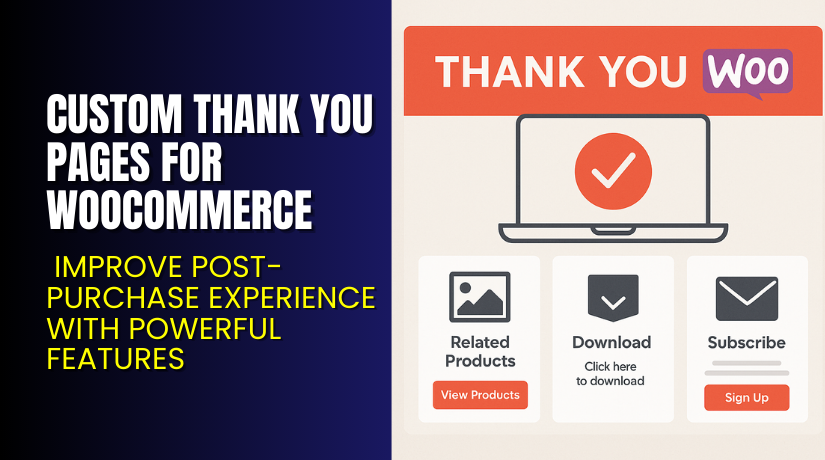
Custom Thank You Pages for WooCommerce – Improve Post-Purchase Experience with Powerful Features
Table of Contents
- Introduction
- What is Custom Thank You Pages for WooCommerce?
- Features of Custom Thank You Pages for WooCommerce
- How to Install and Configure Custom Thank You Pages for WooCommerce
- Custom Thank You Pages for WooCommerce – Pricing & Plans
- My Experience with Custom Thank You Pages for WooCommerce
- Who Should Use This Plugin?
- Final Verdict
- FAQ
Introduction
Running a WooCommerce store is not always simple. Many store owners struggle with low engagement after checkout. Customers complete the order and leave the website within seconds. This means lost upsell chances, fewer repeat orders, and lower user trust. The default WooCommerce Thank You page does not help much because it shows basic order details and nothing more. Many store owners feel stuck with this default layout and want a better way to guide users after checkout.
They want to show important messages, special offers, upsell items, and custom links. They want to personalize the final step of the buying journey. But without the right plugin, these changes need coding work. Many users do not know coding, so they depend on developers. This creates delays and higher costs. That is why a simple and flexible Thank You page solution becomes very important.
Custom Thank You Pages for WooCommerce solves this problem with ease. It helps you replace the default page with a fully customized Thank You experience. You can add text, images, coupons, buttons, and product suggestions.
In this article, we will explore the plugin, its features, setup guide, pricing, pros, cons, and alternatives.
👉 If you ever need help installing or troubleshooting any plugin or extension, please try our Installation & Troubleshooting Services.
What is Custom Thank You Pages for WooCommerce?
Custom Thank You Pages for WooCommerce is a simple and powerful plugin that replaces the default WooCommerce order confirmation page. It lets store owners create fully customized Thank You pages using normal WordPress tools. You can show custom messages, brand banners, order instructions, and upsell offers. The plugin helps you turn a simple confirmation screen into a high-value marketing page.
This plugin is created by Woo.com (Automattic), the official developer behind WooCommerce extensions. It is available as a premium extension on the official WooCommerce marketplace. The plugin works smoothly with standard themes and most WooCommerce setups.
It allows you to assign a unique Thank You page for each product or for the entire store. You can create pages using the block editor, Elementor, or any other page builder. You do not need coding skills. You only create a page, choose it as your Thank You page, and save settings.
The plugin helps store owners improve engagement, guide customers, and increase repeat sales. It is built with simple settings and light code for fast loading.
Official Plugin Page:
Features of Custom Thank You Pages for WooCommerce
| Feature | Description | Why It Matters |
| Custom Pages for Each Product | You can create a unique Thank You page for each product and assign it easily. | Helps store owners show product-specific instructions and offers. |
| Global Thank You Page | You can set one common Thank You page for all orders. | Saves time and gives customers a smooth experience. |
| Support for Page Builders | Works with Elementor, Divi, Gutenberg, and other builders. | Improves design freedom without coding skills. |
| Dynamic Content Support | You can add order data, user info, and custom messages. | Improves user trust and reduces confusion. |
| Marketing and Upsell Blocks | Add coupons, product links, next steps, and call-to-action buttons. | Helps increase conversions and repeat orders. |
How to Install and Configure Custom Thank You Pages for WooCommerce
- Download the plugin from the official purchase page.
- Go to your WordPress Dashboard → Plugins → Add New → Upload Plugin.
- Upload the ZIP file and click Install Now.
- Activate the plugin after installation.
- Go to WooCommerce → Settings → Advanced → Custom Thank You Pages.
- Choose a global Thank You page or assign pages for each product.
- Create new Thank You pages using the WordPress editor or any builder.
- Add elements like text, buttons, coupons, banners, or product suggestions.
- Save settings and run a test order to confirm everything works.
- Ensure your store theme does not override Thank You templates.
💡 If you face any configuration or compatibility issues, you can try our Installation & Troubleshooting Services.
Custom Thank You Pages for WooCommerce – Pricing & Plans
| Monthly | Annualy |
| $4.09 | $49 |
Subscription includes
|
Subscription includes
|
Buy Custom Thank You Pages for WooCommerce Now


Purchase Here → Custom Thank You Pages for WooCommerce
My Experience with Custom Thank You Pages for WooCommerce
After testing this plugin on a live WooCommerce store, here is what I found:
Pros
- Very easy setup with clear options.
- Works with all major WordPress page builders.
- Improves post-purchase experience and customer engagement.
- Let’s you show coupons and upsell offers.
- Light plugin with fast loading and stable code.
- Great documentation from WooCommerce.
Cons
- No free version available.
- Styling depends on page builder features.
- Some themes may need minor CSS adjustments.
- Cannot add advanced automation without extra plugins.
Who Should Use This Plugin?
- WooCommerce store owners wanting a branded Thank You page
- Agencies managing multiple client stores
- Store owners who want more upsells and repeat sales
- Beginners who want an easy setup with no coding
- Sellers offering digital products, guides, or services
- Sellers who want to give post-purchase instructions
Useful Resources
- Official Plugin Page
- Official Plugin Support Page
- Developer Documentation
- WooHelpDesk Installation & Troubleshooting Services
Final Verdict
Custom Thank You Pages for WooCommerce is a strong and reliable plugin for improving your post-purchase experience. It helps you turn a simple confirmation screen into a useful marketing page. You can guide customers, add instructions, show offers, or ask for feedback. It works well with page builders and loads fast on most themes.
If you want to improve engagement right after checkout, this plugin is worth using. It is easy to manage and does not require coding skills.
👉 Buy Custom Thank You Pages for WooCommerce Premium Now
💡 Need help installing or fixing it? Try our Installation & Troubleshooting Services.
FAQ Section
Q1. Is Custom Thank You Pages for WooCommerce compatible with all themes?
Yes, it works with most standard WooCommerce themes. Always test before going live.
Q2. Can I use both free and premium versions?
There is no free version. You only install the premium version.
Q3. How do I get support?
You can contact the official team through the WooCommerce Support Page.



