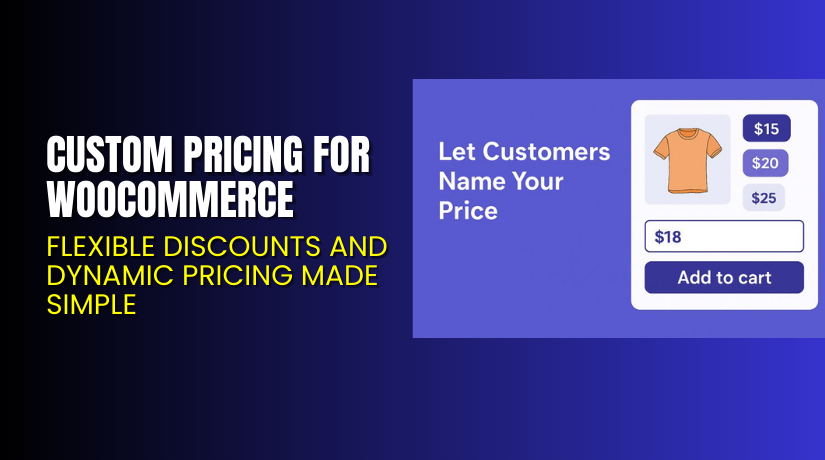
Custom Pricing for WooCommerce – Flexible Discounts and Dynamic Pricing Made Simple
Table of Contents
- Introduction
- What is Custom Pricing for WooCommerce?
- Features of Custom Pricing for WooCommerce
- How to Install and Configure Custom Pricing for WooCommerce
- Custom Pricing for WooCommerce – Pricing & Plans
- My Experience with Custom Pricing for WooCommerce
- Who Should Use This Plugin?
- Final Verdict
- FAQ
Introduction
Running a WooCommerce store can be challenging, especially with pricing flexibility. Many store owners struggle to offer unique pricing to different customers or user roles. Default WooCommerce settings limit pricing options, making it hard to reward loyal buyers or wholesale clients. Store owners often need separate extensions for discounts, bulk pricing, and role-based rates, which increases complexity.
This is where Custom Pricing for WooCommerce helps. It simplifies personalized pricing, letting you set unique prices for users, roles, and product quantities. You can easily manage discounts, tiered pricing, and customer-specific deals from a single dashboard.
This plugin saves time, increases customer loyalty, and boosts conversions. Instead of relying on multiple pricing tools, you can manage everything in one place.
In this article, we’ll explain Custom Pricing for WooCommerce, explore its features, show how to install it, review pros and cons, share pricing details, and discuss who should use it.
👉 If you ever need help installing or troubleshooting any plugin or extension, please try our Installation & Troubleshooting Services.
What is Custom Pricing for WooCommerce?
Custom Pricing for WooCommerce is a flexible pricing plugin for online stores. It helps store owners create unique pricing rules for different users or user roles.
The plugin is developed by Flintop and offers both free and premium versions. With this plugin, you can assign specific prices to individual customers, create bulk pricing discounts, and set role-based pricing for wholesalers or retailers.
It’s designed for WooCommerce stores that need advanced pricing control without using code. You can apply discounts based on user roles, quantity, or purchase history. It also allows you to schedule promotions and manage complex pricing scenarios with ease.
In short, Custom Pricing for WooCommerce gives you full flexibility in managing product prices. It helps improve store efficiency and enhances customer experience with dynamic, personalized pricing.
Official Plugin Page: https://flintop.com/product/custom-pricing/
Support Page: https://flintop.com/support/
Features of Custom Pricing for WooCommerce
| Feature | Description | Why It Matters |
| Role-Based Pricing | Set different prices for different user roles. | Helps offer wholesale and retail pricing easily. |
| Customer-Specific Pricing | Assign individual prices to selected customers. | Builds loyalty through personalized discounts. |
| Quantity-Based Discounts | Offer discounts when buyers purchase more units. | Encourages bulk buying and improves revenue. |
| Category-Level Pricing | Apply rules to entire product categories. | Saves time managing multiple items. |
| Schedule Discounts | Set start and end dates for promotions. | Automates campaigns and avoids manual updates. |
| Import & Export Rules | Manage large pricing data quickly. | Useful for stores with many products. |
These features make the plugin powerful, flexible, and suitable for any store size. It replaces multiple pricing extensions with one complete solution.
How to Install and Configure Custom Pricing for WooCommerce
- Download the plugin from the link.
- Go to your WordPress Dashboard → Plugins → Add New → Upload Plugin.
- Upload the ZIP file and click Install Now.
- Once installed, click Activate Plugin.
- Open WooCommerce → Settings → Custom Pricing.
- Configure basic rules such as user roles, quantity ranges, and discount values.
- Save your changes and test by adding products to the cart.
You can verify that each pricing rule works as intended by testing with different user roles or accounts.
💡 If you face any configuration or compatibility issues, try our Installation & Troubleshooting Services.
Custom Pricing for WooCommerce – Pricing & Plans
| 1 Year Plan | 2 Year Plan |
| $79 | $126.40 |
Subscription includes
|
Subscription includes
|
Buy Custom Pricing for WooCommerce Now
Purchase Here → Buy Custom Pricing Premium Now


💡 Your purchase supports the development team and helps create more updates and tutorials.
My Experience with Custom Pricing for WooCommerce
After testing Custom Pricing for WooCommerce on multiple client websites, the results were consistent and impressive. The setup process was easy and quick. The plugin worked smoothly with popular themes and payment gateways.
Pros
- Easy to install and configure.
- Lightweight and doesn’t slow down the store.
- Supports advanced pricing rules.
- Works with variable and simple products.
- Reliable customer support from Flintop.
Cons
- Some advanced features need the premium version.
- Limited styling customization in the free plan.
- Documentation could include more setup examples.
Overall, it’s one of the most efficient pricing solutions for WooCommerce stores.
Who Should Use This Plugin?
- WooCommerce store owners who want flexible and dynamic pricing.
- Agencies managing multiple WooCommerce client stores.
- Wholesale and retail businesses need tiered pricing systems.
- Beginners who want a simple, code-free setup.
- Developers looking for scalable, client-specific pricing control.
If you want better control over discounts and pricing logic, this plugin is for you.
Useful Resources
- Official Plugin Page
- Official Plugin Support Page
- Developer Documentation
- WooHelpDesk Installation & Troubleshooting Services
Final Verdict
If you’re looking for a reliable pricing plugin that gives you total flexibility, Custom Pricing for WooCommerce is a great choice. It simplifies dynamic pricing and helps you offer special deals, discounts, and user-specific prices effortlessly.
You can use it to build customer loyalty, encourage larger purchases, and create personalized shopping experiences.
👉 Buy Custom Pricing for WooCommerce today and unlock full premium features.
💡 Need help installing or fixing it? Try our Installation & Troubleshooting Services.
FAQ
Q1. Is Custom Pricing for WooCommerce compatible with all WooCommerce themes?
Yes, it works with most WooCommerce-ready themes. Always test before launching.
Q2. Can I use both free and premium versions together?
No, deactivate the free version before installing the premium version.
Q3. How do I get support?
You can contact the official team via the Flintop Support Page.
Q4. Does it work with variable products?
Yes, the plugin supports both simple and variable product types.
Q5. Can I import pricing rules from a CSV file?
Yes, you can easily import or export rules using built-in tools.



