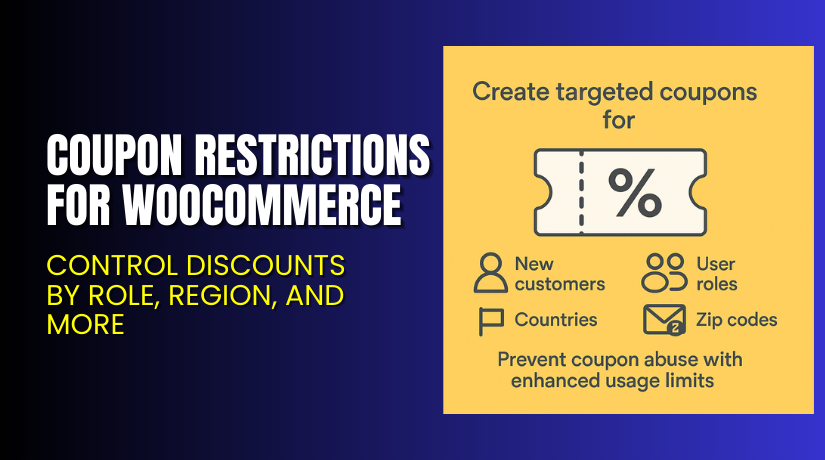
Coupon Restrictions for WooCommerce – Control Discounts by Role, Region, and More
Table of Contents
- Introduction
- What is Coupon Restrictions for WooCommerce?
- Key Features of Coupon Restrictions for WooCommerce
- How to Install and Configure Coupon Restrictions for WooCommerce
- Pricing & Plans
- My Experience with Coupon Restrictions for WooCommerce
- Who Should Use This Plugin?
- Final Verdict
- FAQ
Introduction
Coupons are powerful marketing tools for eCommerce. But without restrictions, they can be misused. Customers may create fake accounts or use shared codes repeatedly. This reduces your profit margins and defeats the purpose of smart promotions.
WooCommerce’s default coupon system lacks control. It doesn’t allow targeting new customers or limiting usage by location or user roles.
That’s where Coupon Restrictions for WooCommerce by DevPress helps. This plugin gives full control over how and where coupons are used.
You can restrict coupons to:
- New or existing users
- Specific user roles
- Countries, states, or zip codes
- IP addresses, emails, or shipping addresses
In this article, we explain how this plugin works, its benefits, features, installation process, pricing, and who it’s for.
If you need assistance with setup or compatibility, use our Installation & Troubleshooting Services.
What is Coupon Restrictions for WooCommerce?
Coupon Restrictions for WooCommerce is an advanced coupon management plugin. It’s built by DevPress, a team known for lightweight and functional WooCommerce tools.
This plugin enhances WooCommerce’s built-in coupon engine. It allows store owners to target or block coupons based on specific criteria. These include customer behavior, location, user role, or even abuse patterns.
It’s great for stores that:
- Offer new customer discounts
- Run region-based promotions
- Want to reward specific user roles
- Need to prevent coupon sharing or misuse
The plugin integrates directly with your existing coupon system. No coding required.
Plugin Page: WooCommerce Coupon Restrictions
Support Page: devpress.com/support
Documentation: Official Plugin Guide
Key Features of Coupon Restrictions for WooCommerce
| Feature | Description | Why It Matters |
| New Customer Targeting | Apply coupon only if user has never placed an order. | Attracts first-time buyers while protecting profits. |
| Existing Customer Targeting | Allow discounts only for loyal customers. | Useful for upgrades or special offers. |
| User Role Restrictions | Limit coupons to roles like wholesale, VIP, or members. | Perfect for membership or multi-tier pricing. |
| Country/State/Zip Filters | Apply or block coupons based on geographic location. | Run location-based campaigns or control shipping promos. |
| Email Address Verification | Detect and block coupon misuse via email aliases. | Prevent users from bypassing limits using “+” or dots. |
| Shipping Address Control | Restrict coupon use by shipping location. | Stops multi-account abuse with same delivery point. |
| IP Address Limits | Block coupon reuse from the same IP address. | Prevents fake accounts using same network. |
These features make the plugin powerful, flexible, and easy to manage directly from your dashboard.
How to Install and Configure Coupon Restrictions for WooCommerce
Installing the plugin is quick and requires no technical skills:
- Buy the plugin from the DevPress Coupon Restrictions page.
- Download the ZIP file.
- In WordPress, go to Plugins → Add New → Upload Plugin.
- Upload the file, install, and activate.
- Go to WooCommerce → Coupons → Add/Edit Coupon.
- Scroll down to see new restriction fields.
- Select the desired restriction types (user role, country, zip, etc.).
- Save and test the coupon on the front-end.
If you encounter issues or need custom integration help, try our Installation & Troubleshooting Services.
Pricing & Plans
| Plan | Price | Includes |
| 1-Year License | $49 | All features, updates, and support |
| Monthly Equivalent | $4.09/month | Billed annually at $49 |
Your license includes:
- One year of plugin updates
- Email support from DevPress
- 30-day money-back guarantee
Plugin pricing is listed at DevPress.
Buy Coupon Restrictions for WooCommerce Now
This plugin is a must-have if you:
- Run targeted promotions
- Offer new customer incentives
- Need to stop coupon fraud
You can purchase it directly from the DevPress plugin page. Installing it only takes minutes, and the value it adds is immediate.
Need help getting started? Use our Installation & Troubleshooting Services.
My Experience with Coupon Restrictions for WooCommerce
We tested this plugin on a site that runs region-specific offers and has a B2B customer base.


Pros:
- Setup was fast and didn’t break anything
- UI is clean and integrates into the coupon editor
- Zip code wildcard feature works well for local campaigns
- User role targeting is helpful for wholesale promotions
- Abuse prevention via IP/email was effective
Cons:
- No analytics dashboard (usage tracking must be manual)
- No rule stacking or AND/OR logic
- Limited styling for coupon error messages
Overall, the plugin does what it promises. It gives more power to store admins without adding complexity. Performance is light and suitable for small to mid-size WooCommerce sites.
Who Should Use This Plugin?
This plugin is best for:
- Store owners offering coupons to segmented audiences
- Sites that offer one-time deals to new users
- Shops with country-specific campaigns
- Subscription or membership sites with role-based pricing
- Merchants trying to reduce coupon misuse
If your store offers any kind of discount, this tool makes sure it’s used correctly.
Useful Resources
- Plugin Product Page on DevPress
- Plugin Documentation
- Support Portal
- Contact Developer
- Installation & Troubleshooting Help
Bookmark these pages for help, documentation, or future license renewals.
Final Verdict
Coupon Restrictions for WooCommerce solves a major pain point. It gives you full control over how coupons are applied and by whom. Whether you’re targeting new customers or limiting usage by location, this plugin delivers.
It works reliably and integrates cleanly with existing WooCommerce coupon functionality.
At just $49 per year, the plugin offers excellent value. It protects your profit margin, prevents abuse, and helps you run smarter campaigns.
Recommended for: Store owners, marketers, and anyone running WooCommerce promotions.
Need help with installation? Our team can assist via WooHelpDesk.
FAQ
Q1. Can I restrict coupons by multiple zip codes?
Yes. Add multiple zip codes separated by commas. Wildcards like “95*” are supported.
Q2. Does it block users using different emails?
Yes. It detects email alias tricks like using dots or “+” in addresses.
Q3. Can I limit coupon use by shipping address?
Yes. You can limit how many times a coupon is used per shipping address.
Q4. Will it slow down my site?
No. It’s lightweight and built to work with WooCommerce flows.
Q5. Is there a free version?
No, but it comes with a 30-day money-back guarantee if it doesn’t fit your needs.



