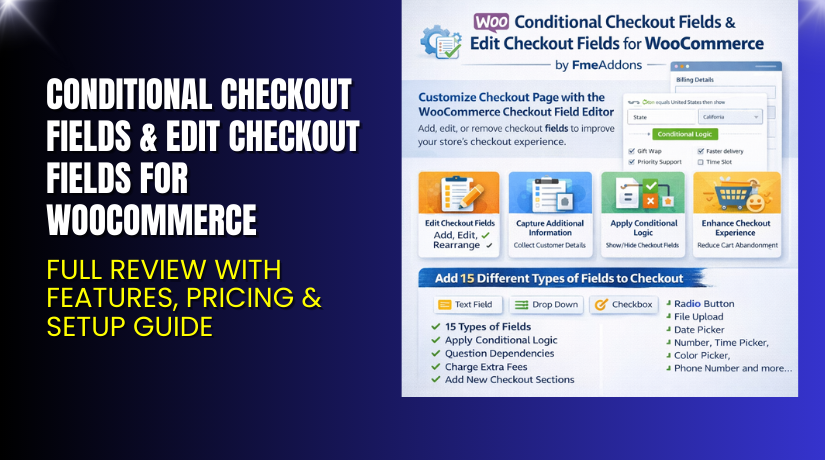
Conditional Checkout Fields & Edit Checkout Fields for WooCommerce – Full Review with Features, Pricing & Setup Guide
Table of Contents
- Introduction
- What is Conditional Checkout Fields & Edit Checkout Fields for WooCommerce?
- Key Features of Conditional Checkout Fields Plugin
- How to Install and Configure Conditional Checkout Fields Plugin?
- Pricing & Plans
- My Experience with the Plugin
- Who Should Use This Plugin?
- Final Verdict
- FAQ
Introduction
Running a WooCommerce store means juggling dozens of plugins. Each promises to simplify your business. But not all of them deliver. One area that most store owners struggle with is the checkout page. It’s the last and most crucial step before a sale is completed. A poor checkout experience leads to cart abandonment and lost revenue.
That’s where Conditional Checkout Fields & Edit Checkout Fields for WooCommerce comes in. This plugin gives you complete control over your checkout fields. You can add, remove, edit, and rearrange them easily. It also includes conditional logic to show or hide fields based on user behavior.
In this article, we’ll explore what this plugin offers, how it works, its pricing, pros and cons, and how you can set it up with ease.
If you ever need help installing or troubleshooting this plugin, check out our Installation & Troubleshooting Services.
What is Conditional Checkout Fields & Edit Checkout Fields for WooCommerce?
Conditional Checkout Fields & Edit Checkout Fields is a premium WooCommerce plugin developed by FME Addons. It helps you take full control of your checkout form. With this plugin, you can:
- Add 15+ types of custom fields
- Modify existing WooCommerce fields
- Use conditional logic to show/hide fields
- Charge extra fees based on field input
- Target fields to specific products, user roles, or categories
The plugin works with WooCommerce version 2.6.0 or higher and WordPress 4.6+. The current version is 1.5.6, and it was last updated on August 4, 2025.
Key Features of Conditional Checkout Fields Plugin
| Feature | Description | Why It Matters |
| 15+ Field Types | Text, dropdowns, checkboxes, file uploads, radio, date, time pickers, etc. | Lets you collect the right type of information from users. |
| Edit Default Fields | Change, hide, or rearrange WooCommerce’s built-in fields. | Gives you control over every part of your checkout flow. |
| Drag-and-Drop Interface | Rearrange fields easily using a visual interface. | Saves time and makes customization effortless. |
| Conditional Logic | Show or hide fields based on user input, roles, or products. | Makes the checkout smarter and more personalized. |
| Role-Based Fields | Display fields only for selected user roles. | Useful for B2B stores or logged-in customers. |
| Add Pricing to Fields | Charge extra for selected fields or services. | Helps upsell services like gift wrapping or priority handling. |
| Field Duplication | Duplicate fields based on cart quantity. | Ideal for stores where per-product field input is needed. |
| Invoice Integration | Show custom fields in emails and order pages. | Keeps both you and the customer informed. |
| Category/Product Targeting | Show fields only for certain products or categories. | Ensures checkout stays clean and relevant. |
How to Install and Configure Conditional Checkout Fields Plugin?
Follow these steps to get started:
- Download the plugin from the official site.
- Go to WordPress Dashboard → Plugins → Add New → Upload Plugin.
- Upload the plugin zip file and install it.
- Activate the plugin.
- Go to WooCommerce → Settings → Checkout Fields Editor.
- Add or edit checkout fields using the drag-and-drop interface.
- Test the changes on your checkout page.
- Check if the fields are working with your theme and other extensions.
If you face issues, you can use our Installation & Troubleshooting Services.
Pricing & Plans
| Plan | Price (USD) | Includes |
| Basic | $49/year | Full plugin access, 1-year updates, and support |
| Installation Add-on | $35 one-time | Plugin installation and setup by experts |
| 30-Day Money-Back | Included | Risk-free guarantee |
There are no free versions, but the plugin offers a refund if you are not satisfied within 30 days.
Buy Conditional Checkout Fields Plugin Now
Purchase Here: Buy Now – Conditional Checkout Fields for WooCommerce
Your purchase supports the plugin developers and helps us continue creating tutorials like this.
My Experience with the Plugin
I tested this plugin on a live WooCommerce site and here’s what I found:
Pros:


- Easy to install and configure
- Simple drag-and-drop UI
- 15+ field types included
- Great customer support
- Works well with major WooCommerce themes
- Conditional logic works as expected
Cons:
- No lifetime pricing plan
- Limited styling options inside the plugin UI
- Requires basic CSS for deeper customization
Who Should Use This Plugin?
This plugin is ideal for:
- Store owners needing custom checkout fields
- Agencies managing multiple WooCommerce clients
- Subscription or membership-based stores
- Businesses offering custom services
- Developers wanting dynamic checkout options
- Beginners needing simple field control without coding
Useful Resources
- Official Plugin Page
- Support Page
- Documentation Guide
- WooHelpDesk Installation & Troubleshooting Services
Final Verdict
If you’re looking to upgrade your checkout experience without hiring a developer, this plugin is a smart choice. It’s flexible, feature-rich, and easy to use.
From conditional logic to pricing fields and email integration, everything works smoothly. You can tailor the checkout to your business needs and increase conversions.
Buy Conditional Checkout Fields Plugin Now – and take full control over your checkout process today.
Need help installing or configuring it? Use our Installation & Troubleshooting Services.
FAQ
Q1. Is Conditional Checkout Fields plugin compatible with my theme?
Yes. It works with most standard WooCommerce themes. But always test before going live.
Q2. Can I use conditional logic with this plugin?
Yes. You can show or hide fields based on products, user roles, or cart content.
Q3. Can I assign pricing to a field?
Yes. You can charge extra for selected fields like custom notes, gift wrap, etc.
Q4. Does it support different field types?
Yes. It includes 15+ field types like date picker, file upload, checkbox, and more.
Q5. How do I get support?
You can open a support ticket on the Support Page. Their team is responsive and helpful.



