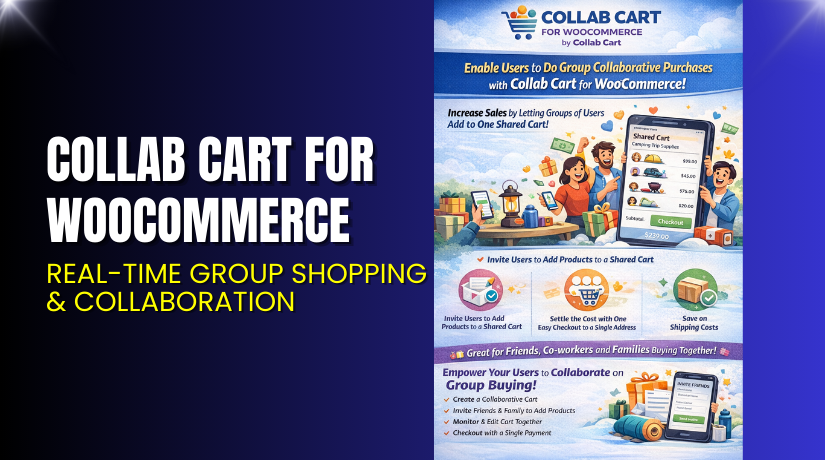
Collab Cart for WooCommerce – Real-Time Group Shopping & Collaboration
Table of Contents
- Introduction
- What is Collab Cart for WooCommerce?
- Features of Collab Cart for WooCommerce
- How to Install and Configure Collab Cart for WooCommerce
- Collab Cart for WooCommerce – Pricing & Plans
- My Experience with Collab Cart for WooCommerce
- Who Should Use This Plugin?
- Final Verdict
- FAQ
Introduction
Running a WooCommerce store requires constant work and smart decisions. Many store owners feel confused when choosing the right plugin for daily tasks. They often use multiple tools for cart management, customer chat, and product collaboration. This makes the store slow and difficult to manage. It also increases support issues and reduces conversions. A simple task like reviewing products together becomes hard without the right plugin.
Modern customers want instant collaboration during shopping. They need options to share carts, vote on products, and make group decisions. Traditional stores cannot support this without external tools. This creates friction and leads to abandoned carts. It also stops customers from completing group purchases.
Collab Cart for WooCommerce aims to solve these issues. It helps teams, families, and groups shop together in one place. It offers real-time collaboration features that keep customers engaged. Store owners get more orders and lower abandonment rates.
In this article, we will explore Collab Cart for WooCommerce, its features, setup steps, pricing, pros and cons, and who should use it.
👉 If you ever need help installing or troubleshooting any plugin or extension, you can try our Installation & Troubleshooting Services.
What is Collab Cart for WooCommerce?
Collab Cart for WooCommerce is a powerful collaboration tool designed for online stores. It allows multiple users to share, edit, and discuss carts in real time. It helps shoppers make group decisions without leaving the site. This creates a smooth and interactive shopping experience. The plugin reduces friction and helps customers complete purchases faster.
It is developed by the CollabCart Team, a company focused on smart eCommerce solutions. The plugin is available in both free and premium versions. The free version offers basic collaboration features, while the premium version unlocks advanced tools like real-time editing, chat options, shared cart links, and custom branding.
Store owners can use it to support team shopping, family purchases, and group product selection. This makes it ideal for stores offering gifts, fashion, event items, or bulk products. It also works well for B2B clients who shop as a group.
The plugin is simple to use and fits well with most WooCommerce stores. It improves customer engagement and makes shopping more interactive. Many store owners use it to reduce abandoned carts and increase order value.
Features of Collab Cart for WooCommerce
| Feature | Description | Why It Matters |
| Shared Carts | Allows customers to share their carts with others. | Helps store owners increase engagement. |
| Real-Time Editing | Multiple users can edit the cart at the same time. | Saves time and avoids repeated changes. |
| Built-In Chat | Users can discuss products inside the cart area. | Improves buying confidence and reduces doubts. |
| Custom Branding | Add store colors and custom labels. | Enhances user experience and brand identity. |
| Role-Based Access | Control who can edit or only view the cart. | Improves security and workflow control. |
How to Install and Configure Collab Cart for WooCommerce
- Download the plugin from the link.
- Go to your WordPress Dashboard → Plugins → Add New.
- Click Upload Plugin and select the downloaded ZIP file.
- Install the plugin and click Activate.
- Go to Settings → Collab Cart Settings.
- Configure general options like shared links, user roles, chat box, and branding.
- Save changes and open a test product page.
- Add items to your cart and test collaboration features.
- Ensure the plugin works well with your theme and other extensions.
💡 If you face any configuration or compatibility issues, you can try our Installation & Troubleshooting Services.
Collab Cart for WooCommerce – Pricing & Plans
| 1 Year Plan | 2 Years Plan |
| $49 | $78.40 (20%Off) |
|
|
Buy Collab Cart for WooCommerce Now
Purchase Here → Buy Collab Cart Premium Now
💡 Your purchase supports the development team and helps me create more tutorials like this.


My Experience with Collab Cart for WooCommerce
After testing the plugin on a live WooCommerce store, here are my findings:
Pros
- Easy setup and simple configuration steps.
- Clean interface with user-friendly features.
- Smooth real-time cart collaboration.
- Great for B2B buyers and family shoppers.
- Includes built-in chat for faster decisions.
- Works well with most themes and plugins.
Cons
- Pricing details require contacting the developer.
- Limited styling options in the free version.
- Advanced features are available only in the premium.
- Requires testing on heavily customized stores.
Who Should Use This Plugin?
This plugin is ideal for:
- WooCommerce store owners want group shopping features.
- Stores selling gifts, clothing, event items, or bulk orders.
- Agencies managing multiple WordPress clients.
- Beginners who want collaboration without many settings.
- B2B stores where teams select products together.
Useful Resources
- Official Plugin Page
- Official Plugin Support Page
- Developer Documentation
- WooHelpDesk Installation & Troubleshooting Services
Final Verdict
Collab Cart for WooCommerce is a strong choice for store owners who want to improve group shopping and real-time collaboration. It makes the buying process smoother and helps reduce abandoned carts. The plugin offers unique features that are rarely found in standard WooCommerce extensions. If you want a reliable tool that boosts engagement and teamwork, this plugin is worth trying.
👉 Buy Collab Cart Premium Now
💡 Need help installing or fixing it? Try our Installation & Troubleshooting Services.
FAQ
Q1. Is Collab Cart for WooCommerce compatible with all WooCommerce themes?
Yes, it works with most standard WooCommerce themes. Always test before going live.
Q2. Can I use both free and premium versions?
You must deactivate the free version before installing the premium version.
Q3. How do I get support?
You can contact the official team via their Support Page.



