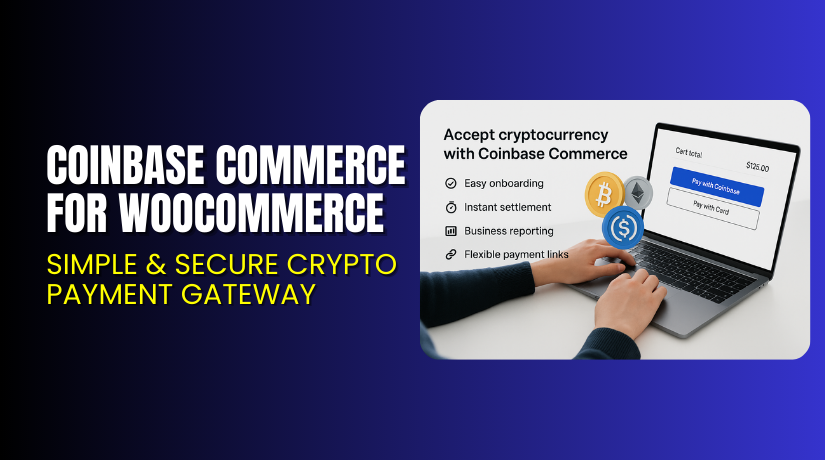
Coinbase Commerce for WooCommerce – Simple & Secure Crypto Payment Gateway
Table of Contents
- Introduction
- What is Coinbase Commerce for WooCommerce?
- Features of Coinbase Commerce for WooCommerce
- How to Install and Configure Coinbase Commerce
- Pricing & Plans
- My Experience with Coinbase Commerce for WooCommerce
- Who Should Use This Plugin?
- Final Verdict
- FAQ
Introduction
Running a WooCommerce store is not always simple. Store owners deal with many tasks each day. Payment issues are one of the biggest concerns. Customers want fast and safe payment options. Many users now also prefer crypto payments for quick checkout. However, setting up crypto payments is not easy for beginners.
Traditional payment gateways charge high fees. Some gateways also hold funds for many days. These delays slow down cash flow in your business. Crypto payments solve many of these problems. But you still need a trusted gateway for safe transactions.
This is where Coinbase Commerce for WooCommerce helps store owners. It allows you to accept crypto payments directly on your website. You can accept top coins like Bitcoin, Ethereum, USDC, and more. It also reduces extra fees and delays.
In this article, we will explore Coinbase Commerce for WooCommerce in detail. You will learn its features, setup steps, pros, cons, pricing, and useful resources.
👉If you ever need help installing or fixing any WooCommerce plugin, you can try our Installation & Troubleshooting Services, and we will do everything for you.
What is Coinbase Commerce for WooCommerce?
Coinbase Commerce for WooCommerce is a payment gateway plugin. It lets store owners accept cryptocurrency payments on their WooCommerce store. Customers can pay with popular digital coins using their Coinbase wallet or any supported wallet. The plugin adds a smooth crypto checkout experience without any complex setup.
The plugin is designed for WooCommerce businesses that want fast and secure payments. Crypto payments allow near-instant transfers without heavy bank fees. You also get full control over your funds without long settlement delays.
This plugin is developed by Coinbase, one of the world’s most trusted crypto companies. It offers a secure and verified system that protects both store owners and customers. The plugin supports Bitcoin, Ethereum, Litecoin, USDC, and several other major coins.
The plugin is available through the official WooCommerce marketplace.
With this plugin, you get strong protection, stable performance, and easy setup. It is ideal for store owners who want to add crypto payments quickly.
Official Plugin Page: https://www.coinbase.com/en-in
Support Page: https://help.coinbase.com/
Features of Coinbase Commerce for WooCommerce
|
Feature |
Description |
Why It Matters |
|
Multi-Coin Support |
Accept Bitcoin, Ethereum, USDC, and other major coins. |
Helps store owners offer more payment choices. |
|
Secure Wallet Integration |
Connects with Coinbase Commerce for safe transactions. |
Protects store funds with strong security controls. |
|
Instant Payment Confirmation |
Confirms payments in real-time for quick order processing. |
Saves time and speeds up order fulfillment. |
|
No Hidden Fees |
You only pay standard Coinbase Commerce charges.   |
Reduces extra expenses and improves profit margins. |
|
Global Payments |
Accept crypto from customers worldwide. |
Expands your store reach without extra setup. |
|
Easy Refund Handling |
Manage refunds directly through Coinbase Commerce. |
Improves customer trust and store credibility. |
|
Simple Checkout Interface |
Adds a clear crypto option during checkout. |
Improves user experience and boosts conversions. |
How to Install and Configure Coinbase Commerce for WooCommerce
- Download the plugin from the Coinbase:
- Go to your WordPress Dashboard → Plugins → Add New → Upload Plugin.
- Upload the ZIP file and click Install Now.
- Click Activate Plugin after the installation finishes.
- Open WooCommerce → Settings → Payments → Coinbase Commerce.
- Enter your Coinbase Commerce API Keys from your Coinbase dashboard.
- Enable supported coins and save your settings.
- Run a test order to make sure everything works correctly.
👉If you face any issues with setup, API keys, errors, or conflicts with your theme, you can try our Installation & Troubleshooting Services. We fix everything for you.
Coinbase Commerce for WooCommerce – Pricing & Plans
This plugin is completely free to install and use. You also receive free updates to keep your store secure and stable. The plugin includes free customer support, so you can get help anytime without extra cost. It’s a budget-friendly choice for WooCommerce store owners.
Buy Coinbase Commerce for WooCommerce Now
Purchase Here → Buy Coinbase Commerce for WooCommerce Premium Now
👉Your purchase supports the Coinbase team and allows us to create more WooCommerce tutorials.
My Experience with Coinbase Commerce for WooCommerce
Pros
- Easy to install and link with Coinbase Commerce.
- Accepts multiple coins with fast confirmation.
- Clear settings and clean checkout design.
- Low transaction fees compared to traditional gateways.
- Trusted brand with strong global security.
- Works smoothly with most WooCommerce themes.
Cons
- Requires API keys setup, which is confusing for beginners.
- Some coins may not be available in every country.
- No custom styling options for checkout button.
- Premium features can be costly for small stores.
Who Should Use This Plugin?
- WooCommerce store owners want fast and secure crypto payments.
- Agencies managing global clients and modern payment systems.
- Beginners who want an easy way to add a crypto checkout.
- Businesses selling digital products or global services.
- Stores want lower fees and instant payouts.
Useful Resources
- Official Plugin Page
- Official Plugin Support Page
- Developer Documentation
- WooHelpDesk Installation & Troubleshooting Services
Final Verdict
Coinbase Commerce for WooCommerce is a strong, trusted, and modern payment solution. It brings fast and secure crypto payments to your store without a complex setup. The plugin works well for both small and large businesses. If you want to expand your payment options and reach more customers, this plugin is a smart choice.
👉 Buy Coinbase Commerce for WooCommerce Premium Now
💡 Need help installing or fixing it? Try our Installation & Troubleshooting Services.
FAQ
Q1. Is Coinbase Commerce for WooCommerce compatible with all WooCommerce themes?
Yes, it works with most standard WooCommerce themes. Always test before going live.
Q2. Can I use both free and premium versions together?
No. You must deactivate the free version before installing the premium version.
Q3. How do I get support?
You can contact the official team through the Plugin Support Page.



