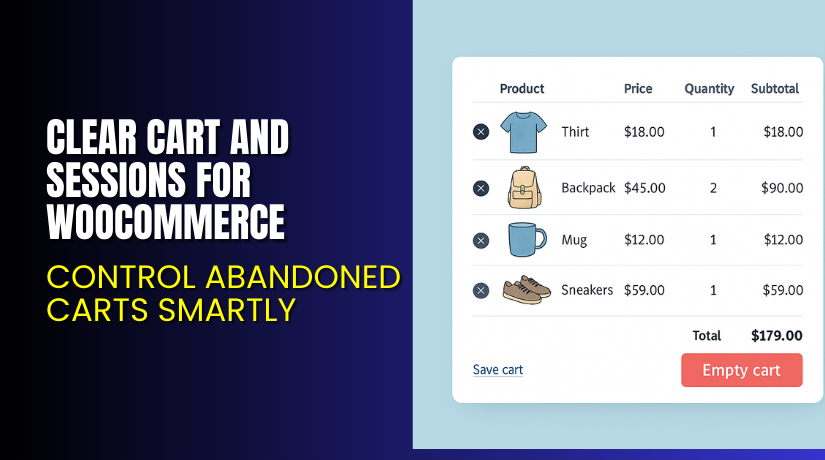
Clear Cart and Sessions for WooCommerce – Control Abandoned Carts Smartly
Table of Contents
- Introduction
- What is Clear Cart and Sessions for WooCommerce?
- Key Features of Clear Cart and Sessions for WooCommerce
- How to Install and Configure Clear Cart and Sessions?
- Pricing & Plans
- My Experience with Clear Cart and Sessions Plugin
- Who Should Use This Plugin?
- Final Verdict
- FAQ
Introduction
Running a WooCommerce store is exciting but also complex. You deal with user behaviors, abandoned carts, and performance issues. One major challenge for store owners is dealing with inactive users who leave their carts full. These abandoned sessions consume server resources and impact sales tracking.
Customers also get frustrated when they return to find outdated items in their cart. That’s where a smart solution like the Clear Cart and Sessions for WooCommerce plugin by FME Addons can help.
This plugin allows store admins to automatically clear inactive cart sessions after a set time. It also lets users clear their carts manually. You can even enable customers to save and share carts across platforms.
In this article, you’ll learn everything about the plugin — its features, setup steps, pricing, and usage.
Need help with plugin installation? Try our Clear Cart & Sessions Installation Service.
What is Clear Cart and Sessions for WooCommerce?
Clear Cart and Sessions for WooCommerce is a performance and experience enhancement plugin. It allows store owners to auto-clear abandoned cart sessions and provide cart control to customers.
The plugin is developed by FME Addons, a well-known name in WooCommerce development. It’s compatible with:
- WooCommerce version 2.6.0 or higher
- WordPress version 5.2 or higher
The latest version is 1.1.4, released on January 15, 2021, with the last update on June 19, 2025.
Key Capabilities:
- Automatically clear carts after inactivity
- Add a clear cart button
- Allow customers to save carts
- Redirect users after cart clearing
- Let users share carts on social media
Official Plugin Page: Clear Cart and Sessions by FME Addons
Support Portal: FME Addons Support
Documentation: Clear Cart Plugin Documentation
Key Features of Clear Cart and Sessions for WooCommerce
| Feature | Description | Why It Matters |
| Clear Abandoned Carts | Automatically removes cart data after inactivity | Saves server resources and avoids outdated cart data |
| Clear Cart Button | Adds a manual “Clear Cart” button for users | Gives users more control over their shopping experience |
| Save Cart for Later | Lets customers save carts to purchase later | Improves return visits and user convenience |
| Social Sharing | Allows users to share their cart via social media | Increases product reach and improves marketing |
| Cart Redirection | Redirects customers after cart clearing | Supports smoother navigation and promotes key pages |
| Button Customization | Customize clear cart button text, color, and appearance | Matches site branding and improves UI |
How to Install and Configure Clear Cart and Sessions?
Here’s how you can set up the plugin on your WooCommerce store:
- Download the plugin from the FME Addons official page.
- In WordPress dashboard, go to Plugins → Add New → Upload Plugin.
- Upload the plugin ZIP file and click Install Now.
- After installation, click Activate.
- Navigate to WooCommerce → Settings → Clear Cart and Session.
- Configure options like:
- Time format (minutes, hours, or days)
- Enable/disable cart expiration on inactivity
- Enable clear cart button and widget
- Customize redirect page
Test everything on your live store before enabling for all customers.
Need help setting it up? Get professional support with WooHelpDesk Installation Services.
Pricing & Plans
| Plan | Price (USD) | Includes |
| Premium (Annual) | $49.00 | All features + updates for 1 year |
| Installation Add-on | $35.00 | Plugin installation and configuration |
Money-Back Guarantee: 30-day refund policy if you’re not satisfied.
Buy Clear Cart and Sessions Plugin Now
Buy Here → Clear Cart and Sessions by FME Addons


Your purchase helps support ongoing plugin development and gets you priority updates.
My Experience with Clear Cart and Sessions Plugin
We tested this plugin on a WooCommerce clothing store. Here’s what stood out:
Pros:
- Lightweight and fast
- Improves cart control for both admin and users
- Clean interface and reliable performance
- Great documentation and video tutorials
- Excellent support team
Cons:
- No multi-site support
- Limited styling options in backend
- Only one redirect option per setting
Who Should Use This Plugin?
This plugin is best for:
- WooCommerce stores with high cart abandonment
- Businesses offering time-sensitive or limited stock products
- Owners looking to save server space and improve speed
- Agencies managing WooCommerce stores for clients
- Store managers who want better cart tracking and cleanup
Useful Resources
- Official Plugin Page – Clear Cart and Sessions by FME Addons
- Plugin Documentation – Clear Cart Settings Guide
- Support Portal – FME Addons
- WooHelpDesk Installation & Troubleshooting Services
Final Verdict
Clear Cart and Sessions for WooCommerce is a powerful and simple tool that adds value to any store. It improves cart hygiene, performance, and user experience.
Whether you’re looking to automatically clear carts, add a save option, or customize the cart reset experience — this plugin gives you complete control.
Its clean dashboard, reliable settings, and helpful support team make it worth the investment.
Buy Clear Cart and Sessions Plugin Now and enhance your WooCommerce store.
Need setup assistance? Try our Clear Cart Plugin Installation Service.
FAQ
Q1. Can customers manually clear their cart?
Yes, users can click the “Clear Cart” button on the cart page to reset it.
Q2. Will this plugin auto-remove inactive carts?
Yes. You can set the session time in minutes, hours, or days.
Q3. Can I redirect users after clearing their cart?
Yes, you can send users to the shop page or any custom URL.



