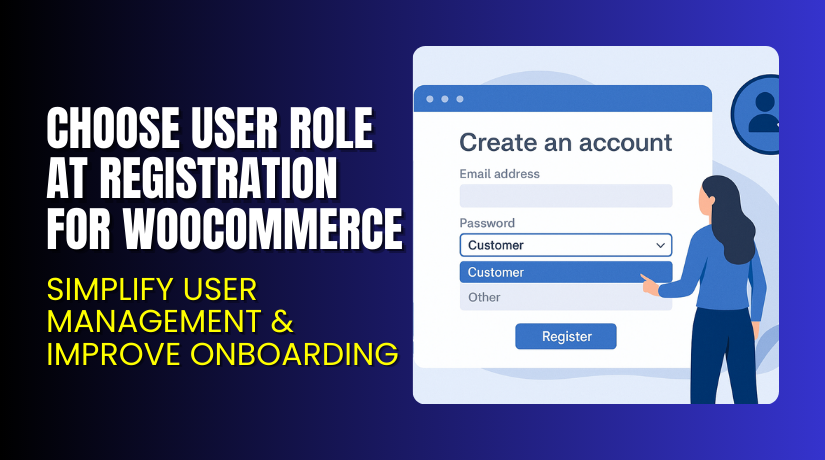
Choose User Role at Registration for WooCommerce – Simplify User Management & Improve Onboarding
Table of Contents
- Introduction
- What is Choose User Role at Registration for WooCommerce?
- Key Features of Choose User Role at Registration
- How to Install and Configure Choose User Role at Registration
- Pricing & Plans
- My Experience with Choose User Role at Registration
- Who Should Use This Plugin?
- Final Verdict
- FAQ
Introduction
Managing a WooCommerce store means handling many customer types. You might be selling to both retail and wholesale buyers. Or you may have vendors, contributors, or B2B users.
Without proper user role control, you may struggle with customer experience. A one-size-fits-all user account slows down personalization. It also complicates pricing, content access, and communication.
That’s where Choose User Role at Registration for WooCommerce becomes essential. This plugin by Addify lets users select their role while registering. It simplifies account setup and automates user role management.
In this article, we’ll cover everything you need to know about the plugin. You’ll learn how it works, what it offers, pricing details, and how to install it.
Need help with installation or fixing an issue? Use our Installation & Troubleshooting Services.
What is Choose User Role at Registration for WooCommerce?
Choose User Role at Registration for WooCommerce is a plugin developed by Addify. It allows you to display a user role selection dropdown on:
- The WooCommerce registration page
- The checkout page (when users create accounts)
This plugin is useful for stores that deal with multiple customer types. Instead of assigning the default “Customer” role, it lets users pick one that fits them.
You can define which roles appear in the dropdown. You can also auto-approve selected roles or require admin review before assigning them.
The plugin is compatible with:
- WordPress version 4.0.0 and above
- WooCommerce version 3.5.0 and above
- WPML and multilingual environments
It supports both manual and automatic approval of roles. You can also send custom email notifications based on role selection.
Official Plugin Page: Choose User Role at Registration by Addify
Documentation: Installation & Setup Guide
Support Contact: Addify Contact Page
Key Features of Choose User Role at Registration
| Feature | Description | Why It Matters |
| Role Dropdown | Displays role selection on registration and checkout | Helps customers self-identify for better onboarding |
| Auto Approval | Instantly approves selected roles | Speeds up the signup process |
| Manual Approval | Admin can approve roles manually | Adds control over who gets access |
| Email Notifications | Sends email to users and admins on request status | Keeps communication clear |
| Role Editing | Users can change roles from their My Account page | Offers post-signup flexibility |
| Multi-language Ready | WPML compatible and translatable | Suitable for global stores |
How to Install and Configure Choose User Role at Registration
Setting up the plugin is simple. Follow these steps:
- Download the plugin from Addify’s official store.
- Go to your WordPress dashboard → Plugins → Add New → Upload Plugin.
- Upload the downloaded ZIP file and click Install Now.
- Click Activate after installation is complete.
- Go to WooCommerce → Settings → User Role Registration.
- Select the roles you want to show in the dropdown.
- Choose whether these roles are auto-approved or manually reviewed.
- Configure the custom email templates for each role status.
- Enable or disable the option for users to edit their roles later.
Make sure to test the plugin on a staging site before deploying it live.
For more setup details, check the official documentation.
Having trouble with setup or compatibility? Use our expert Installation & Troubleshooting Services.
Pricing & Plans
Choose User Role at Registration is available in two affordable premium plans. Pricing is in USD and billed as follows:
| Plan | Price | Includes |
| 1-Year Plan | $2.08/month (billed annually at $25) | 1 year of support and updates |
| 2-Year Plan (Popular) | $1.67/month (billed every 2 years at $40) | 2 years of support and updates |
Both plans include:
- Full plugin access
- Free support during the plan period
- Extension updates
- 30-day money-back guarantee
No free version is currently available.
Buy Choose User Role at Registration Now
Ready to improve user management in your store?
Buy Choose User Role at Registration Plugin
Your purchase supports the developer and helps maintain plugin quality. It also enables us to continue creating detailed guides like this.


My Experience with Choose User Role at Registration
After testing the plugin on a WooCommerce demo store, I found it very intuitive. The interface is clean. No coding was needed during setup. It worked well with a popular WooCommerce theme.
Pros
- Easy to install and configure
- Works with registration and checkout forms
- Supports both auto and manual role assignment
- Allows role changes from the user dashboard
- Custom email notification support
- Excellent documentation
- Great value for the price
Cons
- No free version
- Styling options are basic unless customized via CSS
- Role conditions cannot be set by user behavior or form inputs
Still, these are minor trade-offs for what it offers.
Who Should Use This Plugin?
This plugin is great for:
- WooCommerce store owners selling to both retail and wholesale buyers
- Store admins wanting better user segmentation
- Membership sites with role-based content
- Agencies managing multiple user types
- Businesses looking to automate user onboarding
If you want to simplify customer management and improve UX, this plugin is for you.
Useful Resources
Here are some links to help you get started:
- Official Plugin Page
- Documentation and Setup Guide
- Addify Support Contact
- WooHelpDesk Installation & Troubleshooting
Bookmark these if you’re planning a live store setup.
Final Verdict
If you’re running a WooCommerce store that deals with different customer groups, Choose User Role at Registration is a must-have tool. It streamlines how users register and lets you offer them the right experience from day one.
You get full control with minimal setup. Addify offers strong support and documentation. Pricing is reasonable, and the plugin performs reliably.
Start using the plugin today to unlock more personalized and efficient store operations.
Buy Choose User Role at Registration for WooCommerce Now
Need help setting it up? Try our WooHelpDesk Installation Services.
FAQ
Q1. Is this plugin compatible with all WooCommerce themes?
Yes, it works with most standard WooCommerce themes. Always test before going live.
Q2. Can users change their roles after registration?
Yes. You can enable this option from the plugin settings.
Q3. Can I send emails for each role request?
Yes. Custom email templates can be configured for each status.
Q4. Is there a free version available?
No, the plugin is only available in paid plans.
Q5. Where can I get help with installation or errors?
Use our Installation & Troubleshooting Service.



