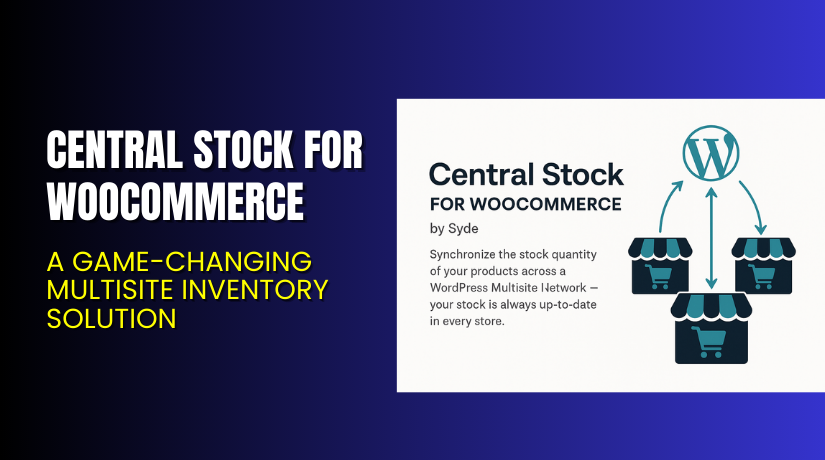
Central Stock for WooCommerce – A Game-Changing Multisite Inventory Solution
Table of Contents
- Introduction
- What is Central Stock for WooCommerce?
- Key Features of Central Stock for WooCommerce
- How to Install and Configure Central Stock?
- Pricing & Plans
- My Experience with Central Stock for WooCommerce
- Who Should Use This Plugin?
- Final Verdict
- FAQ
Introduction
Running a WooCommerce store isn’t always simple. When you manage multiple shops under a WordPress Multisite, the challenges multiply. One of the most frustrating issues store owners face is inventory management. Products go out of sync, stock levels differ, and customers encounter inconsistent availability.
These problems lead to lost sales, customer complaints, and complicated logistics.
That’s where Central Stock for WooCommerce comes in. Built by Syde GmbH, this plugin is made for WordPress Multisite networks using WooCommerce. It centralizes your stock management across multiple storefronts with real-time synchronization. No more stock mismatches or manual updates.
In this guide, we’ll cover everything you need to know about Central Stock — including features, installation steps, pricing plans, pros & cons, and useful resources.
If you ever face trouble installing or setting it up, use our Installation & Troubleshooting Services.
What is Central Stock for WooCommerce?
Central Stock for WooCommerce is a powerful inventory synchronization plugin for WordPress Multisite setups. It connects your WooCommerce shops in a Multisite network and syncs product stock across all of them.
If one store sells a product, Central Stock will automatically update the stock level across every other connected store. This prevents overselling, stock mismatches, or delays in product availability.
It’s developed by Syde GmbH, a Europe-based agency and WordPress VIP Partner. With over a decade of experience, their products are trusted by agencies, developers, and eCommerce professionals.
The plugin supports:
- WooCommerce native stock controls
- Backorders
- Negative stock configurations
- MultilingualPress for multilingual sites
You can purchase it in three paid versions or contact them for a custom enterprise solution.
Official Plugin Page:
Support Page:
Key Features of Central Stock for WooCommerce
| Feature | Description | Why It Matters |
| Automated Stock Sync | Syncs product inventory across all sites instantly | Avoids overselling and ensures consistency |
| Multisite Compatibility | Designed for WordPress Multisite with WooCommerce | Enables cross-shop inventory tracking |
| Backorders & Negative Stock | Supports advanced WooCommerce stock settings | Offers flexibility in low or negative stock cases |
| Frontend Stock Display | Shows real-time product stock in your storefront | Improves customer confidence and experience |
| Built for Performance | Built on modern PHP 7+ code | Fast, reliable, and stable performance |
| Regular Updates | Keeps compatibility with WooCommerce and WordPress core updates | Future-proof and secure |
How to Install and Configure Central Stock?
Setting up Central Stock is quick and beginner-friendly. Follow these steps:
- Download the plugin from the official site.
- Go to WordPress Dashboard → Plugins → Add New → Upload Plugin.
- Install and activate the plugin.
- Open Settings → Central Stock and configure the sync options.
- Define stock ownership and visibility settings as needed.
- Test the functionality across your multisite stores.
- Make sure your WooCommerce installation is up to date.
If you experience issues with installation or compatibility, try our Installation & Troubleshooting Services.
Pricing & Plans
Central Stock is offered under three annual license plans and a custom enterprise solution:
| Plan | Price (USD) | Includes |
| Standard | $99/year | 1 WordPress installation, 365 days of updates and premium support |
| Developer | $199/year | 5 WordPress installations, 365 days of updates and premium support |
| Agency | $399/year | 25 WordPress installations, 365 days of updates and premium support |
| Enterprise | Custom Quote | Custom SLA, 24/7 support, dedicated success team, tailored setup |
You can explore all pricing and purchase options on their official site.
Buy Central Stock for WooCommerce Now
Ready to centralize your store’s inventory?
Buy Central Stock Premium Now → Visit Purchase Page


Your purchase helps support the plugin developers and funds in-depth tutorials like this one.
My Experience with Central Stock for WooCommerce
After testing Central Stock on a real WooCommerce Multisite setup, here are my insights.
Pros:
- Easy to install and configure
- Works smoothly across multiple stores
- Eliminates manual stock tracking
- Excellent support from Syde’s team
- Clean, fast code base
Cons:
- Only supports Multisite setups (not for single stores)
- Requires knowledge of WordPress Multisite
- Annual pricing might not suit hobby users
Who Should Use This Plugin?
Central Stock is ideal for:
- WooCommerce Multisite owners managing multiple stores and a shared inventory
- Agencies handling client networks with similar product catalogs
- eCommerce teams looking to automate inventory across markets or regions
Useful Resources
Final Verdict
If you run multiple WooCommerce stores under a WordPress Multisite setup, Central Stock is a must-have plugin. It simplifies inventory management, improves customer experience, and prevents stock inconsistencies.
The performance is excellent, the setup is straightforward, and support is responsive.
Get started now and keep your stock synced across all your stores.
Need help installing or configuring it? Try our expert service.
FAQ
Q1. Is Central Stock compatible with all WooCommerce themes?
Yes. It works with most standard WooCommerce themes, but always test before going live.
Q2. Can I use both free and premium versions?
There is no free version. All plans are paid with annual billing.
Q3. How do I get support for Central Stock?
Visit the official Support Page to submit a request.



