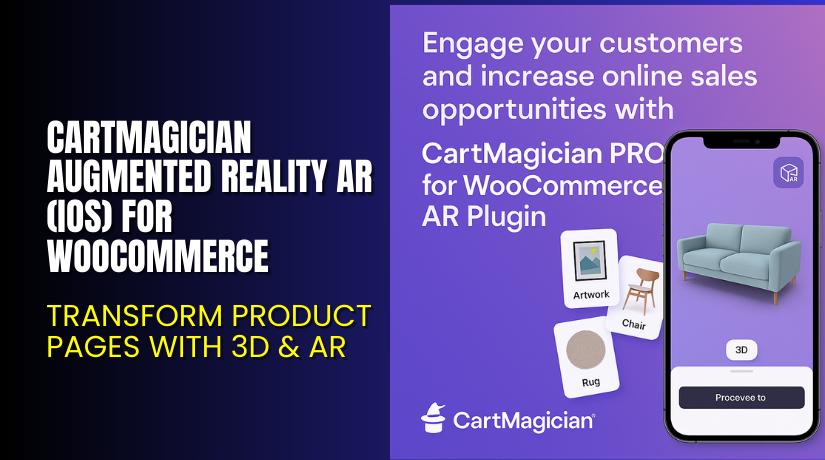
CartMagician Augmented Reality AR (iOS) for WooCommerce – Transform Product Pages with 3D & AR
Table of Contents
- Introduction
- What is CartMagician Augmented Reality AR (iOS) for WooCommerce?
- Key Features of CartMagician AR Plugin
- How to Install and Configure CartMagician AR Plugin
- Pricing & Plans
- My Experience with CartMagician AR Plugin
- Who Should Use This Plugin?
- Final Verdict
- FAQ
Introduction
Running a WooCommerce store often means juggling different tools to improve the shopping experience. But static product images no longer excite today’s customers. They want more—more interactivity, more immersion, and more confidence in what they’re buying.
That’s where CartMagician Augmented Reality AR (iOS) for WooCommerce comes in. It solves a real problem: How can store owners turn simple images into engaging 3D and AR views that increase buyer trust?
With CartMagician’s WooConnect AR plugin, you can display your products in 3D and Augmented Reality right inside your store. No complex setup. No app required. Just beautiful product visuals in real-time, viewed through any modern browser.
In this article, we’ll explore what this plugin does, how to set it up, key features, pricing, and how it stacks up against the competition.
If you ever need help installing or troubleshooting any plugin or extension, check out our Installation & Troubleshooting Services.
What is CartMagician Augmented Reality AR (iOS) for WooCommerce?
CartMagician AR Plugin for WooCommerce allows store owners to transform 2D images into 3D and WebAR product experiences. Built for creative businesses, eCommerce, and artists, the plugin enhances your WooCommerce store with immersive visuals.
It’s developed by CartMagician and is tightly integrated with their cloud platform. The plugin connects your WooCommerce dashboard with CartMagician’s 3D tools, allowing you to convert, manage, and publish AR-ready products easily.
Whether you’re selling art, rugs, furniture, or tech, CartMagician lets customers interact with your products in their own space using augmented reality. No technical skills required.
Available Versions:
- Free installation and setup support
- Pro, Showcase, and Custom plans available
Official Plugin Page: Visit Product Page
Support Page: CartMagician Help Desk
Documentation: WooCommerce Plugin Docs
Key Features of CartMagician AR Plugin
| Feature | Description | Why It Matters |
| Image-to-AR Conversion | Converts 2D images into 3D and WebAR views | Allows customers to visualize items in real life |
| One-click Sharing | Enables quick export and link sharing | Great for marketing and customer previews |
| 3D Template Library | Access CartMagician’s template designs | Saves time and ensures perfect fit |
| Batch Processing | Convert multiple products at once | Increases productivity for larger stores |
| API Integration | Connects WooCommerce with CartMagician backend | Ensures smooth real-time updates |
| Custom Branding | Modify AR button styles and page elements | Keep the look consistent with your brand |
| CDN & Domain Masking | Fast loading and custom URL options | Improves speed and brand trust |
| 3D Configurator | Enable product customization via 3D | Useful for variants like color or size |
How to Install and Configure CartMagician AR Plugin
Getting started with CartMagician’s AR plugin is simple:
- Create a CartMagician Account
Go to CartMagician and select your preferred plan. - Download the Plugin
From the official product page, download the WooConnect plugin. - Install the Plugin
Go to WordPress Dashboard → Plugins → Add New → Upload Plugin. - Activate and Connect
Activate the plugin and connect it using your CartMagician API key. - Configure Plugin Settings
Adjust your branding, button position, and AR viewer options. - Start Transforming Products
Convert 2D art, upload 3D models, or choose from templates. All from your WooCommerce dashboard.
If you run into issues during setup, consider using our Installation & Troubleshooting Services.
Pricing & Plans
CartMagician offers three primary plans for different business sizes and needs. Here’s a breakdown based on monthly and yearly options:
| Plan | Price | Includes |
| Pro | $49/month or $29/month (billed yearly) | 100 projects, 3D template library, 1-click export, AR visual converter |
| Showcase | $299/month or $199/month (billed yearly) | Full platform access, batch processing, 3D configurator, high-res AR output |
| Customize | Custom Quote | Advanced AR features, custom APIs, dedicated support, more storage and automation |
Note: All plans include access to the CartMagician platform and WooConnect plugin. No hidden fees. Cancel anytime.
Buy CartMagician AR Plugin Now
Ready to upgrade your WooCommerce store?


Your purchase supports the CartMagician development team. It also helps us continue to create valuable tutorials and walkthroughs.
My Experience with CartMagician AR Plugin
After testing the plugin on a live WooCommerce site, here are my thoughts:
Pros
- Easy setup and activation
- No coding needed
- Works with most themes and builders
- Excellent 3D template quality
- Compatible with Elementor and Dokan
- Batch processing saves time
Cons
- Showcase plan may be expensive for small stores
- Needs stable internet to load AR previews
- Learning curve for new users unfamiliar with 3D/AR
Who Should Use This Plugin?
CartMagician’s WooConnect AR plugin is a great choice for:
- WooCommerce store owners wanting to boost engagement
- Art and design sellers who need AR previews
- Agencies offering visual product marketing
- High-ticket item sellers like furniture, carpets, or wall art
- Beginners looking for no-code 3D/AR solutions
Useful Resources
- Official Product Page
- CartMagician Support Page
- Developer Documentation
- Installation & Troubleshooting Services
Final Verdict
If you’re looking for a reliable plugin to add 3D and AR functionality to your WooCommerce store, CartMagician’s AR Plugin is a solid choice.
It helps turn flat product images into interactive WebAR views in minutes. With seamless integration, template support, and strong documentation, it simplifies what used to be a complex process.
The Showcase plan is ideal for stores needing automation and configurators. The Pro plan works great for artists and SMBs.
Need help installing or fixing it? Try our Installation & Troubleshooting Services.
FAQ
Q1. Is CartMagician AR Plugin compatible with all WooCommerce themes?
Yes, it works with most popular themes and WordPress builders like Elementor and Dokan. Test for best results.
Q2. Can I use both free and premium versions?
The plugin comes with your CartMagician plan. No separate free and paid plugin version is needed.
Q3. How do I get support for this plugin?
You can reach the team via the CartMagician Help Desk for email or ticket-based support.



