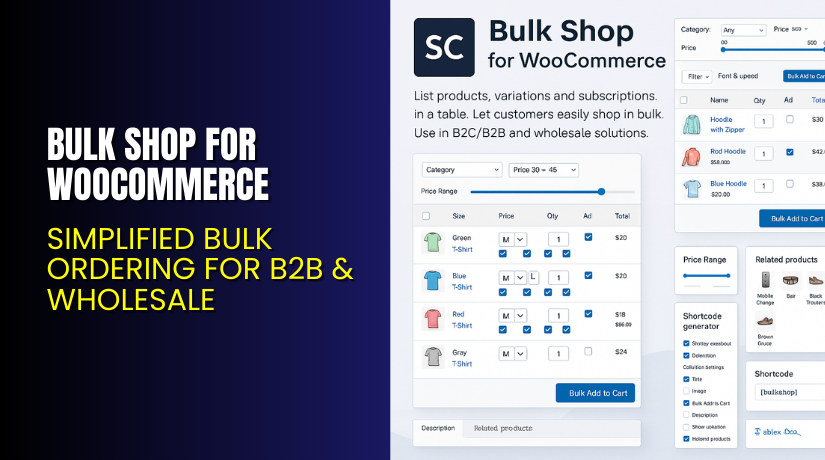
Bulk Shop for WooCommerce – Simplified Bulk Ordering for B2B & Wholesale
Table of Contents
- Introduction
- What is Bulk Shop for WooCommerce?
- Key Features of Bulk Shop for WooCommerce
- How to Install and Configure Bulk Shop for WooCommerce
- Pricing & Plans
- My Experience with Bulk Shop for WooCommerce
- Who Should Use This Plugin?
- Final Verdict
- FAQ
Introduction
Managing product orders in WooCommerce becomes harder with growing product lists. B2B customers often need to buy many products at once. But default WooCommerce isn’t designed for fast bulk ordering.
Customers must visit each product page, select quantity, and add it. That’s time-consuming and frustrating for wholesalers or repeat buyers. You need a quicker way to let customers fill their carts.
Bulk Shop for WooCommerce, by Consortia AS, solves this issue. It displays products in a responsive table with quantity fields. Customers can add multiple products and variations to cart in seconds. It’s ideal for wholesale, donation lists, or stores selling bulk goods.
In this review, we’ll explore its features, setup process, pricing, pros, and whether it’s the right choice for your store.
Need expert help installing it? Use our Installation & Troubleshooting Services.
What is Bulk Shop for WooCommerce?
Bulk Shop is a WooCommerce plugin that creates fast product order tables. Customers can select multiple items and add them to their cart in one click.
It simplifies the buying experience. Especially for wholesalers or bulk shoppers who want to order quickly. It works with products and variations. It’s mobile-friendly and responsive.
You can use shortcodes to display custom lists. These lists can show specific categories, roles, or pricing levels. That makes it easy to build targeted shopping sections.
The plugin works well for:
- Wholesale ordering
- B2B customer lists
- Fundraising product sheets
- Internal ordering portals
- Donation item collections
Official Plugin Page: consortia.no/bulk-shop-sheet
Documentation: consortia.no/docs/bulk-shop/getting-started/
Key Features of Bulk Shop for WooCommerce
| Feature | Description | Why It Matters |
| Product Table Layout | Displays products in a clean, sortable table with quantity fields | Customers can order faster with fewer clicks |
| Responsive Design | Mobile-friendly interface that works on any device | Great user experience for mobile shoppers |
| Custom Shortcode Builder | Generate custom product lists using categories and roles | Show only what matters to each customer |
| One-Click Add to Cart | Add multiple products to the cart in one action | Speeds up checkout process |
| Total Quantity & Price | Auto-calculates quantity and price before cart is updated | Helps users track costs before they purchase |
| Up-sell & Related Products | Show related or promoted items in a table format | Increases average order value |
| Retailer Pricing Support | Supports role-based pricing for wholesalers and B2C buyers | Tailor pricing to each customer type |
| Hide Prices for Guests | Use shortcodes to hide prices and buttons for non-logged-in users | Protects pricing from public view |
| Multilingual Ready | Available in English, Spanish, French, and Norwegian | Easy to translate using POT files |
| Theme Compatibility | Works with most WooCommerce-compatible themes | Easy integration into existing stores |
| Page Builder Friendly | Compatible with popular builders like Elementor and Gutenberg | Drag-and-drop ready for custom designs |
| Custom Labels and Styling | Change button text, thumbnail size, and CSS settings | Full control over table appearance |
How to Install and Configure Bulk Shop for WooCommerce
You don’t need technical skills to use Bulk Shop. Follow these easy steps:
- Download the plugin from Consortia’s official site.
- In WordPress, go to Plugins → Add New → Upload Plugin.
- Upload the ZIP file and click Install Now.
- Once installed, click Activate.
- Go to the plugin’s settings page and configure display options.
To display product lists:
- Use the shortcode builder inside your dashboard.
- Choose product categories, elements to show (image, title, price, etc.).
- Generate and copy the shortcode.
- Paste it into any page or template.
Shortcodes can:
- Show different products for different roles
- Display only in-stock items
- Exclude hidden or grouped products
- Hide pricing for guests
For help with setup or customization, try our Installation & Troubleshooting Services.
Pricing & Plans
| Plan | Price | Includes |
| Premium | $49/year | All features, 1 year of updates and support |
- 30-day money-back guarantee
- Save time and simplify bulk ordering
- Only available directly from Consortia AS
Buy Bulk Shop for WooCommerce Now
Looking to make your store bulk-order ready?
✅ Buy Bulk Shop for WooCommerce Now


Your purchase supports the developers and our effort to share helpful guides.
My Experience with Bulk Shop for WooCommerce
We tested this plugin on a B2B wholesale store with hundreds of products. The result? Much faster ordering, fewer abandoned carts, and happier customers.
Pros:
- Clean table layout for fast ordering
- Works with product variations
- Responsive and mobile-friendly
- Easy to generate and embed shortcodes
- Supports dynamic pricing by role
- Hide prices and add-to-cart buttons for guests
Cons:
- Needs basic understanding of shortcodes
- No advanced styling options without custom CSS
- Limited table filters compared to complex plugins
Who Should Use This Plugin?
Bulk Shop is perfect for:
- B2B or wholesale WooCommerce stores
- Nonprofits collecting donation items
- Schools or clubs selling fundraising kits
- Store owners needing fast ordering lists
- Agencies building WooCommerce stores for clients
If your store has many repeat buyers or customers who order large volumes, this plugin is essential.
Useful Resources
Final Verdict
Bulk Shop for WooCommerce is one of the easiest ways to simplify product ordering. It replaces the slow, product-by-product WooCommerce experience with a fast and responsive product table.
It supports dynamic pricing, user roles, and shortcodes. This makes it flexible enough for both simple and advanced stores. It’s perfect for any site that sells in volume or to returning customers.
The plugin works out of the box and is very light. With proper setup, it becomes a powerful sales tool that saves time and improves the shopping experience.
Want to save time and boost conversions? Try Bulk Shop for WooCommerce
FAQ Section
Q1. Can Bulk Shop be used with any WooCommerce theme?
Yes, it works with most WooCommerce-compatible themes and builders.
Q2. Can I show different products to different user roles?
Yes, use shortcodes to customize product lists by role or user type.
Q3. Is it mobile-friendly?
Yes, the layout is fully responsive and works well on phones and tablets.



