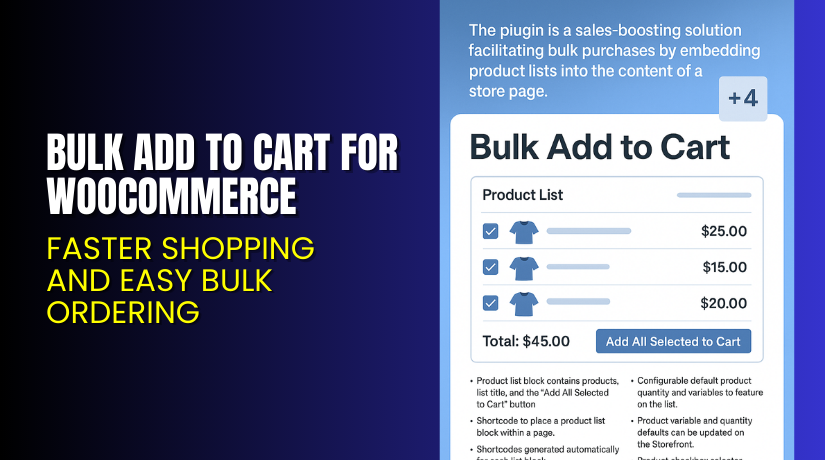
Bulk Add to Cart for WooCommerce – Faster Shopping and Easy Bulk Ordering
Table of Contents
- Introduction
- What is Bulk Add to Cart for WooCommerce?
- Features of Bulk Add to Cart for WooCommerce
- How to Install and Configure Bulk Add to Cart for WooCommerce?
- Bulk Add to Cart for WooCommerce – Pricing & Plans
- My Experience with Bulk Add to Cart for WooCommerce
- Who Should Use This Plugin?
- Final Verdict
- FAQ
Introduction
Running a WooCommerce store means managing many tasks each day. Store owners often feel overwhelmed when customers place bulk orders. Many buyers want a simple way to add multiple items instantly. They do not want to open each product page separately. This slow process hurts sales and reduces overall user experience. It also increases cart abandonment because customers get frustrated. WooCommerce, by default, does not support bulk add features. So many store owners look for a simple and fast solution.
Bulk ordering is important for wholesale stores. It is also helpful for B2B sites and multi-product sellers. Without bulk ordering, customers waste time on product pages. This results in lower conversions and fewer repeat buyers. Store owners also spend extra time managing customer queries. A good bulk add system solves these issues. It improves buying flow and speeds up checkout. It also helps customers buy more items with fewer clicks.
In this article, we will explore Bulk Add to Cart for WooCommerce, its features, installation process, pricing, pros, cons, and ideal users.
👉 If you ever need help installing or troubleshooting any plugin or extension, please try our Installation & Troubleshooting Services.
What is Bulk Add to Cart for WooCommerce?
Bulk Add to Cart for WooCommerce is a helpful plugin that lets customers add multiple products to the cart at once. It simplifies bulk ordering for retail and wholesale stores. It also reduces the steps needed to complete a large purchase. The plugin creates an easy bulk order form. Customers can select quantities and variations in one place. They can then add all selected items to the cart instantly. This makes shopping faster and more convenient.
This plugin is developed by Aheadworks, a trusted WooCommerce extension company. They create stable and user-friendly plugins for online stores. The plugin is available as a Premium version on the WooCommerce marketplace. It includes advanced features, priority support, and regular updates.
The plugin offers a clean interface and smooth workflow. It works with simple products and variable products. It also supports quantity selection, variation fields, and quick cart updates. The plugin is built to improve customer experience and increase conversions. Wholesale customers love this feature because it saves their time. Retail buyers also enjoy faster shopping.
Features of Bulk Add to Cart for WooCommerce
| Feature | Description | Why It Matters |
| Bulk Order Table | Shows multiple products in a single order table. | Helps store owners reduce time spent on product navigation. |
| Add Many Items at Once | Adds all selected products with one click. | Saves time by reducing checkout steps. |
| Variable Product Support | Allows choosing sizes, colors, or other variations. | Improves user experience and prevents order mistakes. |
| Search and Filter Options | Let’s help customers find products quickly. | Helps convert buyers who need fast bulk ordering. |
| Customizable Layout | Adjusts how the bulk table appears in the store. | Improves branding and matches store design. |
| Mobile-Friendly View | Supports mobile bulk ordering. | Useful for customers ordering from mobile devices. |
How to Install and Configure Bulk Add to Cart for WooCommerce?
- Download the plugin from the official WooCommerce purchase URL.
- Go to WordPress Dashboard → Plugins → Add New → Upload Plugin.
- Upload the ZIP file and click Install Now.
- Activate the plugin after installation.
- Go to WooCommerce → Settings → Bulk Add to Cart to set options.
- Configure display settings, table options, and variation controls.
- Add the bulk order form to a page using the provided shortcode.
- Test the plugin to ensure it works with your theme and other extensions.
💡 If you face any configuration or compatibility issues, you can try our Installation & Troubleshooting Services.
Bulk Add to Cart for WooCommerce – Pricing & Plans
| Monthly | Annually |
| $4.09 | $49 |
Subscription includes
|
Subscription includes
|
Buy Bulk Add to Cart for WooCommerce Now
Purchase Here → Buy Bulk Add to Cart for WooCommerce Premium Now


💡 Your purchase supports the development team and helps me create more tutorials like this.
My Experience with Bulk Add to Cart for WooCommerce
After testing this plugin on a live WooCommerce store, here is what I found:
Pros
- Easy setup and user-friendly interface.
- Works smoothly with simple and variable products.
- Saves time for wholesale customers.
- Stable performance with no speed issues.
- Good support from the Ahethe adworks team.
- Helpful search and filter features.
Cons
- Premium price is higher than some alternatives.
- Limited styling options without custom CSS.
- No lifetime plan available.
- Free version is not offered.
Who Should Use This Plugin?
This plugin is ideal for:
- WooCommerce store owners want faster bulk ordering.
- Wholesale and B2B stores with large product lists.
- Agencies managing multiple WordPress clients.
- Beginners who want a simple bulk ordering system.
- Retail stores sell items in multiple variations.
Useful Resources
- Official Plugin Page
- Official Support Page
- Developer Documentation
- WooHelpDesk Installation & Troubleshooting Services
Final Verdict
If you want a reliable and fast solution for bulk ordering, Bulk Add to Cart for WooCommerce is an excellent choice. It offers strong features, stable performance, and a clean interface. It helps your customers order faster and improves conversions. Wholesale users will see the most benefit from this plugin. It also reduces support requests because buyers face fewer steps.
Use the link below to get started and unlock advanced features today.
👉 Buy Bulk Add to Cart for WooCommerce Premium Now
💡 Need help installing or fixing it? Try our Installation & Troubleshooting Services.
FAQ
Q1. Is Bulk Add to Cart for WooCommerce compatible with all WooCommerce themes?
Yes, it works with most standard WooCommerce themes. Always test before going live.
Q2. Can I use both free and premium versions together?
No, you must deactivate the free version before installing the premium version.
Q3. How do I get support?
You can contact the official team using the Support Page on WooCommerce.



