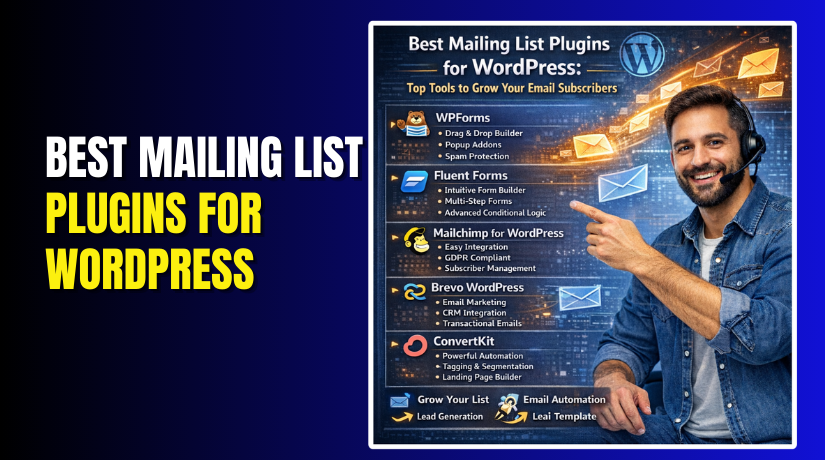
Best Mailing List Plugins for WordPress: Top Tools to Grow Your Email Subscribers
Table of Contents
- Introduction
- What Is a Mailing List Plugin for WordPress?
- What Are the Uses of a Mailing List Plugin for WordPress
- Features to Look For in the Best Mailing List Plugin for WordPress
- List of Best Mailing List Plugins for WordPress (Complete Guide)
- How to Choose the Right Plugin for Your WordPress Mailing List Goals
- Conclusion
Introduction
A mailing list helps you build a direct audience. It lets you reach people without social feeds. It also protects your traffic from platform changes. Many visitors leave and never return again. Email helps you bring them back to your site. It also helps you share new posts faster. It helps you promote offers without paid ads. That is why email is still very powerful. This guide focuses on the Best mailing list plugin for WordPress. It helps you pick the right tool quickly. It also helps you avoid slow and heavy plugins.
Most site owners want simple setup and clear results. A good plugin makes that job much easier. It also keeps your signup forms looking clean. It helps you capture leads from every key page. It can turn casual visitors into loyal readers. It can also support sales and repeat customers. You do not need to be a tech expert. You only need the right plugin choice.
In this post, you will learn the basics first. You will learn what these plugins actually do. You will also learn how they connect with email tools. You will understand common form types used on WordPress. After that, you can compare plugins with confidence.
What Is a Mailing List Plugin for WordPress?
A WordPress mailing list plugin helps you collect subscriber emails. It adds signup forms to your WordPress website pages. It can show forms in posts and sidebars too. It can also show popups and sticky bars. Many people call it a subscription form plugin. Some call it a lead capture plugin. A WordPress email subscription plugin saves emails and sends them.
In most cases, it sends them to an email service. That service stores your contacts and sends email campaigns. This is why plugins and services work together. The plugin handles forms and site display. The email service handles mailing, lists, and sending rules. Some plugins also store emails inside WordPress. That option is useful for small lists and testing. For long term growth, a service is better. It offers better delivery and list control.
What Are the Uses of a Mailing List Plugin for WordPress
A mailing list helps you own your audience and traffic. It keeps you connected when social reach drops suddenly. A WordPress mailing list plugin makes signup collection simple and fast. It places forms where visitors can subscribe without confusion. It also sends new leads into your email tool. That makes it a strong Email marketing plugin for WordPress. It helps you grow steadily with repeat visits and clicks. It also supports better promotions without heavy ad spending.
Collect Email Subscribers From Your Website in the Right Places
A WordPress email subscription plugin collects emails from high-intent pages. It captures readers on blog posts, pages, and landing pages. It can also place forms in headers and footers. This helps you get signups from every key website section.
Send Leads To Your Email Service Automatically For Smooth Management
Manual copying emails wastes time and creates mistakes often. Good plugins push every signup into your email platform. You can then send welcome emails and weekly newsletters easily. This is how list building becomes a clean process.
Grow Signups Using Forms And Popups Without Annoying Visitors
Popups can work well when used with smart timing. Inline forms work best for readers who like calm pages. Slide-ins feel softer and still get good attention. Sticky bars work well for offers and content upgrades. These options help you test what fits your audience.
Build Segments Using Tags And Groups For Better Targeting
A list becomes powerful when you organize subscribers properly. Tags help you separate readers by topic interest quickly. Groups help you target offers based on user needs. Better targeting improves clicks and lowers unsubscribes over time.
Run Offers, Coupons, And Lead Magnets To Boost Conversions
Lead magnets give visitors a clear reason to subscribe. You can offer a checklist, guide, or simple discount. Many plugins let you connect forms to specific offers. That helps you grow faster with higher signup intent.
Track Form Performance And Improve What Works On Your Website
Tracking shows which form converts best on your pages. You can find weak forms and improve copy quickly. You can test placement and measure results with clear numbers. This helps you choose the Best email list plugin WordPress users trust.
Use Cases By Website Type For Better Planning
Different websites need different form styles and plugin features. Choose based on your site goals and visitor behavior.
- Blogs and Content Sites: Inline forms and end-of-post forms work best.
- Business and Service Sites: Contact pages and sticky bars convert well.
- WooCommerce Stores: Checkout forms and coupon popups grow lists faster.
- Agencies and Freelancers: Multi-site support saves time and effort.
Features to Look For in the Best Mailing List Plugin for WordPress
The Best mailing list plugin for WordPress should feel simple daily. It should build forms fast and connect with your email tool. It should also keep pages fast and mobile friendly. Use this checklist before you pick any plugin.
Form and Design Features That Keep Signup Forms Clean
- Drag-and-drop form builder for quick edits without coding skills.
- Ready templates that match blog style and brand colors easily.
- Mobile responsive forms that look good on small screens.
- Custom fields for name, interests, and simple user preferences.
- Easy embed options for pages, posts, widgets, and shortcodes.
Growth and Conversion Features That Help You Get More Signups
- Popups, slide-ins, and sticky bars for better signup visibility.
- Smart targeting rules for pages, posts, categories, and user actions.
- Exit intent triggers to capture visitors before they leave.
- A/B testing to compare form headlines, offers, and layouts.
- Built-in stats to track views, signups, and conversion rates.
Integration and Automation Features That Keep Everything Connected
- Direct integrations with major email tools for smooth list sync.
- API key setup that takes minutes and avoids complex steps.
- Tagging support so lists stay organized by form and topic.
- Double opt-in option to reduce spam and fake signups.
- Webhook or Zapier support for advanced workflows when needed.
Security and Performance Features That Protect and Speed Up Pages
- Spam protection like reCAPTCHA or honeypot for clean lists.
- GDPR consent checkbox for better trust and clear permission.
- Lightweight scripts that do not slow down your website pages.
- Compatibility with caching plugins for stable form loading everywhere.
- Works well with page builders and most modern WordPress themes.
List of Best Mailing List Plugins for WordPress (Complete Guide)
Below are the most trusted options for growing subscribers fast. Each one can act as an Email marketing plugin for WordPress. Pick based on your goals, budget, and email service needs.
#1 WPForms
WPForms is a popular WordPress email subscription plugin for beginners. It helps you create clean signup forms in minutes. It works great for blogs, business sites, and simple funnels. You can connect it with many email services easily. If you want a stable WordPress mailing list plugin, WPForms is a safe pick. It also works well with most WordPress themes.
Features
- Drag-and-drop builder for fast form creation without coding.
- Email tool integrations for list sync with popular services.
- Pre-built templates for newsletter, contact, and signup forms.
- Smart fields and conditional rules for better form control.
- Spam protection options like reCAPTCHA and basic honeypot support.
Pros
- Very beginner-friendly setup with clear menus and options.
- Works well as a WordPress newsletter plugin style form tool.
- Integrates smoothly with many email services and CRMs.
- Forms load fast and stay stable on most websites.
- Great support docs for quick fixes and clean setup.
Cons
- Many best features are locked behind paid versions.
- Popup-style growth needs extra tools or marketing add-ons.
- Advanced email automations depend on your email service features.
- Styling can feel basic without extra design tweaks.
- Pricing may feel high for small hobby websites.
Best for Simple Signup Forms and Easy Integrations
#2 Fluent Forms
Fluent Forms is a fast and flexible WordPress mailing list plugin option. It focuses on smooth form building with lightweight performance. It supports newsletter signup forms and advanced field setups. You can connect it with many email services quickly. It also supports tags and lists using simple mapping. If you want the Best email list plugin WordPress for speed, consider it.
Features
- Lightweight form builder that stays fast on most hosting.
- Email integrations for list sync with tags and groups.
- Multi-step forms for better signup flow and lower drop-offs.
- Conditional logic to show fields based on user actions.
- Built-in spam controls with reCAPTCHA and strong validation tools.
Pros
- Fast loading forms that help keep pages quick.
- Strong integrations for email tools and automation platforms.
- Great value for features compared to many competitors.
- Works well for blogs, services, and WooCommerce lead capture.
- Easy form embedding with shortcodes and page builder blocks.
Cons
- Some integrations require paid plans for full syncing features.
- Design control may need extra styling for perfect branding.
- Beginners may feel overwhelmed by advanced form settings.
- Popup growth needs separate tools for best results.
- Reports are helpful, but not as deep as lead tools.
Best for Speed, Flexibility, and Modern Form Design
#3 Mailchimp for WordPress
Mailchimp for WordPress is built for simple Mailchimp list growth. It helps you add signup forms and connect quickly. You can place forms in posts, pages, and widgets easily. It supports basic fields and email list syncing. If Mailchimp is your main tool, this plugin fits well. It works as a simple Email marketing plugin for WordPress choice.
Features
- Direct Mailchimp connection using API key setup in minutes.
- Signup forms you can embed using shortcodes and widgets.
- Basic form fields for name, email, and simple list details.
- Double opt-in support to reduce fake and spam signups.
- GDPR-friendly options like consent checkbox and simple labels.
Pros
- Best fit for Mailchimp users needing simple list growth.
- Setup is quick and does not need complex settings.
- Works fine as a basic WordPress email subscription plugin.
- Good for blogs that need simple newsletter signup forms.
- Lightweight approach for simple needs and limited form types.
Cons
- Limited design and layout control for advanced branding.
- Advanced targeting and popups need separate lead tools.
- Mostly useful only if Mailchimp is your main service.
- Reporting is basic compared to premium lead capture tools.
- Extra features often require add-ons or other plugins.
Best for if You Use Mailchimp Already
#4 Brevo WordPress
Brevo works well if you want email marketing with extra channels. The plugin helps you add forms and sync contacts easily. It supports email lists, segmentation, and basic automation workflows. It can also support SMS features through your Brevo account. If you want an all-in-one service approach, Brevo is strong. It can be the Best mailing list plugin for WordPress when paired well.


Features
- Contact sync from WordPress forms into Brevo subscriber lists.
- Form tools to collect emails with basic layout controls.
- List segmentation support using attributes and contact details.
- Automation support through Brevo workflows and campaign tools.
- GDPR options and double opt-in for safer subscriber collection.
Pros
- Good for email and SMS marketing in one platform.
- Simple setup for list capture and contact syncing.
- Works well for small businesses and service websites.
- Supports tagging style segmentation using contact attributes.
- Strong delivery tools when campaigns run from Brevo servers.
Cons
- Design control can feel limited inside WordPress sometimes.
- Advanced popups and targeting may need extra tools.
- Some features depend on your Brevo plan level.
- Learning Brevo dashboard takes time for total beginners.
- Best results need automation setup inside Brevo, not WordPress.
Best for Email + SMS Marketing Options
#5 ConvertKit
ConvertKit is built for creators who want clean email targeting. The plugin helps you connect forms to ConvertKit easily. It supports tags, segments, and simple subscriber management workflows. It works well for bloggers, coaches, and digital product sites. If you want creator-focused tools, ConvertKit fits perfectly. It can be a strong WordPress newsletter plugin partner for growth.
Features
- ConvertKit form embedding with quick connection and simple setup.
- Tagging support to segment readers by interest and signup source.
- Landing page and form options based on ConvertKit tools.
- Double opt-in options to keep list clean and trusted.
- Easy placement using shortcodes and WordPress block support.
Pros
- Great for creators who need tags and simple automation.
- Clean workflows for welcome sequences and subscriber targeting.
- Works well for blogs, courses, and digital product funnels.
- Easy setup for ConvertKit users with minimal plugin work.
- Reliable syncing that keeps your list updated automatically.
Cons
- Not ideal if you do not use ConvertKit service.
- Form design options depend on ConvertKit form styling choices.
- Popup growth features may need extra lead tools.
- Pricing can be higher compared to beginner email platforms.
- Reporting is better inside ConvertKit, not inside WordPress.
Best for Creators, Bloggers, and Courses
#6 MailerLite WordPress
MailerLite is known for clean email tools and simple automation. The WordPress plugin helps you connect forms and lists quickly. It works for bloggers, small businesses, and newsletter-focused sites. You can collect emails and send them into MailerLite groups. It fits well as a modern WordPress mailing list plugin setup. It also supports clean design with minimal effort.
Features
- Easy list connection using API key and group selection.
- Signup forms that can embed using blocks and shortcodes.
- Double opt-in settings for better list quality and trust.
- Basic automation support through MailerLite workflows and triggers.
- Form styling options that stay clean on most themes.
Pros
- Simple setup for beginners who want clean list growth.
- Good balance of features and price for many users.
- Works well as an Email marketing plugin for WordPress solution.
- Great for newsletters, announcements, and simple marketing ampaigns.
- User-friendly dashboard and clear group management options.
Cons
- Advanced targeting rules are limited without dedicated lead tools.
- Popup triggers may feel basic compared to premium platforms.
- Some styling may require tweaks for perfect brand matching.
- Strong reporting lives inside MailerLite, not WordPress.
- Best value depends on list size and plan limits.
Best for Simple Emails and Clean Automation
#7 OptinMonster
OptinMonster is a conversion tool built for serious list growth. It helps you create popups, slide-ins, and sticky bars quickly. It includes targeting rules to show offers on specific pages. It also supports exit intent and behavior-based triggers. If you want aggressive list growth, it is a top choice. Many call it the Best mailing list plugin for WordPress for conversions.
Features
- Popup builder with templates for fast and clean campaign setup.
- Advanced targeting rules based on pages, actions, and traffic source.
- Exit intent and scroll triggers for better signup timing.
- A/B testing to improve form conversions with real data.
- Analytics dashboard to track views, signups, and conversion rates.
Pros
- Best for fast list growth using smart popup targeting.
- Great for lead magnets, coupons, and limited-time offers.
- Works with many email platforms and CRM services.
- Strong testing tools help improve results over time.
- Excellent choice for stores, agencies, and marketing teams.
Cons
- It is not cheap for beginners with small budgets.
- Needs an account setup outside WordPress for full use.
- Can feel heavy if you create too many campaigns.
- Some users prefer fully WordPress-based tools for simplicity.
- Requires good strategy to avoid annoying site visitors.
Best for High Conversion Popups and Targeting
#8 Thrive Leads
Thrive Leads is built for WordPress users who want control. It offers many opt-in form types and targeting rules. It supports tests, reports, and content-based display options. It works well for bloggers and businesses focused on growth. If you want a strong WordPress email subscription plugin with lead tools, it fits. It can feel like a full conversion suite inside WordPress.
Features
- Many form types like popups, ribbons, and inline opt-ins.
- Targeting rules based on posts, categories, and user behavior.
- A/B testing for forms, offers, and form placements.
- Built-in reports to track conversions across different opt-ins.
- Smart links to show different offers to existing subscribers.
Pros
- Strong WordPress-first tool for serious list building work.
- Great testing and reports for improving signup performance.
- Works well with content sites and lead magnet funnels.
- Many form display types for different site layouts.
- Good control without needing external popup platforms.
Cons
- Can add weight if many features run together.
- Setup takes time due to many options and settings.
- Best value often requires a Thrive Suite membership plan.
- Design control may still need tweaks for perfect branding.
- Beginners may prefer simpler plugins with fewer settings.
Best for WordPress-Focused Lead Generation Features
How to Choose the Right Plugin for Your WordPress Mailing List Goals
Choosing the right tool depends on your goal and setup. The Best mailing list plugin for WordPress is not same for everyone. Some sites need simple forms and clean list syncing. Other sites need popups, targeting, and strong conversion tracking. Use the steps below to pick the best match.
Choose Based on Your Main Website Goal and Growth Plan
First, decide what you want from your email list. This decides the best plugin type for your site. A simple form plugin fits basic signup collection needs. A lead tool fits fast growth and higher conversion goals. Use these goal checks to decide quickly.
- If you want simple signup forms, pick WPForms or Fluent Forms.
- If you want popups and targeting, pick OptinMonster or Thrive Leads.
- If you want creator workflows, pick ConvertKit with tags and forms.
- If you use one platform, pick Mailchimp, Brevo, or MailerLite.
If your goal is simple email capture, avoid heavy marketing suites. If your goal is fast growth, choose a conversion-focused tool. This is the easiest way to choose the right plugin.
Choose Based on Your Skill Level and Daily Work Style
Your comfort level matters more than most people think. A beginner needs clear menus and quick setup steps. An advanced user wants more control and flexible settings. Pick a plugin that matches how you work daily.
- Beginners should choose simple builders with ready form templates.
- Growing sites should choose tools with targeting and analytics options.
- Advanced users should choose tools with tags and automations support.
A complex tool can slow you down if you are new. A simple tool can feel limited as you scale. Choose what you can manage without stress. This keeps your list growth consistent and smooth.
Choose Based on Compatibility With Your WordPress Setup
Compatibility avoids errors, slow forms, and broken layouts later. Your plugin must work with your theme and builder. It must also work with caching and speed plugins. This matters when pages load fast and stay stable.
- If you use Elementor, choose tools with easy embed support.
- If you use Gutenberg, choose plugins with strong block support.
- If you use caching, choose lightweight scripts and stable loading.
- If you use WooCommerce, choose tagging and customer segmentation support.
A good WordPress email subscription plugin should load forms quickly. It should not break layouts on mobile screens. It should also avoid conflicts with other website plugins. This keeps your signup experience smooth for every visitor.
Choose Based on Budget and Value Over Time
Budget is not only about the cheapest plugin today. It is about value as your list grows bigger. Free plans work for basic forms and early testing. Paid plans unlock better targeting and higher conversions. Decide what you need in the next six months.
- Choose free plans if you are testing list building basics.
- Choose paid plans if you need popups and smart targeting.
- Choose paid plans if you need reports and A/B testing.
- Choose paid plans if you need advanced integrations and tags.
If you want the Best email list plugin WordPress users rely on, plan ahead. A cheap setup can cost more with add-ons later. A smart setup saves time and improves results long term.
Conclusion
A strong email list helps you grow traffic and repeat visits. The right WordPress mailing list plugin makes this process easy. If you want simple forms, choose WPForms or Fluent Forms. If you want higher conversions, choose OptinMonster or Thrive Leads. If you use one platform, choose Mailchimp, Brevo, or MailerLite.
If you are a creator, ConvertKit is a strong fit. This guide helps you pick the Best mailing list plugin for WordPress faster. It also helps you avoid tools that do not match goals. A good plugin also works as an Email marketing plugin for WordPress. It syncs leads cleanly and keeps your list organized.
If you want expert help with setup and performance, contact WooHelpDesk today. They can set up your forms, connect your email service, and track signups. They can also fix form display issues and plugin conflicts fast.