Best Free Multi Currency Plugins for WooCommerce (Complete Guide)
Table of Contents
- Introduction
- What Is a WooCommerce Multi-Currency Plugin and How It Works
- Benefits of Using Multi-Currency Plugins for WooCommerce in Real Stores
- Features to Look for in a Free Multi-Currency Plugin for WooCommerce
- List Of Best Free Multi-Currency Plugins for WooCommerce (Top Picks)
- Free vs Premium Multi-Currency Plugins for WooCommerce: What Changes
- How to Choose the Right Free Multi-Currency Plugin for Your Store
- Conclusion
Introduction
Online shoppers want prices in their local currency. They trust a store more when pricing feels familiar. This is why WooCommerce multiple currencies support matters today. If you sell globally, currency confusion can hurt sales. Many store owners start with a Free multi currency plugin for WooCommerce. It is a simple way to grow without extra cost. A good plugin can show correct prices for visitors. It can also reduce questions at checkout. In this guide, you will learn the basics first. Then you can choose the best free plugin later.
Many users search for a WooCommerce currency switcher plugin quickly. They want a clean switcher near the header menu. They also want rates that update automatically. Some stores need manual rates for stable pricing. A reliable Free currency switcher for WooCommerce helps you do both. It lets shoppers feel confident before adding products. That confidence often increases checkout completion rates.
What Is a WooCommerce Multi-Currency Plugin and How It Works
A Multi currency WooCommerce plugin lets customers change currency on your store. It displays product prices in different currencies on pages. It can show USD, EUR, GBP, INR, and more. This is called a currency switcher feature. Many people call it a WooCommerce currency switcher plugin for simplicity. The plugin adds a dropdown, sidebar switcher, or floating widget. Customers pick a currency and see updated prices instantly.
A true multi-currency setup has two common levels. The first level is display-only currency switching. Prices change on pages, but checkout may stay default. The second level supports checkout payments in selected currencies. That is where real WooCommerce multi currency support matters most. Not every free plugin supports multi-currency checkout. Some only change the price display on the storefront. Others work with payment gateways for real currency charging.
Most plugins use exchange rates to convert prices. Rates can update daily, hourly, or on demand. Some plugins pull rates from online exchange sources. Others let you set rates manually for control. Manual rates help when you want stable pricing. Automatic rates help when you want real-time accuracy. A good WooCommerce multi currency plugin free option will offer both.
Benefits of Using Multi-Currency Plugins for WooCommerce in Real Stores
Improves Price Clarity for Every Visitor
Customers understand pricing faster in their local currency. They do not need external converters for price checks. This creates better trust during product browsing. A WooCommerce currency switcher plugin makes pricing clear instantly. Clear pricing also reduces doubts before adding items. This helps more visitors move toward the cart.
Builds Trust and Makes Your Store Look More Global
Many buyers trust stores that feel international and professional. Local currency display feels like a local shopping experience. A Free multi currency plugin for WooCommerce supports that feeling. It reduces the “foreign store” fear for new customers. That trust can increase first-time purchases quickly.
Reduces Cart Abandonment Caused by Currency Confusion
Cart abandonment often happens due to price surprises. Currency conversion at the last step feels risky. A WooCommerce multiple currencies setup reduces this problem. Customers see expected totals earlier in the process. This makes checkout feel smooth and predictable.
Improves User Experience on Mobile and Faster Shopping
Mobile buyers want fast and simple shopping steps. They do not like switching apps for conversions. A Free currency switcher for WooCommerce keeps them on-site. It saves time and reduces distraction during purchase. Better UX often means more completed orders.
Helps You Sell in More Countries Without Extra Store Versions
Many store owners create separate stores for regions. That increases maintenance and support work a lot. A Multi currency WooCommerce plugin helps avoid that need. You can serve many countries using one store only. This makes global expansion easier and cheaper.
Supports Better International Marketing and Ad Campaigns
Ads work better when pricing matches the audience location. Visitors click more when prices feel familiar and local. With WooCommerce multi currency support, you can match pricing. This improves results from Google Ads and social campaigns. It can also improve conversions from SEO traffic.
Reduces Customer Support Questions About Pricing and Totals
Customers often ask about conversion and final costs. These questions slow down support and delay purchases. A WooCommerce multi currency plugin free option reduces these queries. Clear pricing answers most questions automatically. This saves time for both you and customers.
Helps Prevent Refund Issues Due to Currency Misunderstanding
Some refunds happen because buyers misunderstand currency totals. They may think the charge was higher than expected. A good WooCommerce currency switcher plugin reduces that risk. Customers see pricing in the right format from the start. This improves order confidence and reduces disputes.
Features to Look for in a Free Multi-Currency Plugin for WooCommerce
Automatic currency detection for better local shopping experience
Geo detection shows the right currency for each visitor. It makes WooCommerce multiple currencies feel natural and simple. Customers see local prices without changing anything manually. This improves trust and speeds up product decisions.
Manual currency switcher that customers can control anytime
A visible switcher lets users change currency in one click. This is the core job of a WooCommerce currency switcher plugin. It helps when travelers shop from different locations. It also supports users who prefer a specific currency.
Automatic exchange rates to keep pricing updated daily
Auto rates keep conversions accurate without your daily work. Many WooCommerce multi currency plugin free tools support this option. You can set update frequency for stable store behavior. This helps stores selling in many countries.
Manual exchange rate control for stable pricing and margins
Manual rates help when you want fixed pricing for campaigns. It also protects your profit when exchange rates change fast. A good Multi currency WooCommerce plugin should offer this control. It is useful for bundles and subscription products too.
Currency formatting that matches customer expectations
Customers notice symbols, decimals, and price format quickly. Good formatting makes your store look clean and professional. You can set currency symbols and symbol positions easily. This improves clarity across product and cart pages.
Checkout and payment gateway compatibility for smooth payments
Some plugins only change the price display on the storefront. Others provide full WooCommerce multi currency support at checkout. Always check gateway support for Stripe, PayPal, and WooPayments. This helps avoid payment failures and checkout confusion.
Theme and builder compatibility for consistent design everywhere
Your switcher must match your theme layout and styles. It should work with Elementor, WPBakery, and block themes. A clean switcher keeps your site design consistent. This improves user experience on all pages.
Speed and performance impact for fast loading storefront pages
Multi-currency features can add extra scripts and API calls. Choose a lightweight Free currency switcher for WooCommerce option. Faster pages improve SEO and reduce bounce rates. Always test speed after plugin activation.
List Of Best Free Multi-Currency Plugins for WooCommerce (Top Picks)
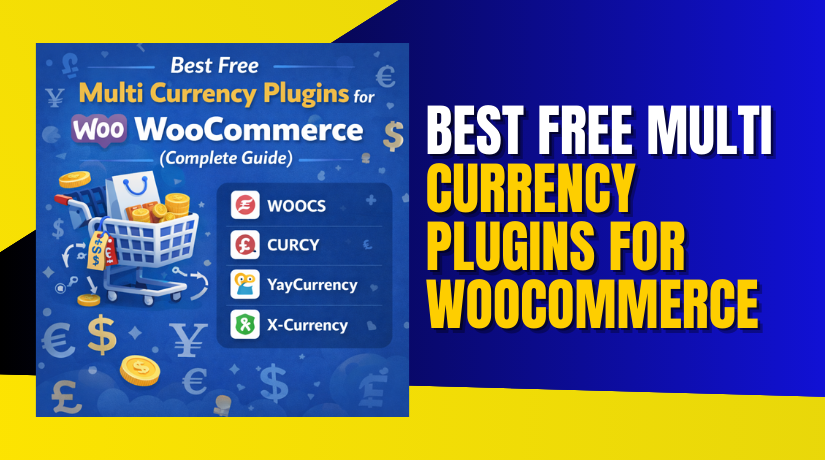
#1 WOOCS (WooCommerce Currency Switcher)
WOOCS is a trusted WooCommerce currency switcher plugin for global stores. It lets shoppers choose currencies while browsing products and categories easily. This Multi currency WooCommerce plugin can auto-update rates or use manuals. You can place a switcher in menus, widgets, or shortcodes. It supports WooCommerce multiple currencies with flexible formatting and rounding rules. For many sites, it works as a WooCommerce multi currency plugin free. Setup is fast, stable.
Features


- Adds a currency switcher with dropdown, widgets, and shortcode support.
- Supports automatic exchange rates with flexible update timing options.
- Allows manual exchange rates for stable pricing and better margins.
- Offers price formatting, symbols, decimals, and rounding rule controls.
- Works across product, shop, cart, and checkout price displays.
Pros
- Simple setup for WooCommerce multi currency support on most stores.
- Switcher placement is flexible for themes, menus, and widgets.
- Auto rates save time for stores selling in many regions.
- Manual rates help protect profit during sudden exchange changes.
- Clean formatting improves trust and reduces price confusion for buyers.
Cons
- Some advanced checkout currency payments may need premium features.
- Too many currencies can slow pages on low-powered hosting.
- Theme styling may need small tweaks for perfect switcher design.
- Geolocation behavior may vary by caching and CDN settings.
- Certain gateway rules may need extra testing on the checkout page.
Download Link: WOOCS
#2 CURCY (Woo Multi Currency)
CURCY is a popular Free multi currency plugin for WooCommerce beginners. It adds a clean switcher so buyers change currency anytime. You can set exchange rates automatically, or control them manually. This WooCommerce multi currency plugin supports shortcodes, widgets, and menus. It helps show WooCommerce multiple currencies on shop, cart, and pages. Formatting options keep symbols and decimals correct for each currency. Reliable switcher for WooCommerce multi currency support.
Features
- Adds a simple switcher for quick currency changes on storefront pages.
- Supports automatic exchange rates with update scheduling for accuracy.
- Lets you set manual rates for stable pricing and planned campaigns.
- Provides formatting controls for symbols, decimals, and currency positions.
- Supports switcher placement using shortcodes, widgets, and menu options.
Pros
- Easy to use for anyone needing WooCommerce multiple currencies quickly.
- Switcher looks clean and fits well with most modern themes.
- Auto rates reduce manual work for global price conversions.
- Manual rates help you keep pricing stable during promotions.
- Good option as a Free currency switcher for WooCommerce stores.
Cons
- Some advanced location rules may be limited in the free version.
- Checkout currency payment support depends on your gateway setup.
- Caching can cause wrong currency display without proper exclusions.
- Styling may need tweaks for some themes and page builders.
- Multi-currency rounding rules may be basic on some store setups.
Download Link: CURCY
#3 YayCurrency
YayCurrency is a lightweight WooCommerce currency switcher plugin built for global shops. It helps you show WooCommerce multiple currencies across products, cart, and checkout. You can enable auto rates, or set manual rates for stable pricing. The switcher can be placed in menus, widgets, or with shortcodes. For many stores, it works as a WooCommerce multi currency plugin free option. It also supports clean formatting and smooth customer switching.
Features
- Adds currency switcher using menu, widget, and shortcode placements.
- Supports automatic exchange rates with scheduled update controls.
- Allows manual exchange rates for stable pricing and profit control.
- Provides currency formatting for symbols, decimals, and positions.
- Supports smooth switching for WooCommerce multiple currencies across pages.
Pros
- Easy setup for a Free multi currency plugin for WooCommerce.
- Switcher looks clean and works well with most store layouts.
- Auto rates reduce work for global pricing updates daily.
- Manual rates help keep pricing stable during promos.
- Strong option for WooCommerce multi currency support on storefront pages.
Cons
- Some advanced rules may require premium features later.
- Caching can show wrong currency without proper cache exclusions.
- Some themes may need small CSS for perfect switcher style.
- Gateway behavior should be tested before running paid campaigns.
- Too many currencies may add load on slower hosting plans.
Download Link: YayCurrency
#4 X-Currency
X-Currency is a modern Free multi currency plugin for WooCommerce with strong design control. It lets customers switch currencies using stylish templates and flexible placements. You can create custom currencies with symbols, flags, and formatting rules. It supports automatic exchange rates and also manual rates for better control. If you need a Free currency switcher for WooCommerce that looks polished, X-Currency is a solid choice for WooCommerce multi currency support.
Features
- Offers ready switcher templates for modern and clean currency design.
- Supports custom currencies with symbols, codes, and flag display.
- Allows automatic exchange rates with reliable update options.
- Supports manual rates for stable pricing and better profit margins.
- Provides flexible placement using widgets, shortcodes, or menu locations.
Pros
- Great for stores needing a stylish WooCommerce currency switcher plugin.
- Easy to match switcher look with your store brand style.
- Works well for WooCommerce multiple currencies on product pages.
- Manual rates help keep pricing stable across global campaigns.
- Strong choice as a WooCommerce multi currency plugin free.
Cons
- Some advanced checkout rules may not exist in the free version.
- Too many switcher effects can slow older themes slightly.
- Geolocation may need cache settings for accurate currency display.
- Some builders may need shortcode placement for best results.
- Extra features may require premium add-ons for complex needs.
Download Link: X-Currency
Free vs Premium Multi-Currency Plugins for WooCommerce: What Changes
Free plugins work well for many small global stores. A WooCommerce multi currency plugin free option often covers basics. It usually adds a switcher and basic rate conversions. It helps show WooCommerce multiple currencies across key store pages. A premium plugin adds deeper control and checkout rules. It may also add better compatibility for more payment methods. It can also improve location rules and currency restrictions.
What Free Plugins Usually Include
- WooCommerce currency switcher plugin with dropdown or widget options.
- Basic automatic exchange rates, sometimes with limited update settings.
- Manual rate settings for simple pricing control and stable margins.
- Basic currency formatting like symbols, decimals, and symbol placement.
- Shortcodes for placing switchers in headers and product pages.
What Premium Versions Usually Add
- Better checkout charging rules with stronger WooCommerce multi currency support.
- Advanced pricing rules per product, category, or customer location.
- More control for rounding, fee rules, and conversion adjustments.
- Stronger gateway compatibility and more stable checkout behavior.
- Priority support and faster fixes for theme and plugin conflicts.
When Upgrading Makes Sense for Serious Stores
Upgrade when you need checkout payments in many currencies. Upgrade when you need strict currency rules by country. Upgrade when you need product-level pricing and advanced rounding. Upgrade when you run paid ads in multiple regions. Upgrade when you need faster support for urgent checkout issues.
How to Choose the Right Free Multi-Currency Plugin for Your Store
Start by checking your store goal and buyer locations. Then match features to your checkout and pricing needs. A good Free multi currency plugin for WooCommerce should feel simple. It should also stay stable during heavy traffic and checkout use. Use this quick checklist before you install any plugin.
Choose based on store size and daily traffic
Small stores should pick a light Free currency switcher for WooCommerce. Medium stores should test speed after adding multiple currencies. Large stores should focus on caching support and stability.
Choose based on your target countries and currency needs
Pick a plugin that supports your main buyer currencies. Check if it supports currency formatting for those regions. Check if it supports local symbol position and decimal rules.
Choose based on checkout and payment gateway requirements
Confirm if it supports checkout currency behavior you need. Test Stripe, PayPal, or WooPayments with your selected currency. If needed, pick a plugin with stronger gateway support. This improves real WooCommerce multi currency support at checkout.
Choose based on how you manage exchange rates
If you want accuracy, use automatic exchange rate updates. If you want stability, choose manual rate control. Many stores use both for different sales periods.
Choose based on theme and builder compatibility
Check switcher placement for your header and mobile menus. Test with Elementor or your current block theme layout. Make sure the switcher looks clean on small screens.
Conclusion
Multi-currency pricing helps customers trust your store faster. It also reduces confusion during cart and checkout steps. A Free multi currency plugin for WooCommerce is a smart starting point. You can test global demand without paying extra fees. Choose a plugin that offers clean switching and stable rates. Always test your store on mobile, cart, and checkout pages. Also check gateway behavior before running paid campaigns.
If your currency switcher is not working correctly, fix it early. Small issues can impact orders and customer confidence. If you need expert help with setup, conflicts, or checkout testing, WooHelpDesk can help. Our team can check plugin settings, cache rules, and gateway issues. We can also recommend the best WooCommerce currency switcher plugin for your store. Visit WooHelpDesk and get WooCommerce support that keeps sales running.