Bespoke Theme for WordPress – Elegant Fullscreen Design for Storytellers
Table of Contents
- Introduction
- What is Bespoke Theme?
- Key Features of Bespoke Theme
- How to Install and Configure Bespoke Theme
- Pricing & Plans
- My Experience with Bespoke Theme
- Who Should Use This Plugin?
- Final Verdict
- FAQ
Introduction
Running a visually rich WordPress site shouldn’t be hard. But many users still battle with messy layouts, clunky sliders, and bloated templates. This is especially frustrating for storytellers, bloggers, and creators who want elegance and simplicity.
If your goal is to build a fullscreen site that feels curated and immersive, but simple to maintain, you’re in the right place.
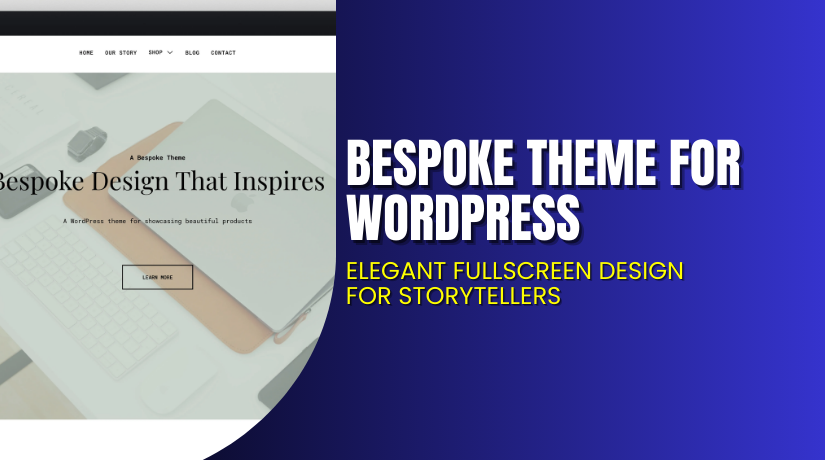
Enter the Bespoke Theme by Press75. It’s a premium WordPress theme designed to present your content in a unique and fullscreen format. Whether you’re a writer, photographer, filmmaker, or agency – Bespoke gives your work the space it deserves.
In this article, you’ll learn everything about Bespoke – its features, pricing, how to install and customize it, and who it’s best for.
If you need help installing or fixing theme issues, try our Bespoke Theme Installation & Troubleshooting Services.
What is Bespoke Theme?
Bespoke Theme is a premium fullscreen WordPress theme built by Press75. It focuses on immersive storytelling using clean typography, edge-to-edge images, and a distraction-free experience.
This theme is ideal for portfolios, creative storytelling, product showcases, and agencies. It supports full-width sliders, rich media, and easy navigation.
Unlike other themes, Bespoke does not overwhelm you with unnecessary widgets or layout builders. Instead, it simplifies your publishing experience while giving your visuals room to breathe.
The theme is currently on version 1.0.2, and includes updates, support, and a money-back guarantee.
- Official Theme Page: View Bespoke Theme
- Support Page: Press75 Theme Support
- Documentation: Bespoke Theme Documentation
Key Features of Bespoke Theme
| Feature | Description | Why It Matters |
| Fullscreen Display | Edge-to-edge media layout for maximum visual impact | Ideal for storytelling, product showcases, or portfolios |
| Clean Typography | Minimal and readable fonts optimized for long-form content | Keeps readers focused on the content |
| Responsive Design | Adapts beautifully across all screen sizes | Ensures a consistent experience on mobile and desktop |
| Lightweight Build | No page builders or extra plugins required | Faster loading times and easy maintenance |
| Image & Video Support | Compatible with embedded video, galleries, and featured media | Helps storytellers and creatives share media-rich posts |
| Customizable Menus | Simple, top-level navigation and footer menus | Easy to guide your visitors through pages |
| Social Media Integration | Add your social profile links without third-party plugins | Promote your presence across platforms |
| One-Click Demo Import | Quick import of starter content and structure | Saves time during setup |
How to Install and Configure Bespoke Theme
Follow these steps to install the Bespoke Theme properly:
- Purchase the theme from the official Bespoke Theme page.
- Download the theme ZIP file to your computer.
- Go to your WordPress Dashboard → Appearance → Themes → Add New.
- Upload the ZIP file and click Install Now.
- After installation, activate the theme.
- Go to Appearance → Customize to start personalizing.
- Set up your homepage layout, navigation menu, and logo.
- Add fullscreen featured images or video headers if required.
- Use demo content or create your pages and posts manually.
- Test everything on mobile to ensure a responsive layout.
Need help with any of the above? Our team offers Bespoke Theme Installation & Troubleshooting Services.
Pricing & Plans
| Plan | Price | Includes |
| 1 Year Plan | $79 | Theme access, product updates, customer support, 30-day guarantee |
- Price: $79/year
- Includes all theme files and updates
- 30-day money-back guarantee
- Support available through Press75’s support portal
Currently, the theme is marked Unavailable for direct purchase, but users can still explore it via the demo and prepare for release availability.
Buy Bespoke Theme Now
✅ View and Purchase Here → Buy Bespoke Theme Premium Now
Your purchase supports independent developers and helps us create more tutorials and helpful content for WordPress users.
If you need help with installation or configuration, use our Bespoke Theme Installation & Troubleshooting Services.
My Experience with Bespoke Theme
I’ve tested Bespoke Theme on a personal storytelling site and here’s what I discovered:


Pros
- Beautiful fullscreen layout that’s great for portfolios
- Typography is clean and professional
- Easy to set up without touching code
- Works great with native WordPress editor
- Image display quality is very sharp
- No plugin dependencies
Cons
- Not suited for WooCommerce or blogging-heavy sites
- No built-in dark mode or color scheme switcher
- Some customization options require CSS tweaks
- Currently unavailable for direct purchase
Who Should Use This Theme?
This theme is ideal for:
- Photographers wanting a fullscreen gallery-style layout
- Creatives with media-rich stories or case studies
- Writers who publish essays or digital journals
- Agencies showcasing projects or client work
- Filmmakers with embedded media and trailers
Useful Resources
- Bespoke Theme Official Page
- Bespoke Theme Documentation
- Support from Press75
- Bespoke Installation & Troubleshooting Services
Final Verdict
If you’re looking for a fullscreen WordPress theme that puts your content first, Bespoke Theme by Press75 is a powerful choice. It’s minimal, beautiful, and offers the right amount of control.
With modern typography, seamless media support, and responsive design, Bespoke is built for storytellers, artists, and creatives.
Although it’s currently unavailable for direct purchase, it’s still one of the most promising fullscreen themes around. Keep an eye on the theme page for updates or availability.
Until then, bookmark the link below for easy access:
→ View Bespoke Theme and Details
Need expert help setting up the theme or fixing bugs? Try our Installation & Troubleshooting Services.
FAQ
Q1. Is Bespoke Theme mobile responsive?
Yes, the theme adapts to all screen sizes and devices.
Q2. Can I use this theme for WooCommerce or eCommerce?
No, Bespoke is designed for portfolios and storytelling, not online stores.
Q3. Is there support available after purchase?
Yes, you get support and updates with the annual license.
Q4. Can I use video in the header or full-width sections?
Yes, you can add featured videos or embed them into pages and posts.