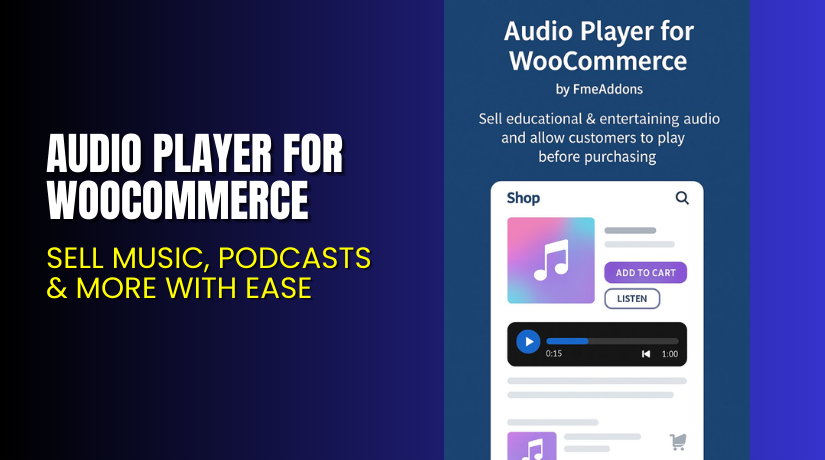
Audio Player for WooCommerce – Sell Music, Podcasts & More with Ease
Table of Contents
- Introduction
- What is Audio Player for WooCommerce?
- Key Features of Audio Player for WooCommerce
- How to Install and Configure Audio Player for WooCommerce?
- Pricing & Plans
- My Experience with Audio Player for WooCommerce
- Who Should Use This Plugin?
- Final Verdict
- FAQ
Introduction
Running an audio-focused WooCommerce store can be tough. Whether you sell music, podcasts, or courses, you need a solution that makes your content accessible and easy to manage.
Customers often want to preview audio before buying. Some prefer streaming, while others want downloads. Without an integrated audio player, your store may lose conversions.
The Audio Player for WooCommerce plugin by FME Addons solves this problem. It lets you upload, stream, and sell audio files in different formats. From music tracks to educational content, this plugin helps you turn your WooCommerce store into a full-featured audio marketplace.
In this article, you’ll learn how this plugin works, how to install it, key features, pricing, and who should use it.
If you ever need help with installation or setup, use our Installation & Troubleshooting Services.
What is Audio Player for WooCommerce?
Audio Player for WooCommerce is a plugin that lets you stream and sell audio files through your WooCommerce store. It supports multiple formats including MP3, WAV, MP4A, AAC, and OGG.
Designed by FME Addons, this plugin is ideal for musicians, podcasters, instructors, and audiobook creators. You can upload individual audio files or create playlists for albums or bundled content.
Customers can preview audio directly on the product page. You can also customize the look of the player to match your brand.
- Plugin Website: fmeaddons.com
- Documentation: Audio Player Docs
- Support Portal: support.fmeaddons.com
Key Features of Audio Player for WooCommerce
| Feature | Description | Why It Matters |
| Stream or Sell Audio | Stream or download audio from your product pages | Great for music, courses, and podcasts |
| Multi-Format Support | Supports MP3, WAV, OGG, MP4A, AAC | Works for all popular audio types |
| Playlist Creation | Combine multiple audio files into one playlist | Ideal for albums or bundled content |
| Preview Before Purchase | Customers can listen before buying | Increases buyer confidence |
| Custom Appearance | Adjust colors, theme, and button styles | Matches your brand’s design |
| Personalized Files | Add file names and thumbnails | Makes listings more engaging |
| Easy Uploads | Upload directly via WooCommerce product settings | Saves time and effort |
| Multiple Tracks per Product | Add more than one audio file to each product | Great for albums or series |
| Thumbnail Images | Add cover art or topic images to tracks | Improves user experience |
How to Install and Configure Audio Player for WooCommerce?
Follow these steps to get the plugin working:
- Buy and download the plugin from FME Addons.
- Go to WordPress Dashboard → Plugins → Add New → Upload Plugin.
- Upload the ZIP file and click Install Now.
- Click Activate Plugin.
- Go to the product where you want to add audio.
- Scroll down to the new Audio Player section.
- Upload your files and group them as a playlist if needed.
- Customize settings such as player color, play bar, and icons.
- Save and view the product page.
You can also follow the official documentation for detailed steps.
Need expert help? Try our Installation & Troubleshooting Services.
Pricing & Plans
| Plan | Price | Includes |
| Premium | $29/year | Full plugin features, 1 year updates, and support |
| Setup Service | $35 (optional) | Professional installation and configuration |
You also get:
- 30-day money-back guarantee
- All future updates for 1 year
- Dedicated customer support
The plugin offers strong value at this price point, especially for creatives and educators.
Buy Audio Player for WooCommerce Now
Purchase Here → Buy Audio Player for WooCommerce Premium Now
Buying through this link helps support the plugin developers and keeps more tutorials like this one coming.
My Experience with Audio Player for WooCommerce
After using the plugin on a store selling guided meditations and audio lessons, here’s what stood out:
Pros:


- Easy to upload and manage audio files
- Preview feature increased product engagement
- Customization options are simple yet effective
- Playlist support is perfect for multi-part audio series
- Smooth streaming and no loading delays
- Clean interface that works well with most themes
Cons:
- Limited layout options for the player
- No analytics on how many times tracks were played
- Requires basic design work to fully match your theme
Overall, it works as promised and is perfect for anyone selling audio content online.
Who Should Use This Plugin?
This plugin is perfect for:
- Musicians and composers selling albums or singles
- Podcasters offering downloadable episodes
- Online educators selling audio courses or lectures
- Voice artists promoting their sample work
- Digital product stores that sell sound effects, jingles, or radio content
If your product involves audio, this tool will make your store more professional and functional.
Useful Resources
Final Verdict
The Audio Player for WooCommerce is a reliable and cost-effective solution for selling or streaming audio online. With its support for multiple formats and playlist features, it helps you deliver a professional audio experience.
Whether you’re a content creator, instructor, or musician, this plugin can turn your WooCommerce store into a complete audio sales platform. The customization options and preview feature help boost engagement and trust.
For $29, it offers great value. Add $35 for expert setup, and you’ll be ready to go live with a polished audio storefront.
Buy Audio Player for WooCommerce Premium Now
Need help? Use our Installation & Troubleshooting Services.
FAQ
Q1. Can I stream audio instead of just selling downloads?
Yes, the plugin supports both streaming and downloads.
Q2. What formats does the plugin support?
It supports MP3, MP4A, WAV, OGG, and AAC formats.
Q3. Can customers preview tracks before buying?
Yes, a built-in audio player lets customers listen before purchase.
Q4. Can I group multiple tracks into a playlist?
Yes. You can create playlists from multiple audio files.
Q5. Is the player customizable?
Yes. You can change player colors, bar design, and button styles.
Q6. Does the plugin support multiple tracks for one product?
Yes. Each product can have several audio files.



