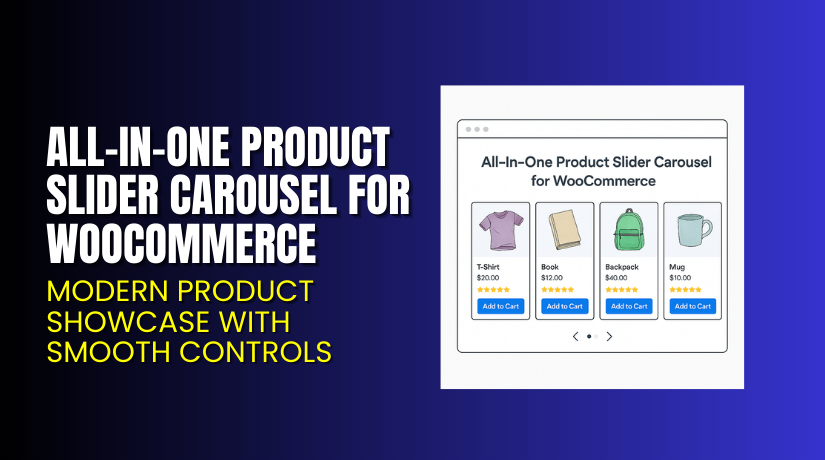
All-In-One Product Slider Carousel for WooCommerce – Modern Product Showcase with Smooth Controls
Table of Contents
- Introduction
- What is the All-In-One Product Slider Carousel for WooCommerce?
- Features of All-In-One Product Slider Carousel for WooCommerce
- How to Install and Configure All-In-One Product Slider Carousel for WooCommerce
- All-In-One Product Slider Carousel for WooCommerce – Pricing & Plans
- My Experience with All-In-One Product Slider Carousel for WooCommerce
- Who Should Use This Plugin?
- Final Verdict
- FAQ
Introduction
Running a WooCommerce store often brings repeated challenges. Store owners want clean pages, fast loading speed, and better product visibility. But most stores struggle to show products in an engaging format. Many shops use basic grids that do not highlight important items. Some products stay hidden because visitors never scroll far enough to see them. This problem reduces views and hurts sales.
A product slider can solve these issues quickly. It shows products in a moving carousel that grabs attention. Visitors stay longer because the layout feels active. They explore more products without leaving the current page. This improves user flow on homepages, category pages, and landing pages.
The All-In-One Product Slider Carousel for WooCommerce gives store owners an easy way to display products in a clean slider. It works well for featured items, new arrivals, best sellers, discounts, and seasonal offers. The plugin removes layout stress and helps stores show products using simple settings.
In this article, we explore the plugin in detail. You will learn about its features, setup steps, pricing, benefits, pros and cons, and how it compares to similar tools.
👉If you ever need help installing or troubleshooting any plugin or extension, you can try our Installation & Troubleshooting Services.
What is the All-In-One Product Slider Carousel for WooCommerce?
The All-In-One Product Slider Carousel for WooCommerce is a product display plugin that creates clean and responsive sliders for WooCommerce stores. The plugin improves product visibility and gives store owners full control over layout, design, and movement effects. It helps highlight selected products on homepages, landing pages, sidebars, and any page built with Gutenberg, Elementor, or other builders.
This plugin is developed by WooCommerce and offered through the official WooCommerce marketplace. It is designed for store owners who want to showcase products in simple, attractive, and flexible sliders. The plugin is lightweight, easy to use, and suitable even for beginners. You do not need coding experience to configure the sliders.
You can show products by category, tags, attributes, stock status, or price range. The plugin supports autoplay, infinite loop, carousel controls, and responsive adjustments. It loads fast and works well with most modern themes.
Features of All-In-One Product Slider Carousel for WooCommerce
| Feature | Description | Why It Matters |
| Multiple Slider Layouts | Offers several clean slider styles for different pages. | Helps store owners match sliders with their branding. |
| Category-Based Filtering | Allows product display based on categories, tags, or custom groups. | Saves time and highlights important product groups. |
| Responsive Layout | Adjusts product sliders for mobile, tablet, and desktop screens. | Improves user experience and keeps customers engaged. |
| Easy Navigation Controls | Shows arrows, dots, and swipe controls for smooth browsing. | Helps visitors explore more products quickly. |
| Fast Loading Speed | Uses optimized scripts to load sliders without delay. | Improves conversions and keeps the store performance high. |
How to Install and Configure All-In-One Product Slider Carousel for WooCommerce
Installation Steps:
- Go to your WordPress Dashboard → Plugins → Add New → Upload Plugin.
- Select the ZIP file downloaded from the WooCommerce account.
- Install and activate the plugin.
- Click Settings → Product Slider Carousel settings panel.
- Configure slider layout, product type, speed, navigation, and display rules.
- Add the shortcode or block to your page builder.
- Test the slider with your theme and other extensions to ensure smooth compatibility.
💡 If you face any configuration or compatibility issues, you can try our Installation & Troubleshooting Services.
All-In-One Product Slider Carousel for WooCommerce – Pricing & Plans
| Monthly | Annualy |
| $2.42 | $29 |
Subscription includes
|
Subscription includes
|
Buy All-In-One Product Slider Carousel for WooCommerce Now


💡 Your purchase supports the development team and helps me create more tutorials like this.
My Experience with All-In-One Product Slider Carousel for WooCommerce
After testing this plugin on a live WooCommerce store, here is what I found:
Pros
- Easy setup with clean settings
- Works smoothly with most WooCommerce themes
- Loads fast and keeps pages lightweight
- Good control over layout and product filtering
- Clean designs suitable for any store type
- Helpful official support and documentation
Cons
- No free version available
- Limited animation effects
- Some advanced styling requires custom CSS
- Annual pricing may feel high for small stores
Who Should Use This Plugin?
This plugin is ideal for:
- WooCommerce store owners want better product exposure
- Agencies managing multiple client stores
- Beginners wanting simple but powerful product sliders
- Store owners promoting seasonal or trending items
- Shops needing clean and modern showcase sections
Useful Resources
- Official Plugin Page
- Official Support Page
- Developer Documentation
- WooHelpDesk Installation & Troubleshooting Services
Final Verdict
If you want a reliable product slider that improves visibility and enhances user experience, the All-In-One Product Slider Carousel for WooCommerce is a strong choice. It delivers clean layouts, simple settings, and fast performance. It works well for beginners and advanced users.
Use the link below to get started and unlock all premium features today.
👉 Buy All-In-One Product Slider Carousel for WooCommerce Premium Now
💡 Need help installing or fixing it? Try our Installation & Troubleshooting Services.
FAQ Section
Q1. Is All-In-One Product Slider Carousel for WooCommerce compatible with all themes?
Yes, it works with most standard WooCommerce themes. Always test before going live.
Q2. Can I use both free and premium versions?
There is no free version. Only the premium version is available.
Q3. How do I get support?
You can contact the official team using the Plugin Support Page.



