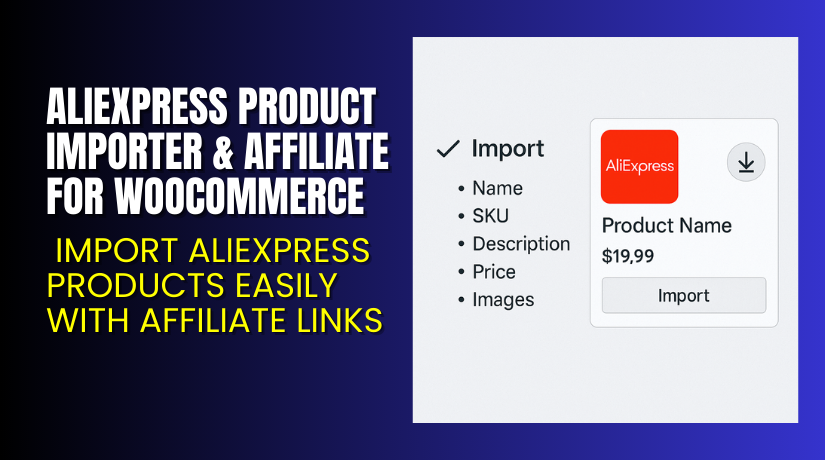
AliExpress Product Importer & Affiliate for WooCommerce – Import AliExpress Products Easily with Affiliate Links
Table of Contents
- Introduction
- What is AliExpress Product Importer & Affiliate for WooCommerce?
- Key Features of AliExpress Product Importer
- How to Install and Configure AliExpress Product Importer?
- Pricing & Plans
- My Experience with AliExpress Product Importer
- Who Should Use This Plugin?
- Final Verdict
- FAQ
Introduction
Running a WooCommerce store that relies on external product data is tough. If you’re working with AliExpress products, manual entry is frustrating and error-prone.
Copying product titles, prices, specs, and images takes hours. Add to that the need for affiliate tracking, and the process becomes harder.
Many store owners give up due to time loss or data errors. That’s why the AliExpress Product Importer & Affiliate for WooCommerce is a perfect solution.
Built by Nxtal, this plugin helps store owners import AliExpress products quickly. It also adds affiliate links automatically, helping you earn from each sale.
In this article, we’ll explore its features, how it works, pricing, pros and cons, and who should use it.
Need setup help? Use our Installation & Troubleshooting Services.
What is AliExpress Product Importer & Affiliate for WooCommerce?
AliExpress Product Importer & Affiliate for WooCommerce is a plugin that lets you add AliExpress products to your WooCommerce store in one click.
You paste the product URL. The plugin fetches everything, including:
- Title
- Price
- Description
- Images
- Specifications
- Affiliate link
This tool is ideal for dropshippers, affiliate marketers, and bloggers.
It helps WooCommerce users:
- Add products quickly
- Avoid manual data entry
- Insert affiliate tracking links automatically
- Stay updated with current prices
The plugin works with your existing WooCommerce setup and themes.
Official Website: nxtal.com
Documentation: AliExpress Importer Docs
Support Page: Contact Nxtal Support
Key Features of AliExpress Product Importer
| Feature | Description | Why It Matters |
| One-Click Import | Add any AliExpress product with a single URL. | Saves time and removes manual work. |
| Affiliate ID Support | Adds your AliExpress affiliate ID to links. | Helps earn commissions on purchases. |
| Image Import | Brings in high-resolution images automatically. | No need to download or upload images. |
| Description and Specs | Imports full product description and specifications. | Makes listings more informative and SEO-friendly. |
| Price and Title Sync | Pulls real-time title and price from AliExpress. | Keeps your store data accurate. |
| Custom Button Label | Edit “Buy Now” text to suit your branding. | Improve call-to-action clarity. |
How to Install and Configure AliExpress Product Importer?
Installing this plugin is quick and easy. Follow these steps:
- Go to the WooCommerce plugin page and purchase the plugin.
- Download the ZIP file after purchase.
- Log in to your WordPress Dashboard.
- Go to Plugins → Add New → Upload Plugin.
- Upload the ZIP file and click Install Now.
- Activate the plugin.
- Go to Settings → AliExpress Importer in your WordPress dashboard.
- Add your AliExpress Affiliate ID (optional, but recommended).
- Paste any AliExpress product URL into the import field.
- Click Import to bring the product into your WooCommerce store.
Once imported, you can preview and publish the product.
Need support during setup? Use our professional service.
Pricing & Plans
Here’s the current pricing for AliExpress Product Importer & Affiliate for WooCommerce:
| Plan | Price | Includes |
| 1-Year Plan | $49 | Plugin access, updates, and support for 1 year |
| 2-Year Plan | $78.40 (Save 20%) | All features, priority updates, and support for 2 years |
All prices are in USD and billed through the WooCommerce marketplace.
You can buy the plugin directly from the AliExpress Importer Plugin Page.
Buy AliExpress Product Importer Now
If you want to build a store with AliExpress products, this plugin is essential. It helps you import listings easily and monetize them with affiliate links.
Buy Now → Get the plugin from WooCommerce
Your purchase includes full support and future updates.


My Experience with AliExpress Product Importer
We used the plugin on a sample WooCommerce site focused on fashion and gadgets. Over a few days, we imported over 150 products.
Here’s what we experienced:
Pros
- Super fast importing
- Clean interface, beginner-friendly
- Affiliate link tracking works perfectly
- Compatible with most WooCommerce themes
- All specs and images were fetched correctly
- Reduced listing time by 90%
Cons
- No bulk URL import feature
- Formatting might need minor tweaks on some listings
- Requires manual refreshing to update product data
Still, for what it offers, the plugin performs very well.
Who Should Use This Plugin?
This plugin is built for WooCommerce store owners working with AliExpress.
You should use it if:
- You run a dropshipping business
- You are an AliExpress affiliate
- You want a fast way to list products
- You are a WordPress beginner
- You’re building a niche product blog
- You manage WooCommerce stores for clients
It saves time, improves accuracy, and helps monetize traffic through affiliate links.
Useful Resources
- AliExpress Product Importer Plugin
- Official Documentation
- Developer Site – Nxtal
- Support Contact Page
- WooHelpDesk Setup & Troubleshooting Services
Final Verdict
If you’re promoting or dropshipping AliExpress products on WooCommerce, this plugin is a must-have. It automates the hardest part—listing products—and lets you focus on marketing.
Affiliate marketers benefit by earning on each referral. Store owners benefit by saving hours of work. Beginners love it for its simple setup and ease of use.
No complex APIs. No CSV files. No coding.
Buy AliExpress Product Importer Plugin → Click here to purchase
Need help installing it or troubleshooting plugin issues? Use our Installation & Support Service.
FAQ
Q1. Can I import any AliExpress product?
Yes. Just paste the product URL. It works with most AliExpress listings.
Q2. Will the plugin auto-update stock or price?
No. It fetches data once during import. You need to re-import for updates.
Q3. Is it beginner-friendly?
Yes. You don’t need technical skills. Setup takes less than 10 minutes.
Q4. Can I earn commission with my AliExpress affiliate ID?
Yes. Enter your affiliate ID in settings. It adds the tracking link.
Q5. Does it work with all themes?
It works with all major WooCommerce-compatible themes. Always test before publishing.
Q6. Where can I get support?
Use the official support page or our expert service.



