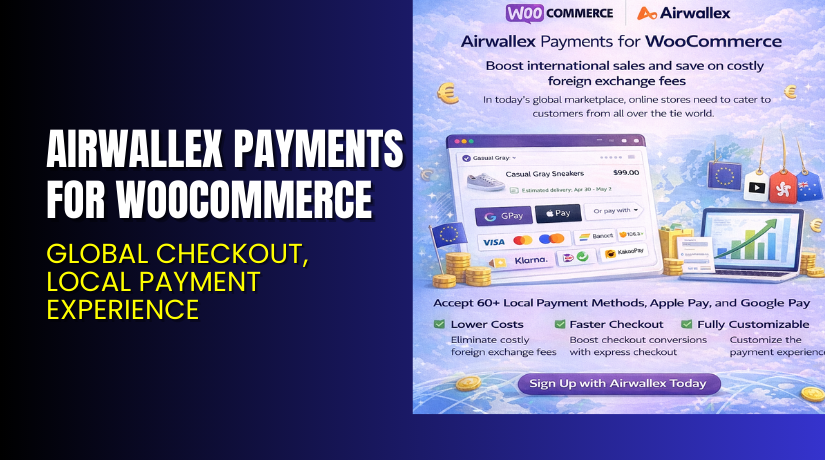
Airwallex Payments for WooCommerce – Global Checkout, Local Payment Experience
Table of Contents
- Introduction
- What is Airwallex Payments for WooCommerce?
- Key Features of Airwallex Payments for WooCommerce
- How to Install and Configure Airwallex Plugin
- Pricing & Plans
- My Experience with Airwallex WooCommerce Integration
- Who Should Use This Plugin?
- Final Verdict
- FAQ
Introduction
Running an online store in today’s market requires more than just listing products. You need to provide seamless, secure, and flexible payment options. Many WooCommerce store owners struggle with:
- Limited payment methods for international customers
- High transaction and currency conversion fees
- Poor checkout experience causing drop-offs
- Complex refund and settlement processes
Airwallex Payments for WooCommerce solves these issues with a powerful, multi-currency checkout solution. It lets you accept global cards and 60+ local payment options—like Apple Pay, Google Pay, WeChat Pay, iDeal, and more.
It offers a frictionless, embedded checkout and helps you save on FX fees. With local settlement, custom risk controls, and no redirection, your store delivers a better buying experience.
In this article, we’ll cover everything about the Airwallex WooCommerce integration—from features and setup to benefits, documentation, and final verdict.
👉 If you ever need help installing or troubleshooting any plugin or extension, please try our Installation & Troubleshooting Services.
What is Airwallex Payments for WooCommerce?
Airwallex Payments for WooCommerce is a payment gateway plugin designed for global ecommerce. It allows WooCommerce store owners to accept payments from customers in multiple currencies using a wide variety of global and local payment methods.
With this integration, you get access to:
- 60+ local payment methods
- Global card support (Visa, Mastercard, etc.)
- Seamless, embedded checkout
- FX savings through like-for-like currency settlements
- Multi-currency wallet support
- Powerful fraud protection and 3DS security
- WooCommerce Subscriptions compatibility
Airwallex is a global financial platform trusted by businesses to manage payments, FX, treasury, and payouts—without traditional banking restrictions.
Official Plugin Page
Plugin Documentation
Developer Docs
Key Features of Airwallex Payments for WooCommerce
| Feature | Description | Why It Matters |
| Multi-Currency Payments | Accept and settle in 10+ currencies | Avoid forced currency conversion |
| 60+ Local Payment Methods | Includes wallets and regional options | Improves international conversion rates |
| Embedded Checkout | Checkout happens on your site | Avoids drop-offs due to redirects |
| FX Cost Savings | Like-for-like settlements | Reduce unnecessary FX fees |
| Save Card Details | Customers can store cards securely | Speeds up repeat purchases |
| WooCommerce Subscriptions Support | Works with recurring payments | Ideal for membership stores |
| PCI-DSS Level 1 Compliance | Highest level of data security | Meets global payment security standards |
| 3D Secure + Risk Controls | Fraud protection with custom risk settings | Keeps payments safe and compliant |
| Refund Management | Full refund capabilities inside WooCommerce | Simplifies post-purchase operations |
How to Install and Configure Airwallex Plugin
Setting up Airwallex Payments for WooCommerce is quick. Here’s a simplified guide:
- Create an Airwallex Account
- Visit airwallex.com
- Sign up for a free business account
- Submit information about your store to enable online payments
- Install the Plugin
- Go to your WordPress admin panel
- Navigate to Plugins > Add New
- Search for “Airwallex Payments”
- Install and activate the plugin
- Connect API Credentials
- Log in to your Airwallex account
- Access API keys from the developer section
- Paste the credentials in WooCommerce > Settings > Payments > Airwallex
- Configure Payment Methods
- Choose the currencies and payment types to enable
- Set branding and risk controls as needed
- Test Your Checkout
- Use the sandbox mode for test transactions
- Make sure checkout, refunds, and subscriptions function smoothly
- Go Live
- Switch from sandbox to live mode
- Start accepting payments immediately
💡 If you face any configuration or compatibility issues, try our Installation & Troubleshooting Services.
Pricing & Plans
Airwallex uses a transparent, usage-based pricing model. There are no setup fees or monthly costs. You only pay transaction fees based on volume and region.
Example Pricing Highlights (subject to your region):
- Domestic transactions: ~1.2% + 30¢
- Cross-border transactions: Slightly higher depending on currency
- Like-for-like settlements: Help avoid FX conversion costs
- FX rates: Interbank or close to it, no hidden spreads
To get exact pricing:
- Visit: https://www.airwallex.com/pricing
- Or contact their sales team based on your country
Pricing may vary depending on volume, business model, and payment types.
Buy Airwallex Payments for WooCommerce Now
✅ Get the Plugin → Download from WooCommerce
✅ Learn More or Sign Up → Visit Airwallex
💡 Your signup helps support better transaction control and lower payment fees.


My Experience with Airwallex WooCommerce Integration
We tested the Airwallex WooCommerce plugin on a store with international traffic. Here’s what we found:
Pros
- Plugin installation is quick and documentation is clear
- Checkout loads inside the store — no redirect
- Accepts many local wallets and card methods
- Significant savings on FX and transaction fees
- Fraud controls are easy to configure
- Works well with WooCommerce Subscriptions
Cons
- Needs Airwallex account approval before going live
- FX fee transparency varies slightly by region
- Support may vary depending on location
Who Should Use This Plugin?
Airwallex Payments is ideal for:
- WooCommerce stores selling globally
- Businesses dealing in multiple currencies
- Store owners who want to avoid PayPal or Stripe fees
- Brands using WooCommerce Subscriptions
- Merchants looking for a fully integrated payment experience
- Companies that need built-in FX and treasury management
Useful Resources
- Airwallex WooCommerce Integration
- WooCommerce Extension Listing
- Developer Documentation
- Airwallex Help Center
- WooHelpDesk Installation & Troubleshooting Services
Final Verdict
If you’re looking for a global payment plugin that helps increase conversions and reduce costs, Airwallex Payments for WooCommerce is a top pick.
It’s secure, fast, and supports 60+ local payment methods without redirecting customers. Like-for-like settlements reduce FX costs, and the integration is designed for modern ecommerce needs.
With flexible setup, powerful fraud tools, and subscription support, this plugin works well for stores of all sizes.
👉 Get Started with Airwallex Payments
💡 Need help installing or fixing it? Try our Installation & Troubleshooting Services.
FAQ
Q1. What currencies and payment types does Airwallex support?
You can accept payments in over 10 currencies and 60+ local methods like Apple Pay, iDeal, and WeChat Pay.
Q2. Does Airwallex charge setup or monthly fees?
No, there are no setup or monthly fees. You only pay transaction charges.
Q3. Is this plugin compatible with WooCommerce Subscriptions?
Yes, it supports recurring billing through the WooCommerce Subscriptions plugin.
Q4. Can customers save card details for future purchases?
Yes, the plugin allows secure card storage for faster checkouts.
Q5. Does Airwallex support refunds through WooCommerce?
Yes, you can process refunds directly from your WooCommerce dashboard.



