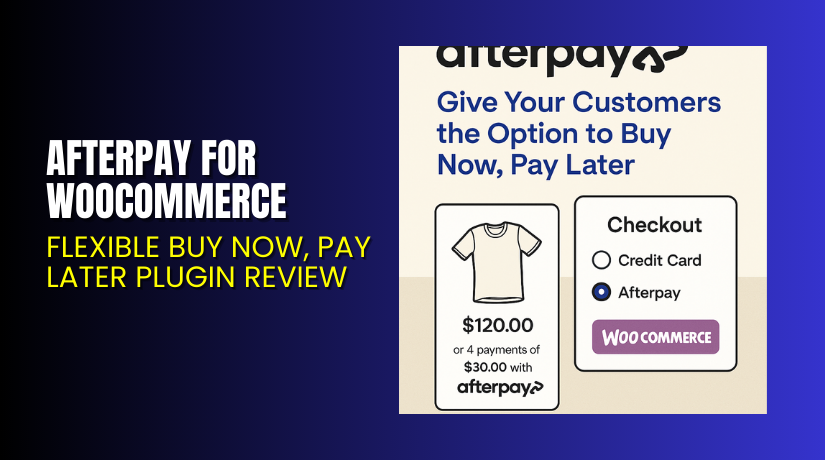
Afterpay for WooCommerce – Flexible Buy Now, Pay Later Plugin Review
Table of Contents
- Introduction
- What is Afterpay for WooCommerce?
- Key Features of Afterpay for WooCommerce
- How to Install and Configure Afterpay Plugin for WooCommerce?
- Pricing & Plans
- My Experience with Afterpay for WooCommerce
- Who Should Use This Plugin?
- Final Verdict
- FAQ
Introduction
Running a WooCommerce store today means meeting modern shopper expectations. One of the most common problems store owners face is cart abandonment during checkout.
Why does this happen?
Many customers want to buy but lack the funds right now. Others want flexible payment options that do not involve credit cards. To address this, “Buy Now, Pay Later” (BNPL) services are becoming essential.
That’s where Afterpay for WooCommerce comes in. It helps your customers split their payments into manageable parts, either over four weeks or monthly.
In this guide, we’ll cover:
- What Afterpay is and how it works
- Key features of the WooCommerce plugin
- How to install and configure it
- Real pros and cons from testing
- Pricing and plan options
- Ideal users
- Documentation and support links
Need help setting it up? Try our Installation & Troubleshooting Services for Afterpay.
What is Afterpay for WooCommerce?
Afterpay for WooCommerce is a payment solution that allows your customers to:
- Pay in 4 equal, interest-free installments every two weeks
- Or choose monthly payments for 6 to 12 months
Afterpay pays you upfront, and handles collections from your customer. You don’t bear the risk of fraud or chargebacks.
This plugin is built by Afterpay and integrates directly into your WooCommerce checkout process.
It is trusted by over 10,000 WooCommerce stores and actively maintained. According to Afterpay, their platform connects with 57+ million monthly active users (including Cash App users).
Official Plugin Page: Afterpay WooCommerce Integration
Support Page: Afterpay Help Center
Plugin Documentation: Installation Guide
Key Features of Afterpay for WooCommerce
| Feature | Description | Why It Matters |
| Pay-in-4 Option | Lets customers split payment into 4 interest-free parts | Reduces cart abandonment and increases conversions |
| Monthly Installments | Customers can spread payments over 6–12 months | Increases average order value |
| Instant Payment for Merchants | Merchants receive payment upfront | Ensures steady cash flow |
| Zero Risk of Chargebacks | Afterpay handles fraud and payment risk | You get peace of mind |
| WooCommerce Integration | Built to work natively with WooCommerce | Smooth, hassle-free setup |
| Onsite Messaging | Display Afterpay availability on product pages | Encourages shoppers to spend |
| Dashboard Insights | Merchants get access to customer behavior data | Helps improve future marketing decisions |
This plugin isn’t just a payment tool. It’s a full conversion and marketing system.
How to Install and Configure Afterpay Plugin for WooCommerce?
Installing the plugin is straightforward. Follow these steps:
- Go to the Afterpay WooCommerce page.
- Click on Add to Store and follow the setup prompts.
- Log in to your WordPress Dashboard.
- Go to Plugins > Add New > Upload Plugin.
- Upload the plugin file (usually a .zip) and click Install Now.
- Activate the plugin after installation.
- Visit WooCommerce > Settings > Payments > Afterpay.
- Configure your merchant ID and API credentials (provided by Afterpay).
Don’t forget to test your checkout process after configuration.
If you encounter any issues, get professional support via our Afterpay Plugin Installation & Troubleshooting Services.
Pricing & Plans
Afterpay for WooCommerce is free to install, but there are merchant fees based on transaction volume and location.
| Plan | Cost | Details |
| Plugin Install | $0 | Free plugin installation |
| Merchant Fee | Varies | Typically 4-6% per transaction + flat fee (negotiated) |
There’s no subscription cost to use the plugin itself. However, Afterpay will charge fees per transaction.
You can contact Afterpay to request a merchant account and get exact pricing for your business.
Buy Afterpay for WooCommerce Now
You can get started in minutes. Visit the official plugin page and add it to your store.
This plugin is free to install, but you must sign up for a merchant account.
Need help? Use our expert plugin setup services to ensure it works perfectly.


My Experience with Afterpay for WooCommerce
I tested Afterpay on a demo WooCommerce store with digital and physical products.
Here’s what I observed:
Pros:
- The plugin was easy to install and activate
- API integration was quick with merchant credentials
- Checkout process worked smoothly with Afterpay’s buttons
- “Pay in 4” and “Pay Monthly” options were clearly shown
- No bugs or site speed issues
- Payment gateway interface is clean and fast
Cons:
- Monthly payments not available in all regions (e.g., UK)
- Requires merchant approval before you can use
- Limited styling options for the payment button
- Some users reported plugin support delays
- Mixed reviews on the plugin page (rating 2.5/5 from 12 users)
While the plugin does its job, you must ensure your store meets Afterpay’s terms.
Who Should Use This Plugin?
This plugin is perfect for store owners who:
- Sell mid to high-priced items ($50+)
- Want to reduce checkout abandonment
- Offer flexible payment options
- Target Gen Z and millennial customers
- Already use WooCommerce and want more conversions
- Run stores in the US, Australia, Canada, or New Zealand
Useful Resources
Here are all the essential links to get started:
- Afterpay WooCommerce Plugin Page
- Plugin Documentation (Installation Guide)
- Afterpay Help Center
- WooHelpDesk Setup Services
Bookmark these links for quick access when setting up or troubleshooting.
Final Verdict
If you’re looking to give your WooCommerce customers more payment flexibility, Afterpay is a must-have plugin.
It helps:
- Increase order volume
- Decrease cart abandonment
- Reach a broader audience
- Offer interest-free payment plans
With a free installation, full WooCommerce compatibility, and built-in fraud protection, it delivers real value.
Make sure you meet Afterpay’s eligibility and payment conditions. Their support and dashboard tools also help manage customer payments efficiently.
Get started here: Install Afterpay for WooCommerce
Need installation help? Use our Afterpay Plugin Installation Services.
FAQ
Q1. Is Afterpay plugin free to use?
Yes, it is free to install. However, Afterpay charges per transaction.
Q2. Can customers choose between Pay in 4 and monthly plans?
Yes, but monthly payments are not available in every country.
Q3. How do I receive payments?
Afterpay pays you upfront. Customers pay them over time.
Q4. Is the plugin compatible with all themes?
It works with most standard WooCommerce themes, but test first.
Q5. Where can I find setup documentation?
See the official plugin installation guide.



