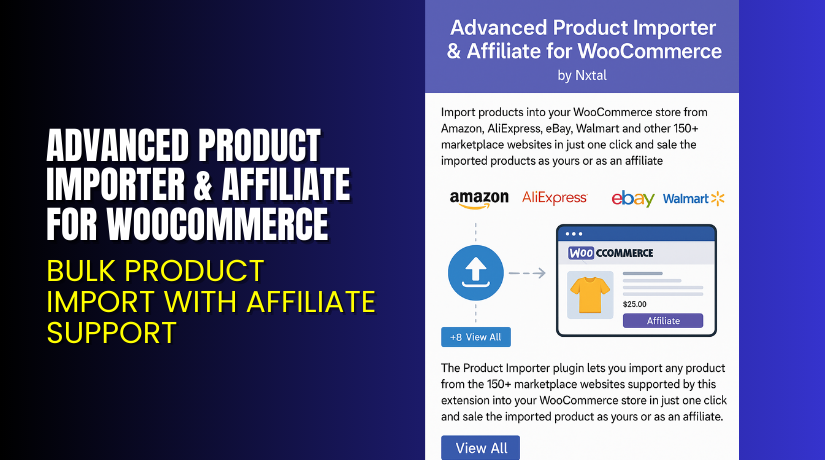
Advanced Product Importer & Affiliate for WooCommerce – Bulk Product Import with Affiliate Support
Table of Contents
- Introduction
- What is Advanced Product Importer & Affiliate for WooCommerce?
- Key Features of Advanced Product Importer
- How to Install and Configure Advanced Product Importer?
- Pricing & Plans
- My Experience with Advanced Product Importer
- Who Should Use This Plugin?
- Final Verdict
- FAQ
Introduction
Managing a WooCommerce store means keeping your product catalog updated. If your store lists hundreds of products from external sites, doing it manually can drain your time.
Copying product details, descriptions, prices, and images from third-party sources is slow. On top of that, tracking affiliate links becomes another challenge.
Many store owners struggle to maintain consistency and accuracy. Broken links, missing images, and outdated prices lead to lost sales.
Advanced Product Importer & Affiliate for WooCommerce is built to solve this. Created by Nxtal, it helps you import products from different sources and embed affiliate links automatically.
In this guide, we’ll explore the plugin’s features, setup process, pricing, pros and cons, and ideal users.
Need help setting it up? Try our Installation & Troubleshooting Services.
What is Advanced Product Importer & Affiliate for WooCommerce?
Advanced Product Importer is a professional WooCommerce plugin by Nxtal. It lets you import products from multiple marketplaces like Amazon, eBay, AliExpress, and others.
It’s not limited to one platform. You can import products from various sources, add affiliate links, and manage everything from your WordPress dashboard.
It supports:
- Amazon
- eBay
- AliExpress
- Flipkart
- JD
- Custom product pages
It fetches product data like:
- Title
- Description
- Price
- Images
- Specifications
- Affiliate links
This all-in-one importer is ideal for WooCommerce users running affiliate stores or dropshipping businesses.
Plugin Page: Get it on WooCommerce
Documentation: Advanced Product Importer Docs
Support Page: Contact Support
Key Features of Advanced Product Importer
| Feature | Description | Why It Matters |
| Multi-Platform Support | Import from Amazon, eBay, Flipkart, and more. | Offers flexibility for affiliate stores. |
| Affiliate Link Integration | Automatically adds your tracking ID. | Helps you earn commissions on every sale. |
| One-Click Import | Paste product URL and click import. | Saves time and reduces manual work. |
| Image Import | Downloads product images automatically. | Avoids image errors and broken links. |
| Price and Title Sync | Imports real-time data from product source. | Ensures accurate listings. |
| WooCommerce Integration | Works with standard product types. | No theme or plugin conflict. |
| Easy Product Editing | Modify imported content before publishing. | Gives you full control over listings. |
How to Install and Configure Advanced Product Importer?
Here’s how to get started with the plugin:
- Purchase the plugin from the WooCommerce product page.
- Download the plugin ZIP file.
- Log in to your WordPress dashboard.
- Go to Plugins → Add New → Upload Plugin.
- Upload the ZIP and click Install Now.
- Activate the plugin after installation.
- Go to Settings → Advanced Importer.
- Add your affiliate tracking IDs for supported platforms.
- Paste the product URL you want to import.
- Click Import. The product will appear as a draft in WooCommerce.
You can now edit the product, change pricing, add categories, and publish.
Facing issues? Use our Installation & Troubleshooting Services.
Pricing & Plans
This plugin is available as a premium product through WooCommerce. Here’s the current pricing:
| Plan | Price | Includes |
| 1-Year Plan | $129/year | All features, updates, and support for 1 year |
| 2-Year Plan | $206.40 | Save 20% over 2 years, full access and support |
All prices are in USD. Your purchase is billed annually.
Buy the plugin from the official WooCommerce store.
Buy Advanced Product Importer Plugin Now
Need a way to manage affiliate products from different platforms? This plugin is your complete solution.
Buy Now → Get it from WooCommerce


Your purchase includes future updates and official support from the plugin developers.
My Experience with Advanced Product Importer
We tested the plugin on a demo WooCommerce site targeting multiple niches.
What worked well:
- Imported Amazon and Flipkart products without any issues
- All product images were downloaded automatically
- Product titles and prices matched the source
- Adding affiliate IDs was simple and worked correctly
- No conflicts with Astra and OceanWP themes
What could be improved:
- Doesn’t support bulk URL import
- Some imported content needed manual cleanup
- Limited control over import mapping for advanced users
Overall, it saved us over 10 hours of work on a small store setup.
Who Should Use This Plugin?
Advanced Product Importer is made for store owners who manage products from multiple sources. You should use it if:
- You run an affiliate marketing store
- You manage multiple WooCommerce sites for clients
- You list products from Amazon, eBay, Flipkart, or AliExpress
- You want to avoid manually copying and formatting listings
- You’re a beginner needing a time-saving import tool
- You want to keep prices and content synced during import
It’s perfect for bloggers, comparison site owners, and dropshippers.
Useful Resources
- Official Plugin Page
- Advanced Product Importer Documentation
- Developer Website – Nxtal
- Official Support Contact
- WooHelpDesk Setup Services
Final Verdict
Advanced Product Importer & Affiliate for WooCommerce is one of the most versatile product import plugins on the market. It saves you time, automates product listing, and integrates affiliate links in one go.
If your store works with multiple platforms or affiliate networks, this plugin will simplify your workflow. Instead of switching tools or copying data manually, you can manage everything in one place.
Buy the plugin today → Purchase from WooCommerce
Need expert assistance with installation or setup? Get support from WooHelpDesk.
FAQ
Q1. Does this plugin support all major marketplaces?
Yes. It supports Amazon, eBay, Flipkart, AliExpress, JD, and more.
Q2. Can I use my affiliate IDs?
Yes. You can add your affiliate tracking ID in the settings.
Q3. Is it beginner-friendly?
Yes. No coding or CSV files are needed. Setup is simple and quick.
Q4. Will it update prices automatically?
It imports live prices, but does not auto-sync them after publishing.
Q5. Can I use this on client websites?
Yes. You can use it on multiple sites depending on your license.
Q6. Where do I get help?
Use the official support page or our help service.



