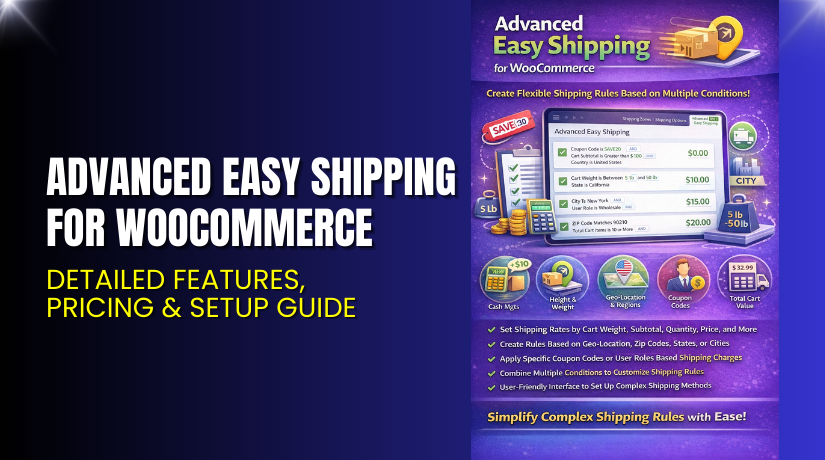
Advanced Easy Shipping for WooCommerce – Detailed Features, Pricing & Setup Guide
- Introduction
- What is Advanced Easy Shipping for WooCommerce?
- Features of Advanced Easy Shipping for WooCommerce
- How to Install and Configure Advanced Easy Shipping for WooCommerce
- Advanced Easy Shipping for WooCommerce – Pricing & Plans
- My Experience with Advanced Easy Shipping for WooCommerce
- Who Should Use This Plugin?
- Final Verdict
- FAQ
Introduction
Running a WooCommerce store means handling many tasks each day. Store owners deal with orders, payments, products, and shipping. Shipping is often the toughest part because every order may need different rules. Many store owners struggle with setting clear shipping rates. Some lose orders because shipping rules confuse customers at checkout. Others waste time adjusting shipping costs manually for every product. These issues slow down business growth and affect user trust.
Shipping plugins exist, but not all provide simple control or clear options. Many store owners want a tool that lets them create flexible shipping rules without coding. They also want a plugin that works well with all WooCommerce themes and extensions. This is where Advanced Easy Shipping for WooCommerce becomes very helpful.
In this article, we explore Advanced Easy Shipping for WooCommerce, its key features, pricing, setup steps, pros and cons, and possible use cases. The goal is to help you understand how this plugin improves your shipping system.
👉 If you ever need help installing or troubleshooting any plugin or extension, please try our Installation & Troubleshooting Services.
What is Advanced Easy Shipping for WooCommerce?
Advanced Easy Shipping for WooCommerce is a powerful shipping rule builder designed for WooCommerce sites. It allows store owners to create custom shipping rates based on many conditions. You can set rules using product type, weight, category, country, cart value, and more. The plugin removes confusion by giving full control over how shipping charges appear on the checkout page.
It is developed by WooCommerce / WP1 and is available as a premium solution. The plugin helps stores create simple or advanced shipping setups without coding skills. It works smoothly with most WooCommerce themes and checkout plugins. Store owners can define logical conditions like “If weight is above 5kg, charge ₹200,” or “If cart has category A item, add flat shipping rate.” This flexibility makes your shipping system clear and reliable.
Official Plugin Page:
Support Page:
Features of Advanced Easy Shipping for WooCommerce
| Feature | Description | Why It Matters |
| Rule-based Shipping | Set shipping rates based on various conditions like weight, quantity, location, or product. | Helps store owners create accurate and flexible shipping charges. |
| Multiple Conditions Support | Combine multiple conditions in one rule for full control. | Saves time by managing complex shipping needs with simple steps. |
| Custom Messaging | Add custom labels or descriptions to shipping methods. | Improves user experience and reduces checkout doubts. |
| Cart-level and Product-level Rules | Create rules for specific products or the entire cart. | Offers better control for stores with varied product types. |
| Developer-Friendly Hooks | Add advanced logic using filters and hooks. | Supports customization for agencies and developers. |
How to Install and Configure Advanced Easy Shipping for WooCommerce
- Download the plugin from the Official Purchase Page:
- Go to WordPress Dashboard → Plugins → Add New → Upload Plugin.
- Upload the ZIP file and click Install Now.
- Click Activate Plugin after installation.
- Open WooCommerce → Settings → Shipping → Advanced Easy Shipping.
- Create your first rule using the clear interface.
- Test all shipping rules to ensure correct behavior during checkout.
💡 If you face any configuration or compatibility issues, you can try our Installation & Troubleshooting Services.
Advanced Easy Shipping for WooCommerce – Pricing & Plans
The plugin costs $49 per year and offers great value for WooCommerce stores. The plan includes regular product updates and improvements, which keep your shipping rules stable and secure. You also receive customer support, so you can get quick help whenever you face setup or configuration issues. The purchase comes with a 30-day money-back guarantee, which gives you complete peace of mind. You can try the plugin, test all features, and check compatibility with your store. If it does not meet your needs, you can request a refund within the refund period.
Buy Advanced Easy Shipping for WooCommerce Now
Purchase Here → Buy Advanced Easy Shipping for WooCommerce Premium Now
👉Your purchase helps the development team and supports this guide.


My Experience with Advanced Easy Shipping for WooCommerce
After testing Advanced Easy Shipping for WooCommerce on a live WooCommerce store, here is what I found:
Pros
- Easy to set up and configure.
- Very stable, even with heavy product catalogs.
- Flexible rules for all shipping needs.
- Works with most payment and checkout plugins.
- Clean dashboard interface.
- Strong support from the WooCommerce team.
Cons
- No free premium trial available.
- Beginners may need time to understand the rule logic.
- Some advanced conditions require careful testing.
Who Should Use This Plugin?
- WooCommerce store owners want full shipping control.
- Agencies managing multiple client stores.
- Marketplace owners with mixed shipping needs.
- Beginners who want a simple but strong shipping solution.
- Developers who need advanced shipping logic with hooks.
Useful Resources
- Official Plugin Page
- Official Support Page
- Developer Documentation
- WooHelpDesk Installation & Troubleshooting Services
Final Verdict
If you want a reliable shipping plugin that gives full control without slowing your site, then Advanced Easy Shipping for WooCommerce is a great choice. The rule system is powerful, yet simple enough for beginners. It helps store owners set clear shipping charges and avoid customer confusion at checkout.
Use the link below to get started and unlock premium features today.
👉 Buy Advanced Easy Shipping for WooCommerce Premium Now
💡 Need help installing or fixing it? Try our Installation & Troubleshooting Services.
FAQ
Q1. Is Advanced Easy Shipping for WooCommerce compatible with all WooCommerce themes?
Yes, it works with most standard WooCommerce themes. Always test before going live.
Q2. Can I use both free and premium versions?
You must deactivate the free version before activating the premium version.
Q3. How do I get support?
You can contact the official support team through the plugin support page.



