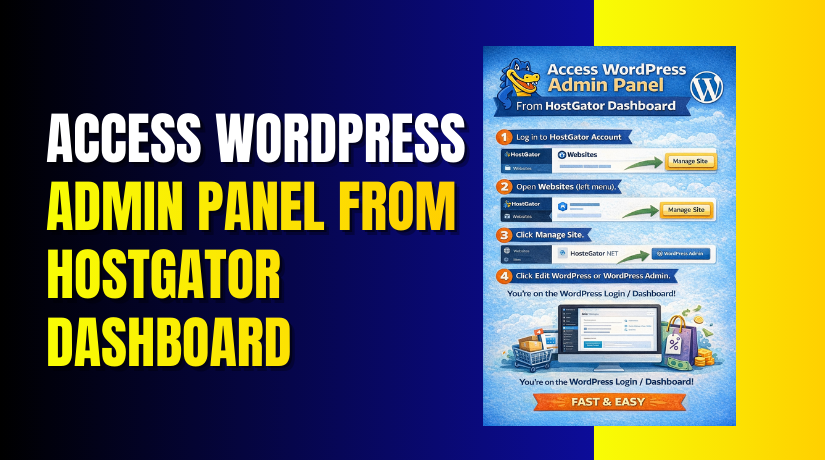
Access WordPress Admin Panel From HostGator Dashboard
Introduction
Accessing the WordPress admin panel through the HostGator dashboard is a simple and efficient way to manage your website without needing separate login URLs. HostGator provides an integrated interface that allows users to open their WordPress admin dashboard directly from the hosting account. This method is especially useful for beginners, website owners, and administrators who want a centralized and secure way to access their site. By navigating through the Websites section and using the site management options, you can quickly switch to the WordPress admin area and start managing content, themes, plugins, and settings. This guide outlines the essential steps required to move from the HostGator WP Hosting dashboard to the WordPress admin panel smoothly, helping you save time and avoid unnecessary login issues while maintaining full control over your website.
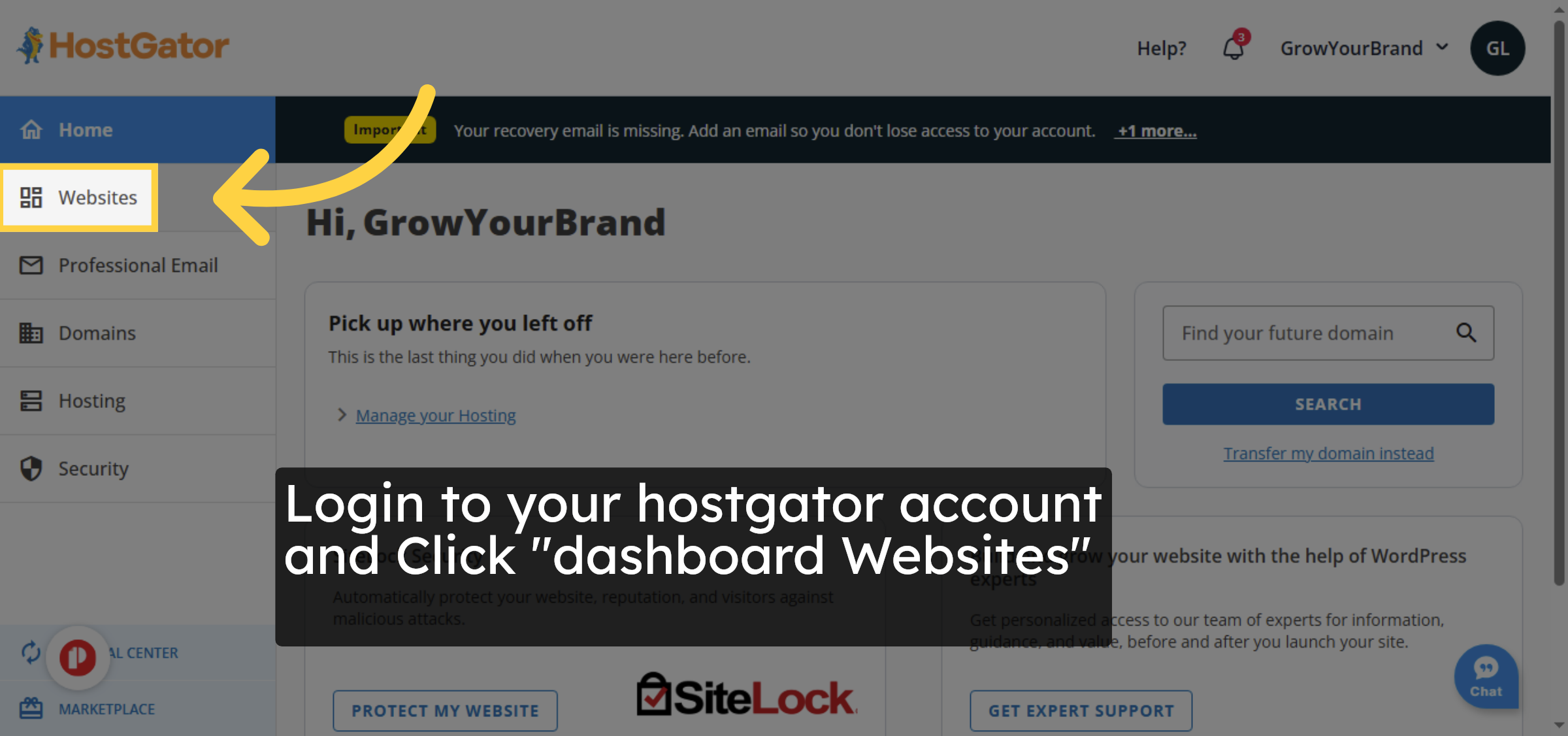
1. Click Dashboard Websites
2. Click Edit Site
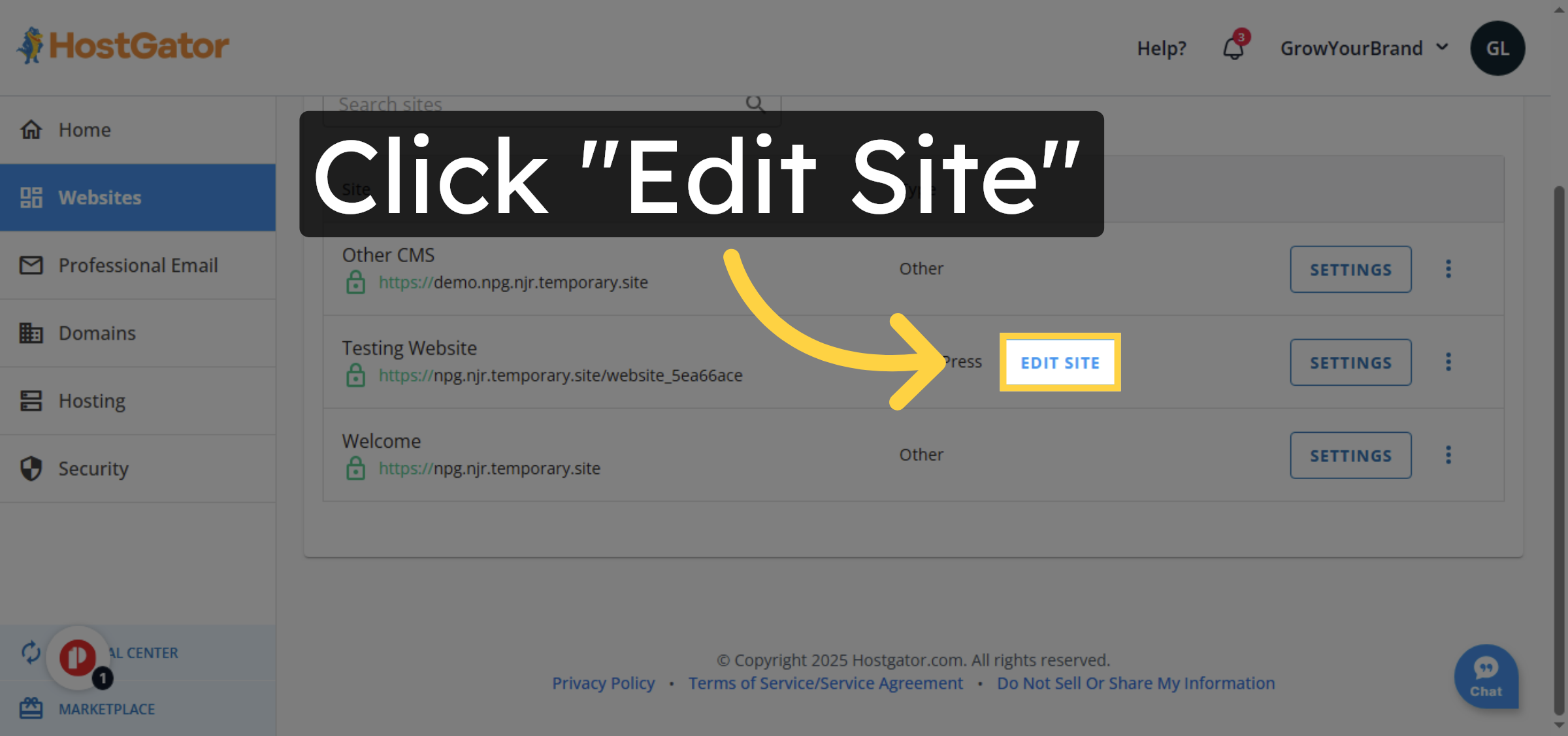
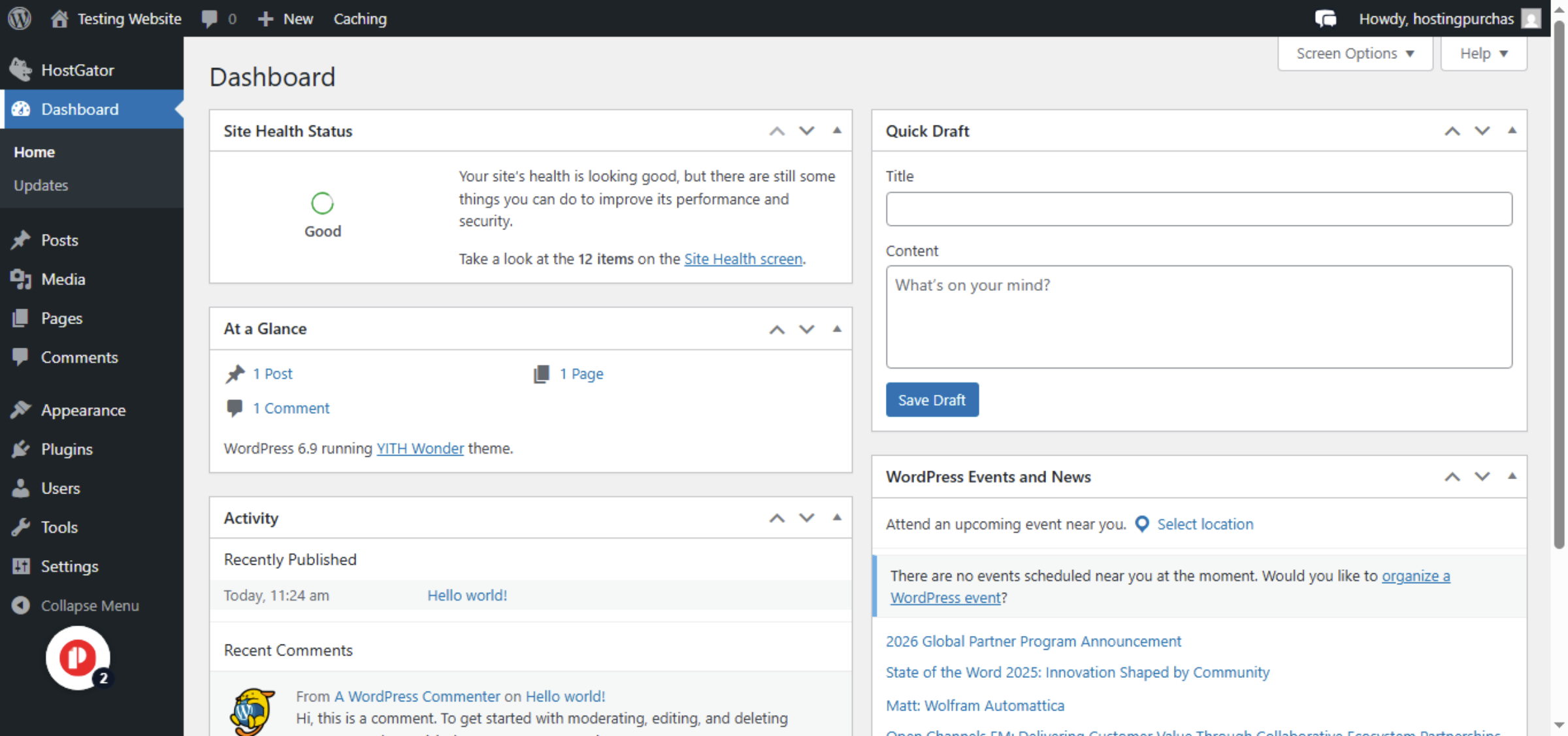
3. Switch To Website admin dashboard
Conclusion
By following the steps in this guide, you can easily access your WordPress admin dashboard directly from the HostGator WP Hosting interface. This approach simplifies website management and reduces the need to remember multiple login links. Once inside the WordPress admin panel, you can efficiently manage your site’s content, customize themes, install plugins, and maintain overall site performance. This method is ideal for users who prefer a streamlined and secure way to manage their WordPress websites within the HostGator environment.


-
Visit: https://www.woohelpdesk.com
-
Call Us Toll-Free: +1 888 602 0119 (US & Canada)
-
Get professional support for WordPress access, hosting management, performance optimization, and WooCommerce assistance