ThemeLooks – WordPress Theme Club Review, Features & Pricing
Table of Contents
- Introduction
- What Is ThemeLooks?
- Key Features of ThemeLooks
- Design Quality & Customization
- Performance, SEO & Technical Standards
- WooCommerce & Plugin Compatibility
- Pricing & Licensing Details
- Support, Documentation & Contact
- Pros & Cons of ThemeLooks
- Who Should Use This Theme Club?
- Theme Club vs Single Theme Purchase
- Final Verdict
- FAQ
Introduction
Running multiple WordPress websites usually means you need different designs for different goals, like a blog, a business site, or a product landing page. Buying themes one by one often becomes expensive, and it also adds time because each purchase has separate access rules, updates, and support paths. ThemeLooks offers a membership-style package that brings many WordPress themes and website templates under one plan, so your work stays organized.
Instead of collecting scattered licenses, you get one membership that covers a bundle of premium WordPress themes, WHMCS WordPress themes, website templates, and WHMCS HTML templates. This can help if you build websites often, manage client projects, or want design options ready for future needs.
In this detailed review, you will learn what ThemeLooks includes, how its packages work, what you get at each pricing level, and how support is handled. You will also see who should choose this package, what to watch for before buying, and how it compares with buying single themes repeatedly.
What Is ThemeLooks?
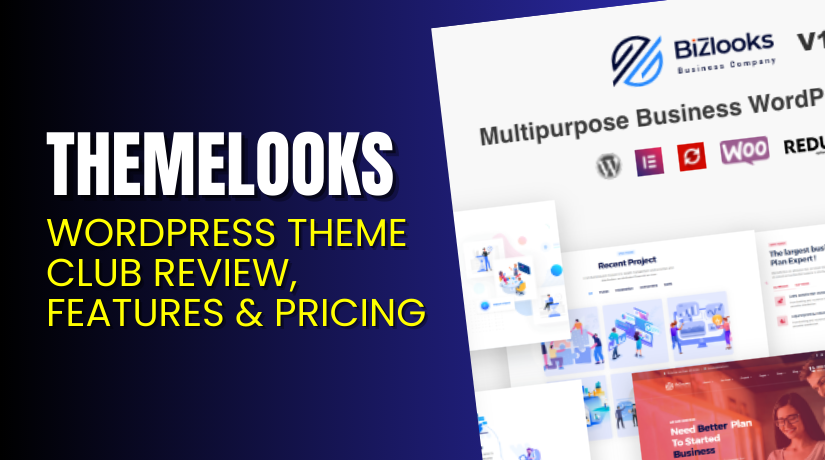
ThemeLooks is a web design and WordPress product provider that sells ready-made WordPress and website template products, and it also offers membership packages through its pricing page.
The “theme club” style offer from ThemeLooks is presented as Business packages with three billing options, Monthly, Annually, and LifeTime, and each plan gives access to a large library of themes and templates.
According to the official pricing page, the package includes 25+ premium WordPress themes, 12+ WHMCS WordPress themes, 12+ website templates, and 10+ WHMCS HTML templates, which totals 55+ themes and templates.
ThemeLooks also clarifies that ThemeForest and CodeCanyon products are not included in these packages, so the membership value is based on ThemeLooks’ own library.
This kind of membership is generally helpful when you want variety for different projects, because you can pick a suitable design and start building without shopping again. A smart next step is to browse the ThemeLooks product listings and demos, then match your project type with the most suitable theme layout.
Key Features of ThemeLooks
ThemeLooks highlights its membership packages as a library access plan, where you can use a broad set of themes and templates under one license approach.
Here are the core features that are clearly listed on the official pricing page, and these points apply across the Monthly, Annually, and LifeTime Business plans.
- Unlimited sites or domains license for the Business package use case.
- 25+ premium WordPress themes included inside the package library.
- 12+ WHMCS WordPress themes for hosting and WHMCS-focused websites.
- 12+ website templates for quick launches beyond standard WordPress themes.
- 10+ WHMCS HTML templates for non-WordPress WHMCS presentation needs.
- Total 55+ themes and templates available under the package scope
- Access to new premium themes with new products added monthly, which supports long-term value.
- ThemeForest and CodeCanyon products are not included, so buyers should evaluate the internal library on its own.
The main difference between plans is the access duration and the update and support period, so you should choose based on how long you want updates and how often you launch new projects
Design Quality & Customization
ThemeLooks positions its library as a practical set of ready-made themes and templates, which means the design goal is fast building with pre-built layouts.
Since the package includes WordPress themes plus website templates, you can switch design style based on project type, like business pages, hosting sites, or service landing pages.
Customization will depend on the exact theme you choose, but a safe workflow is to start with the theme’s default layout, then adjust branding elements carefully. You can usually customize a website by updating the logo, setting fonts, changing colors, editing header and footer blocks, and rebuilding key pages with your content.
If you build client sites, it helps to keep a standard checklist for brand colors, typography, and layout spacing, because consistent small changes often make a theme look custom.
Performance, SEO & Technical Standards
Performance and SEO outcomes depend on theme code quality, image sizes, and plugin load, so the best results come from pairing a clean theme with careful site setup. Since ThemeLooks provides updates and support based on the plan duration, staying updated becomes easier during your active membership.
A strong setup usually includes optimized images, caching, and minimal plugins, because too many plugins often slow down the site and create layout conflicts. If you build many sites, it helps to create a repeatable performance checklist covering caching, compression, and script loading.
When you keep your theme updated and maintain your plugins, you reduce break risks after WordPress updates, and you also keep your site stable for users and search engines.
To keep your themes updated, secure, and optimized, try our WordPress Maintenance & Care Services
WooCommerce & Plugin Compatibility
- ThemeLooks packages focus on themes and templates, so plugin compatibility depends on the theme you select and the plugins you plan to run. A safe approach is to test your chosen theme with key plugins on a staging site before going live.
- If you plan to use WooCommerce, you should confirm WooCommerce-ready layouts on the specific theme demo you will use, because not every theme is built for product listings. For essential plugins, most WordPress sites rely on SEO plugins, security plugins, caching plugins, and form plugins, so compatibility testing is important.
- A good rule is to keep plugins updated, avoid duplicate plugins that do the same job, and use supported versions of PHP and WordPress, because that reduces conflicts.
Pricing & Licensing Details
Each plan includes the same core library scope, including unlimited sites or domains license, 25+ premium WordPress themes, WHMCS WordPress themes, website templates, and WHMCS HTML templates.


ThemeLooks Pricing Table
| Plan | Price (USD) | Billing Type | Updates & Support | Access Duration | Notes |
| Monthly (Business) | $135 | Monthly payment | 1 month | 1 month | Discount shown from $180, library access included |
| Annually (Business) | $375 | Yearly payment | 1 year | 1 year | Discount shown from $500, library access included |
| LifeTime (Business) | $999 | One-time payment | Lifetime | Lifetime | Discount shown from $1332, lifetime access included |
For the latest pricing changes, users should always verify details on the official ThemeLooks pricing page.
Support, Documentation & Contact
ThemeLooks runs a dedicated support portal where users can search knowledge articles and open support tickets, which is helpful for product setup and common troubleshooting.
The support site states that response time is usually within one business day, and it also lists support online hours as Sunday to Thursday, 9:30 AM to 5:30 PM (GMT +6).
For formal policy reference, their support policy page also highlights similar timing and notes that response time is usually within one business day.
For pre-sales questions or general inquiries, ThemeLooks provides a contact page that directs users to register and use the support system for product help.
Pros & Cons of ThemeLooks
Pros
- ThemeLooks is cost-effective if you build many sites, because one membership covers 55+ themes and templates and supports new products added monthly.
- The plans clearly state access rules and support periods, and the LifeTime option includes lifetime updates and support, which can be valuable for long-term use.
Cons
- If you only need one theme for one site, a full membership library may be more than you will actually use, so value depends on your workflow.
- ThemeLooks also states that ThemeForest and CodeCanyon products are not included, so buyers expecting those marketplaces inside the plan may be disappointed.
- You should also plan time for testing, because using many different themes across projects requires a consistent setup process to avoid plugin conflicts.
Who Should Use This Theme Club?
- ThemeLooks is a strong choice for people who build and manage multiple websites, because the Business membership covers a broad library of WordPress themes and templates under one plan. If you run an agency, you often need different layouts for different clients, like restaurants, corporate sites, hosting sites, and service pages, and that variety helps.
- Freelancers who build sites regularly can also benefit, because the membership includes access to new premium themes and new products added monthly, which supports future projects.
- If you operate a hosting-focused business, the inclusion of WHMCS WordPress themes and WHMCS HTML templates can be useful, because WHMCS sites often need a matching front-end style.
- This plan also fits entrepreneurs who run multiple brands, because you can pick different themes for different niches without buying again each time. The best match is anyone who wants one membership to cover frequent site builds, ongoing updates during the plan, and access to a growing product library.
Theme Club vs Single Theme Purchase
- Buying a single theme works best when you have one website, one clear design goal, and no plan to launch more websites soon. In that case, a single purchase can feel simpler, because you pick one theme, set it up, and maintain only one design.
- A theme club style membership becomes more valuable when you want options and repeatable workflows, because you can start new projects without buying again each time. ThemeLooks lists 55+ themes and templates inside its Business package scope, which is useful for agencies, freelancers, and multi-site owners.
- Another key difference is ongoing updates and support time, because ThemeLooks ties support length to your membership duration, with Monthly providing one month, Annually providing one year, and LifeTime providing lifetime updates and support.
- If you often rebuild sites, test different designs, or deliver client projects fast, a membership reduces time spent searching, purchasing, and handling multiple license records. A single purchase can still be fine for one stable site, but a membership usually fits growth plans..
Final Verdict
ThemeLooks is a practical membership option for users who need many WordPress themes and templates under one plan, especially agencies and frequent site builders. Its Business packages include 55+ themes and templates, plus access to new premium themes and new products added monthly.
If you want short-term access, Monthly can work, while Annually fits steady work, and LifeTime can suit long-term users who want lifetime access and lifetime updates and support.
For hassle-free updates and performance management, try our WordPress Maintenance & Care Services.
FAQ
Q1. Is ThemeLooks beginner-friendly for first-time WordPress users?
It can be beginner-friendly if you follow product guides and use the support portal, because ThemeLooks provides ticket support with a stated one business day response goal.
Q2. What is included in the ThemeLooks Business membership library?
The pricing page lists 25+ premium WordPress themes, 12+ WHMCS WordPress themes, 12+ website templates, and 10+ WHMCS HTML templates, totaling 55+ items.
Q3. Do the packages include ThemeForest or CodeCanyon products?
No, ThemeLooks clearly states that ThemeForest and CodeCanyon products are not included in the membership packages.
Q4. How long do I get updates and support with each plan?
Monthly includes one month, Annually includes one year, and LifeTime includes lifetime updates and support, as listed on the official pricing page.
Q5. Where can I contact ThemeLooks for support or questions?
You can open a ticket on their support portal, and their contact page also directs users to register and use the support system for product help.
Q6. What are the official support hours listed by ThemeLooks support portal?
The support portal lists online support Sunday to Thursday, 9:30 AM to 5:30 PM (GMT +6), and it states response time is usually within one business day.