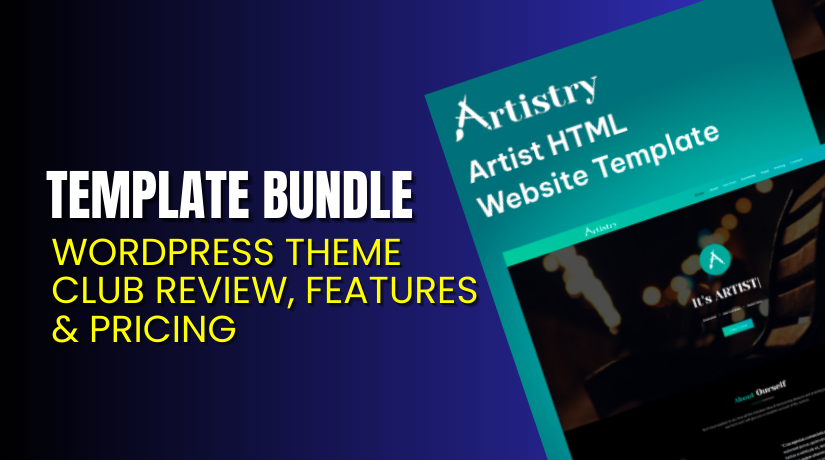
Template Bundle – WordPress Theme Club Review, Features & Pricing
Table of Contents
- Introduction
- What Is Template Bundle?
- Key Features of Template Bundle
- Design Quality & Customization
- Performance, SEO & Technical Standards
- WooCommerce & Plugin Compatibility
- Pricing & Licensing Details
- Support, Documentation & Contact
- Pros & Cons of Template Bundle
- Who Should Use This Theme Club?
- Theme Club vs Single Theme Purchase
- Final Verdict
- FAQ
Introduction
Running more than one WordPress site usually means you need different layouts, different sections, and different styles for each project, which quickly increases both cost and setup time. A theme club style membership helps by giving you one place to pick designs, download files, and start building without repeated purchases. Template Bundle offers a subscription called BundlePass that focuses on unlimited downloads during your active plan, covering WordPress themes and also HTML templates for broader website needs.
Instead of buying single items again and again, you can subscribe, browse categories, and download what fits your next client job, landing page, or business site. The platform also positions the subscription as a simple plan with no limits and no hidden fees, which is helpful when you want predictable monthly or yearly spending.
In this review, you will see what Template Bundle includes, how the plans work, what features you get, and what to expect from licensing and support before you commit.
What Is Template Bundle?
Template Bundle is an online marketplace that provides premium website assets, including WordPress themes, HTML templates, and plugins, organized across many common business and niche categories. The site also promotes a subscription called BundlePass, designed for users who want unlimited access to download items while their membership is active.
Rather than purchasing one theme for one project, BundlePass is meant for agencies, developers, and site owners who build often and need variety, speed, and repeatable setup workflows. The pricing page presents this as “Unlimited Downloads” under “One Simple Subscription,” with a monthly plan and a yearly plan, where the yearly option is marked as the most popular.
Template Bundle also highlights a growing library and promotes “500+” products on the site, with items spread across WordPress, HTML templates, and WordPress plugins, which makes it closer to a design bundle than a single-vendor theme club.
If your work includes WordPress builds plus static landing pages, this mixed library approach can reduce tool switching and reduce time spent hunting for starting designs.
Key Features of Template Bundle
Template Bundle’s BundlePass plans list a consistent set of benefits that focus on unlimited access, downloads, and ongoing updates during the subscription period, plus support priority.
- Unlimited WordPress Theme Access gives you access to WordPress theme downloads during your active plan, which can help you test multiple layouts before you commit to one design.
- Unlimited HTML Template Access adds non-WordPress options, which is useful for quick landing pages, static brand sites, or front-end prototypes for future WordPress builds.
- Unlimited Downloads During Subscription is offered for both monthly and yearly plans, so you can download as many items as needed while the plan remains active.
- Unlimited Site License is listed in both plans, which is helpful when you manage multiple domains, client properties, and staging sites in parallel.
- 24/7 Premium Support is included in the plan feature list, and the support area also explains how BundlePass works and how cancellation works.
- Free Updates During Your Plan are listed for the subscription month or the subscription year, which helps you stay aligned with updates while you are subscribed.
- Exclusive Access to New Products is positioned as a membership benefit, which matters if you want fresh designs instead of only older templates.
- Priority Support Queue is included in both plans, which can reduce waiting time when you hit a setup issue near a deadline.
Design Quality & Customization
Template Bundle markets its library as “responsive” and “ready to launch,” which fits users who want clean layouts that work across devices without heavy redesign.
Because the marketplace includes WordPress themes and HTML templates, customization depends on the item type and the tools you use, but the platform states that templates and themes are fully customizable.
For WordPress, you can typically adjust headers, typography, colors, and page sections using common editors and theme options, then extend design with page builders when supported by the theme. For HTML, you can change sections directly in code, which is helpful for fast edits and quick client approvals. The mix of assets makes it easier to match a design style across different projects and budgets.
Performance, SEO & Technical Standards
Most users choose bundled themes to save time, but performance still matters because slow pages reduce conversions and increase bounce rates. Template Bundle highlights “high-speed” assets and positions the library for fast launches, which suggests a practical focus on speed and usability.
For WordPress sites, you should still pair any theme with caching, image optimization, and a reliable host to get consistent load times, especially on mobile. For HTML templates, keep scripts minimal, compress images, and avoid heavy sliders unless they are truly needed for your content.
This approach helps you keep pages light, improves SEO crawl behavior, and supports better user experience across devices.
To keep your themes updated, secure, and optimized, try our WordPress Maintenance & Care Services
WooCommerce & Plugin Compatibility
- Template Bundle includes WordPress themes and also WordPress plugins as a marketplace category, so compatibility will vary by the specific theme you choose and how it was built.
- For WooCommerce stores, you should confirm that the selected WordPress theme supports product pages, shop layouts, cart, and checkout styling, then test it with your payment and shipping plugins on staging.
- For common site builds, most WordPress themes can work well with SEO plugins, contact form plugins, and caching plugins, as long as the theme follows normal WordPress standards.
- When you build often, having multiple theme choices helps you pick the layout that best fits your store niche without starting from zero.
Pricing & Licensing Details
Template Bundle lists two BundlePass subscription options on the official pricing page, with one monthly plan and one yearly plan marked as most popular.
Template Bundle Pricing Table
| Plan | Price (USD) | Billing Type | Best For | What You Get (Highlights) |
| Unlimited Access Monthly | $19 | Monthly | Trying the library, short projects, quick testing | Unlimited WordPress Theme Access, Unlimited HTML Template Access, Unlimited Downloads for a Month, Unlimited Site License, 24/7 Premium Support, Free Updates for the Subscription Month, Exclusive Access to New Products, Priority Support Queue |
| Unlimited Access Yearly (Most Popular) | $129 | Yearly | Agencies, frequent builds, predictable cost | Shows $228 comparison and “Approx. $11 per month,” plus “Save 43%,” with the same access and support benefits for the full subscription year |
Important Notes
- The support section describes Personal and Commercial license types for marketplace items, and the product policy explains Personal license use for a single end product and conditions for transfer to a client.
For the latest pricing changes, users should always verify details on the official Template Bundle pricing page.


Support, Documentation & Contact
Template Bundle provides a support area with guidance and also explains what BundlePass is, including that you can cancel the subscription and keep access until the end of your billing cycle.
The product policy explains that free support for purchased digital items is available for the first one month from the purchase date, with an option to extend support for additional months.
For direct contact, the contact page lists a support email, phone number, and a physical address, which is useful if you need pre-sales clarification or help with account issues.
Pros & Cons of Template Bundle
Pros
- You get a simple subscription with unlimited downloads during the active plan, which supports fast production work and quick design testing.
- The library includes WordPress themes plus HTML templates, which helps teams that build across platforms and need both CMS and static assets.
- The yearly plan shows clear value framing with a monthly equivalent and savings note, which helps budgeting for agencies and freelancers.
Cons
- Because it is a marketplace library, quality and feature depth can vary by item, so you still need a staging review before client delivery.
- The product policy states customers are not allowed to return or get refunds for purchased products, so buyers should read policies carefully.
Who Should Use This Theme Club?
- Template Bundle is a strong fit when you build or launch sites often and you want a steady flow of ready-to-use designs without buying single items every time. Agencies that manage many small client websites can benefit because a monthly or yearly BundlePass lets them download multiple starting designs, test layouts, and choose the best match without extra purchases.
- Freelancers who handle WordPress builds plus landing pages can also benefit, because the library includes WordPress themes and HTML templates in one place, which reduces switching between different vendors for each project.
- Business owners who run multiple brands, micro-sites, or campaign pages can use the subscription to refresh designs, create new pages, and keep a consistent look across sites.
- If you only build one site every few years, a subscription may feel unnecessary, but if you launch often, the convenience and variety can be worth it.
Theme Club vs Single Theme Purchase
- A single theme purchase works best when you already know the exact design you want and you do not expect to build more sites soon, because you can focus on one setup and one learning curve. A subscription model like BundlePass is better when you are not sure which design fits yet, or when you plan to build multiple sites and you want freedom to download and test more than one option.
- Template Bundle’s pricing page makes the subscription approach clear by offering unlimited downloads for a month or a year, with the yearly plan positioned as the popular choice for longer access.
- In real projects, the value comes from flexibility: you can try different styles for different niches, you can swap designs when a client changes direction, and you can reuse patterns across multiple builds. If your workflow depends on frequent launches, the subscription model reduces repeated checkout steps and helps keep project timelines tighter.
Final Verdict
Template Bundle works well as a theme club style subscription for people who build often and want unlimited downloads during an active plan, without repeated single purchases.
The pricing is simple, with $19 monthly access and a $129 yearly option that highlights savings and an approximate monthly cost.
Because it is a marketplace library, you should still review each theme or template on staging, but the variety and convenience can be a strong advantage for agencies and freelancers.
For hassle-free updates and performance management, try our WordPress Maintenance & Care Services.
FAQ
Q1. Is Template Bundle beginner-friendly?
Yes, the site explains that templates and themes are customizable and meant to help users launch quickly, even without advanced coding skills for basic setup.
Q2. What is BundlePass Subscription?
BundlePass is described as a subscription plan that gives unlimited access to download templates and themes during the subscription period, aimed at frequent builders.
Q3. Can I cancel my BundlePass subscription anytime?
Yes, the support page states you can cancel at any time and your download access continues until the end of the current billing cycle.
Q4. Do they offer support and updates?
The pricing page lists 24/7 premium support and free updates during the subscription month or year, based on the plan you select.
Q5. What licenses are available for items?
The support section mentions Personal and Commercial licenses, and the product policy provides more detailed rules around personal license use and client transfer.
Q6. How can I contact the Template Bundle?
The contact page provides a contact form plus direct details including support email, phone number, and address for business inquiries.