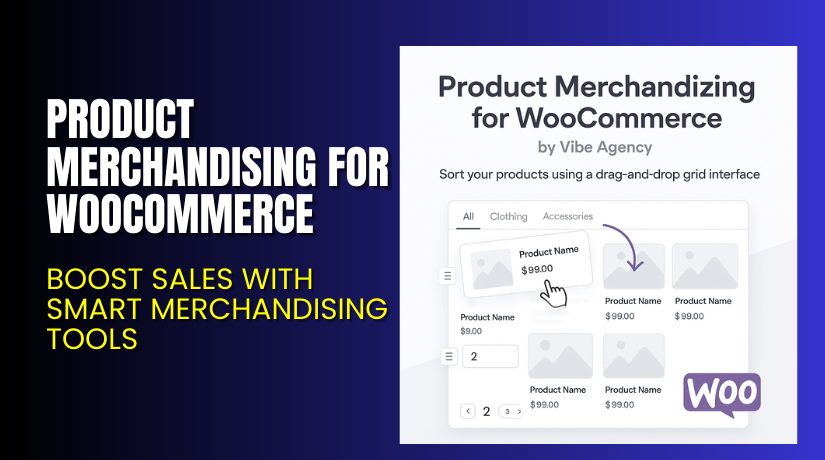
Product Merchandising for WooCommerce – Boost Sales with Smart Merchandising Tools
Table of Contents
- Introduction
- What is Product Merchandizing for WooCommerce?
- Features of Product Merchandizing for WooCommerce
- How to Install and Configure Product Merchandizing for WooCommerce
- Product Merchandizing for WooCommerce — Pricing & Plans
- My Experience with Product Merchandizing for WooCommerce
- Who Should Use This Plugin?
- Final Verdict
- FAQ Section
Introduction
Running a WooCommerce store is not easy today. Store owners handle many tasks each day. They manage products, update prices, improve layouts, and push sales. These tasks take time and often cause mistakes on busy days. Many store owners also use many plugins, which makes things harder. Some plugins slow down the site. Some plugins offer features that you never use. Some plugins promise results but do not help your store grow.
Product presentation is one of the biggest problems. Many stores have poor product ordering, poor category layouts, or confusing sorting tools. Visitors cannot find the right product fast. They leave the store without buying anything. This hurts your sales and affects your store’s reputation. Good product merchandising solves this problem. It shows products in a smart order. It helps users notice the right item and take action quickly.
In this article, we will explore Product Merchandising for WooCommerce, a helpful tool for better product control. We will review its features, pricing, setup steps, pros, cons, and ideal users. We will also compare it with alternatives and share useful tips.
👉 If you ever need help installing or troubleshooting any plugin or extension, please try our Installation & Troubleshooting Services.
What is Product Merchandizing for WooCommerce?
Product Merchandizing for WooCommerce is a powerful plugin that helps you control how products appear in your store. It gives simple tools to arrange, sort, and highlight products. This plugin makes the product display clearer and more strategic. It helps store owners guide customer decisions without coding or design skills. It is designed for WooCommerce stores of all sizes.
The plugin is available only as a Premium version, and you receive updates and support with your license. It helps improve conversions and user experience by showing the right products first. It is simple to use and offers a clean workflow for daily operation.
Official Plugin Page:
Features of Product Merchandizing for WooCommerce
| Feature | Description | Why It Matters |
| Drag-and-drop sorting | Let’s you reorder products with simple drag controls. | Helps store owners arrange product listings quickly. |
| Custom product rules | Allows sorting by price, sales, date, and popularity. | Saves time by applying rules across your catalog. |
| Showcase key products | Highlight featured items in top positions. | Improves visibility and boosts conversions. |
| Category-specific sorting | Set custom order rules for each category. | Helps show the right items for each audience. |
| Sale and stock sorting | Sort products based on discount or stock levels. | Helps manage clearance and fast-moving products. |
| New arrival sorting | Push new items to the top of product lists. | Improves user interest and boosts fresh inventory. |
| Manual and automated control | Combine rule-based sorting with manual edits. | Gives full flexibility for store managers. |
These features help you present products in a clean, structured, and effective way.
How to Install and Configure Product Merchandizing for WooCommerce
- Download the plugin from the link.
- Go to your WordPress Dashboard → Plugins → Add New → Upload Plugin.
- Upload the ZIP file downloaded from WooCommerce.
- Click Install Now and wait for the installation to complete.
- Activate the plugin from the plugin list.
- Go to WooCommerce → Products → Sorting Tools.
- Configure basic settings like default order, rules, and category behavior.
- Set manual order for individual products if needed.
- Test product pages on both desktop and mobile.
- Check compatibility with caching, SEO plugins, and theme templates.
💡 If you face any configuration or compatibility issues, you can try our Installation & Troubleshooting Services.
Product Merchandizing for WooCommerce – Pricing & Plans
| 1 Year Plan | 2 Year Plan |
| $49 | $78.40 |
Subscription includes
|
Subscription includes
|
Buy Product Merchandizing for WooCommerce Now
Purchase Here → Buy Product Merchandizing for WooCommerce Premium
💡 Your purchase supports the development team and helps me create more tutorials like this.


My Experience with Product Merchandizing for WooCommerce
After testing the plugin on a live WooCommerce store, here are my findings:
Pros
- Very easy setup and quick configuration options.
- Clean and simple interface for daily use.
- Lightweight and does not slow down the store.
- Drag-and-drop sorting works smoothly without glitches.
- Great support from the WooCommerce help team.
- Works well with most modern themes and builders.
- Good balance of manual and automatic sorting tools.
Cons
- No free version for testing before purchase.
- Limited styling options inside the plugin.
- Some users may expect more advanced automation rules.
- Requires learning if you have many categories.
Who Should Use This Plugin?
This plugin is ideal for:
- WooCommerce store owners want a clean and strategic product order
- Business owners who want better product visibility
- Stores with large catalogs that need sorting support
- Beginners who want simple tools without heavy settings
- Agencies managing many client stores and product layouts
- Shop owners who want to highlight new items fast
- Anyone wanting more control over WooCommerce product display
Useful Resources
- Official Plugin Page
- Official Support Page
- Developer Documentation
- WooHelpDesk Installation & Troubleshooting Services
Final Verdict
Product Merchandizing for WooCommerce is a strong and reliable plugin. It helps you improve product display and guide users toward the right items. It gives clear tools for better sorting and better product positions. The plugin is simple, stable, and useful for all store sizes. If you want more product control without coding, this plugin is worth trying.
Use the link below to get started and unlock premium features today.
👉 Buy Product Merchandizing for WooCommerce Premium Now
💡 Need help installing or fixing it? Try our Installation & Troubleshooting Services.
FAQ Section
Q1. Is Product Merchandizing for WooCommerce compatible with all WooCommerce themes?
Yes, it works with most standard WooCommerce themes. Always test before going live.
Q2. Can I use both free and premium versions?
No, the plugin currently offers only a premium version.
Q3. How do I get support?
You can contact the official team through the WooCommerce Support Page.



