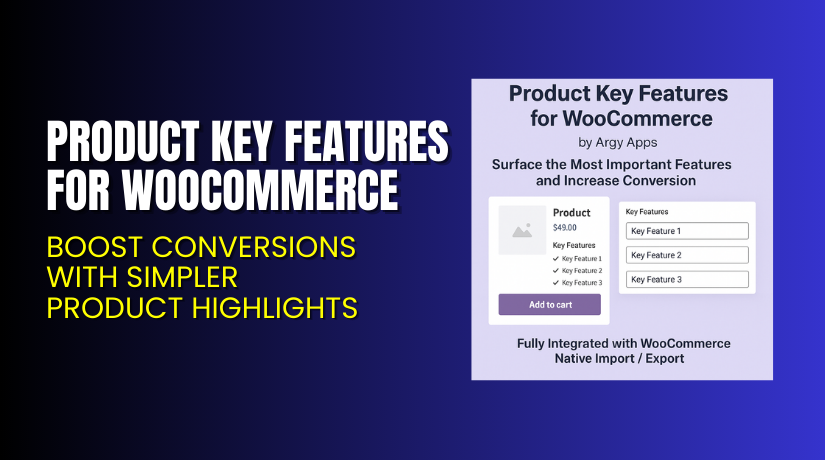
Product Key Features for WooCommerce – Boost Conversions with Simpler Product Highlights
Table of Contents
- Introduction
- What is Product Key Features for WooCommerce?
- Key Features of Product Key Features for WooCommerce
- How to Install and Configure Product Key Features Plugin?
- Pricing & Plans
- My Experience with Product Key Features Plugin
- Who Should Use This Plugin?
- Final Verdict
- FAQ
Introduction
Running a WooCommerce store means handling several plugins and extensions. But not every plugin helps grow your store. Store owners often face a common problem—visitors don’t read full product descriptions.
Modern shoppers scroll fast and want instant answers. They want the main benefits up front. But many WooCommerce product pages still rely on long blocks of text.
That’s where the Product Key Features for WooCommerce plugin comes in. This simple extension helps highlight a product’s top features in a clear, easy-to-read format.
In this article, we’ll cover:
- What this plugin does
- How to install and configure it
- Key features
- Pricing details
- Pros and cons
- Who should use it
- Final recommendation
If you need help with setup, try our Installation & Troubleshooting Services.
What is Product Key Features for WooCommerce?
Product Key Features for WooCommerce is a store enhancement plugin built for better user experience. It allows store owners to display key product details in a bullet list directly on product pages.
Developed by Argy Apps, this plugin improves how products are shown to customers. Rather than forcing users to read full descriptions, you highlight core features up top.
It works like the feature boxes you see on Amazon or Flipkart. Just a quick scan, and customers know if the product is right for them.
This helps reduce bounce rates and increases conversions.
The plugin is available on the official WooCommerce marketplace.
It’s tested with:
- WordPress 6.6.2
- WooCommerce 9.3.3
It supports all standard WooCommerce flows and passes security checks.
Official Plugin Page: Product Key Features Plugin
Support Page: WooCommerce Support
Documentation: Plugin Docs
Key Features of Product Key Features for WooCommerce
| Feature | Description | Why It Matters |
| Clear Feature Display | Lets you show key product features in bullet points | Customers understand product benefits instantly |
| Simple Settings Panel | Easy to configure options inside WooCommerce dashboard | No learning curve for store admins |
| WooCommerce Import/Export Support | Fully integrates with native product import/export tools | Saves time for bulk product updates |
| Compatible with All Themes | Designed to work with most WooCommerce themes | No extra CSS or layout fixes required |
| Lightweight Plugin | Clean code with minimal overhead | Does not slow down your site |
These features are designed to meet customer expectations and reduce friction during shopping.
How to Install and Configure Product Key Features Plugin?
You can install the plugin in just a few minutes. Follow these steps:
- Download the plugin from the official WooCommerce store.
- In your WordPress dashboard, go to Plugins > Add New > Upload Plugin.
- Choose the downloaded ZIP file and click Install Now.
- After installation, click Activate.
- Go to Settings > Product Key Features.
- Add your key product features for each item.
- Save and test it on a live product page.
If you face any setup or theme compatibility issues, we recommend using our Installation & Troubleshooting Services.
Pricing & Plans
The plugin is available in a simple pricing structure:
| Plan | Price | Includes |
| Free | N/A | No free version available |
| 1-Year Plan | $29 | All features + support + updates for 1 year |
| Discounts | Up to 40% | Auto-applied during checkout (if sale is active) |
Note: The plugin is occasionally marked “Unavailable” due to inventory control or updates. Always check the official WooCommerce plugin page for the latest availability and discounts.
Buy Product Key Features Plugin Now
Get the plugin here: Buy Product Key Features for WooCommerce
Your purchase supports the developer and helps me bring you more detailed guides and tutorials.


My Experience with Product Key Features Plugin
I tested this plugin on a live WooCommerce demo store with around 25 products.
Here’s what I found:
Pros:
- Easy to install and configure
- Very lightweight; does not impact site speed
- Seamless integration with native product editing screen
- Clean front-end layout; no styling issues
- Compatible with major WooCommerce themes
Cons:
- No drag-and-drop feature ordering
- Feature display location is fixed without custom styling
- Lacks custom icons or formatting (text-only)
Overall, it performs its core function well and solves a real problem.
Who Should Use This Plugin?
This plugin is perfect for:
- WooCommerce store owners who want to highlight product benefits
- Agencies that build WooCommerce sites for multiple clients
- Beginners looking for a no-code solution to improve UX
- Online stores with large product catalogs needing quick feature display
- Dropshipping stores that rely on faster decision-making
Useful Resources
Here are all the essential links for using the plugin:
- Official Plugin Page – Product Key Features
- Plugin Documentation
- WooCommerce Support Page
- WooHelpDesk Setup & Support Services
Bookmark these for future reference.
Final Verdict
If you want a simple, reliable way to showcase product highlights and increase conversions, then Product Key Features for WooCommerce is worth every dollar.
It solves a real problem without adding complexity.
There’s no bloat, no extra styling headaches, and no performance issues. Just faster, clearer communication to your customers.
Buy it now using the official link: Buy Product Key Features Plugin for WooCommerce
Need help installing it? Try our trusted Installation & Troubleshooting Services.
FAQ
Q1. Is Product Key Features plugin compatible with all WooCommerce themes?
Yes, it works with most standard WooCommerce themes. Always test before going live.
Q2. Can I use this plugin with bulk import tools?
Yes, it fully supports native WooCommerce import/export functionality.
Q3. Is there a free version of the plugin?
No, it is a paid plugin starting at $29 per year.
Q4. How do I get support if I face issues?
You can contact the official WooCommerce support team.



