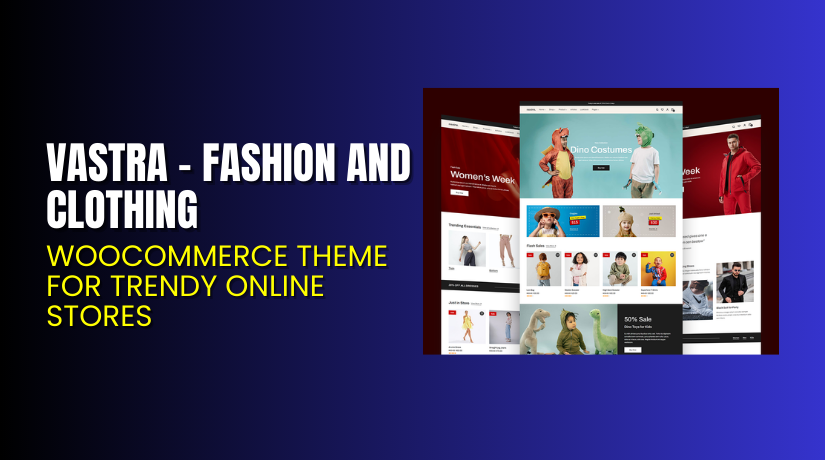
Vastra – Fashion and Clothing WooCommerce Theme for Trendy Online Stores
Table of Contents
- Introduction
- What is Vastra – Fashion and Clothing WooCommerce Theme?
- Features of Vastra Theme For WooCommerce
- How to Install and Configure Vastra
- Vastra Theme Pricing & Plans
- My Experience with Vastra Theme For WooCommerce
- Who Should Use This Theme?
- Final Verdict
- FAQ
Introduction
Running an online fashion store in WooCommerce can be exciting but also stressful. Many store owners struggle with choosing a theme that truly fits their brand style. A poorly designed theme can slow down your site, confuse shoppers, and hurt sales.
Customers want fast-loading pages, a modern design, and easy navigation. Without the right theme, you risk losing potential buyers even before checkout. That’s where Vastra – Fashion and Clothing WooCommerce Theme comes in.
This theme helps online fashion retailers build stunning, responsive, and professional-looking stores. It’s built for performance, style, and flexibility — everything modern clothing brands need to grow.
In this article, we’ll explore Vastra, its key features, pricing, setup process, and our overall experience using it. You’ll learn how Vastra makes running a WooCommerce fashion store simpler and smoother.
👉 If you ever need help installing or troubleshooting any theme or plugin, try our Installation & Troubleshooting Services.
What is Vastra – Fashion and Clothing WooCommerce Theme?
Vastra is a modern WooCommerce theme designed for fashion and clothing stores. It helps business owners showcase their apparel products in a stylish, mobile-friendly layout. Developed by ThemeGrill, Vastra is optimized for performance and works seamlessly with WooCommerce.
The theme focuses on design flexibility and fast user experience. It comes with multiple pre-built templates for men’s, women’s, and accessories stores. You can customize colors, fonts, and sections without coding.
With clean layouts, high-quality visuals, and product-focused design, Vastra creates a professional look for your online boutique. It’s compatible with popular page builders like Elementor and Gutenberg, allowing easy drag-and-drop customization.
Official Theme Page: https://woocommerce.com/products/vastra/
Support Page: https://themegrill.com/support/
Features of Vastra Theme For WooCommerce
| Feature | Description | Why It Matters |
| Responsive Design | Adapts perfectly on desktops, tablets, and mobiles. | Ensures your store looks great on every device. |
| WooCommerce Integration | Built to work smoothly with WooCommerce and extensions. | Let’s you sell easily without extra setup. |
| Pre-Made Demos | Includes fashion-specific demo templates for quick setup. | Saves time by reducing design and customization work. |
| Elementor Compatible | Supports drag-and-drop customization with Elementor builder. | Makes editing faster and beginner-friendly. |
| SEO Optimized | Designed to help your products rank better in search engines. | Improves visibility and drives organic traffic. |
| Fast Loading Speed | Lightweight theme with optimized code and images. | Improves user experience and reduces bounce rates. |
How to Install and Configure Vastra
- Download the Vastra theme from the link.
- Go to your WordPress Dashboard → Appearance → Themes → Add New → Upload Theme.
- Upload the theme ZIP file and click Install Now.
- After installation, click Activate.
- Go to Appearance → Customize to configure basic settings like colors, logo, and layout.
- Import demo content to set up a ready-made store layout.
- Test your website on different devices to ensure everything looks perfect.
💡 If you face any setup or compatibility issues, try our Installation & Troubleshooting Services.
Vastra Theme Pricing & Plans
| Single Theme Plan (Yearly) | All Theme Plan (Yearly) | Themegrill Agency (Yearly) |
| $55
Unlimited Site License Support & Updates
All Feature
|
$103
Unlimited Site License Support & Updates  
Premium Themes for Every Niche
|
$599
Unlimited Site License
|
Buy Vastra Theme For WooCommerce Now
Purchase Here → Buy Vastra Premium Now
💡 Your purchase supports the ThemeGrill team and helps us create more tutorials for WooCommerce users.
My Experience with Vastra Theme For WooCommerce
After testing Vastra on a live fashion WooCommerce store, here’s what we found:
Pros
- Clean, stylish, and professional layout.
- Smooth WooCommerce integration.
- Fast and SEO-friendly performance.
- Easy customization with Elementor and Gutenberg.
- Great support and regular updates.
Cons
- Limited customization in the free version.
- Some advanced features are available only in the premium plan.
- Lacks built-in wishlist and product comparison options.
Who Should Use This Theme?
- Fashion store owners want a stylish and responsive layout.
- Boutique owners who want to showcase products elegantly.
- Agencies managing fashion or lifestyle clients.
- Beginners who want a pre-built WooCommerce theme that works instantly.
Useful Resources
- Official Theme Page
- ThemeGrill Support Page
- Developer Documentation
- WooHelpDesk Installation & Troubleshooting Services
Final Verdict
If you’re looking for a modern, fast, and stylish WooCommerce theme, Vastra is a great choice. It’s perfect for clothing stores, boutiques, and fashion retailers. The setup is quick, the customization options are flexible, and the design quality is impressive.
Buy Vastra Premium Now
💡 Need help installing or configuring it? Try our Installation & Troubleshooting Services.
FAQ
Q1. Is Vastra compatible with all WooCommerce plugins?
Yes, Vastra works smoothly with most standard WooCommerce extensions. Always test before going live.
Q2. Can I use both free and premium versions?
No, deactivate the free version before installing the premium one.
Q3. How do I get support?
You can contact the ThemeGrill support team through their support page.



