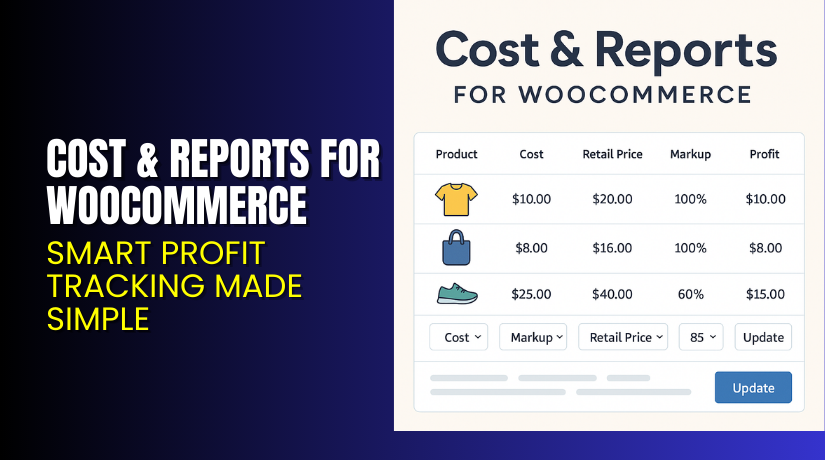
Cost & Reports for WooCommerce – Smart Profit Tracking Made Simple
Table of Contents
- Introduction
- What is Cost & Reports for WooCommerce?
- Key Features of Cost & Reports for WooCommerce
- How to Install and Configure Cost & Reports
- Pricing & Plans
- My Experience with the Plugin
- Who Should Use This Plugin?
- Final Verdict
- FAQ Section
Introduction
Running a WooCommerce store without tracking profit is like driving blind. You know you’re selling, but do you know what you’re actually earning?
Most WooCommerce users rely on default reports. These reports often miss key metrics like cost of goods, markup, or real profit.
That’s where Cost & Reports for WooCommerce steps in.
This plugin lets you track costs, set margins, and analyze real-time profits. It replaces vague charts with real numbers and downloadable data.
In this article, we’ll cover what the plugin does, its features, installation guide, pricing, and more.
Need expert help to set it up? Try our Installation & Troubleshooting Services.
What is Cost & Reports for WooCommerce?
Cost & Reports for WooCommerce is a premium reporting and profit calculation plugin developed by Consortia AS.
It lets you:
- Record purchase prices and real product costs
- Calculate markup-based pricing
- Generate order and product-level profit reports
- Edit cost fields in bulk using a table interface
- Export reports in CSV or Excel formats
It works with simple products, variations, and subscriptions. You can track total profit, profit margins, taxes, refunds, and even stock profitability.
This plugin was recognized by TechReport in 2024 as a top accounting solution for WooCommerce.
Official Plugin Page: Consortia AS
Developer Documentation: Documentation Page
Key Features of Cost & Reports for WooCommerce
| Feature | Description | Why It Matters |
| Cost Fields | Add purchase cost, shipping, and cost of goods per product | Enables accurate profit calculation |
| Markup Pricing | Suggest prices based on your markup goals | Helps set prices intelligently |
| Bulk Editor | Edit cost, price, and stock in a table layout | Saves time when updating multiple items |
| Profit Reports | View profit, margin, net sales, and tax data | Shows what’s truly earning profit |
| Downloadable Reports | Export reports as CSV or Excel files | Ideal for further accounting analysis |
| Category Filters | Narrow reports or bulk edits by product category | Easier to manage large catalogs |
| Smart Alerts | Detect negative profit or missing data | Prevent pricing errors before they go live |
| Table Summaries | Auto-calculate averages and totals | Quickly view performance at a glance |
| Custom Profit Colors | Highlight low or high profit items in red/green | Easy visual performance tracking |
| Order & Product Reports | Analyze data by order or individual product | Understand profit per item and customer |
| Multi-language Support | Translatable via POT file (English, Norwegian included) | Works with multilingual stores |
| Dark Mode | Enable a low-light UI mode for better usability | Comfortable for extended use |
| Plugin Integrations | Works with Consortia’s Bulk Table Editor and more | Extend functionality seamlessly |
| Compatible with Subscriptions | Works with WooCommerce Subscriptions extension | Useful for recurring revenue tracking |
How to Install and Configure Cost & Reports
Here’s how to get started with the plugin:
- Purchase the plugin from the official site: consortia.no
- Download the plugin ZIP file
- Go to your WordPress Dashboard → Plugins → Add New
- Upload the plugin file and Activate
- Go to WooCommerce → Cost & Reports in your admin panel
- Begin by adding product costs and markup
- Use the bulk editor to set prices across your catalog
- Navigate to the Reports tab to view profit and sales insights
Need technical help? Use our Installation & Troubleshooting Services
Pricing & Plans
Here is the official pricing from Consortia AS:
| Plan | Price (USD) | Includes |
| 1-Year License | $89 | Plugin updates, 1 year of support, 30-day refund guarantee |
You receive:
- All features mentioned
- Continuous updates
- Access to detailed documentation
- Responsive support by Consortia AS
This is a one-site license. For multisite or agency use, you’ll need multiple licenses.
Buy Cost & Reports Plugin Now
Get it here → Buy from Consortia AS
Your purchase helps support the plugin’s continued development and accurate reporting for your store.
Need expert help installing? Try our Installation & Troubleshooting Services


My Experience with the Plugin
After testing on a WooCommerce store with 2,500+ products, here’s my honest review:
Pros
- Quick to install and easy to use
- Bulk editor is a time-saver
- Detailed reports show real profit, not just sales
- Works even with sales and discounts applied
- Great for small and large WooCommerce stores
- Support team is responsive and helpful
Cons
- Only available via WooCommerce.com
- Some report columns may overwhelm new users
- Doesn’t include graphs or visuals (which some users may prefer)
Who Should Use This Plugin?
This plugin is ideal for:
- WooCommerce store owners wanting detailed profit tracking
- Accountants or financial analysts managing online sales
- Store managers needing accurate cost and margin data
- Agencies maintaining multiple product catalogs
- Subscription-based shops tracking recurring product profitability
- eCommerce entrepreneurs looking to increase profit intelligently
Useful Resources
Final Verdict
If you’re serious about knowing your numbers, Cost & Reports for WooCommerce is a must-have plugin. It fills a critical gap in WooCommerce by showing you what matters—profit.
You can finally stop guessing your margins and start making informed pricing decisions.
It’s fast, reliable, and built with business owners in mind. Plus, with export-ready reports and an intuitive bulk editor, managing profitability becomes effortless.
Buy the plugin now and start making smarter, data-driven choices.
Need setup assistance? Use our Installation & Troubleshooting Services
FAQ Section
Q1. Does the plugin support variable products?
Yes, it works with variations and subscriptions too.
Q2. Can I export reports to Excel or CSV?
Yes. You can download reports by product or order in both formats.
Q3. Does it calculate profit automatically?
Yes. It uses your cost and markup to calculate profit and price.
Q4. What happens if I don’t enter cost data?
The plugin will flag missing data and prevent inaccurate reports.
Q5. Does it support dark mode?
Yes. You can enable dark mode for a better user interface.
Q6. Can I use it on multiple sites?
Only one site per license. Purchase additional licenses for more installs.



