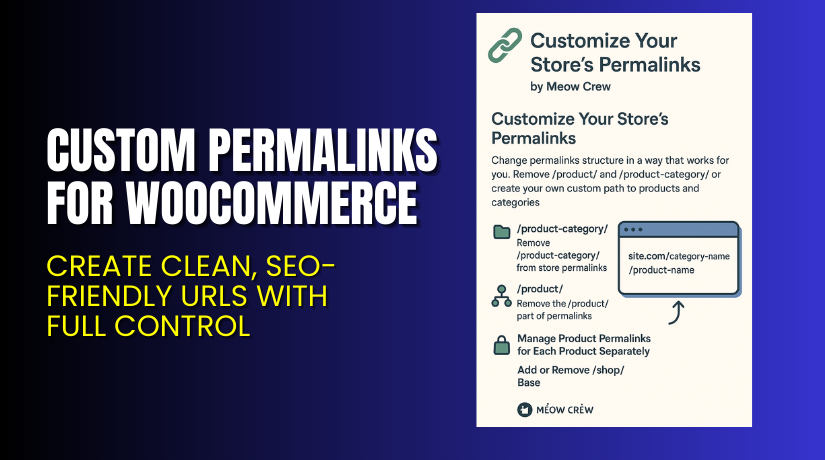
Custom Permalinks for WooCommerce – Create Clean, SEO-Friendly URLs with Full Control
Table of Contents
- Introduction
- What is Custom Permalinks for WooCommerce?
- Key Features of Custom Permalinks for WooCommerce
- How to Install and Configure Custom Permalinks for WooCommerce?
- Pricing & Plans
- My Experience with Custom Permalinks for WooCommerce
- Who Should Use This Plugin?
- Final Verdict
- FAQ
Introduction
URLs matter more than you think. A clean, well-structured permalink helps improve SEO, user experience, and overall store professionalism. But default WooCommerce URLs are often messy and lengthy. They include unnecessary parts like /product/ or /product-category/, which don’t help your SEO.
Many WooCommerce users struggle with changing the permalink structure. Some want to match URLs from a previous CMS. Others want to shorten links or add SKU values. If you’re one of them, you need a simple, flexible way to manage product and category URLs.
That’s where the Custom Permalinks for WooCommerce plugin by Meow Crew becomes essential. It offers full control over how your URLs look — without coding or theme editing.
In this article, you’ll learn about its features, pricing, pros and cons, and how to get started.
If you need help setting it up, you can use our Installation & Troubleshooting Services.
What is Custom Permalinks for WooCommerce?
Custom Permalinks for WooCommerce is a plugin that gives full control over how your product and category URLs look. You can remove unwanted parts like /product/ or /product-category/ and build cleaner, shorter, and more SEO-friendly URLs.
This plugin is developed by Meow Crew, a trusted name in the WooCommerce plugin space. It is especially useful for store owners who:
- Migrated from another platform and want to keep old URLs.
- Follow SEO best practices and prefer short, keyword-rich URLs.
- Want URLs that include product SKUs or custom structures.
The plugin works out-of-the-box. You can choose how URLs are generated, customize endings, and even create 301 redirects to avoid SEO penalties when changing existing URLs.
Official Plugin Page: Custom Permalinks for WooCommerce
Documentation: View Official Documentation
Contact Developer: Meow Crew Contact Page
Key Features of Custom Permalinks for WooCommerce
| Feature | Description | Why It Matters |
| Remove /product/ and /product-category/ | Clean URLs by removing default WooCommerce slug parts. | Improves SEO and readability. |
| Custom product permalinks | Choose how product URLs are structured (e.g., category + product). | Enables full customization of your link strategy. |
| Add URL endings | Add .html, .php, or any custom extension. | Helps replicate URLs from older CMS or legacy systems. |
| Auto 301 redirects | Redirect old URLs to the new structure. | Retain SEO value and avoid broken links. |
| Use SKU in URLs | Replace product slug with SKU for precise tracking. | Useful for inventory-based product URLs. |
| Canonical tag support | Automatically adds rel=canonical tag. | Prevents duplicate content in search engines. |
| Yoast SEO integration | Choose primary category from Yoast settings. | Better control over product categorization in URLs. |
| Automatic sitemap update | New URLs are added to your Yoast XML sitemap. | Ensures faster indexing by search engines. |
How to Install and Configure Custom Permalinks for WooCommerce?
Getting started is simple. Follow these steps:
- Download the plugin from the official Meow Crew plugin page.
- Go to your WordPress dashboard → Plugins → Add New → Upload Plugin.
- Upload the ZIP file and click Install Now.
- After installation, click Activate.
- Navigate to WooCommerce → Settings → Permalinks.
- Configure your desired permalink structure:
- Remove /product/ and /product-category/
- Choose category + product combination
- Add .html or .php endings
- Enable SKU-based slugs
- Enable 301 redirects to keep old links working.
- Save settings and test your URLs.
Need help? Use our Installation & Troubleshooting Services.
Pricing & Plans
The plugin is affordably priced and includes support and updates.
| Plan | Price | Includes |
| 1 Site Annual | $49/year | 1 year of updates and support |
| Refund Policy | 30 days | Full money-back guarantee if not satisfied |
The plugin is quality checked by WooCommerce and offers peace of mind through its refund policy.
Buy it now from the Official Plugin Page.
Buy Custom Permalinks for WooCommerce Now
This plugin is a must-have for store owners who care about SEO and user experience. You don’t need to write code or change theme files. The plugin does all the work for you.
Purchase here → Custom Permalinks for WooCommerce


Your purchase helps support the developer and allows us to continue creating useful tutorials and services.
My Experience with Custom Permalinks for WooCommerce
After testing this plugin on a WooCommerce store with over 300 products, here’s what stood out:
Pros
- Easy to set up and configure.
- Works well with Yoast SEO and other major plugins.
- Removes unnecessary parts of URLs effectively.
- Saves time on redirection with auto 301 redirects.
- Compatible with all themes tested.
Cons
- No lifetime plan available (only annual).
- No bulk preview of URL changes before saving.
- Limited documentation on complex permalink structures.
Still, the benefits far outweigh the drawbacks. It’s a solid plugin for modern WooCommerce sites.
Who Should Use This Plugin?
Recommended for:
- Store owners migrating from another CMS.
- SEO-focused marketers wanting clean, keyword-rich URLs.
- Developers managing WooCommerce client projects.
- Beginners needing a user-friendly permalink manager.
- Anyone frustrated by WooCommerce’s default URL structure.
Useful Resources
Final Verdict
The Custom Permalinks for WooCommerce plugin solves a real problem for store owners. Default WooCommerce URLs are long and not always SEO-friendly. This plugin gives you the control you need to optimize them fully.
It is reliable, easy to configure, and integrates well with SEO tools. Whether you want to shorten your URLs, add SKU values, or change the structure completely — this plugin lets you do it in minutes.
Ready to upgrade your WooCommerce URLs? Buy Custom Permalinks for WooCommerce
Need assistance? Try our WooHelpDesk installation & support.
FAQ
Q1. Does this plugin work with any WooCommerce theme?
Yes, it works with all standard WooCommerce themes. Still, test it on staging before going live.
Q2. Can I use SKU instead of product name in URLs?
Yes. The plugin lets you switch between product slug and SKU in settings.
Q3. Will it affect SEO if I change existing permalinks?
If you enable the 301 redirect option, your SEO rankings are preserved.



