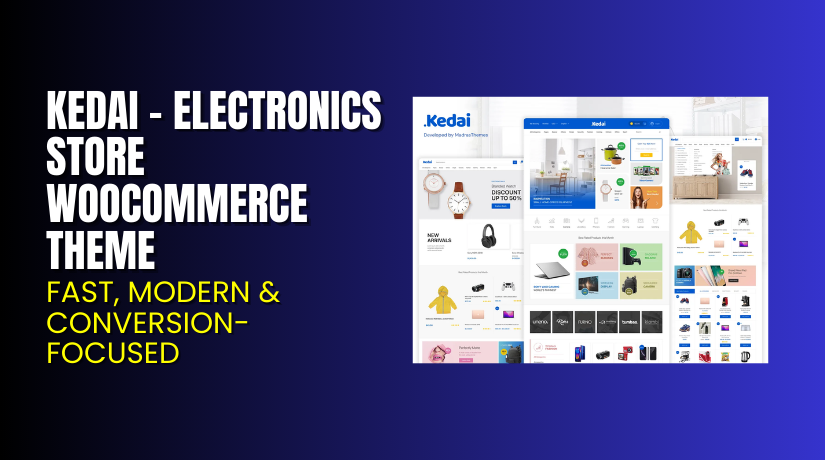
Kedai – Electronics Store WooCommerce Theme – Fast, Modern & Conversion-Focused
Table of Contents
- Introduction
- What is Kedai – Electronics Store WooCommerce Theme?
- Features of Kedai – Electronics Store WooCommerce Theme
- Kedai – Pricing & Plans
- My Experience with Kedai – Electronics Store WooCommerce Theme
- Who Should Use This Theme?
- Final Verdict
- Final Verdict
- FAQ
Introduction
Running a WooCommerce store can feel overwhelming at times. Managing design, layout, and performance while keeping products organized is a constant challenge. Many store owners struggle with themes that look great but load slowly or lack flexibility. Others spend hours trying to make their site mobile-friendly or easy to navigate.
Kedai – Electronics Store WooCommerce Theme solves these common issues with speed, style, and simplicity. It’s designed specifically for electronics stores, helping you display products beautifully while ensuring fast load times and smooth performance. The theme’s layouts are optimized for conversions, so visitors can find and purchase products quickly.
With Kedai, you get modern templates that work perfectly on all devices. It includes advanced features like customizable headers, flexible widgets, and WooCommerce integration. You don’t need coding knowledge to make your store look professional. Everything is designed to be user-friendly, fast, and ready for growth.
In this article, we’ll explore Kedai – Electronics Store WooCommerce Theme, its features, installation process, pros and cons, pricing, and how it compares with alternatives.
Note: If you ever need help installing or troubleshooting any plugin or theme, try our Installation & Troubleshooting Services.
What is Kedai – Electronics Store WooCommerce Theme?
Kedai – Electronics Store WooCommerce Theme is a beautifully designed theme created for online electronics stores. It helps store owners build fast, modern, and professional eCommerce websites using WooCommerce. The theme is built with user experience in mind and offers ready-made layouts for gadgets, mobile accessories, and home electronics.
Developed by MadrasThemes, Kedai ensures full compatibility with the latest WordPress and WooCommerce versions. It provides multiple homepage designs, product layouts, and header styles. This makes it easy to create a store that matches your brand identity.
Kedai is also optimized for performance. It loads quickly, offers clean navigation, and supports responsive design for all devices. The theme includes integration with Elementor, making customization easy without coding knowledge. It also supports wishlist, compare, and quick-view features to enhance customer engagement.
You can use Kedai to build a store for smartphones, laptops, TVs, and more. It supports multiple plugins and offers advanced search and filtering options for better shopping experiences.
Official Theme Page: https://madrasthemes.com/wp-theme/kedai/
Support Page: https://madrasthemes.com/support
Features of Kedai – Electronics Store WooCommerce Theme
- Ready-to-Use Store Layouts
Kedai includes multiple pre-designed templates for electronics stores. You can import them with one click and start customizing instantly. Each layout fits modern gadget and tech shop designs perfectly.
Why It Matters:
It helps store owners set up professional stores quickly without design experience.
- Optimized for Speed and SEO
The theme uses lightweight code and optimized assets. It ensures faster page loading and better Google ranking. Kedai also supports caching plugins for improved performance.
Why It Matters:
It saves time by enhancing speed and improves SEO visibility and traffic.
- Full WooCommerce Integration
Kedai integrates perfectly with WooCommerce features and extensions. It supports quick view, wishlist, and product comparison options. These tools make shopping smoother and more engaging.
Why It Matters:
It improves conversions by giving users a seamless shopping experience.


- Download the theme from {https://madrasthemes.com/wp-theme/kedai/?aff=shuchi-jain}.
- Go to your WordPress Dashboard → Appearance → Themes → Add New → Upload Theme.
- Upload the Kedai.zip file and click Install Now. Once installed, click Activate to enable the theme on your website.
- Go to Appearance → Customize to access Kedai Theme Settings. Configure your site identity, header layout, and color scheme.
- Import the demo content if needed for a quick start. Check your shop and product pages for correct layout and design.
- Test all elements like menus, sliders, and product grids. Ensure theme compatibility with your WooCommerce version and plugins.
Kedai – Pricing & Plans
Kedai – Electronics Store WooCommerce Theme costs $59 for a 1-year license. Access to all current prices is listed below for your reference.
| Free | Annual All-Access | Lifetime All-Access |
| $0 | $99/year | $199 One-Time |
|
|
|
Buy Deco – Kedai – Electronics Store WooCommerce Theme
Purchase Here: Buy Now
Note: Your purchase supports the development team and helps me create more tutorials like this.
My Experience with Kedai – Electronics Store WooCommerce Theme
After testing Kedai – Electronics Store WooCommerce Theme on a live WooCommerce site, here’s what I found:
Pros
- Easy setup: Installation and activation take only a few minutes.
- Responsive design: Works smoothly across desktop, tablet, and mobile devices.
- Lightweight and fast: Pages load quickly with minimal lag or delays.
- Flexible customization: Compatible with Elementor and WordPress Customizer.
- Modern layouts: Ideal for showcasing electronics, gadgets, and tech accessories.
- Regular updates: Maintained by the trusted team at MadrasThemes.
- Strong support: Quick response from the developer team for theme issues.
Cons
- Limited free demo import options.
- Advanced customization may need coding knowledge.
- Premium look requires extra paid plugins.
- No built-in blog style variations.
- Price is slightly higher than some basic WooCommerce themes.
Who Should Use This Theme?
- WooCommerce store owners wanting a clean, fast, and professional electronics layout.
- Agencies managing multiple WordPress clients looking for a stable, flexible theme.
- Beginners who want a plug-and-play WooCommerce theme with minimal setup time.
Useful Resources
- Official Theme Page
- Official Theme Support Page
- Developer Documentation
- Kedai – Installation & Troubleshooting Services
Final Verdict
If you’re looking for a reliable WooCommerce theme that delivers results without slowing your store, Kedai – Electronics Store WooCommerce Theme is a great pick. It’s modern, fast, and easy to manage — perfect for electronics and tech stores.
Buy Kedai – Electronics Store WooCommerce Theme Premium Now
Note: Need help installing or fixing it? Try our Installation & Troubleshooting Services
FAQ
Q1. Is Kedai compatible with all WooCommerce plugins?
Yes, it works with most standard WooCommerce plugins. Always test before going live.
Q2. Can I use both free and premium versions?
You’ll need to deactivate the free version before installing the premium version.
Q3. How do I get support?
Contact the official MadrasThemes support team via the Theme Support Page.



