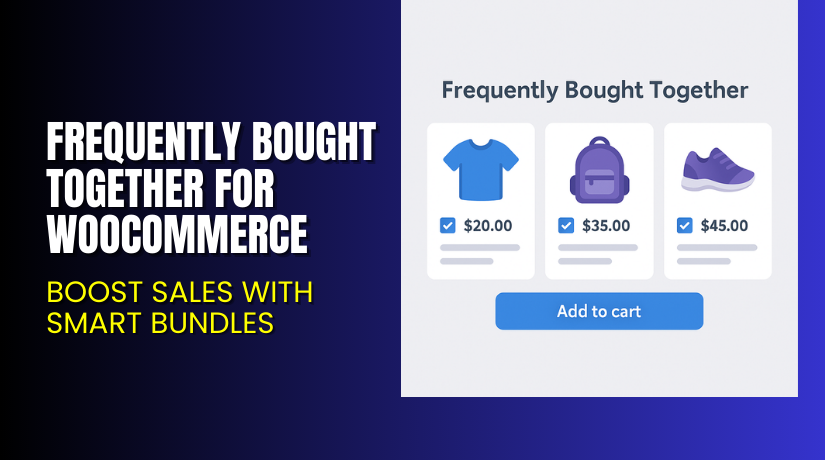
Frequently Bought Together for WooCommerce – Boost Sales with Smart Bundles
Table of Contents
- Introduction
- What is Frequently Bought Together for WooCommerce?
- Key Features of Frequently Bought Together
- How to Install and Configure the Plugin
- Pricing & Plans
- My Experience with Frequently Bought Together
- Who Should Use This Plugin?
- Final Verdict
- FAQ
Introduction
Selling products online is competitive. One way to increase sales is by offering customers related products they can buy together. This is a proven upsell strategy used by major eCommerce stores.
Frequently Bought Together for WooCommerce, developed by WP1 (via Premmerce), makes this simple. It allows you to create product bundles and show them directly on product pages. Shoppers can add full bundles to their cart with one click.
This plugin helps boost your average order value (AOV) and encourages customers to explore more products.
In this article, you’ll learn how the plugin works, what features it offers, how to install it, pricing details, and where to get support.
Need help setting it up? Use our Installation & Troubleshooting Services for expert assistance.
What is Frequently Bought Together for WooCommerce?
Frequently Bought Together for WooCommerce is a plugin by Premmerce that helps store owners create bundles of related products.
You can offer discounts on bundles, manage upsell strategies from the product editor, and display bundles below the regular product price. Customers can choose to buy the full bundle or just one product.
Unlike many similar tools, this plugin allows:
- Full control of bundle display styles
- Bulk upsells for categories
- Easy integration with page builders and themes
It’s designed to increase user engagement and reduce cart friction.
Plugin Page: Premmerce Product Bundles Plugin
Documentation: Official Setup Guide
Contact Developer: Contact Premmerce
Key Features of Frequently Bought Together
| Feature | Description | Why It Matters |
| Product Bundles | Group related items and display as a bundle. | Increases order value and improves user experience. |
| Custom Discounts | Offer percentage or fixed discounts for full bundles. | Encourages customers to buy more in one go. |
| Category-Wide Upsells | Add bundles across all products in a category. | Saves time and helps automate upsells. |
| Styling Options | Choose display location and style on product pages. | Keeps your store on-brand and flexible. |
| Bundle From Variations | Create bundles from variable products. | Allows mixing and matching of color/size variants. |
| Enable/Disable Easily | Manage bundles without deleting them. | Makes seasonal or temporary offers easier to control. |
| Page Builder Compatibility | Works with Elementor, Divi, Astra, Avada, and more. | Smooth integration with modern WordPress themes. |
| Multi-language Support | Compatible with WPML and other translation plugins. | Ideal for international stores. |
How to Install and Configure the Plugin
Here’s how to install and use the plugin:
- Visit the official plugin page.
- Choose your plan and purchase the plugin.
- Download the plugin ZIP file after payment.
- Go to your WordPress Dashboard → Plugins → Add New → Upload Plugin.
- Install and activate the plugin.
- Navigate to the product editor screen in WooCommerce.
- Scroll down to the “Product Bundles” section.
- Add the products you want to bundle with the main item.
- Set any discount or offer.
- Choose display position and styling.
If you run into issues, use our WooHelpDesk Plugin Installation Service.
Pricing & Plans
While the plugin itself is part of the Premmerce Plugin Bundle, individual pricing details are not available through the developer.
As of the latest available data:
| Plan Type | Sites | License Type | Price (USD) | Support & Updates |
| Standard | 1 | Annual | $99.99 | 1 Year Updates & Support |
| Pro | 5 | Annual | $299.99 | 1 Year Updates & Support |
| Standard | 1 | Lifetime | $299.99 | Lifetime Updates + 1 Year Support |
| Pro | 5 | Lifetime | $999.99 | Lifetime Updates + 1 Year Support |
The bundle also includes other useful tools like:
- Product Filter for WooCommerce
- Variation Swatches
- Permalink Manager
You can view full bundle options here: Premmerce Pricing
Note: The Frequently Bought Together plugin is not sold standalone but as part of this bundle.
Buy the Plugin Now
If you’re serious about increasing your store’s sales, Frequently Bought Together is a smart choice. It’s cost-effective and built with performance in mind.
Get it here: Buy from Premmerce
Want expert help installing or configuring it for your store? Use our WooHelpDesk Plugin Services.
My Experience with Frequently Bought Together
We installed this plugin on a test store with a focus on bundled clothing products. Results were immediate.


Pros:
- Easy setup via the product page editor
- Attractive bundle layout below the main product
- Customers liked the bundle discount prompt
- Admin panel is clean and easy to use
- Works great with Elementor and Astra theme
Cons:
- Not available as a standalone plugin
- Requires full bundle to get access
- Advanced styling may need CSS knowledge
Overall, it’s a well-built plugin that focuses on real store needs — increasing cart value and improving shopping flow.
Who Should Use This Plugin?
This plugin is great for:
- Store owners selling accessories, fashion, or electronics
- Product-based businesses that benefit from related item upsells
- Sites running Elementor, Divi, or other page builders
- Merchants who want simple pricing and bundle management
- WooCommerce stores looking to increase average order value
If you’re running a store with any upsell potential, this plugin fits perfectly.
Useful Resources
- Plugin Page – Product Bundles by Premmerce
- Official Plugin Documentation
- Pricing Page
- Premmerce Contact
- WooHelpDesk Installation & Troubleshooting
Final Verdict
If you’re looking to grow your WooCommerce store’s sales, Frequently Bought Together is one of the best tools available. It doesn’t just help your customers — it helps your bottom line.
With simple setup, bundle creation from the product page, and support for discounts, it’s perfect for merchants who want to sell more without pushing harder.
The plugin is part of the Premmerce Plugin Bundle, which adds more value to your purchase.
For store owners who want to:
- Increase average order value
- Create custom bundle promotions
- Enhance shopping experience
This plugin is a must-have.
Buy It Here → Premmerce Plugin Pricing. Need setup help? Try WooHelpDesk Installation Services
FAQ
Q1. Can I use this plugin with Elementor or Divi?
Yes, the plugin is fully compatible with modern page builders like Elementor and Divi.
Q2. Can I create bundles with product variations?
Yes, you can create bundles using product variations, like size or color.
Q3. Does it work with WPML or multilingual plugins?
Yes, it supports WPML and other translation tools.
Q4. Is this plugin available as a standalone purchase?
No, it’s included in the Premmerce Plugin Bundle.
Q5. Can I use it on multiple sites?
Yes, multi-site licenses are available as part of their bundle.
Q6. What happens if I disable a bundle?
You can disable bundles temporarily without deleting them. They can be re-enabled later.



