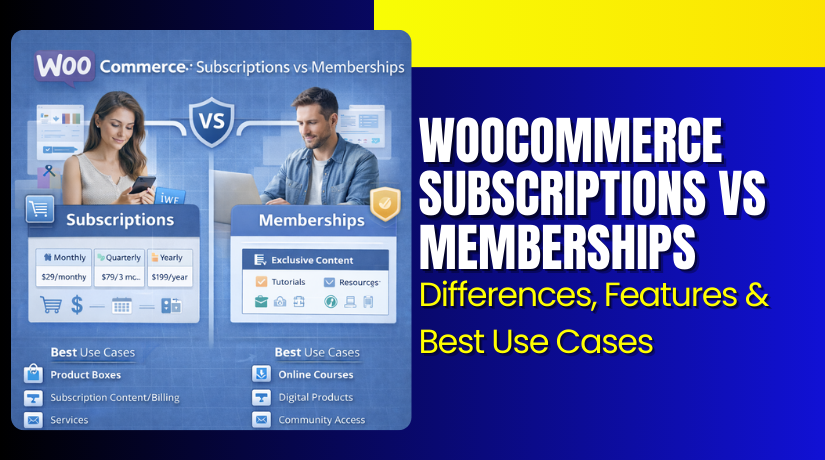
WooCommerce Subscriptions vs Memberships: Differences, Features & Best Use Cases
Table of Contents
- Introduction
- What Are WooCommerce Subscriptions and How Does It Works?
- Features of WooCommerce Subscriptions That Store Owners Need
- Pros and Cons of WooCommerce Subscriptions for Real Businesses
- Best Use Cases of WooCommerce Subscriptions That Work Well
- What Are WooCommerce Memberships and How Does It Works?
- Features of WooCommerce Memberships That Make Them Powerful
- Pros and Cons of WooCommerce Memberships for Your Business Model
- Best Use Cases of WooCommerce Memberships That Convert Well
- WooCommerce Subscriptions vs Memberships: What’s the Real Difference?
- Which One Should You Choose? A Clear Decision Guide
- Can You Use Both WooCommerce Subscriptions and Memberships Together?
- Benefits of Combining Both for Better Sales and Retention
- Conclusion
Introduction
Many store owners want steady income from their WooCommerce store. They often compare WooCommerce subscriptions vs memberships for recurring sales. Both models can work, but they solve different business needs. If you pick the wrong model, customers may get confused. Your billing flow may also become harder to manage.
This guide explains the difference between WooCommerce subscriptions and memberships clearly. It also helps you pick the best model for your store. If you are building a subscription vs membership website WordPress setup, this matters. Subscriptions focus on billing and renewals for products or services. Memberships focus on access control for content and perks.
What Are WooCommerce Subscriptions and How Does It Works?
WooCommerce subscriptions let you charge customers on a fixed schedule. You can bill weekly, monthly, or yearly without manual work. This is called WooCommerce recurring payments in simple terms. A customer buys a subscription product and agrees to renew. The system then charges them again on the next date. The customer can manage renewals from their account area.
They can also pause, cancel, or change their plan settings. Most stores use a WordPress subscription plugin to add this feature. In WooCommerce, the common approach uses subscription extensions. Your payment gateway must support recurring billing features. If it does, renewals can run automatically for customers.
Features of WooCommerce Subscriptions That Store Owners Need
Subscriptions are not only about charging every month. They also include tools that help run recurring plans smoothly. These features improve customer trust and reduce support tickets. Below are the key features store owners use most.
- Flexible billing cycles for weekly, monthly, quarterly, or yearly charges.
- Free trials that let users test before they pay fully.
- Sign-up fees for onboarding, setup, or first-time service work.
- Automatic renewals to keep income stable and reduce churn.
- Manual renewals when a gateway cannot auto-charge customers.
- Upgrade and downgrade options for plan changes without new checkout.
- Prorated payments for fair pricing during mid-cycle plan changes.
- Expiration and cancellation controls for clear end dates and rules.
- Renewal reminders so customers know the next payment date.
- Failed payment handling with retries and customer update options.
These features support many business models in real stores. They also help you scale without manual billing work. This makes subscriptions strong for long-term revenue planning.
Pros and Cons of WooCommerce Subscriptions for Real Businesses
Subscriptions can be great, but they are not always perfect. You should know the benefits and the limits before setup. This section helps you decide with a clear view.
Pros of WooCommerce Subscriptions
- You get more predictable revenue month after month.
- Customers stay longer when renewals happen automatically.
- Cash flow becomes more stable for planning inventory and ads.
- You can offer flexible plans for different customer budgets.
- Trials and upgrades improve conversions and lifetime value.
Cons of WooCommerce Subscriptions
- Some gateways do not support automatic recurring charges.
- Failed payments need a clear retry and reminder process.
- Setup can feel technical for new store owners.
- Subscription features can increase plugin and support costs.
- Refund and cancellation rules must be clearly written upfront.
These points do not mean subscriptions are hard to run. They simply mean your setup must be planned carefully. A clean setup reduces churn and reduces billing disputes.
Best Use Cases of WooCommerce Subscriptions That Work Well
Subscriptions work best when customers need something repeatedly. They also work when your service has ongoing value monthly. If your offer fits these patterns, subscriptions are ideal.
Subscription boxes and repeat delivery products
This is perfect for snacks, beauty items, or monthly essentials. Customers like predictable delivery and simple recurring billing.
SaaS products and online tools with monthly access
If you sell software access, subscriptions are the best fit. Your users pay monthly to keep using the platform features.
Website care plans and maintenance services
Many agencies sell updates, backups, and security as a plan. Subscriptions help you bill clients without chasing invoices monthly.
Support plans for WooCommerce and WordPress stores
If you offer monthly help, subscriptions match the service value. You can bundle support hours and priority response into plans.
Digital services with ongoing work and monthly delivery
Examples include SEO tasks, reporting, or monthly design credits. Subscriptions keep the agreement simple and payments consistent.
Membership billing when you want paid renewals
Some sites sell access, but need monthly billing too. In those cases, subscriptions handle payments while membership handles access. This is where a WooCommerce membership plugin can pair well later.
Subscriptions are best when payment should repeat on a schedule. They are also best when renewals must happen without manual follow-ups. This is the key idea behind WooCommerce recurring payments in practice.
In the next part, we will cover WooCommerce memberships in detail. Then we will compare WooCommerce subscriptions vs memberships side by side. That comparison will make the final choice much easier.
What Are WooCommerce Memberships and How Does It Works?
WooCommerce memberships let you create member-only experiences on your site. You set a membership plan like Bronze, Silver, or Gold access. Then you decide what each plan can access on your website. You can restrict blog posts, training pages, or private downloads. You can also lock products so only members can purchase them. You can offer special member pricing to increase loyalty. A membership can be sold as a one-time purchase or bundled.
It can also be granted manually for selected customers. Many businesses connect memberships with billing through subscriptions. That is done when you want access plus recurring charges. In that setup, subscriptions handle WooCommerce recurring payments while memberships handle access control. This is the core difference between WooCommerce subscriptions and memberships in a practical way.
Features of WooCommerce Memberships That Make Them Powerful
Membership features are designed for content and access control. They help you build a premium area on your website. They also help you create tier-based benefits for different users. Below are the most useful features store owners rely on.
- Content restriction for pages, posts, and specific categories.
- Product restriction for member-only shopping and special items.
- Member-only pricing for discounts and exclusive pricing rules.
- Drip content to release lessons or files on a schedule.
- Access by plan with multiple tiers and upgrade paths.
- Member dashboard access to show private pages and resources.
- Coupons and perks reserved only for active members.
- Manual membership grants for partners, staff, or special customers.
- Bundled memberships included with specific product purchases.
- Email and messaging flow for onboarding and member updates.
These features help you sell value through access, not delivery. They also help you keep members engaged for longer periods. If you plan to grow a gated platform, these tools matter.
Pros and Cons of WooCommerce Memberships for Your Business Model
Memberships can increase loyalty, but they need clear planning. If your value is not clear, people will not stay engaged. This section gives a simple and honest view of memberships.
Pros of WooCommerce Memberships
- You control access to content and products with simple rules.
- You can build strong community value and repeat engagement.
- Member-only perks can increase loyalty and repeat purchases.
- Drip content helps reduce refunds and improves course completion.
- Tier plans help you sell upgrades and premium access levels.
Cons of WooCommerce Memberships
- Memberships alone may not handle recurring billing by default.
- You may need subscriptions for automated monthly renewals.
- Multiple tiers can become complex without a clean content plan.
- You must keep adding value to reduce member drop-offs.
- Rules can conflict if products and pages overlap too much.
These cons are manageable with a good structure and clear offers. If you plan content and perks well, memberships can grow fast. They work best when access is the main product you sell.
Best Use Cases of WooCommerce Memberships That Convert Well
Memberships are best when your business sells premium access. They are also best when your content is the main value. If your site needs private areas, memberships fit well.
Online courses and training platforms
You can lock lessons, videos, and downloads for members only. Drip content keeps students engaged and reduces content overload.


Coaching programs with a private resource library
Members can access worksheets, templates, and call recordings anytime. You can also offer special pricing for 1-to-1 sessions.
Private communities and paid groups
You can sell access to a members-only community area. You can also restrict forum pages and private event pages.
Premium content blogs and news websites
You can lock special articles and guides for paid members. This works well for niche topics and expert-level content.
VIP customer clubs for WooCommerce stores
Members get early access to products and special discounts. You can also offer free shipping or priority support perks.
Loyalty programs with exclusive member benefits
You can reward repeat customers with private perks and content. You can also bundle memberships with purchases for retention.
If your goal is access control, memberships are the best pick. If your goal is recurring billing, subscriptions are stronger. This is the core difference between WooCommerce subscriptions and memberships. In the next part, we will compare both models side by side. That comparison will help you decide faster with clarity.
WooCommerce Subscriptions vs Memberships: What’s the Real Difference?
Many store owners compare WooCommerce subscriptions vs memberships and still feel confused. The reason is simple. Both can create recurring income, but in different ways. Subscriptions manage billing and renewals on a schedule. Memberships manage access to content, products, and special benefits.
Once you understand this, your choice becomes much easier. This section explains the difference between WooCommerce subscriptions and memberships using real store logic. It also helps you plan a clean subscription vs membership website WordPress setup.
Payment Model Difference: Recurring Billing vs Access Control
- WooCommerce subscriptions are built for scheduled billing and renewals. They focus on WooCommerce recurring payments every week or month. The customer is paying for time-based renewal of a plan.
- WooCommerce memberships do not focus on billing by default. They focus on what the user can access on your site. You can sell a membership with one-time payment or manual grants.
- If you want auto renewals for memberships, you often add subscriptions. That means a WordPress subscription plugin handles billing, while a WooCommerce membership plugin controls access.
Revenue Structure Difference: Predictable Income vs Value-Based Access
- Subscriptions create predictable recurring revenue when renewals are stable. You can forecast monthly income and plan ads and stock.
- Membership revenue depends on how you sell access and benefits. It can be one-time, annual, or supported by subscriptions.
- Membership revenue grows when content value grows over time. This is why many course platforms invest in new lessons.
- Subscriptions are easier for forecasting, but depend on renewals. Memberships can be strong too, but need ongoing value delivery.
Product Focus vs Content Focus: What You Are Actually Selling
- With subscriptions, you are selling recurring delivery or recurring service. The product is often a plan, service, or repeat shipment.
- With memberships, you are selling access to something gated. That can be content, perks, discounts, or a private store area.
- If your core offer is “get a product monthly,” use subscriptions.
- If your core offer is “get access to a premium area,” use memberships.
- This is the simplest way to understand WooCommerce subscriptions vs memberships.
Customer Experience Difference: Billing Management vs Access Management
- Subscription customers care about billing dates and renewals. They want easy upgrades, pauses, and cancellation controls. They also want clear renewal emails and payment success updates.
- Membership customers care about login access and what is unlocked. They want simple navigation for member pages and resources. They also want clear plan benefits and tier differences. If you build the wrong experience, users get frustrated quickly.
- So match the model to the user expectation from day one.
Technical Requirements Difference: Plugin Setup and Gateway Support
- Subscriptions require payment gateways that support recurring charges. If your gateway cannot auto bill, you may rely on manual renewals. That can affect conversion and retention for many stores.
- Memberships do not need recurring billing support by default. They mostly need clean rule setup for access control. If you combine both, you need both plugin types working together.
- That often means using a WordPress subscription plugin and a WooCommerce membership plugin. You also need to test upgrades, cancellations, and access removal rules.
Scalability Difference: Billing Scale vs Content Scale
- Subscriptions scale best when fulfillment and service delivery is stable. If you can deliver monthly without delays, you can scale fast.
- Memberships scale best when content and perks expand regularly. More value means better retention and more referrals.
- Subscriptions can scale with operations and automation.
- Memberships can scale with content strategy and community engagement. Both scale well, but the growth driver is different.
Which One Should You Choose? A Clear Decision Guide
Choosing between subscriptions and memberships depends on your core offer. Your business model should decide, not only the plugin features. Use this section as a clean decision filter. It will help you choose the right setup faster. It will also reduce costly changes later in development.
Choose WooCommerce Subscriptions If Your Goal Is Recurring Billing
Pick WooCommerce subscriptions when billing must repeat automatically. This is best when you sell ongoing services or repeat deliveries. It is also best when customers expect monthly payments. If you want stable income from renewals, choose subscriptions. If you want to reduce manual invoicing, choose subscriptions. If your offer is time-based service delivery, choose subscriptions. This model fits support plans, maintenance plans, and SaaS access. It is the best choice for WooCommerce recurring payments and predictable billing.
Choose WooCommerce Memberships If Your Goal Is Access and Benefits
Pick WooCommerce memberships when access control is your product. This is best for premium content, courses, and private communities. It is also best for VIP perks and member-only discounts. If your site needs restricted pages and locked products, choose memberships. If your main value is resources and learning, choose memberships. If your main value is community support, choose memberships. This model fits gated sites and tier-based experiences. It is the best option when your store needs strong access rules.
Quick Checklist for Faster Decision in Real Projects
Use this checklist to decide without overthinking. Answer these questions with a clear yes or no. Your answers will point to the right model.
- Do you need automated billing every month or week?
- Do you need content restriction for posts and private pages?
- Are you selling repeat delivery products or repeat service work?
- Are you selling premium access, perks, or a member-only area?
- Does your payment gateway support recurring charges smoothly?
- Can you keep adding new content or perks regularly?
- Do users expect renewal payments or simple login access?
If billing is the priority, subscriptions win most times. If access control is the priority, memberships win most times. If both matter, combining them is often the best path.
Can You Use Both WooCommerce Subscriptions and Memberships Together?
Yes, you can combine subscriptions and memberships in one site. This is common in many successful WooCommerce businesses today. It works best when you want both recurring billing and gated access.
In simple words, subscriptions collect money on a schedule. Memberships decide what customers can access after payment. This combined setup is often the best option for premium sites. It also solves many limits of using only one model. If you are building a subscription vs membership website WordPress setup, this hybrid model is worth considering.
It is also a smart approach when you want stable income and high retention. Many store owners compare WooCommerce subscriptions vs memberships and end up using both. The key is setting them up in a clean and simple way.
Benefits of Combining Both for Better Sales and Retention
The combined model gives you more control over your business. It also makes your customer journey more clear and professional. If you want higher retention, this setup can help.
- You get recurring revenue with less manual billing work.
- You can lock premium content and products for paid users.
- You can create multiple tiers for upgrades and better profits.
- You can reduce churn using drip content and ongoing value.
- You can connect billing status with access removal automatically.
- You can offer trials and onboarding perks for higher conversions.
- You can build a loyal community around paid member benefits.
These benefits explain why many stores choose a combined setup. It supports growth and improves customer lifetime value over time.
Conclusion
The choice between subscriptions and memberships depends on your core goal. WooCommerce subscriptions are best for recurring billing and renewals. They are built for planned WooCommerce recurring payments and stable revenue. WooCommerce memberships are best for access control and premium benefits. They help you lock content, products, and perks for members only.
This is the real difference between WooCommerce subscriptions and memberships in practice. If you sell repeat deliveries or services, subscriptions fit better. If you sell premium access and content, memberships fit better. If you need both, combining them is often the smartest plan. This is why many sites choose a hybrid approach for growth.
If you are still unsure, do not worry. A clean setup needs planning and correct configuration. Wrong settings can break renewals, access, and customer trust. WooHelpDesk can help you choose the right model for your store. We can also help you set up subscriptions and memberships correctly. If you want a smooth experience and stable revenue, reach out to WooHelpDesk today.



