Best Payment Gateways for WordPress Websites (Detailed Guide)
Table of Contents
- Introduction
- What Are Payment Gateways For WordPress Websites?
- What Are Uses Of Payment Gateways For WordPress Websites
- Features To Look For In The Best Payment Gateway For WordPress Websites
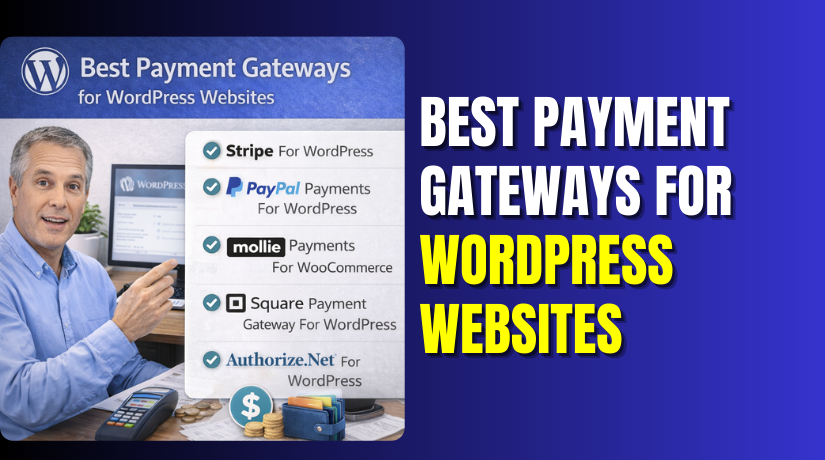
- List Of 5 Best Payment Gateways For WordPress Websites (Top Picks)
- How To Choose The Best Payment Gateway For WordPress Websites
- Conclusion
Introduction
A smooth checkout helps visitors trust your site faster. A slow checkout makes people leave without paying. That is why your gateway choice matters for sales. The best payment gateway for WordPress should feel simple. It should work fast on mobile and desktop devices. It should also keep every payment safe and verified. Many site owners lose orders due to poor checkout flow. A strong WordPress payment gateway helps you avoid that problem.
It supports cards, wallets, and local payment options. It also reduces failed payments and checkout errors. If you sell products, the right gateway matters even more. You need a stable WooCommerce payment gateway for clean order updates. This guide helps you pick a reliable option confidently. We will cover basics before sharing top gateway options.
What Are Payment Gateways For WordPress Websites?
A payment gateway for WordPress website lets customers pay online securely. It connects your website to the payment system behind it. It sends payment details to the bank for approval. It also returns a success or failure response quickly. A good gateway keeps card data protected during checkout.
Most gateways use encryption and secure token systems. You can add a gateway using a plugin in WordPress. WooCommerce also supports gateways through add-on plugins easily. That is why a WooCommerce payment gateway is popular for stores. It can also work with forms and membership plugins. This makes it an online payment gateway for WordPress in many cases.
What Are Uses Of Payment Gateways For WordPress Websites
A payment gateway helps you collect money on your site safely. It turns your WordPress site into a working checkout system. You can accept payments without sending users to other places. The right WordPress payment gateway also improves trust and sales. It reduces failed payments and supports faster checkout methods. If you sell products, it becomes your core payment system. If you sell services, it helps you take advance payments. This is why picking the best payment gateway for WordPress matters. Below are the most common and useful ways to use it.
Accept Card Payments For Products And Services
A gateway lets customers pay using debit or credit cards. This works well for stores, agencies, and service providers. You can sell physical items, digital files, and paid sessions. A payment gateway for WordPress website makes checkout easy for buyers. It also confirms payments quickly and reduces manual follow-ups. With WooCommerce, the payment updates the order status automatically. That is why many stores choose a stable WooCommerce payment gateway. It helps you manage paid orders without extra steps.
Enable One-Time Payments And Quick Checkouts
Many WordPress sites need simple one-time payment options. You may sell a single product, a consultation, or a package. A gateway supports these payments without complex cart systems. You can also add express pay buttons for faster checkout. This improves conversions and reduces checkout drop-offs. A good online payment gateway for WordPress supports mobile-friendly checkout too. That helps buyers pay quickly using smaller screens.
Support Recurring Payments For Subscriptions And Memberships
Many businesses run on recurring income every month. A gateway helps you charge users automatically on renewals. This is important for memberships, courses, and maintenance plans. You need saved payment methods and secure token support. A strong WordPress payment gateway helps avoid failed renewals. It also sends payment status updates to your site. If you use WooCommerce Subscriptions, gateway support matters more. In that case, the best payment gateway for WooCommerce is one that supports renewals.
Accept Local Payment Methods And Digital Wallets
Many buyers prefer local payment options over cards. Some use wallets, bank transfers, or local methods. A gateway can support these options based on your location. This helps you reach more users and reduce payment friction. It is also helpful for international customers and global stores. The right payment gateway for WordPress website can support multi-currency too. That makes your pricing flexible for different regions.
Sell Digital Products, Courses, And Downloadable Files
WordPress is popular for selling digital products and content. You can sell ebooks, templates, videos, and online courses. A gateway helps you deliver content only after payment is confirmed. WooCommerce and course plugins can automate access for buyers. A reliable WooCommerce payment gateway keeps download delivery smooth. It also reduces fraud by confirming each order properly.
Collect Donations And Event Payments Without Hassle
Many sites collect donations for causes and communities. A gateway makes it easy for users to donate instantly. You can accept fixed or custom donation amounts securely. Event sites also use gateways for booking and ticket payments. A good online payment gateway for WordPress supports quick payments here. It also sends confirmation messages to donors and attendees. This improves trust and helps people donate again later.
Reduce Checkout Drop-Offs And Improve Buyer Trust
A clean checkout builds confidence for first-time visitors. A trusted gateway logo can improve payment confidence quickly. Fast payment processing also reduces user frustration at checkout. A stable WordPress payment gateway prevents random payment errors. It also supports refund options and dispute handling features. This helps you manage customer issues with less stress. That is why choosing the best payment gateway for WordPress supports growth.
Features To Look For In The Best Payment Gateway For WordPress Websites
Choosing a gateway is not only about the brand name. Your site needs stable payments, fast checkout, and safe processing. The best payment gateway for WordPress should match your buyers and business. It should also work smoothly with your theme and plugins. Below are the most important features you should check first.
Security And Compliance Features You Should Never Ignore
Security keeps customer trust and protects your business from fraud. A strong WordPress payment gateway should use SSL-based secure checkout. It should also support tokenization to protect card information. Look for PCI compliance handling by the gateway provider. This reduces your risk and setup work on WordPress. 3D Secure support adds extra buyer verification during payment. Fraud filters help block risky payments before they complete. These features keep your payment gateway for WordPress website safer.
Payment Method Support That Matches Your Target Customers
Your buyers may not all use cards for every payment. Many prefer wallets, bank transfer, or local payment options. A good online payment gateway for WordPress supports multiple methods. It should support cards, wallets, and local payment options easily. If you sell globally, check multi-currency support too. Also check if the gateway supports international cards properly. For WooCommerce stores, this matters even more at checkout. The right WooCommerce payment gateway increases completed orders.
Checkout Experience That Helps People Pay Faster
A smooth checkout reduces cart abandonment and failed payments. Some gateways offer on-page checkout without redirection. Some gateways redirect users to a hosted payment page. On-page checkout feels faster but needs clean plugin support. Hosted checkout reduces risk and works well for beginners. Express options like Apple Pay and Google Pay improve speed. A strong payment gateway for WordPress website should be mobile-friendly. This helps more people pay using phones without frustration.
Fees And Payout Features You Must Compare Carefully
Fees can reduce profit if you ignore the full cost. Always check the transaction fee per successful payment. Check if refunds have extra charges or fixed deductions. Chargeback fees can be high, so understand them clearly. Also check currency conversion fees for international buyers. Payout speed matters for cash flow and business planning. Some providers pay daily, while others pay weekly. The best payment gateway for WooCommerce should offer clear payouts. This helps you match orders with deposits more easily.
WordPress And WooCommerce Compatibility You Can Trust
A gateway must work cleanly with your current WordPress setup. The plugin should be updated often and well-reviewed. It should support the latest WooCommerce and WordPress versions. Webhooks should work properly for order status updates. A weak webhook setup can cause paid orders to stay pending. That creates support tickets and customer complaints quickly. A stable WooCommerce payment gateway also supports refunds and captures. It should not break checkout after theme or plugin updates.
Business Features That Help You Scale Payments Smoothly
Many businesses need more than basic one-time payments. Subscriptions support is important for memberships and recurring plans. Saved cards help repeat buyers pay faster next time. Partial refunds help when customers return only part of an order. Good reports help you match payments with orders quickly. Some gateways also offer smart retry for failed payments. This reduces revenue loss from expired cards and failed renewals. A strong WordPress payment gateway should support these growth needs. This is how you pick the best payment gateway for WordPress confidently.
List Of 5 Best Payment Gateways For WordPress Websites (Top Picks)
#1 Stripe For WordPress
Stripe is a popular WordPress payment gateway for global businesses. It supports fast card payments and modern wallet options. It also works well as a WooCommerce payment gateway for stores. Many users like its smooth checkout and strong security tools. It fits stores, services, and subscription-based websites easily. It is often seen as the best payment gateway for WooCommerce. Setup is simple with API keys and clear plugin settings.
Features
- Supports cards, Apple Pay, and Google Pay.
- Strong fraud tools with built-in risk checks.
- Supports subscriptions and saved payment methods.
- Webhooks sync orders and payments in real time.
- Works well for global payments and multiple currencies.
Pros
- Fast checkout experience on mobile and desktop devices.
- Strong security and compliance support for safer payments.
- Great for recurring billing and subscription-based businesses.
- Wide support across plugins and WooCommerce extensions.
- Easy reporting and payment tracking for order matching.
Cons
- Some features need extra setup and correct webhook settings.
- Disputes can be time-consuming without strong proof documents.
- Currency conversion fees may apply for global customers.
- Account reviews may hold funds for new businesses.
- Some countries have limited Stripe availability and features.
Download Link: Stripe
#2 PayPal Payments For WordPress
PayPal is a trusted online payment gateway for WordPress worldwide. Many buyers already have PayPal accounts and cards saved. This helps people pay faster and with more confidence. It works well for stores and service payments too. It also supports PayPal buttons for quick checkout speed. For many stores, it is a strong payment gateway for WordPress website setup. It also fits WooCommerce checkout with simple plugin connection.
Features


- Accepts PayPal balance, cards, and Pay Later options.
- Express checkout buttons can reduce cart abandonment rates.
- Supports order updates using webhooks and payment capture.
- Easy setup using account connection and dashboard settings.
- Works well with WooCommerce checkout and cart pages.
Pros
- Strong buyer trust and widely recognized payment brand.
- Fast checkout for users with saved PayPal information.
- Good option for international payments and global customers.
- Easy to start without complex payment account steps.
- Works well for beginners setting payments for the first time.
Cons
- Some accounts face holds during early sales periods.
- Refunds and disputes can take longer to resolve.
- PayPal fees can feel higher for some businesses.
- Webhook issues can cause delayed order status updates.
- PayPal checkout styling may feel less flexible sometimes.
Download Link: PayPal
#3 Mollie Payments For WooCommerce
Mollie is a reliable WordPress payment gateway for many European businesses. It supports cards and popular local payment methods in Europe. It also works as a smooth WooCommerce payment gateway for online stores. Many users like its simple setup and clean checkout flow. It is a good online payment gateway for WordPress if you sell in EU regions. It also supports refunds and clear payment status updates in WooCommerce.
Features
- Supports cards plus popular EU local payment methods.
- Clean WooCommerce checkout integration with order status sync.
- Refunds can be handled from WooCommerce in many setups.
- Test mode support for safe checkout testing before going live.
- Multi-currency and multi-country support for EU-focused selling.
Pros
- Great choice for EU stores needing local payment options.
- Setup is simple with a clear Mollie dashboard flow.
- Smooth checkout experience that works well on mobile devices.
- Good payment tracking with reliable status updates in WooCommerce.
- Works well for both products and digital goods stores.
Cons
- Best coverage is mainly for Europe, not all countries.
- Some payment methods depend on your business and region.
- Chargeback handling can still take time and documents.
- Not always the best fit for India-first payment needs.
- Some advanced features may need extra configuration steps.
Download Link: Mollie Payments
#4 Square Payment Gateway For WordPress
Square is a strong option if you sell in-store too. It connects online orders and physical store payments together. It can sync inventory and products for many store setups. It works well as a WooCommerce payment gateway for retail businesses. It supports card payments and can simplify daily sales tracking. Many sellers use it when they also use Square POS. It is a practical online payment gateway for WordPress for hybrid selling.
Features
- Supports online card payments through Square payment system.
- Helps connect with Square POS for offline store payments.
- Inventory syncing can help reduce overselling issues.
- Simple setup using Square account connection steps.
- Works well with WooCommerce checkout and order management.
Pros
- Great fit for stores selling online and in person.
- POS connection helps unify sales and inventory tracking.
- Simple dashboard and clear payment reporting system.
- Good for local retail businesses with repeat customers.
- WooCommerce integration is stable for standard product stores.
Cons
- Inventory syncing may need careful setup and testing.
- Some features vary by country and business category.
- Disputes and chargebacks still need strong documentation.
- Not always best for complex subscription-based billing needs.
- Some users report sync delays during high traffic times.
Download Link: Square Payment
#5 Authorize.Net For WordPress
Authorize.Net is popular for many US-based businesses and stores. It often works with a dedicated merchant account setup. This can help businesses wanting more control over processing. It supports card payments and secure transaction handling tools. It can be a stable WordPress payment gateway for established sites. Many WooCommerce stores use it for direct card checkout flow. If you want a classic approach, it is reliable. It can also be the best payment gateway for WordPress in specific setups.
Features
- Supports card payments through merchant account style setup.
- Strong security tools like tokenization and fraud filters.
- Supports capture, void, and refund transaction actions.
- Works with WooCommerce using gateway integration plugins.
- Supports recurring billing through supported subscription setups.
Pros
- Good choice for established US businesses and larger stores.
- Strong payment control with merchant account integration options.
- Reliable processing history and strong security features.
- Useful fraud tools to reduce risky transactions.
- Works well for standard WooCommerce checkout requirements.
Cons
- Setup can take longer than wallet-first options.
- Merchant account approval may require more business details.
- Some plugins may be paid for full gateway support.
- Not always best for quick global selling needs.
- Fees can vary by merchant account and provider terms.
Download Link: Authorize.Net
How To Choose The Best Payment Gateway For WordPress Websites
Identify What You Sell On Your WordPress Website
Start by listing what you sell and how you sell it. Products need a stable WooCommerce payment gateway with order sync. Services may need simple pay links or form payments. Courses and memberships need recurring payment support. This step helps you avoid choosing the wrong gateway type. It also keeps your checkout flow clean and easy.
Check Country And Currency Support Before Anything Else
Every gateway has country and currency limits for payouts. Confirm it supports your business country and bank account. Then check supported currencies for your customer locations. If you sell worldwide, multi-currency support matters a lot. This protects you from blocked payments and payout delays later.
Confirm Your Needed Payment Methods For Your Customers
Your buyers may prefer cards, wallets, or local methods. Choose a gateway that matches your audience payment habits. If you want faster checkout, look for express pay options. These include Apple Pay, Google Pay, and PayPal buttons. This improves checkout speed and reduces cart drop-offs.
Compare Total Fees And Hidden Charges Properly
Do not compare only the per-transaction fee shown on pages. Check refund fees, chargeback fees, and payout fees too. International card and currency conversion fees can add up quickly. Also check if there are monthly or setup charges. This helps you pick the true cost-friendly gateway.
Check Payout Speed And Settlement Rules Carefully
Payout time affects your business cash flow and planning. Some gateways pay daily, while others pay weekly. New accounts may face longer settlement times at first. Also check minimum payout limits and bank transfer days. Fast payouts matter when you manage inventory and refunds often.
Verify Plugin Quality And WordPress Compatibility
A gateway should have a well-maintained WordPress plugin. Check the last update date and recent user reviews. Make sure it supports your WooCommerce version and theme. Webhooks should work to update order status correctly. A weak plugin can break checkout after site updates.
Check Subscription Support If You Need Recurring Payments
If you sell memberships, you need recurring billing support. Confirm it supports saved cards and automatic renewals. Also check retry rules for failed subscription payments. This prevents revenue loss from expired cards and renew failures. It also keeps access control working correctly.
Review Refund, Partial Refund, And Dispute Handling Options
Refunds should be easy to process and track inside WordPress. Partial refunds matter for multi-item orders and returns. Also check how disputes and chargebacks are handled. Some gateways offer better dispute tools and faster case updates. This reduces stress when customers raise payment issues.
Test Everything In Sandbox Mode Before Going Live
Always test in test mode before enabling live payments. Make a successful payment and confirm order status updates. Test a failed payment and check error handling messages. Try a refund and confirm it reflects in the order. Testing helps you avoid real customer issues on launch day.
Conclusion
The right gateway makes checkout smoother and builds quick trust. Stripe works great for modern checkout and global selling needs. PayPal helps when you want brand trust and fast checkout. WooPayments fits WooCommerce users wanting dashboard-based payment control. Square is great for stores selling online and offline together. Authorize.Net fits many US businesses using merchant account setups. If you need help choosing, setup, or fixing payment errors, WooHelpDesk can help. Get expert support for checkout issues, failed payments, and gateway setup.